
1. Introduction
Thank you for choosing the Bellemave Full Size Metal Loft Bed with Desk. This manual provides essential information for the safe assembly, operation, and maintenance of your new loft bed. Please read all instructions carefully before beginning assembly and retain this manual for future reference.
This loft bed is designed to provide a comfortable sleeping area above a functional workspace, featuring integrated LED lighting and a charging station for convenience.
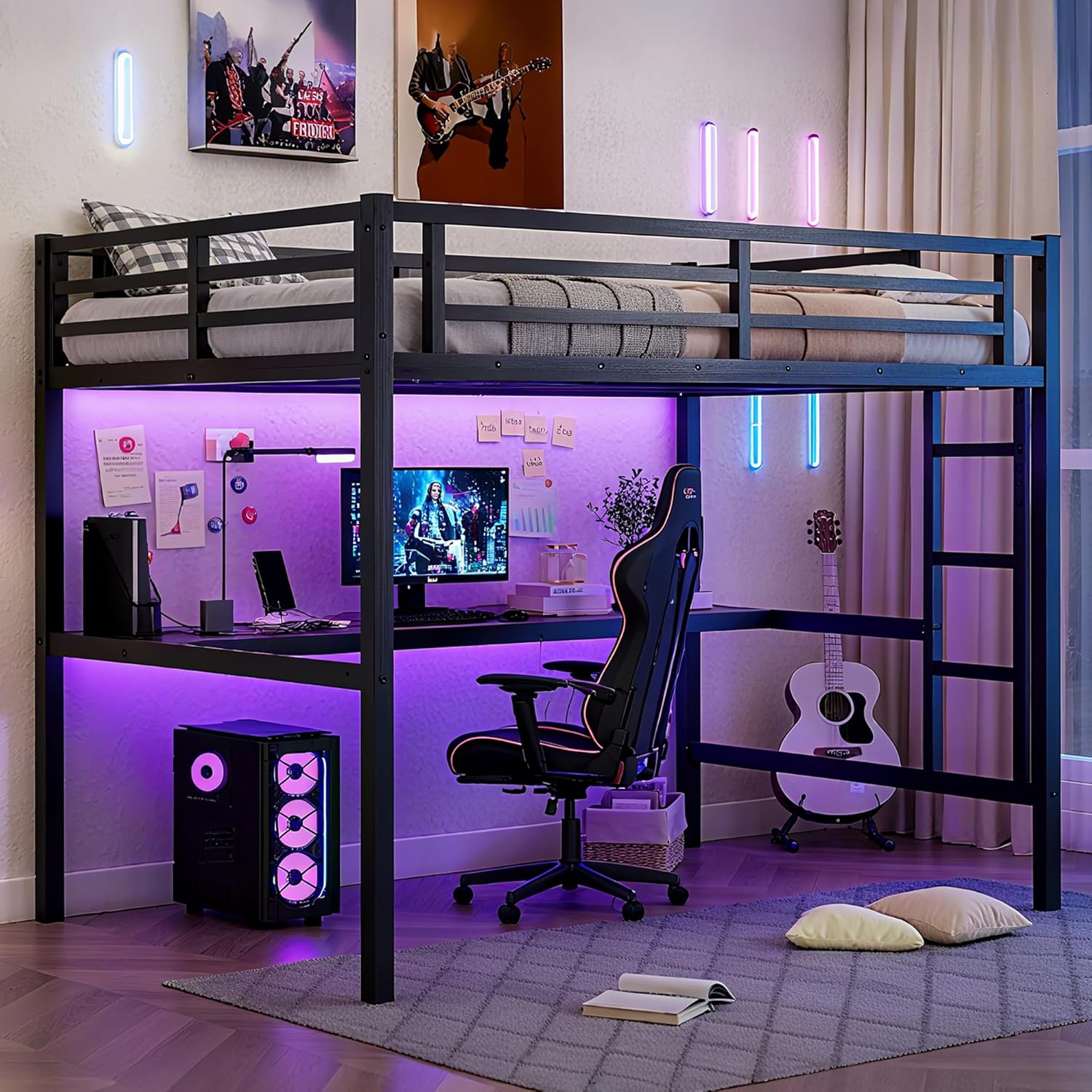
Image 1.1: Overall view of the Bellemave Full Size Metal Loft Bed with desk, LED lights, and charging station.
2. Safety Information
Your safety is paramount. Adhere to all safety warnings and instructions to prevent injury or damage.
- Weight Capacity: The top bunk is designed to support a maximum weight of 350 pounds. Do not exceed this limit.
- Guardrails: The loft bed features 13-inch reinforced full-length guardrails. Ensure they are properly installed and maintained to prevent falls.
- Mattress Thickness: For optimal safety and to ensure the effectiveness of the guardrails, use a mattress that is not thicker than 6 inches.
- Assembly: Assembly should be performed by at least two adults. Ensure all connections are secure before use.
- Wall Anchoring: For added stability and security, it is recommended to anchor the loft bed to a wall using appropriate brackets (if included).
- Sharp Edges: Exercise caution around potential sharp edges during assembly and use.
- Children's Product Certificate (CPC): This product has passed the CPC test, indicating compliance with safety standards for children's products.

Image 2.1: The 13-inch guardrails are designed to keep occupants safe while sleeping.
3. Package Contents
Before assembly, verify that all components listed below are present and undamaged. If any parts are missing or damaged, do not proceed with assembly and contact customer support.
- Metal Bed Frame Components
- Desk Surface
- Built-in Ladder
- Guardrails
- LED Light Strip
- Charging Station Unit (with USB ports and outlets)
- Bed Slats
- Hardware Pack (screws, bolts, washers, nuts)
- Assembly Tools (e.g., Allen wrench)
- Instruction Manual
4. Setup and Assembly Instructions
Assembly of the Bellemave Loft Bed is designed to be straightforward. Each part is labeled, and all necessary hardware and tools are included. Follow the step-by-step instructions provided in the separate assembly guide that accompanies your product.
- Unpack Components: Carefully remove all parts from the packaging and lay them out on a clean, soft surface to prevent scratches.
- Identify Parts: Match each component with the corresponding labels in the assembly guide.
- Assemble Frame: Begin by assembling the main metal frame structure according to the diagrams. Do not fully tighten all bolts until the entire frame is assembled.
- Install Desk and Ladder: Attach the desk surface and built-in ladder to the frame as instructed.
- Secure Guardrails: Install the guardrails on the top bunk, ensuring they are firmly attached.
- Place Slats: Position the bed slats evenly across the top bunk frame.
- Install LED Lights and Charging Station: Follow the specific instructions for attaching the LED light strip and integrating the charging station into the desk area.
- Final Tightening: Once all components are in place, systematically tighten all bolts and screws. Do not overtighten.
- Safety Check: Before use, perform a thorough check to ensure all parts are securely fastened and the bed is stable.
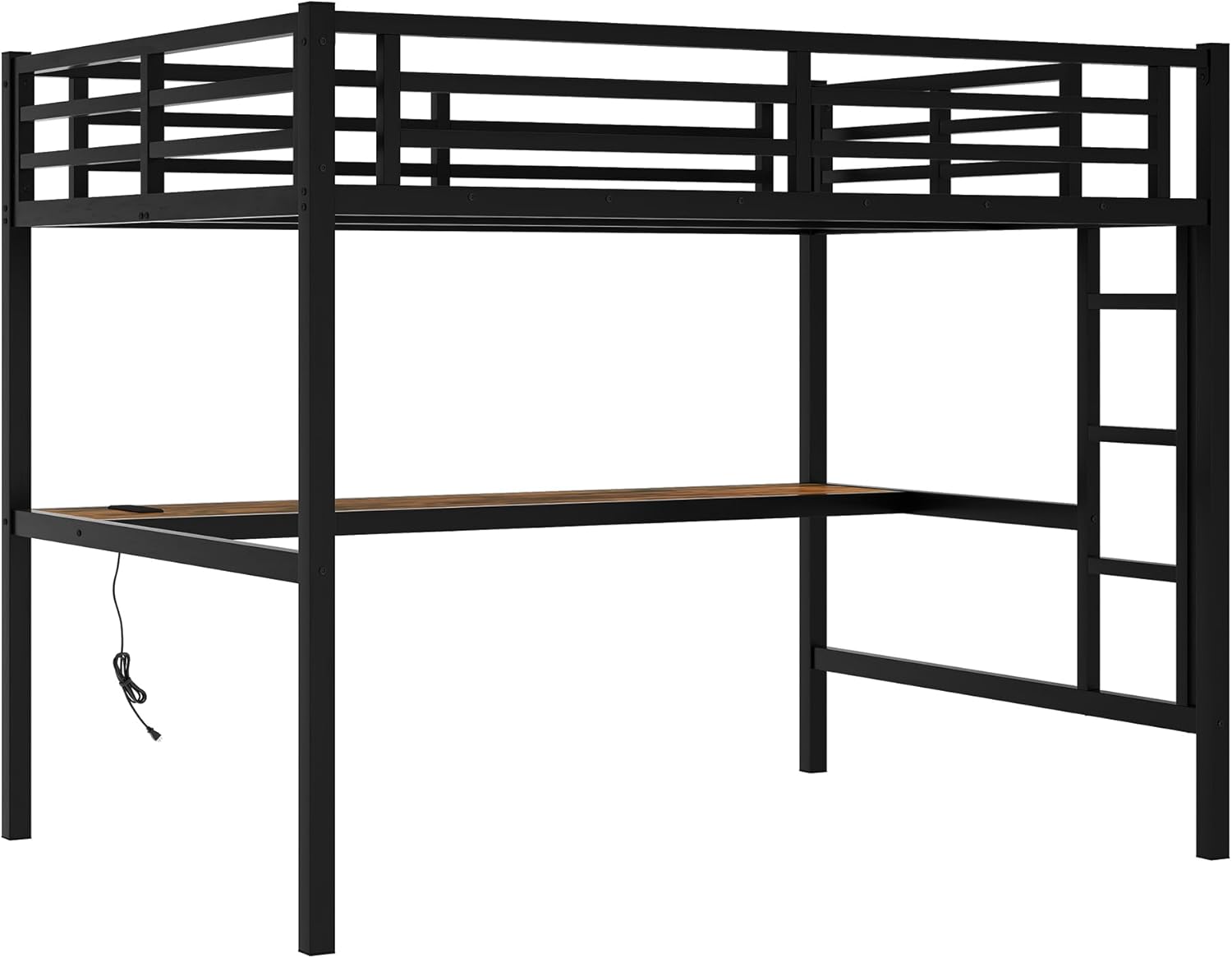
Image 4.1: The metal frame of the loft bed, ready for assembly of additional components.
5. Operating Instructions
5.1. LED Lights
The integrated LED lights offer customizable illumination for your workspace or sleeping area.
- Power On/Off: Use the provided remote control or integrated switch to turn the LED lights on or off.
- Color Adjustment: The remote control allows you to select various colors to suit your preference.
- Brightness Control: Adjust the brightness levels to create the desired ambiance.
- Lighting Effects: Explore different lighting effects and modes available via the remote control.
5.2. Charging Station
The built-in charging station provides convenient power access for your electronic devices.
- USB Ports: Connect your USB-compatible devices (e.g., smartphones, tablets) to the USB ports for charging.
- Power Outlets: Use the standard power outlets for laptops, lamps, or other electronic accessories.
- Power Source: Ensure the charging station is properly plugged into a wall outlet for functionality.

Image 5.1: Detail of the integrated LED lights and the charging station with USB ports and power outlets.
6. Maintenance
Regular maintenance will help prolong the life and ensure the safety of your loft bed.
- Cleaning: Wipe down the metal frame and desk surface with a soft, damp cloth. Avoid harsh chemicals or abrasive cleaners.
- Hardware Check: Periodically check all bolts, screws, and connections to ensure they remain tight. Retighten as necessary.
- LED Lights: If the LED lights malfunction, check the power connection and remote control battery.
- Charging Station: Ensure the charging station is free from dust and debris. Do not overload the outlets.
7. Troubleshooting
If you encounter issues with your Bellemave Loft Bed, refer to the following common troubleshooting tips:
- Bed Wobbles: Check all frame connections and ensure bolts are securely tightened. Verify the bed is on a level surface.
- LED Lights Not Working: Confirm the power adapter is plugged in correctly. Check the remote control battery. Ensure the LED strip is properly connected.
- Charging Station Not Functioning: Ensure the charging station is plugged into a live wall outlet. Test with different devices and cables.
- Missing Parts: If parts are missing upon unboxing, do not proceed with assembly. Contact Bellemave customer support immediately.
8. Specifications
| Feature | Detail |
|---|---|
| Model Number | WL000050FB |
| Size | Full |
| Product Dimensions (L x W x H) | 77.6" x 56.7" x 68.9" |
| Material | Metal |
| Color | Black |
| Weight Capacity (Top Bunk) | 350 pounds |
| Guardrail Height | 13 inches |
| Special Features | Integrated Desk, LED Lights, Charging Station (USB & Outlets), Built-in Ladder |
| Assembly Required | Yes |
| UPC | 197793823517 |
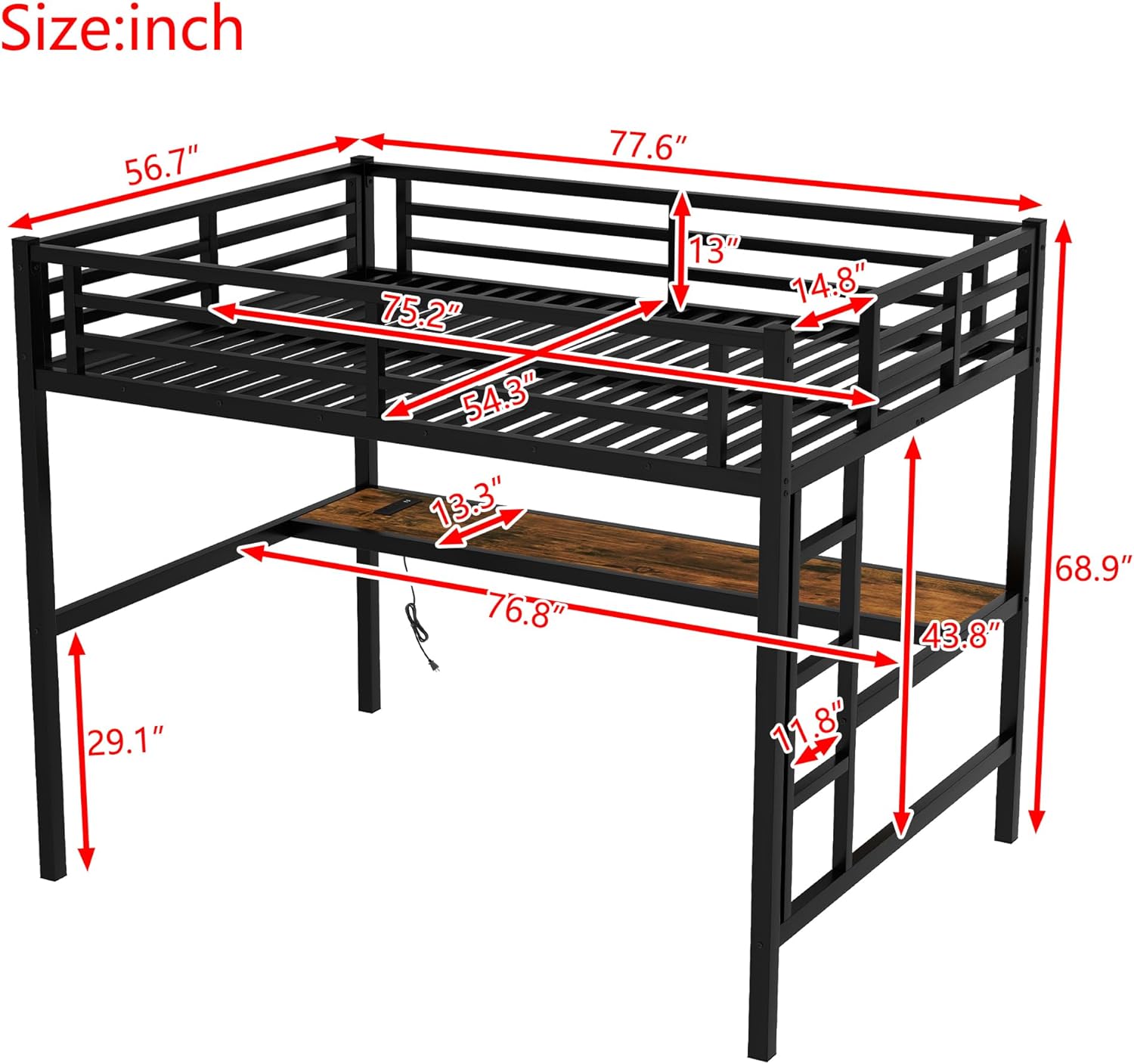
Image 8.1: Dimensional diagram of the Bellemave Full Size Metal Loft Bed.
9. Warranty and Support
Bellemave stands behind the quality of its products. For specific warranty details, please refer to the warranty card included with your purchase or visit the official Bellemave website. If you have any questions, require assistance with assembly, or need to report missing/damaged parts, please contact Bellemave customer support.
Contact information can typically be found on the product packaging or the Bellemave brand store page.


