
1. What's in the Box
Your PQRQP GT16 Wireless Lavalier Microphone package includes the following components:
- 2 x Transmitter with Back Clip
- 1 x Receiver for iPhone, iPad, Android, Camera
- 1 x USB A to Type C Charging Cable
- 1 x User Manual

Image: All components of the PQRQP GT16 Wireless Lavalier Microphone system, neatly arranged.
2. Product Overview and Key Features
The PQRQP GT16 Wireless Lavalier Microphone system is designed for high-definition sound recording across various devices and scenarios. Key features include:
- 3-in-1 Universal Receiver: Equipped with USB-C, 3.5mm Jack, and Lightning connectors for broad compatibility.
- Omnidirectional Sound & Noise Cancellation: Features a DSP noise cancellation chip and AI algorithm for clear audio by filtering environmental noise.
- Universal Wireless System: Offers stable audio signal transmission up to 65 feet (20 meters) without cables.
- Long-Lasting Battery Life: Transmitters provide up to 7 hours of continuous use. The receiver is powered by the connected device and can be charged simultaneously.
- Multiple Audio Modes: Three distinct modes (Amplifier, Camera, Cell Phone) for optimized performance across different recording setups.

Image: Illustration highlighting the built-in professional-grade intelligent noise reduction chip for clear sound quality.

Image: The 3-in-1 universal receiver demonstrating compatibility with iOS, Android, Camera, and PC devices.
3. Setup Instructions
Setting up your PQRQP GT16 Wireless Lavalier Microphone is a simple plug-and-play process:
- Charge the Microphones: Ensure both transmitters are fully charged using the provided USB A to Type C charging cable.
- Connect the Receiver: Plug the receiver directly into your device's appropriate port (Lightning for iPhone/iPad, USB-C for Android/Laptops, or 3.5mm Jack for Cameras/Sound Cards).
- Power On Transmitters: Press and hold the power button on each portable microphone (transmitter) for approximately 3 seconds until the indicator light turns on.
- Automatic Pairing: The transmitters and receiver will automatically pair. A steady indicator light on both units confirms a successful connection. No adapter, Bluetooth, or application is needed for pairing.

Image: Visual guide demonstrating the simple plug-and-play setup process for the microphone system.
Setup Demonstration Video
Video: A seller-provided video demonstrating the setup process for the PQRQP wireless microphone with an iPhone.
4. Operating Instructions
4.1. Understanding the Modes
The receiver features a button to switch between three distinct operating modes, indicated by different LED colors:
- Green Light (Amplifier Mode): Recommended for use with speakers.
- Ice Blue Light (Camera Mode): Recommended for use with cameras and sound cards.
- Blue Light (Cell Phone Mode): Recommended for use with cell phones, tablets, and laptops.
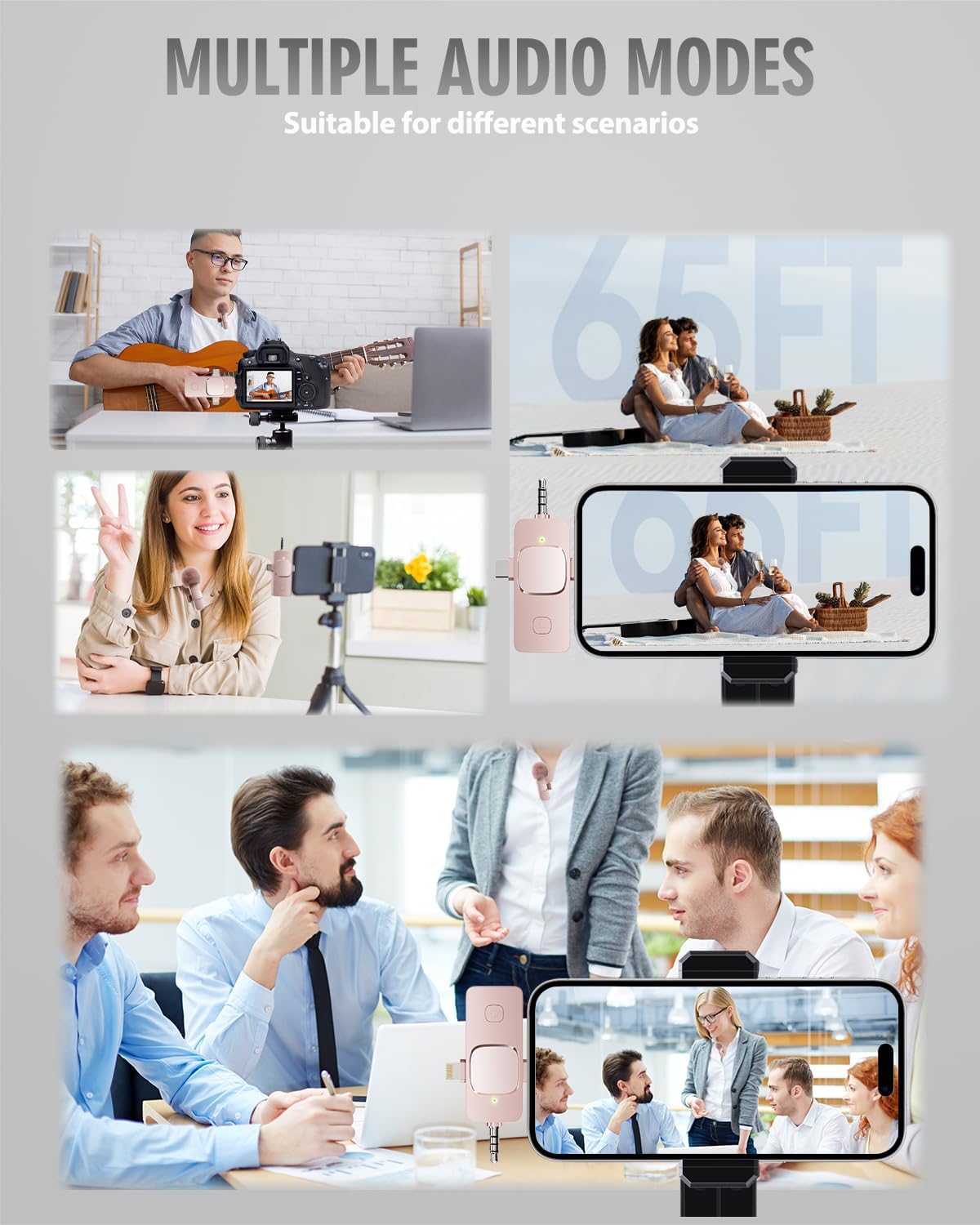
Image: Visual representation of the different audio modes and their recommended uses.
4.2. Noise Cancellation
The microphone utilizes a cutting-edge DSP noise cancellation chip and an AI algorithm's intelligent noise reduction module to effectively filter various environmental noises, ensuring clear and clean audio recordings.

Image: Illustration demonstrating the intelligent noise reduction capability, showing audio waveforms before and after processing.
4.3. Dual Microphone Use
The system supports simultaneous connection of two microphones to a single receiver, ideal for interviews, podcasts, or collaborative video content.

Image: Depiction of two microphones paired with one receiver, highlighting automatic connection, omnidirectional sound, wireless transmission, and 7-hour working time.
4.4. Wireless Range and Battery
Enjoy stable audio signal transmission up to 65 feet (20 meters) without the need for cables. The built-in 65mAh battery in each transmitter allows for up to 7 hours of continuous operation. The receiver draws power from your device and can be charged simultaneously, ensuring uninterrupted recording sessions.

Image: Visualizing the 65ft/20m stable audio signal transmission range.
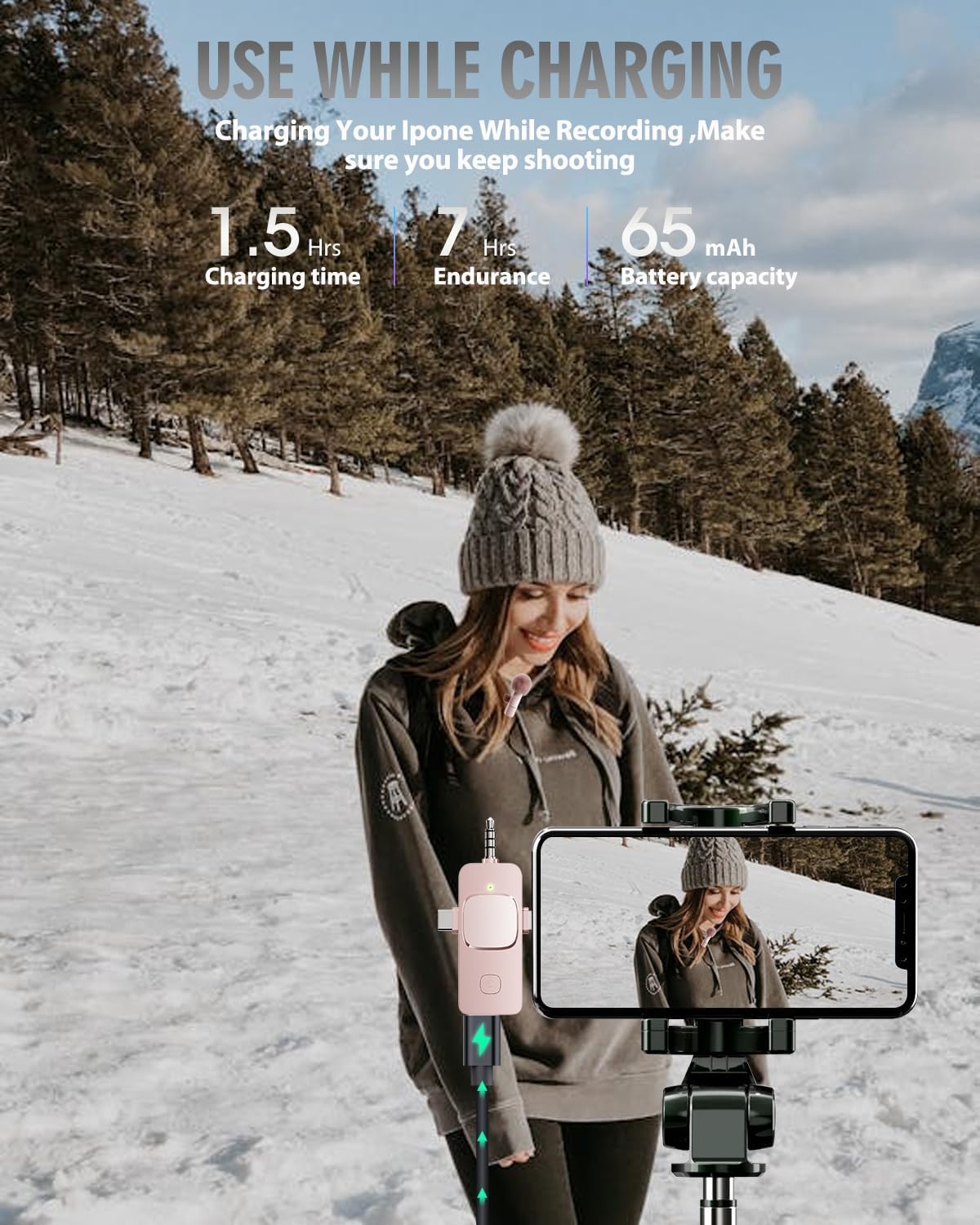
Image: Demonstrating the ability to charge your iPhone while recording, ensuring continuous use.
4.5. Usage Scenarios
The PQRQP GT16 is suitable for a wide range of applications, including blogging, interviewing, live streaming, podcasting, YouTube, Instagram, and TikTok content creation.

Image: Various usage scenarios such as video conferencing, live streaming, live interviews, and outdoor recording.
Operating Demonstrations
Video: A seller-provided review demonstrating the features and sound quality of the 3-in-1 Wireless Lavalier Microphone.
Video: A seller-provided video showcasing the cute and stylish pink microphone in use.
Video: A seller-provided video highlighting the mini pink wireless microphone's features.
Video: A seller-provided sound test of the wireless lavalier microphone with an Android device.
5. Maintenance
To ensure the longevity and optimal performance of your PQRQP GT16 Wireless Lavalier Microphone, follow these maintenance guidelines:
- Cleaning: Use a soft, dry cloth to clean the microphone and receiver. Avoid using harsh chemicals or abrasive materials.
- Storage: Store the microphone system in a cool, dry place away from direct sunlight and extreme temperatures. Use the provided small case for protection during transport.
- Battery Care: Fully charge the transmitters before extended storage. If not used for a long period, charge them every 3 months to maintain battery health.
- Windscreen Care: The fuzzy windscreens can be gently cleaned with a soft brush or by hand-washing with mild soap and water, then air-dried completely.
6. Troubleshooting
If you encounter any issues with your PQRQP GT16 Wireless Lavalier Microphone, please refer to the following common troubleshooting steps:
- No Sound/Poor Sound Quality:
- Ensure both transmitters and the receiver are powered on and successfully paired (indicated by a steady light).
- Check the battery level of the transmitters. Recharge if low.
- Verify the receiver is securely plugged into your device's correct audio input port.
- Confirm the correct audio mode is selected on the receiver (Green for Amplifier, Ice Blue for Camera, Blue for Cell Phone).
- Test the microphone in a different environment to rule out excessive background noise.
- Intermittent Connection:
- Ensure you are within the 65-foot (20-meter) operating range.
- Minimize obstructions between the transmitter and receiver.
- Avoid strong electromagnetic interference from other wireless devices.
- Device Not Recognizing Receiver:
- For some Android devices, you may need to enable OTG (On-The-Go) functionality in your phone's settings.
- Ensure your device's operating system is up to date.
If the issue persists, please contact PQRQP customer support for further assistance.
7. Specifications
| Feature | Specification |
|---|---|
| Model Name | GT16 |
| Brand | PQRQP |
| Connectivity Technology | Wireless |
| Connector Type | USB-C / 3.5 mm Jack / Lightning |
| Microphone Form Factor | Lavalier |
| Polar Pattern | Omnidirectional |
| Audio Sensitivity | 100 Decibels |
| Signal-to-Noise Ratio | 80.00 |
| Power Source | Battery Powered |
| Battery Life (Transmitter) | Up to 7 hours |
| Wireless Range | 65 feet (20 meters) |
| Compatible Devices | Camera, Laptop, Personal Computer, Smartphone, Tablet |
| Item Weight | 3.2 ounces (0.09 Kilograms) |
| Product Dimensions | 3 x 0.6 x 0.3 inches |
| Material | Acrylonitrile Butadiene Styrene, Brass, Copper, Nylon, PVC |
8. Warranty and Support
For information regarding product warranty, returns, or technical support, please refer to the official PQRQP website or the contact information provided on your product packaging. Keep your purchase receipt for warranty claims.

