
1. Product Overview
The brenzo Smart Hand Massager is designed to provide targeted relief for hand pain, stiffness, and fatigue. It utilizes air compression massage combined with soothing heat to improve circulation and relax muscles. This device features multiple massage modes and intensity levels, allowing for a personalized experience.

Image 1.1: The brenzo Smart Hand Massager, showcasing its ergonomic design and control panel.
Key Features:
- Personalized Hand Massage: Offers 3 distinct massage modes and 5 adjustable intensity levels to target palms, fingers, and wrist zones.
- Soothing Warmth: Equipped with 3 heat settings to enhance circulation and alleviate stiffness from conditions like arthritis or carpal tunnel.
- Ergonomic Design: Glove-like fit contours to the hand for comfortable and secure use, suitable for various hand sizes.
- Wireless Operation: Powered by a 2000mAh rechargeable battery, providing multiple sessions per charge.
- Auto Shut-off: Features a 15-minute automatic shut-off for safe and convenient use.
2. Safety Information
Please read all safety instructions before using the brenzo Smart Hand Massager to ensure safe and effective operation.
- Do not operate the device in high-temperature environments, especially during hot weather.
- If your body feels warm, avoid using the highest heat setting for more than 10 minutes to prevent potential skin burns.
- Remove all jewelry (rings, bracelets, watches) from your hands before use to prevent damage to the device or injury.
- Consult a physician before use if you have any pre-existing medical conditions, especially those affecting circulation, nerve damage, or skin sensitivity.
- Keep the device away from water and moisture. Do not use it in wet conditions.
- Do not attempt to disassemble or repair the device yourself. Contact customer support for assistance.
- Keep out of reach of children.
3. Package Contents
Verify that all items are present in the package:
- brenzo Smart Hand Massager Unit
- USB Charging Cable
- Instruction Manual
- Disposable Gloves (for use with lotions, if desired)
4. Setup
4.1 Charging the Device
Before first use, fully charge the hand massager. Connect the provided USB charging cable to the device's charging port and to a suitable USB power adapter (not included) or computer USB port. The charging indicator light will show the charging status.
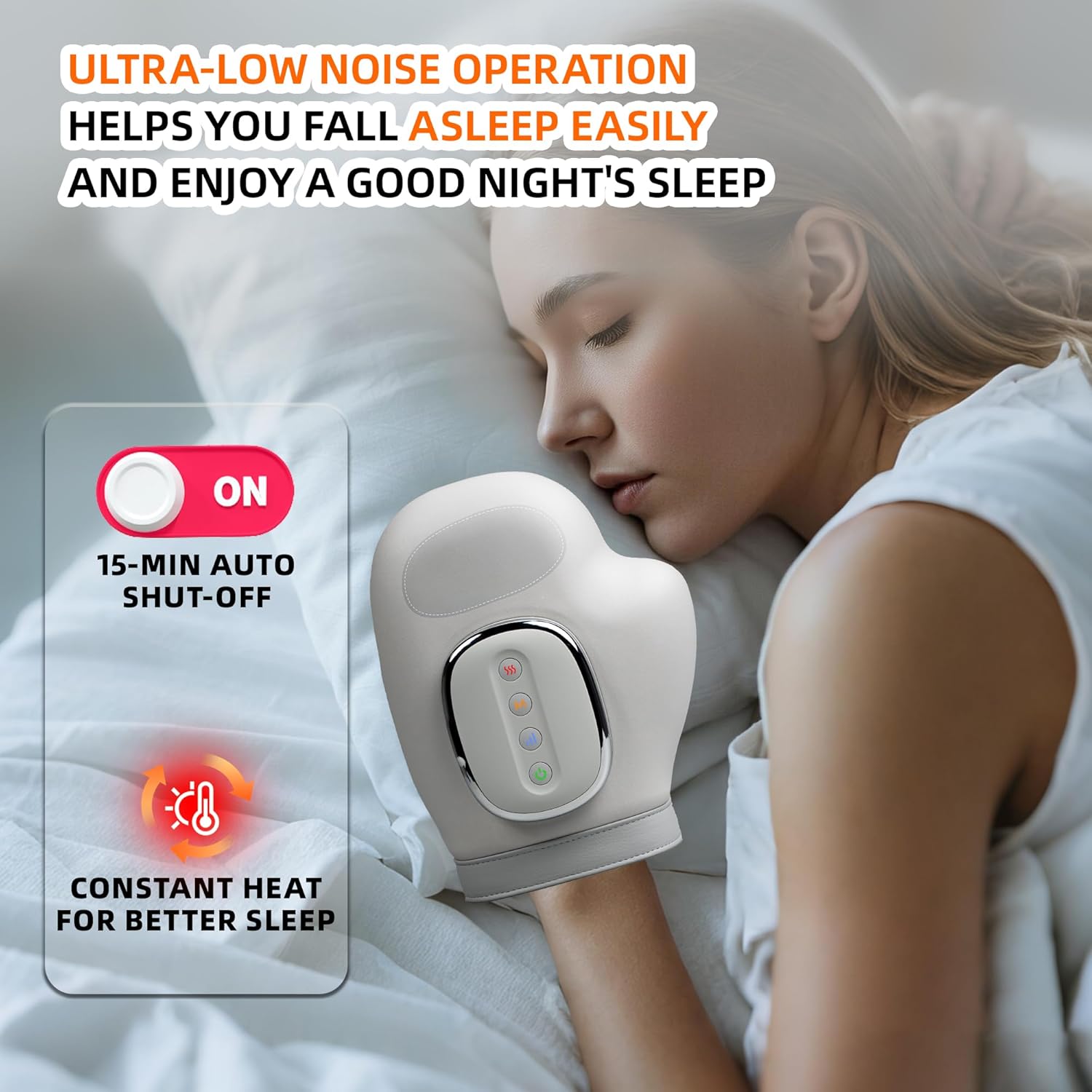
Image 4.1: The hand massager being charged via its USB cable, indicating its wireless capability after charging.
4.2 Hand Placement
Ensure your hand is clean and dry. If using lotion, wear the provided disposable gloves. Slide your hand into the massager, making sure your fingers are aligned with the internal finger compartments and your palm rests comfortably. The device is designed to fit both left and right hands.

Image 4.2: Proper hand placement within the massager for optimal comfort and effectiveness.
5. Operating Instructions
The control panel on the top of the massager allows you to customize your massage experience.

Image 5.1: The control panel with buttons for power, mode, intensity, and heat.
5.1 Power On/Off
- Press and hold the Power Button () for 2 seconds to turn the device ON or OFF.
5.2 Selecting Massage Mode
- Press the Mode Button (M) to cycle through the 3 available massage modes. Each press will change the mode, indicated by a corresponding light.
5.3 Adjusting Intensity
- Press the Intensity Button () to adjust the air compression intensity. There are 5 levels of intensity, indicated by the number of illuminated bars.
5.4 Activating Heat Function
- Press the Heat Button () to activate or adjust the heat level. There are 3 heat settings, indicated by the number of illuminated wavy lines.
5.5 Automatic Shut-off
The device is programmed to automatically shut off after 15 minutes of continuous use. This is a safety feature and helps conserve battery life. You can restart a new session if desired.
Video 5.2: A user demonstrating the brenzo Smart Hand Massager, highlighting its features and ease of use.
Video 5.3: An overview of the brenzo Hand Massager with Heat Compression, showing its application for daily comfort.
6. Maintenance
6.1 Cleaning
After each use, wipe the massager with a damp cloth. Do not use abrasive cleaners or immerse the device in water. Ensure the device is completely dry before storing.
6.2 Storage
Store the hand massager in a cool, dry place away from direct sunlight and extreme temperatures. Keep it in its original packaging or a protective cover to prevent dust accumulation.
7. Troubleshooting
If you encounter any issues with your brenzo Smart Hand Massager, please refer to the following common problems and solutions:
- Device does not turn on: Ensure the device is fully charged. Connect it to the USB charging cable and allow it to charge for at least 1 hour.
- No heat or weak heat: Check that the heat function is activated and set to your desired level using the Heat Button. Allow a few minutes for the heat to build up.
- Weak or inconsistent compression: Ensure your hand is properly placed within the massager and that the Intensity Button is set to an appropriate level.
- Unusual noises: If the device makes unusual noises, turn it off immediately and contact customer support.
- Discomfort during use: If you experience discomfort, reduce the intensity or turn off the device. Ensure no jewelry is worn and your hand is positioned correctly.
If the problem persists after trying these solutions, please contact brenzo customer support for further assistance.
8. Specifications

Image 8.1: Dimensions of the brenzo Smart Hand Massager.
| Feature | Specification |
|---|---|
| Product Dimensions | 9.7 x 7.5 x 4 inches |
| Item Weight | 1.8 Pounds |
| Model Number | 0618eab5-f2f4-43e4-b8ba-95e70a2ef33a |
| Batteries | 1 Lithium Polymer battery (included) |
| Power Source | Battery Powered |
| Target Use Body Part | Hand |
| Massager Form | Hand Massager |
| Massage Therapy Technique | Compression |
| Material Type | Polyethylene (PE) |
| Color | Gray |
9. Warranty and Support
The brenzo Smart Hand Massager comes with a standard manufacturer's warranty. For detailed warranty information, product support, or to report any issues, please refer to the warranty card included in your package or visit the official brenzo website.