
Croove CR-2510
Croove Rechargeable Bubble Machine (Model CR-2510) User Manual
Model: CR-2510 | Brand: Croove
1. Introduction
This manual provides essential information for the safe and effective operation of your Croove Rechargeable Bubble Machine. Please read thoroughly before use to ensure optimal performance and longevity of the device.
Key Features:
- Dual High-Speed Fans & 180° Rotation: Creates over 10,000 bubbles per minute with automatic 180° rotation and 90° adjustable blower wings for wide coverage.
- Vibrant RGB Lighting: Built-in RGB lights cycle automatically, enhancing the visual experience for both day and night use.
- Large 800ml Spill-Proof Reservoir: Designed to prevent leaks and spills, allowing for extended playtime without frequent refills.
- Rechargeable & USB-Powered: Features a built-in 2000mAh battery for up to 1 hour of cordless operation, with continuous use possible via USB power.
2. What's Included
- 1 x Croove Rechargeable Bubble Machine
- 1 x 100ml Bubble Concentrate (Yields 1L of solution)
- 1 x USB-C Charging Cable
- 1 x User Manual
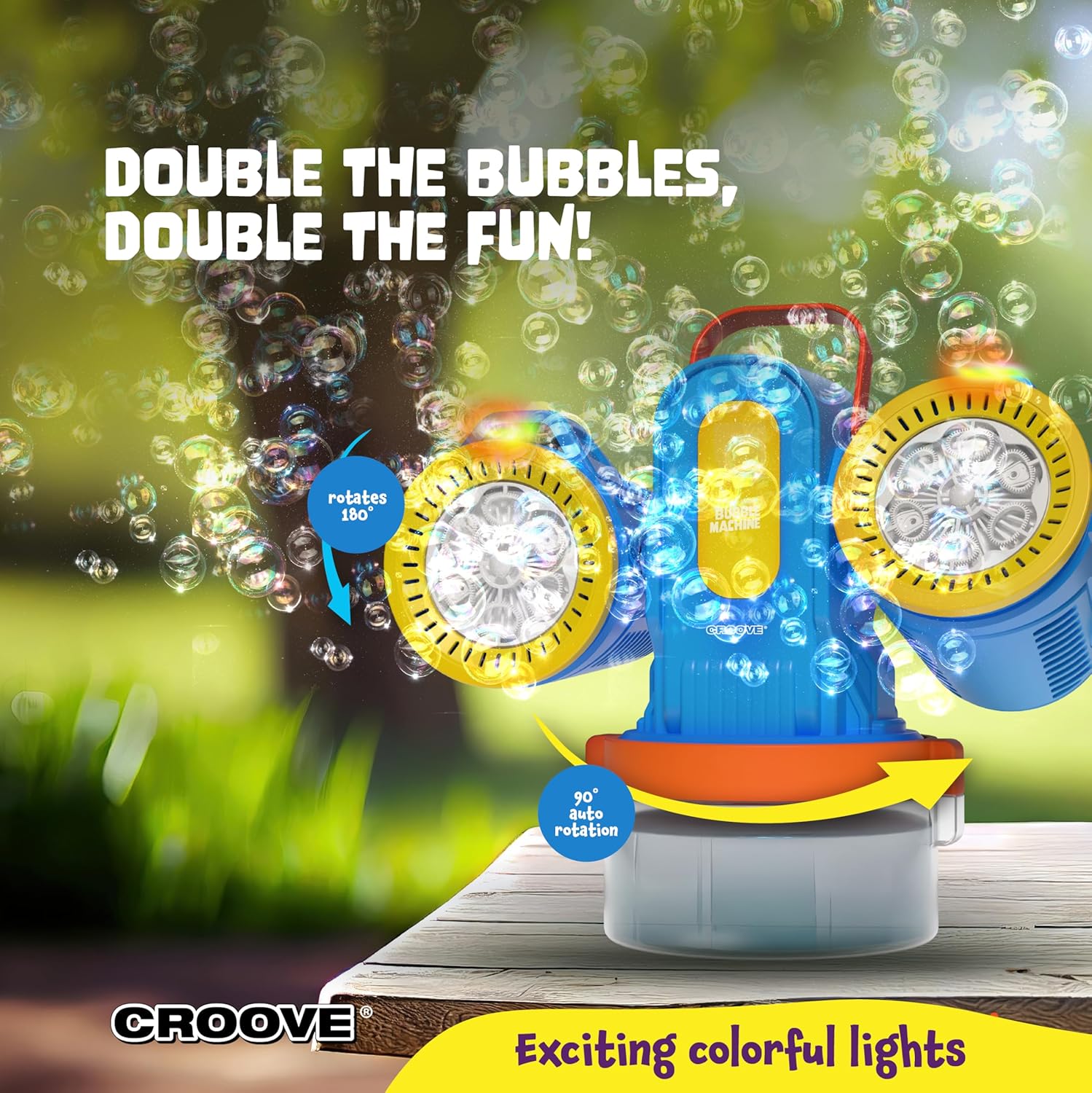
Figure 1: Contents of the product packaging.
3. Safety Information
- Not for Consumption: Bubble solution is not for ingestion. Keep out of reach of small children who may attempt to drink it.
- Eye Contact: In case of eye contact, rinse thoroughly with water. If irritation persists, seek medical attention.
- Supervision: Adult supervision is recommended during use, especially with young children.
- Placement: Place the machine on a stable, level surface to prevent tipping and spills. Avoid using on slippery surfaces indoors.
- Charging: Use only the provided USB-C cable for charging. Do not attempt to charge with damaged cables or in wet conditions.
- Maintenance: Ensure the device is turned off and unplugged before cleaning or performing any maintenance.
4. Setup
- Remove the bubble machine from its packaging.
- Fill the 800ml reservoir with water and add the included 100ml bubble concentrate (yields 1L). Ensure the bubble solution is filled between the minimum and maximum lines indicated on the reservoir.
- For continuous operation, plug in the USB-C cable. For cordless use, rely on the built-in 2000mAh battery.
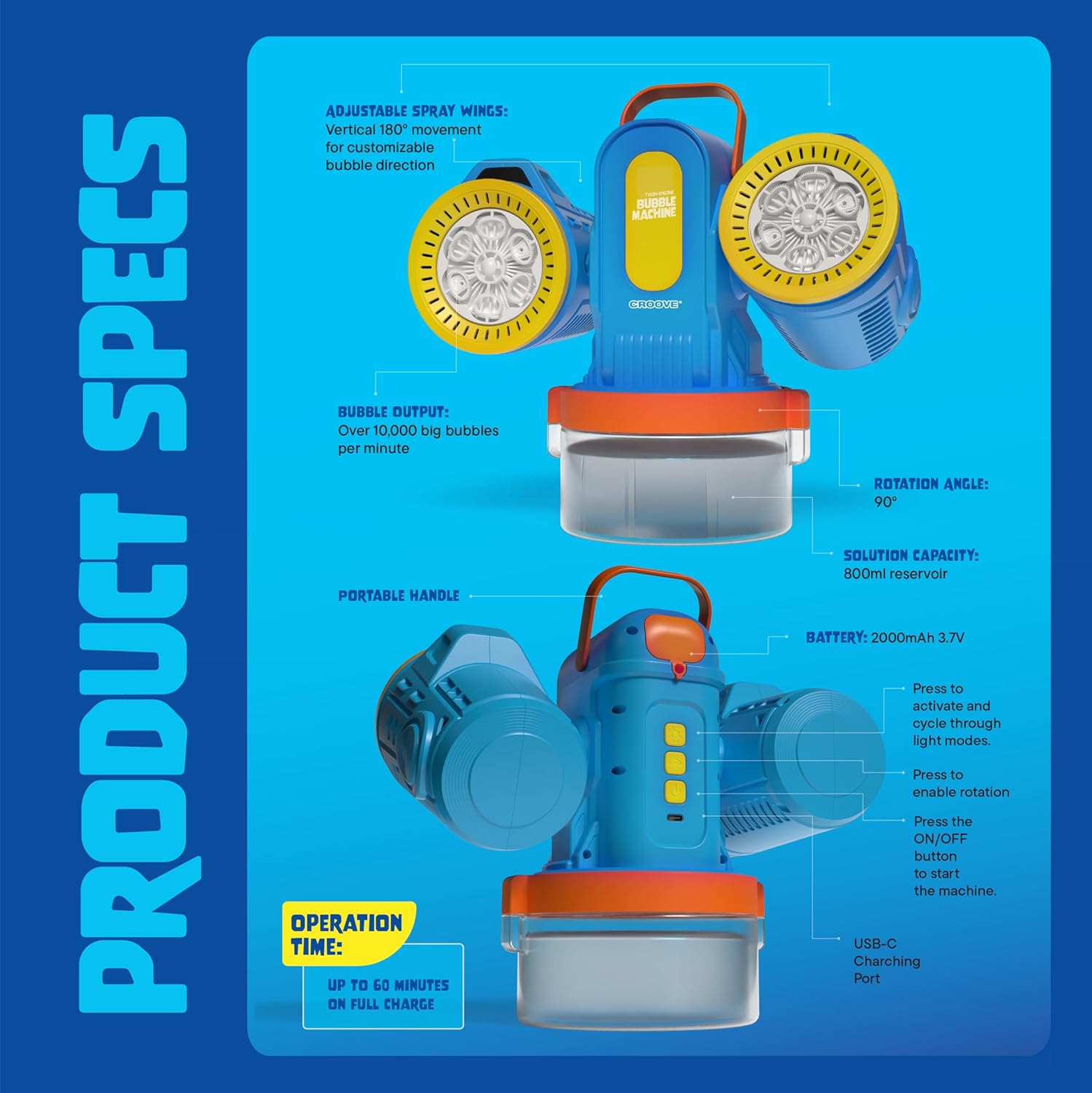
Figure 2: Product specifications and key components.
5. Operating Instructions
Powering On:
Press the power button to turn on the machine. The device will begin producing bubbles.
Bubble Output & Rotation:
The machine features dual high-speed fans that generate over 10,000 bubbles per minute. It includes 180° automatic rotation and 90° adjustable blower wings. Adjust the wings to direct the bubble flow as desired. Built-in RGB lights will cycle through colors automatically, enhancing the visual effect.
Figure 3: The bubble machine in operation, demonstrating rotation and bubble output.

Figure 4: Close-up of the bubble machine highlighting its powerful engines and colorful lights.
Video 1: Demonstration of the Croove Bubble Machine in action, showing its bubble output and ease of use for children.
6. Charging the Device
The Croove Rechargeable Bubble Machine is equipped with a built-in 2000mAh battery, providing up to 1 hour of continuous operation on a full charge. For extended use, the machine can operate continuously while plugged in via the provided USB-C cable.
Charging Procedure:
- Connect the provided USB-C cable to the charging port on the device.
- Plug the other end of the USB-C cable into a compatible USB power source (e.g., wall adapter, power bank, computer USB port).
- The charging indicator light will illuminate. Once fully charged, the indicator light may change color or turn off, depending on the model.

Figure 5: USB-C charging port location.
7. Maintenance
Regular maintenance ensures the longevity and optimal performance of your bubble machine.
Cleaning After Use:
- Turn off the machine and unplug it from any power source.
- Carefully empty any remaining bubble solution from the reservoir.
- Rinse the reservoir and the bubble wands with clean water to prevent residue buildup and clogging.
- Wipe the exterior of the machine with a soft, dry cloth.
- Allow all components to air dry completely before storing.
8. Troubleshooting
- No bubbles or weak bubbles:
- Ensure the bubble solution level is adequate and not diluted excessively.
- Check if the bubble wands are fully submerged in the solution.
- Clean the bubble wands and reservoir to remove any dried residue.
- Machine not turning on:
- Verify the battery is charged.
- Ensure the USB-C cable is securely connected if operating in wired mode.
- Leaking:
- Ensure the reservoir cap is securely fastened.
- Place the machine on a stable, level surface.
- Avoid overfilling the reservoir beyond the maximum fill line.
9. Product Specifications
| Specification | Detail |
|---|---|
| Product Dimensions | 9.8 x 5.1 x 10.55 inches |
| Item Weight | 1.75 pounds |
| Item Model Number | CR-2510 |
| Manufacturer Recommended Age | 36 months - 8 years |
| Battery | 1 Nonstandard Battery (2000mAh, included) |
| Solution Capacity | 800ml |
| Bubble Output | 10,000+ bubbles per minute |
| Rotation Angle | 180° automatic rotation, 90° adjustable blower wings |
10. Warranty and Support
For warranty information, product registration, or technical support, please refer to the contact details provided on the product packaging or visit the official Croove website. Keep your purchase receipt as proof of purchase for any warranty claims.
Related documentsCR-2510

Ask a question about this manual
Ask about setup, troubleshooting, compatibility, parts, safety, or missing instructions. Manuals+ will review the question and use this page’s manual context to help answer it.