
Dyson V9
Dyson V9 Motorbar Cordless Vacuum: User Manual
Model: V9
Brand: Dyson
Introduction
The Dyson V9 Motorbar™ cordless vacuum is engineered for powerful performance, offering up to 40 minutes of fade-free suction for deep cleaning across various surfaces. It features advanced, whole-machine filtration to capture allergens and fine dust, expelling cleaner air. The versatile design allows for easy conversion to a handheld unit, making it suitable for cleaning high, low, and in-between spaces.
Key Features:
- Optimal balance of power and weight for ease of use.
- Motorbar™ cleaner head for deep cleaning all floor types with automatic hair de-tangling.
- Hair screw tool with anti-tangle conical brush bar for efficient pet and long hair removal from upholstery and pet beds.
- LCD screen displaying power modes, remaining run time, and maintenance alerts.
- Transforms into a handheld vacuum for versatile cleaning of cars, stairs, and upholstery.
Included Components
- Vacuum cleaner main body
- Motorbar™ cleaner head
- Hair screw tool
- Crevice tool
- Combination tool
- Wall dock
- Charger
Setup
Assembly:
- Unpack all components from the box.
- Attach the wand to the main vacuum body until it clicks securely.
- Select your desired cleaner head (Motorbar™ or Hair screw tool) or attachment (Crevice tool, Combination tool) and attach it to the end of the wand or directly to the main body for handheld use.
Charging & Docking:
Install the wall dock in a convenient location near a power outlet. Connect the charger to the wall dock. Place the Dyson V9 Motorbar™ vacuum into the wall dock to charge. The LCD screen will indicate charging status and remaining run time.

Image: The Dyson V9 Motorbar vacuum is shown being placed into its wall-mounted docking station for convenient storage and charging. The bin is also shown being emptied into a waste bin.
Operating Instructions
Power Modes:
The Dyson V9 Motorbar™ features 3 power modes: Eco, Medium, and Boost. Select the appropriate mode via the LCD screen on the main body. Eco mode provides up to 40 minutes of run time for lighter cleaning, while Boost mode offers maximum suction for tougher tasks with reduced run time.

Image: Close-up of the Dyson V9 Motorbar's LCD screen, displaying the current power mode (Eco, Medium, Boost), remaining run time, and maintenance alerts.
Cleaning Surfaces:
The Motorbar™ cleaner head is designed to deep clean all floor types, from hard floors to carpets, automatically de-tangling hair as you clean. For specialized tasks, attach the Hair screw tool for pet hair on upholstery or the Crevice tool for tight spaces.
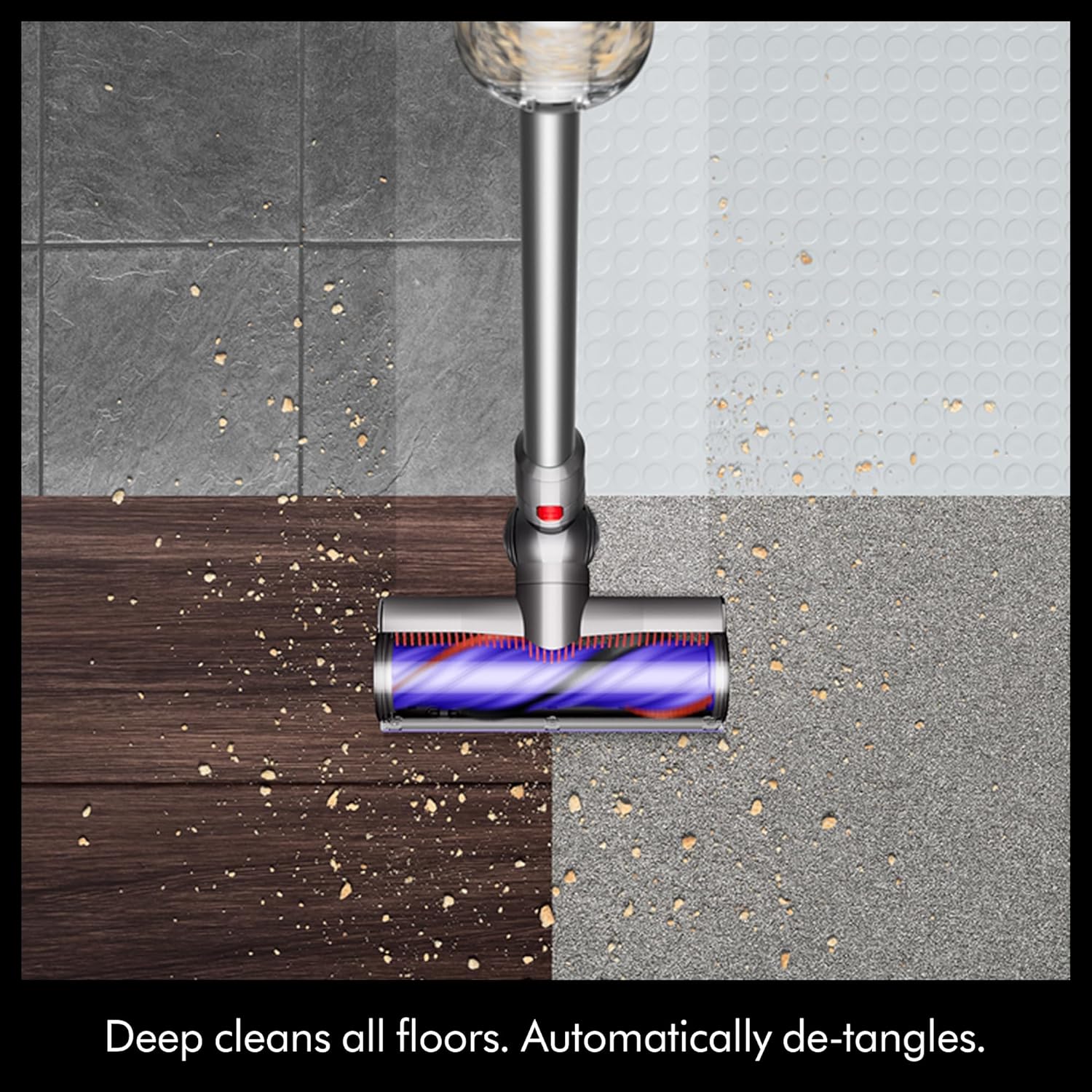
Image: The Motorbar™ cleaner head is shown effectively cleaning different floor surfaces, including tile, wood, and carpet, highlighting its versatility.
Handheld Conversion:
To convert to a handheld vacuum, simply detach the wand from the main body. Attach any desired accessory directly to the main body for quick clean-ups or detailed work.

Image: Two women demonstrate the Dyson V9 Motorbar. One uses it in stick mode for floor cleaning, while the other uses it in handheld mode to clean high surfaces.
Maintenance
Bin Emptying:
Empty the dust bin when debris reaches the MAX line. To empty, hold the vacuum over a waste bin and push the red lever to release the bin contents. This is a no-touch bin emptying system.
Filter Cleaning:
The Dyson V9 Motorbar™ features advanced, whole-machine filtration. Refer to the LCD screen for maintenance alerts regarding filter cleaning. The filter is washable and designed for lifetime use. Follow the instructions in the full manual for proper removal and washing.
Brush Bar Maintenance:
The Motorbar™ cleaner head and Hair screw tool are designed to de-tangle hair automatically. Periodically check the brush bars for any remaining tangled hair or debris and remove as necessary to maintain optimal performance.
Troubleshooting
If you experience issues such as reduced suction, unusual noises, or the roller bar getting stuck, perform the following checks:
- Reduced Suction: Check if the dust bin is full and empty it. Ensure the filter is clean and properly reinserted. Check for blockages in the cleaner head, wand, or main body.
- Roller Bar Sticking: Turn off the vacuum and inspect the Motorbar™ cleaner head and Hair screw tool for any tangled hair or large debris obstructing the brush bar. Remove any obstructions.
- Charging Issues: Ensure the charger is correctly plugged into both the wall outlet and the wall dock, and that the vacuum is properly seated in the dock. Check the power outlet for functionality.
For further assistance, refer to the detailed troubleshooting guide in the full product manual or contact Dyson support.
Specifications
| Feature | Detail |
|---|---|
| Brand | Dyson |
| Model Name | Dyson V9 Motorbar |
| Item Model Number | V9 |
| Power Source | Battery Powered |
| Battery Life | Up to 40 minutes (in Eco mode) |
| Number of Power Levels | 3 (Eco, Medium, Boost) |
| Filter Type | Dyson Advanced Filtration (Lifetime, Washable) |
| Capacity | 0.1 Gallons |
| Form Factor | Handheld / Stick |
| Surface Recommendation | All floors |
| Item Weight | 4.6 pounds |
| Product Dimensions | 9.9"L x 9.8"W x 44.5"H |
Warranty and Support
The Dyson V9 Motorbar™ Cordless Vacuum comes with a 2-year warranty. Additionally, Dyson provides lifetime support for your product. For warranty claims, technical assistance, or any inquiries, please contact Dyson customer service.
Related documentsV9


Ask a question about this manual
Ask about setup, troubleshooting, compatibility, parts, safety, or missing instructions. Manuals+ will review the question and use this page’s manual context to help answer it.