
Fossil FS6136
Fossil Pearson Multifunction Stainless Steel Watch User Manual
Model: FS6136
Introduction
This manual provides instructions for the proper setup, operation, and maintenance of your Fossil Pearson Multifunction Stainless Steel Watch, Model FS6136. Please read this manual thoroughly to ensure optimal performance and longevity of your timepiece.
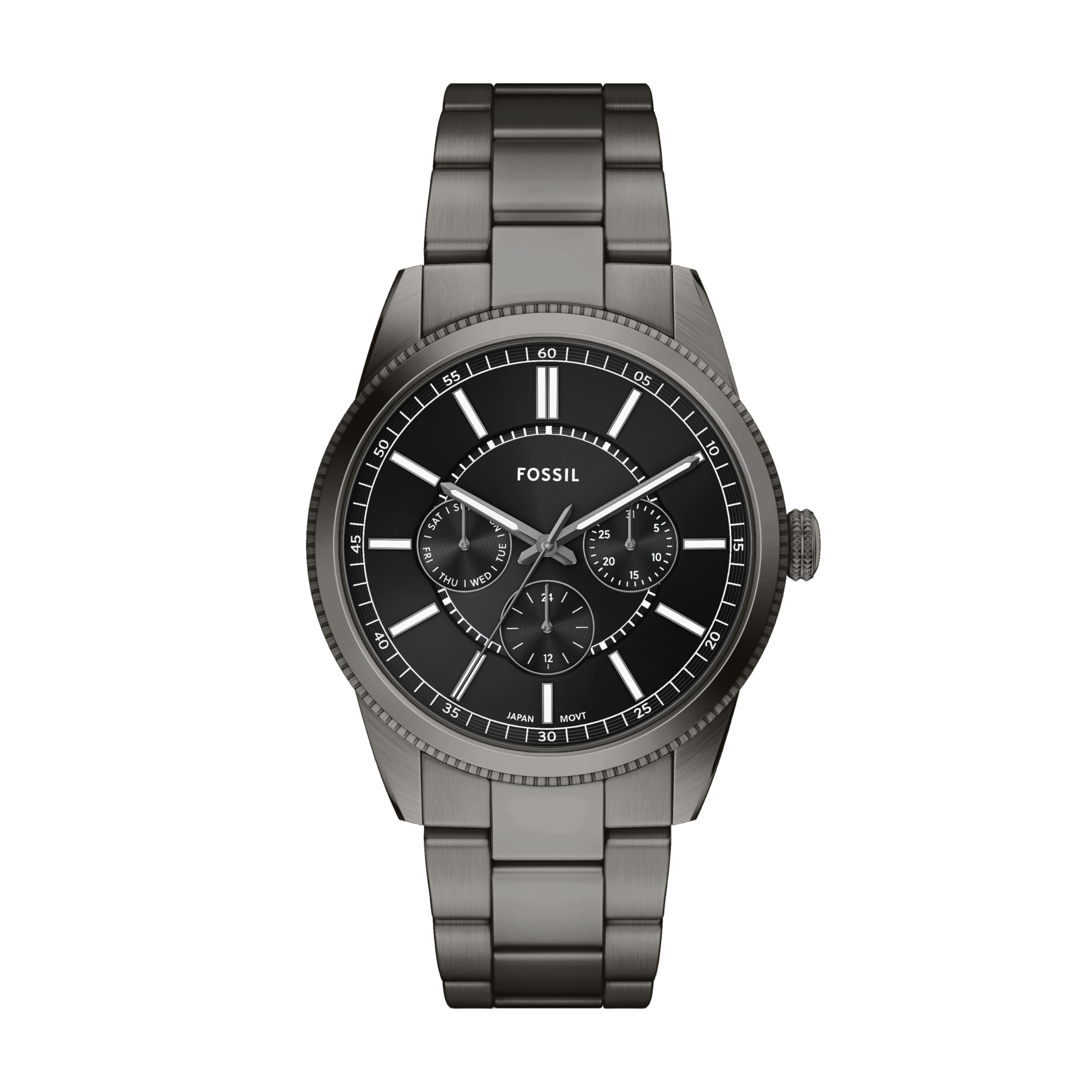
Image: Front view of the Fossil Pearson Multifunction Stainless Steel Watch with a gunmetal finish and black dial.
Watch Components
Familiarize yourself with the key components of your watch:
- Crown: Used for setting time and date.
- Pushers: Used to operate the multifunction sub-dials (Day, Date, and 24-hour).
- Dial: Displays time, day, date, and 24-hour format.
- Hands: Hour, minute, and second hands.
- Bracelet: Stainless steel band.
- Clasp: Secures the watch on your wrist.

Image: Side view of the watch, highlighting the crown with the Fossil 'F' logo.

Image: Close-up of the watch dial, showing the main hands and the three sub-dials for day, date, and 24-hour display.
Setup and Time Setting
- Initial Setup:
Your watch is powered by a quartz movement and includes a battery. If the watch is not running, the battery may need activation or replacement. Pull the crown out to position 3 (farthest out) to stop the movement and conserve battery life if storing for extended periods.
- Setting the Time:
- Pull the crown out to position 3.
- Turn the crown to move the hour and minute hands clockwise until the desired time is set. Ensure AM/PM is correctly observed if setting the date later.
- Push the crown back into position 1 (normal operating position) to start the watch.
- Setting the Date and Day:
- Pull the crown out to position 2 (middle position).
- Turn the crown clockwise or counter-clockwise to adjust the date and day sub-dials. Refer to the specific movement instructions for precise direction.
- Avoid setting the date between 9 PM and 3 AM, as this can interfere with the automatic date change mechanism. If the time is within this range, first set the time outside this range, adjust the date, then reset the time.
- Push the crown back into position 1.
- Setting the 24-Hour Sub-dial:
The 24-hour sub-dial typically synchronizes with the main hour hand and cannot be set independently. It reflects the current time in a 24-hour format.
Operating Instructions
Wearing the Watch
Adjust the stainless steel bracelet to fit comfortably on your wrist. Links can be removed by a professional for a customized fit. Ensure the clasp is securely fastened.

Image: The Fossil Pearson watch worn on a wrist, demonstrating its appearance and fit.
Water Resistance
Your Fossil Pearson watch is water resistant up to 50 meters (5 ATM / 165 feet). This means it is suitable for short periods of recreational swimming and showering. It is not suitable for diving or snorkeling. Always ensure the crown is fully pushed in before any contact with water.
Note: Water resistance is not a permanent condition and may decrease over time due to wear and tear or accidental impact. Avoid exposing the watch to extreme temperature changes.
Luminous Display
The watch hands and hour markers feature a luminous coating for visibility in low-light conditions. Exposure to light charges this coating.
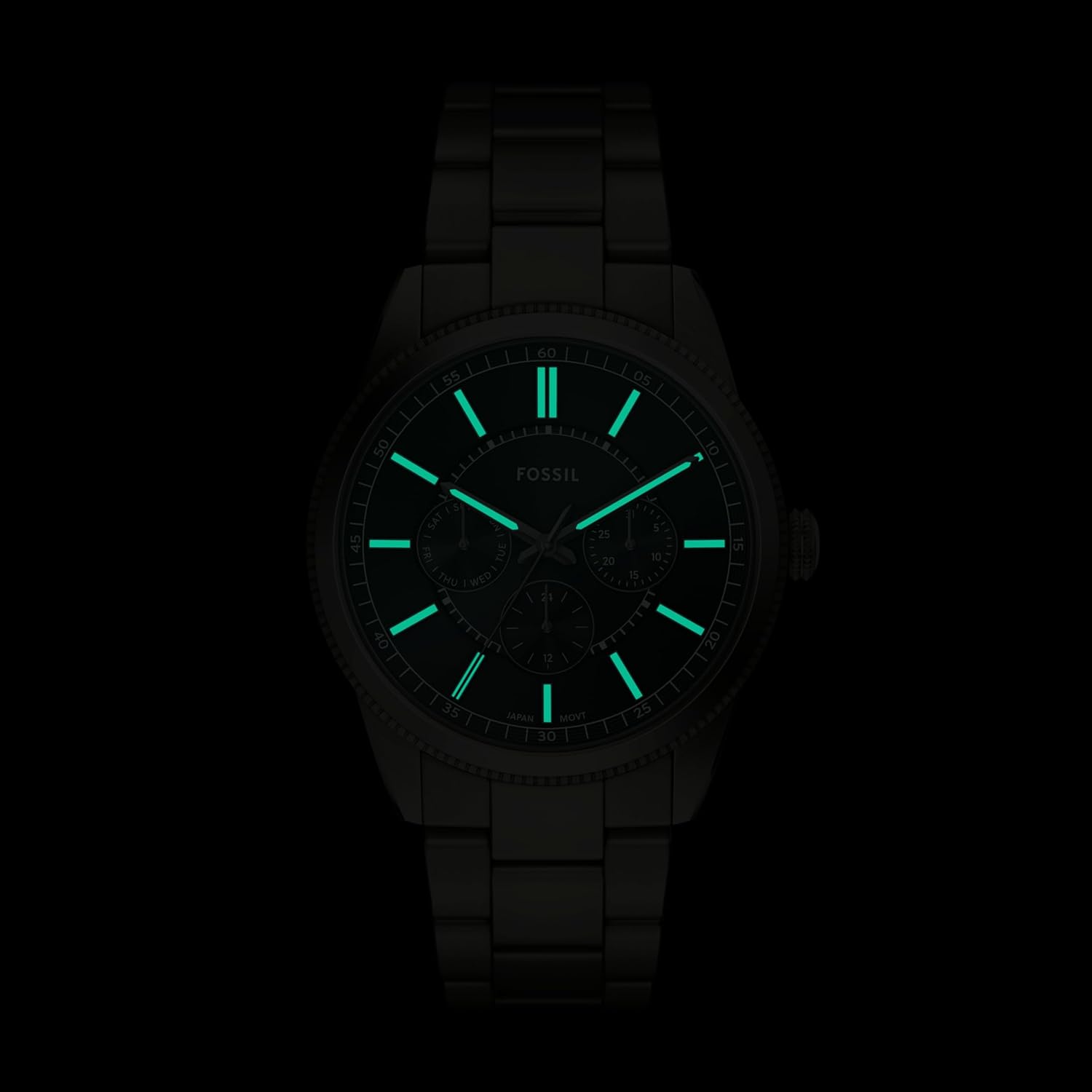
Image: The watch dial in darkness, showing the luminous hands and hour markers glowing green.
Maintenance and Care
- Cleaning: Wipe the watch case and bracelet regularly with a soft, dry cloth. For stainless steel, a slightly damp cloth can be used, followed by a dry cloth. Avoid harsh chemicals or abrasive materials.
- Battery Replacement: The watch uses 1 A battery (included). When the battery runs low, the second hand may skip intervals or stop. Battery replacement should be performed by a qualified watch technician to ensure water resistance is maintained.
- Storage: When not in use, store your watch in a cool, dry place, away from direct sunlight and extreme temperatures. The original tin box can be used for storage.
- Avoid Shocks: While durable, avoid dropping the watch or subjecting it to strong impacts, which can damage the internal movement or exterior.
- Magnetic Fields: Keep the watch away from strong magnetic fields (e.g., speakers, refrigerators, mobile phone cases with magnets) as they can affect the accuracy of the quartz movement.

Image: A collection of Fossil watch tin boxes, illustrating the typical packaging for storage.
Troubleshooting
- Watch Not Running:
Check if the crown is fully pushed in (position 1). If it is, the battery may need replacement. Contact a qualified watch technician.
- Incorrect Time/Date:
Refer to the "Setup and Time Setting" section to re-adjust the time and date. Ensure the crown is pulled out to the correct position for adjustment.
- Water Inside Watch:
If condensation or water appears inside the watch, immediately take it to a professional watch repair service. Do not attempt to open the watch yourself, as this will void the warranty and likely cause further damage.
Specifications
| Feature | Detail |
|---|---|
| Model Number | FS6136 |
| Movement Type | Quartz |
| Display Type | Analog with Multifunction (Day, Date, 24-hour) |
| Case Material | Stainless Steel |
| Case Diameter | 42 Millimeters |
| Case Thickness | 12 Millimeters |
| Band Material | Stainless Steel |
| Band Width | 22 Millimeters |
| Band Length | 200 Millimeters |
| Crystal Material | Mineral (Scratch-Resistant) |
| Water Resistance Depth | 50 Meters (5 ATM / 165 Feet) |
| Power Source | Battery Powered (1 A battery included) |
| Item Weight | 136.3 Grams |
| Product Dimensions | 1.65 x 1.65 x 0.47 inches |

Image: A size guide illustrating various watch case diameters and case thickness measurements for men's watches.
Warranty Information
Your Fossil Pearson Multifunction Stainless Steel Watch comes with a manufacturer's warranty. Please refer to the warranty card included with your purchase for specific terms, conditions, and duration. Keep your proof of purchase for warranty claims.
For warranty service, contact Fossil customer support or an authorized service center.
Support
For further assistance, frequently asked questions, or to locate an authorized service center, please visit the official Fossil website or contact their customer service department. Contact information can typically be found on the Fossil brand website or in the documentation provided with your watch.
You can also visit the Fossil Store on Amazon for more product information and support resources.
Ask a question about this manual
Ask about setup, troubleshooting, compatibility, parts, safety, or missing instructions. Manuals+ will review the question and use this page’s manual context to help answer it.