
Fossil Watch
Fossil Men's Autocross Multifunction Stainless Steel Watch User Manual
Model: Watch
Introduction
This manual provides instructions for the proper setup, operation, and maintenance of your Fossil Men's Autocross Multifunction Stainless Steel Watch. Please read this manual thoroughly to ensure optimal performance and longevity of your timepiece.
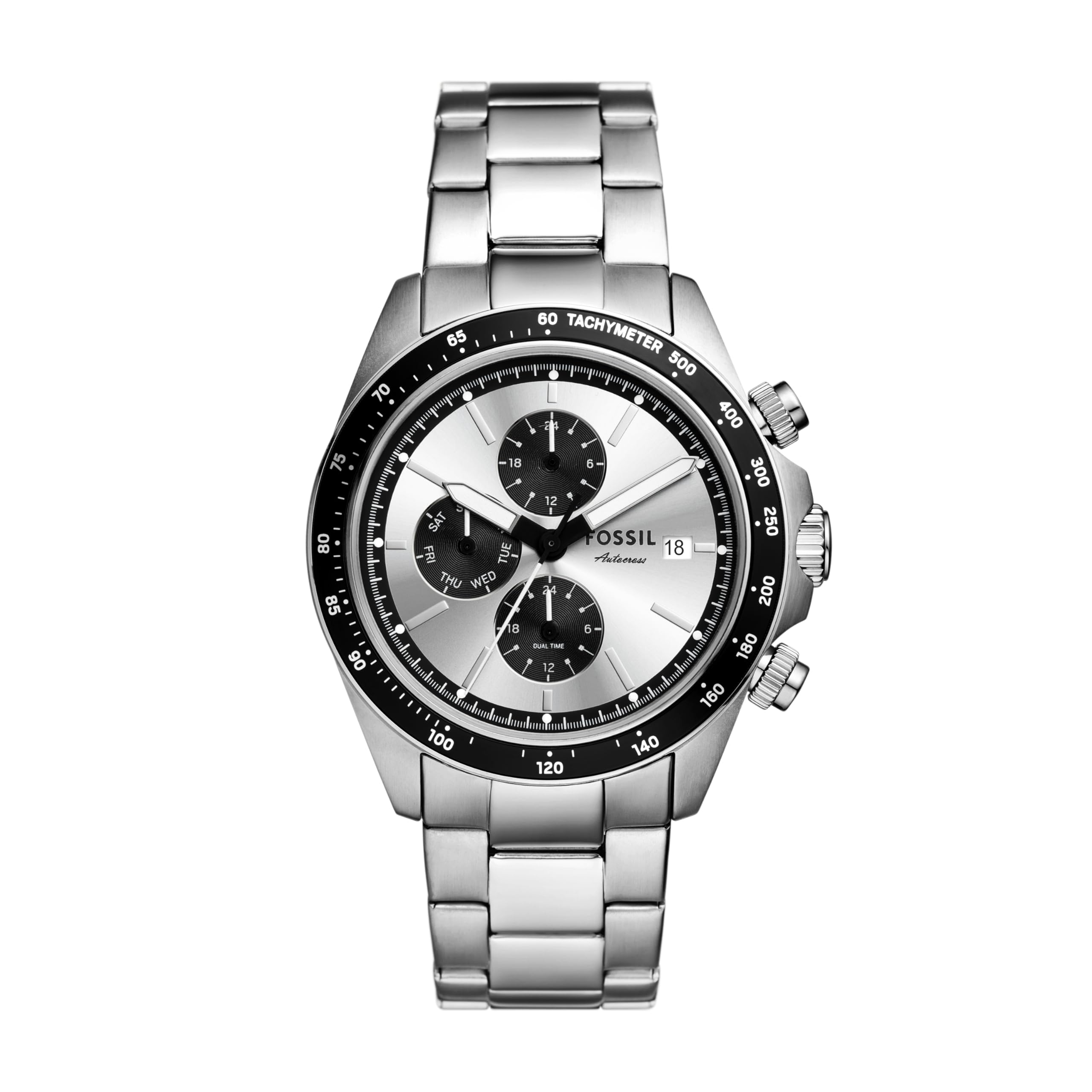
Image: Front view of the Fossil Autocross Multifunction Stainless Steel Watch, showcasing the silver dial and stainless steel bracelet.
Setup
Setting the Time
- Pull the crown (center knob on the right side of the watch case) out to position 2.
- Turn the crown clockwise or counter-clockwise to set the hour and minute hands to the correct time.
- Push the crown back into position 1 to start the watch.
Setting the Date
- Pull the crown out to position 1 (first click).
- Turn the crown clockwise to adjust the date. If the date changes during the day, advance it by 12 hours.
- Push the crown back into its original position.
Adjusting Multifunction Dials
The watch features multifunction dials. The buttons on the side are used to adjust these. Based on typical multifunction watch designs, the top pusher often controls the 24-hour sub-dial, and the bottom pusher may control a day-of-the-week or other sub-dial. For this specific model, the bottom pusher moves the bottom 24-hour hand in 15-minute increments.
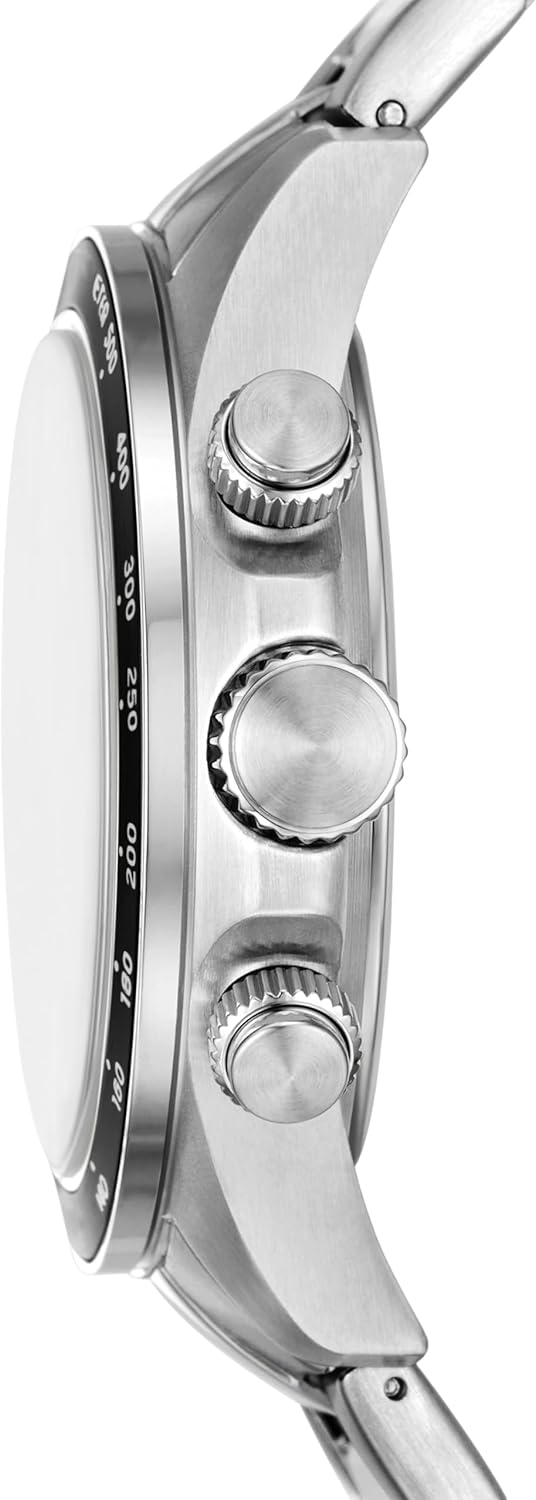
Image: Side view of the watch, highlighting the crown and two pushers used for time and sub-dial adjustments.
Operating the Watch
Timekeeping
Once set, the watch will accurately display the time using its quartz movement. The main hands indicate hours, minutes, and seconds.
Multifunction Features
The sub-dials provide additional information. The specific functions include a 24-hour display and potentially a day of the week or other indicators, as is common for multifunction watches. Refer to the 'Setting the Date' and 'Adjusting Multifunction Dials' sections for how to set these features.
Maintenance
Water Resistance
This watch has a water resistance depth of 50 meters (5 ATM). This rating means it is suitable for short periods of recreational swimming, but not for diving or snorkeling. Avoid operating the crown or pushers when the watch is wet to prevent water intrusion.
Cleaning
To clean your watch, wipe the case and stainless steel bracelet with a soft, damp cloth. For stubborn dirt, a mild soap solution can be used, followed by rinsing with clean water and drying thoroughly. Avoid harsh chemicals or abrasive materials.
Battery Replacement
The watch is powered by one 12V battery (included). When the watch stops or the second hand begins to skip, the battery may need replacement. Battery replacement should be performed by a qualified watch technician to ensure proper sealing and water resistance.
Bracelet Adjustment
The stainless steel bracelet can be adjusted by removing or adding links. This procedure typically requires specialized tools and should be performed by a jeweler or watch technician to avoid damage.

Image: Close-up of the watch's push-button foldover clasp with safety, featuring the Fossil brand name.
Troubleshooting
- Watch not running: Check if the crown is fully pushed in. If it is, the battery may need replacement.
- Incorrect time/date: Refer to the 'Setting the Time' and 'Setting the Date' sections to re-adjust.
- Condensation under crystal: This may indicate a breach in water resistance. Avoid further contact with water and have the watch inspected by a professional.
Specifications
| Feature | Detail |
|---|---|
| Model Name | Autocross |
| Model Number | Watch |
| Brand Name | Fossil |
| Display Type | Analog |
| Watch Movement Type | Quartz |
| Power Source | Battery Powered (1 x 12V battery included) |
| Case Material Type | Stainless Steel |
| Band Material Type | Stainless Steel |
| Band Color | Silver |
| Dial Color | Silver |
| Case Diameter | 42 Millimeters |
| Case Thickness | 11 Millimeters |
| Band Width | 22 Millimeters |
| Band Length | 200 Millimeters |
| Crystal Type | Mineral |
| Clasp Type | Push Button Foldover Clasp With Safety |
| Water Resistance Depth | 50 Meters |
| Item Weight | 100 Grams |
| Product Dimensions | 1.65 x 0.87 x 0.43 inches |

Image: A size guide illustrating various watch case diameters (50mm, 48mm, 46mm, 44mm, 42mm, 40mm, 38mm) and case thicknesses (16mm, 13mm, 10mm, 8mm) for men's watches.
Warranty
This Fossil watch is covered by a manufacturer's warranty. For specific details regarding the warranty period and coverage, please refer to the warranty card included with your purchase or visit the official Fossil website.
Support
For further assistance, product registration, or to locate an authorized service center, please visit the official Fossil website or contact Fossil customer service. You can also find more information on the Fossil Store on Amazon.
Related documentsWatch


Ask a question about this manual
Ask about setup, troubleshooting, compatibility, parts, safety, or missing instructions. Manuals+ will review the question and use this page’s manual context to help answer it.