
1. Important Safety Instructions
Read and understand all safety instructions before operating the EliteEdge Hydraulic Lift Table Cart. Failure to follow these instructions may result in serious injury or property damage.
- Load Capacity: Do not exceed the maximum load capacity of 330 lbs (150 kg). Overloading can cause instability and damage to the unit.
- Stable Surface: Always operate the lift table on a flat, level, and sturdy surface to prevent tilting or sliding.
- Load Distribution: Distribute the load evenly on the table surface. Avoid placing items off-center.
- Anti-Slip Surface: Ensure the table surface is clean and free from grease, dust, or other slippery substances before loading items to prevent them from slipping.
- Personal Safety: Keep hands and feet clear of moving parts, especially the scissor mechanism, during operation.
- Locking Wheels: Always engage the wheel locks when the cart is stationary or when loading/unloading to prevent unintended movement.
- Overload Protection: The unit is equipped with overload protection. Do not attempt to bypass or modify this safety feature.
- Maintenance: Regularly inspect the unit for any signs of wear, damage, or loose components. Do not operate a damaged unit.
2. Product Overview
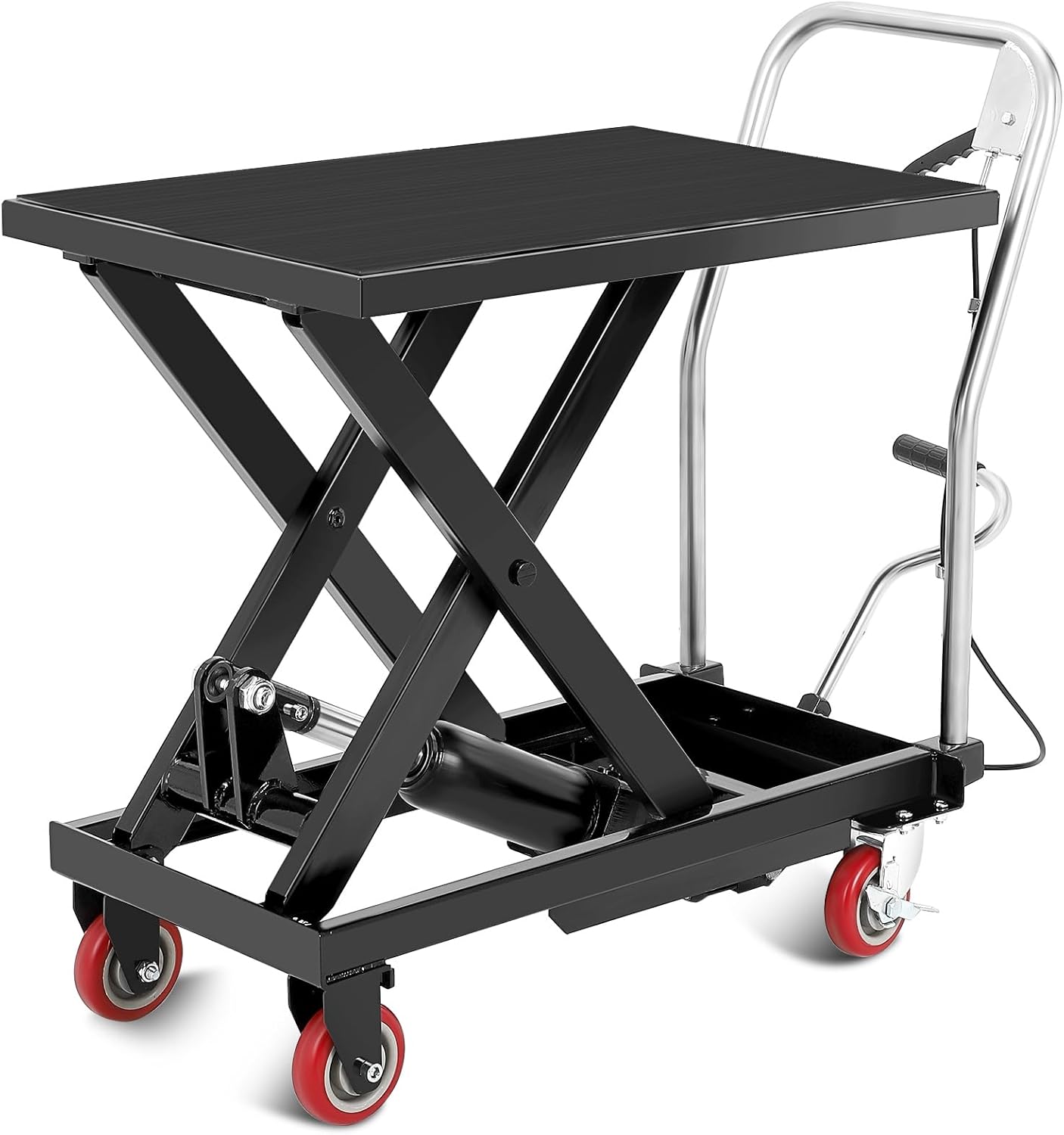
The EliteEdge Hydraulic Lift Table Cart is designed for efficient material handling and transportation. It features a robust steel construction and a hydraulic lifting system for smooth height adjustments.
2.1 Key Features
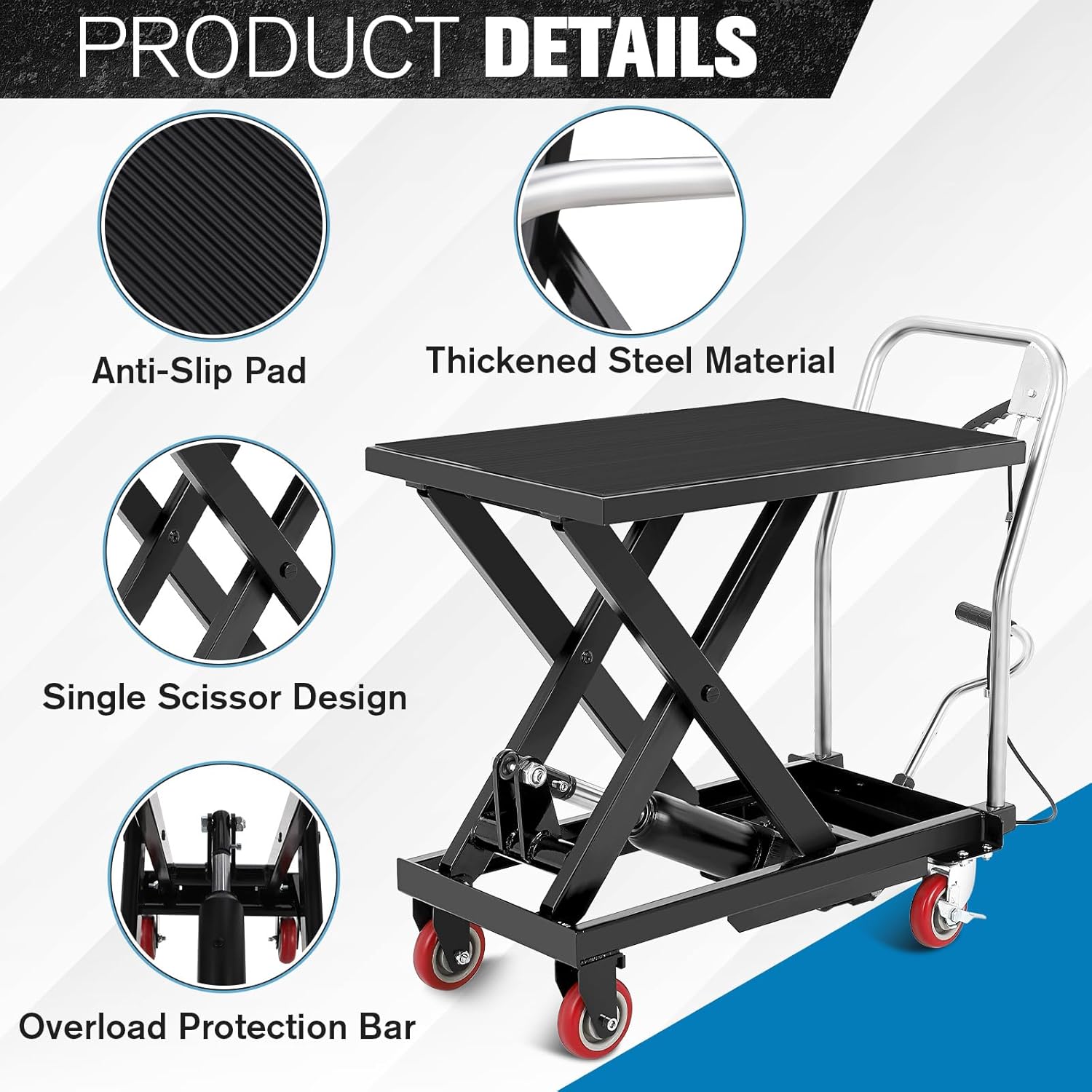
- 330 lbs Load Capacity: Constructed from thickened, powder-coated steel for durability.
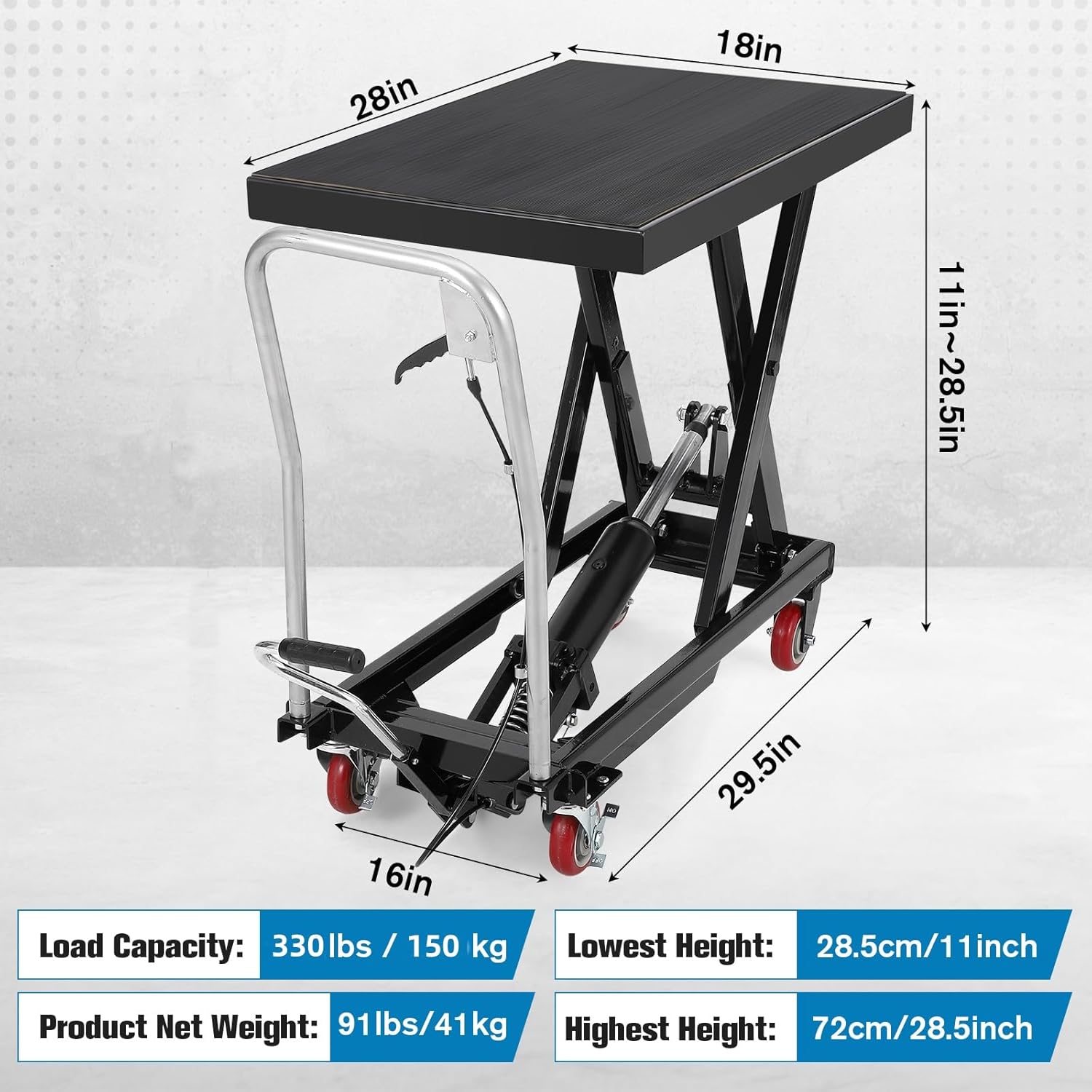
- Hydraulic Lifting System: Integrated leak-proof pump allows height adjustments up to 28.5 inches.
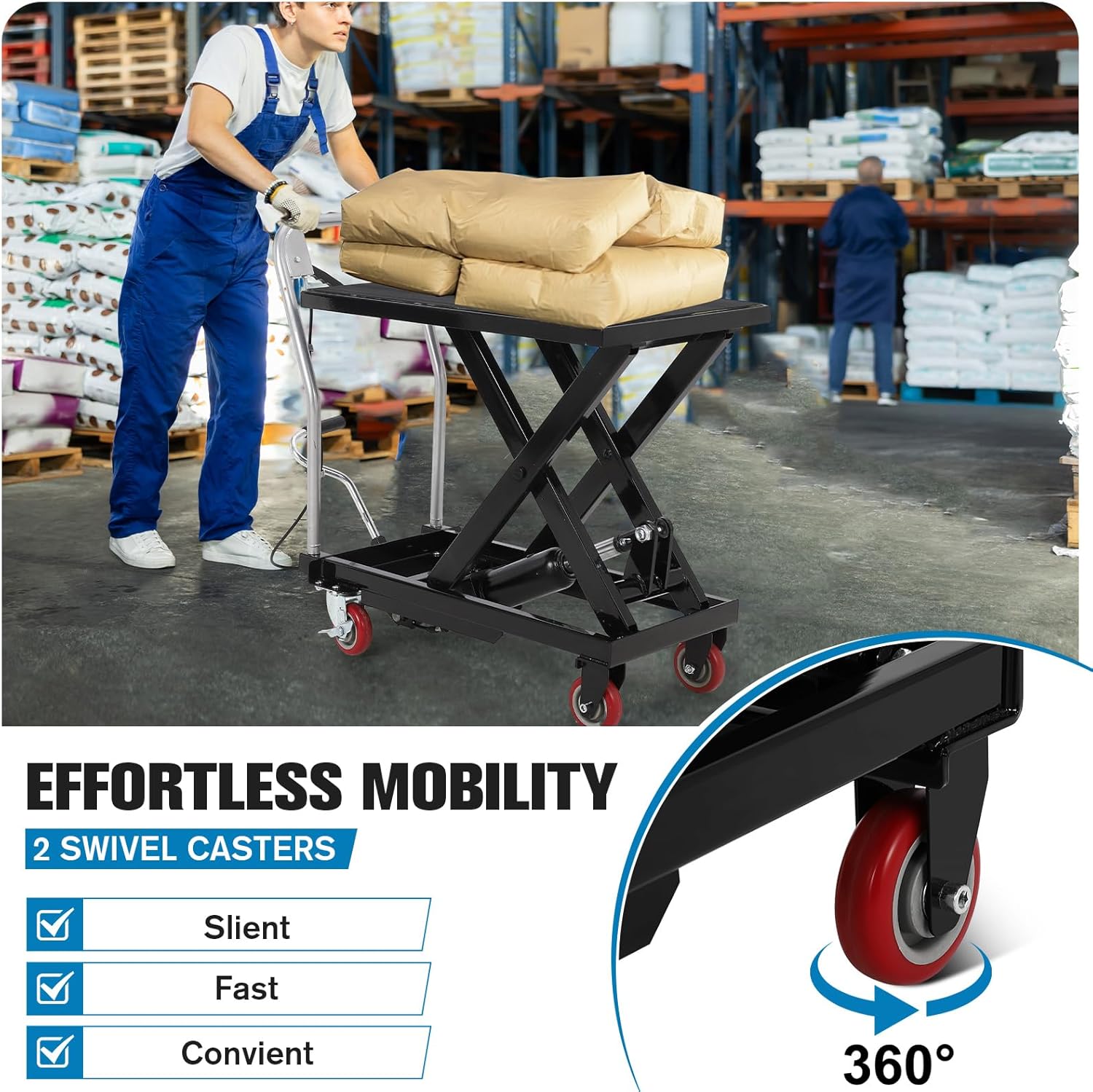
- Effortless Mobility: Equipped with multi-directional PU swivel wheels for easy movement and positive-lock mechanisms for stability.
- Safety Features: Includes over-lift limiter protection and anti-slip rubber pads on the table surface.
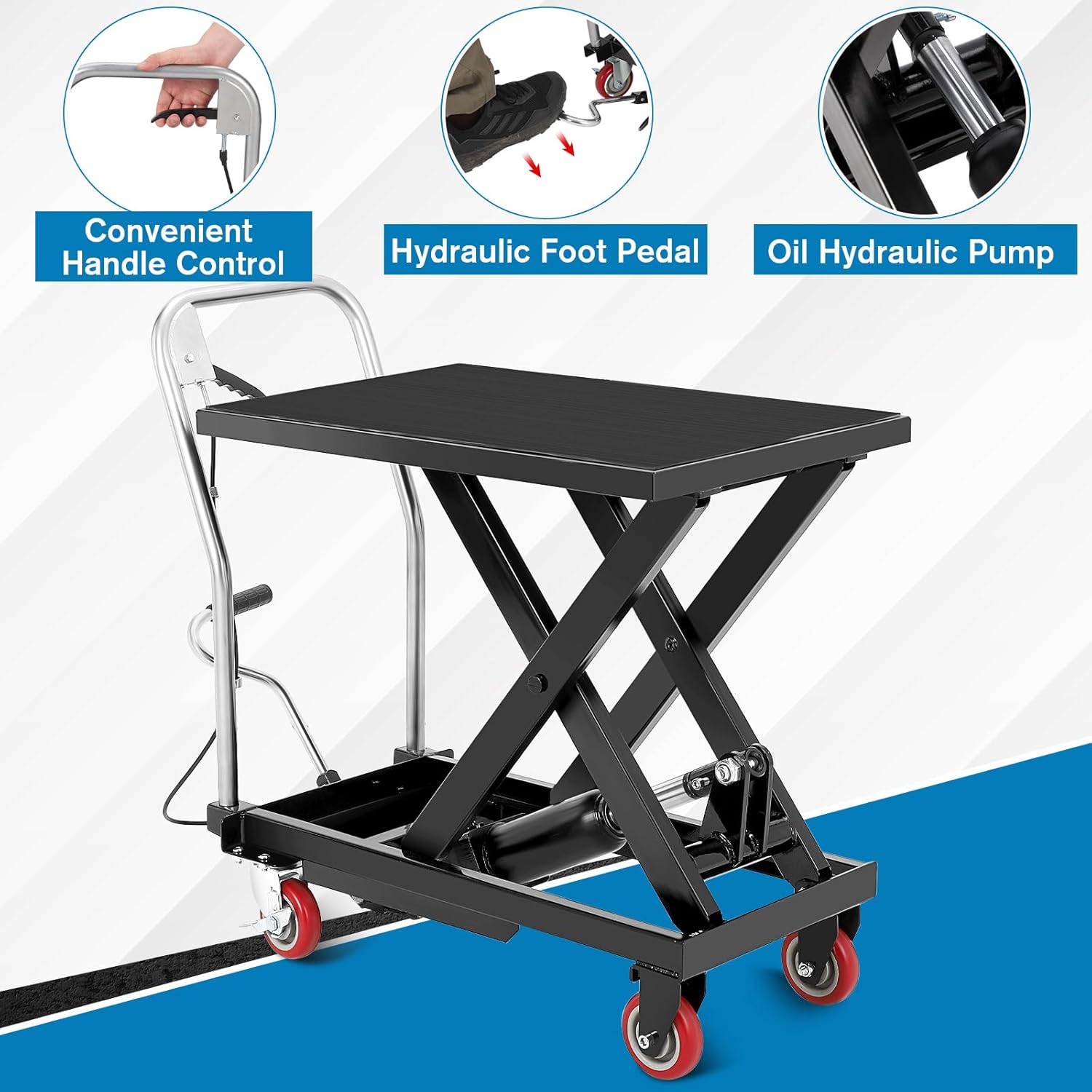
- Easy Operation: Foot pedal for lifting and a hydraulic release lever for controlled descent.
2.2 Components
Familiarize yourself with the main components of your lift table cart:
- Lift Table Platform (with Anti-Slip Pad)
- Scissor Mechanism
- Hydraulic Cylinder
- Hydraulic Foot Pedal
- Hydraulic Release Lever
- Handle Bar
- Swivel Casters (Wheels with Locks)
- Overload Protection Bar
3. Setup and Assembly
The EliteEdge Hydraulic Lift Table Cart typically requires minimal assembly. Refer to the included hardware pack and specific assembly instructions if provided with your unit. General steps include:
- Unpacking: Carefully remove all components from the packaging. Inspect for any shipping damage.
- Handle Installation: Attach the handle bar to the main frame using the provided hardware. Ensure all bolts are securely tightened.
- Wheel Attachment (if separate): If the wheels are not pre-attached, secure them to the base frame. Ensure swivel casters are placed correctly for maneuverability.
- Initial Inspection: Before first use, check all connections, bolts, and the hydraulic system for proper function and any leaks.
4. Operating Instructions
Follow these steps for safe and effective operation of your hydraulic lift table cart.
4.1 Lifting the Platform
- Positioning: Move the lift table to the desired location. Engage the wheel locks to prevent movement.
- Loading: Place the item(s) to be lifted onto the center of the table platform. Ensure the load does not exceed 330 lbs and is stable.
- Activating Lift: Repeatedly press the hydraulic foot pedal with your foot. The platform will gradually rise.
- Reaching Desired Height: Continue pressing the foot pedal until the platform reaches the required height, up to a maximum of 28.5 inches.
4.2 Lowering the Platform
- Clear Area: Ensure the area below the platform is clear of obstructions and personnel.
- Activating Descent: Slowly pull the hydraulic release lever (typically located near the handle). The platform will begin to descend.
- Controlled Descent: Control the speed of descent by adjusting the pressure on the release lever. Release the lever to stop the descent at any point.
- Full Descent: Continue to hold the lever until the platform is fully lowered or at the desired height.
4.3 Moving the Cart
- Unlock Wheels: Disengage the wheel locks before attempting to move the cart.
- Handle Use: Use the handle bar to push or pull the cart. The swivel wheels provide easy maneuverability.
- Secure Load: Ensure the load is stable and secure on the platform before moving. Lower the platform as much as possible for increased stability during transport.
- Engage Locks: Always engage the wheel locks once the cart is in its new position.
5. Maintenance
Regular maintenance ensures the longevity and safe operation of your EliteEdge Hydraulic Lift Table Cart.
- Cleaning: Keep the table platform and all moving parts clean. Wipe off any dirt, dust, or debris.
- Lubrication: Periodically lubricate pivot points and wheel axles with appropriate grease or oil to ensure smooth operation.
- Hydraulic System Check: Inspect the hydraulic cylinder and hoses for any signs of leaks. If leaks are detected, discontinue use and contact customer support.
- Fastener Check: Regularly check all bolts, nuts, and fasteners for tightness. Tighten any loose components.
- Wheel Inspection: Inspect wheels for wear or damage. Replace if necessary. Ensure wheel locks function correctly.
- Storage: Store the lift table in a dry, protected area when not in use. Lower the platform completely before storage.
6. Troubleshooting
This section addresses common issues you might encounter with your lift table cart.
| Problem | Possible Cause | Solution |
|---|---|---|
| Platform does not lift. |
|
|
| Platform descends too quickly or uncontrollably. |
|
|
| Cart is difficult to move. |
|
|
For issues not listed here or if solutions do not resolve the problem, please contact EliteEdge customer support.
7. Specifications
| Specification | Detail |
|---|---|
| Model | 330lbs-single |
| Load Capacity | 330 lbs (150 kg) |
| Lifting Height Range | 11 inches (lowest) to 28.5 inches (highest) |
| Product Dimensions (L x W x H) | 31.5 x 20.47 x 12.6 inches (approximate, when lowered) |
| Item Weight | 93.6 pounds (42.45 kg) |
| Material | Thickened Steel with Powder Coating |
| Manufacturer | EliteEdge |
8. Warranty and Support
EliteEdge is committed to providing quality products. For warranty information, technical support, or to inquire about replacement parts, please contact EliteEdge customer service through the retailer where the product was purchased or visit the official EliteEdge website.
Please have your model number (330lbs-single) and purchase date available when contacting support.