
1. Introduction
The Ocean Digital WR-03M is a versatile Internet Radio Receiver designed as a HiFi component for integration into your existing home audio system. It provides access to thousands of global internet radio stations, podcasts, local FM radio, and allows music streaming via Bluetooth. Please note that the WR-03M does not have a built-in speaker and requires connection to external speakers or an amplifier for audio output.
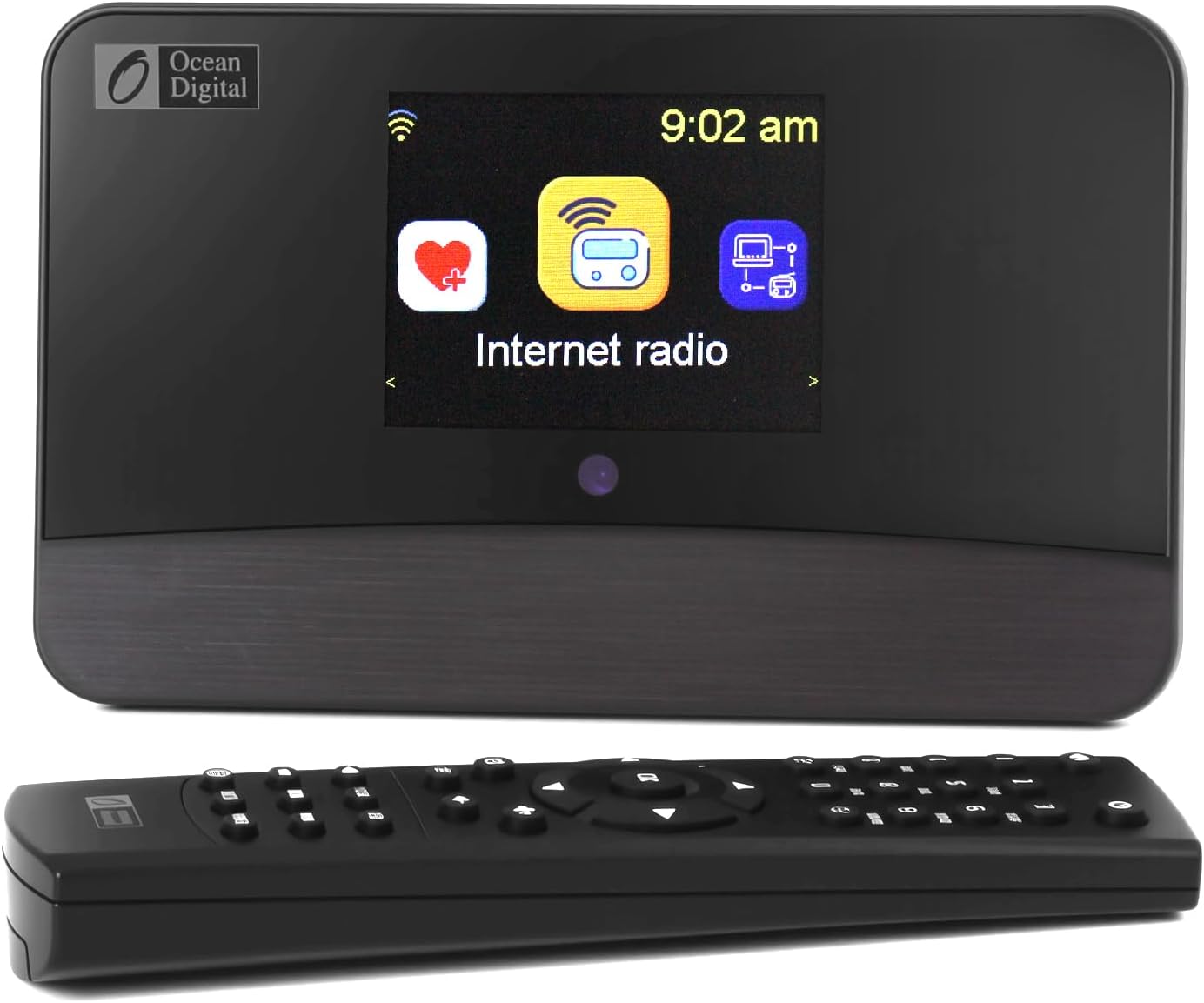
Figure 1.1: Front view of the WR-03M Internet Radio Receiver and its remote control.
Key features include Wi-Fi and LAN connectivity, optical and line-out audio outputs, UPnP/DLNA streaming capabilities, a 3.2-inch color screen, and a full-function remote control. It also includes alarm clock and sleep timer functions for enhanced user convenience.
2. What's in the Box
Please check the contents of your package to ensure all items are present:
- Internet Radio Tuner (WR-03M)
- Power Adapter
- Wire antenna (for FM) and RCA cable
- Remote control (batteries not included)
- Owner's Manual

Figure 2.1: Packaging and included accessories of the WR-03M.
3. Setup
3.1 Connecting to Power
Connect the provided power adapter to the 'DC IN 5V' port on the rear of the WR-03M and then plug it into a standard wall outlet.
3.2 Connecting to an Audio System
The WR-03M requires external speakers or an amplifier. Choose one of the following connection methods:
- Line Out (3.5mm): Use the provided RCA cable or a 3.5mm audio cable to connect the 'Audio Out' port to the auxiliary input of your amplifier or powered speakers.
- Optical Out: For digital audio connection, use an optical cable (not included) to connect the 'Optical Out' port to a compatible input on your amplifier or DAC.

Figure 3.1: Rear panel connections of the WR-03M.

Figure 3.2: The WR-03M requires external speakers or an amplifier.
3.3 Network Connection
The WR-03M supports both Wi-Fi and wired LAN connections:
- Wi-Fi: Upon first power-on, the device will prompt you to set up Wi-Fi. Select your network from the list and enter the password using the remote control or front panel controls.
- LAN: Connect an Ethernet cable (not included) from your router to the 'LAN' port on the rear of the WR-03M. The device will automatically detect the wired connection.
3.4 FM Antenna Connection
For FM radio reception, connect the provided wire antenna to the 'Ant' port on the rear of the unit.
4. Operating Instructions
The WR-03M can be operated using the included remote control or the controls on the front panel. The 3.2-inch color screen provides clear navigation and information.

Figure 4.1: The WR-03M is suitable for various home environments.
4.1 Internet Radio
Access thousands of global radio stations via Skytune. Navigate through genres, regions, or search for specific stations. You can add favorite stations for quick access.
4.2 FM Radio
Switch to FM mode to tune into local FM radio broadcasts. Ensure the FM antenna is connected for optimal reception.
4.3 Bluetooth Streaming
Pair your smartphone or other Bluetooth-enabled devices with the WR-03M to stream audio wirelessly. Select Bluetooth mode on the receiver and pair from your device's Bluetooth settings.
4.4 UPnP/DLNA Streaming
Stream music files from networked PCs or NAS drives using UPnP (Universal Plug and Play) and DLNA (Digital Living Network Alliance) protocols. Ensure your media server is properly configured on your network.
4.5 Alarm Clock & Sleep Timer
Set multiple alarms with options to wake to a favorite station, FM, or a tone. The sleep timer allows you to fall asleep to music, with the unit automatically turning off after a set duration.
4.6 Podcasts
Browse and play podcasts from various categories. The device supports a resume function for podcast playback.
4.7 EQ Sound Modes
Adjust the audio output using the built-in equalizer (EQ) with various presets or a manual setting to customize the sound to your preference.
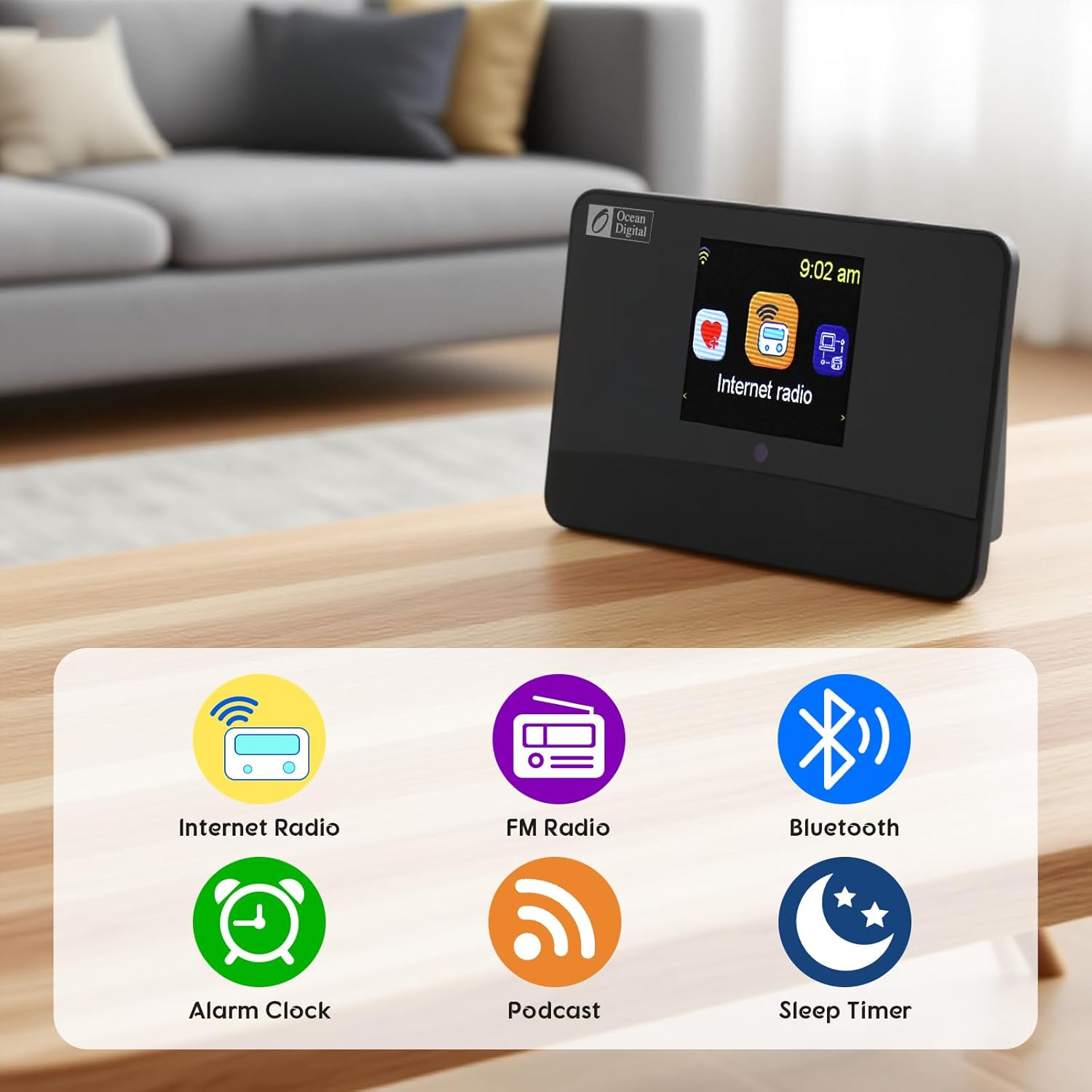
Figure 4.2: Key functions of the WR-03M.
5. Maintenance
5.1 Cleaning
To clean the unit, use a soft, dry cloth. Do not use abrasive cleaners, waxes, or solvents as they may damage the finish. Avoid spraying liquids directly onto the unit.
5.2 General Care
- Keep the unit away from direct sunlight, heat sources, and excessive dust.
- Ensure adequate ventilation around the unit to prevent overheating.
- Do not expose the unit to water or high humidity.
6. Troubleshooting
| Problem | Possible Cause | Solution |
|---|---|---|
| No power | Power adapter not connected or faulty; power outlet not working. | Ensure power adapter is securely connected. Try a different power outlet. |
| No sound output | External speakers/amplifier not connected or powered on; incorrect input selected on amplifier. | Verify connections to external audio system. Ensure external system is powered on and correct input is selected. Check volume levels on both the WR-03M and external system. |
| Cannot connect to Wi-Fi | Incorrect Wi-Fi password; router issues; device too far from router. | Double-check Wi-Fi password. Restart your router. Move the WR-03M closer to the router or use a wired LAN connection. |
| Internet radio stations not playing | No internet connection; station offline. | Verify internet connectivity. Try other stations. Some stations may be temporarily unavailable. |
| Bluetooth pairing issues | Device not in pairing mode; WR-03M already connected to another device. | Ensure the WR-03M is in Bluetooth mode and discoverable. Disconnect from any previously paired devices. Restart both devices. |
7. Specifications
| Feature | Detail |
|---|---|
| Model Number | WR-03M |
| Product Dimensions | 6.69"L x 4.13"W x 2.17"H (17 x 10.5 x 5.5 cm) |
| Item Weight | 1.28 pounds (0.58 kg) |
| Connectivity Technology | Bluetooth, Wi-Fi, LAN |
| Tuner Technology | Internet Radio, FM |
| Audio Outputs | 3.5mm Line Out, Optical Out |
| Special Features | Built-In Clock, Alarm, Sleep Timer, Podcasts, UPnP/DLNA Streaming |
| Power Source | Corded Electric (DC 5V) |
| Display | 3.2" Color Screen |
| Manufacturer | Ocean Digital |
8. Warranty and Support
The Ocean Digital WR-03M Internet Radio Receiver comes with a standard manufacturer's warranty. Please refer to the warranty card included in your packaging for specific terms and conditions, including warranty period and coverage details.
For technical support, troubleshooting assistance, or warranty claims, please contact Ocean Digital customer service. Contact information can typically be found on the manufacturer's official website or within the product packaging.
For the latest information and support resources, please visit the official O OCEAN DIGITAL store on Amazon: O OCEAN DIGITAL Store


