
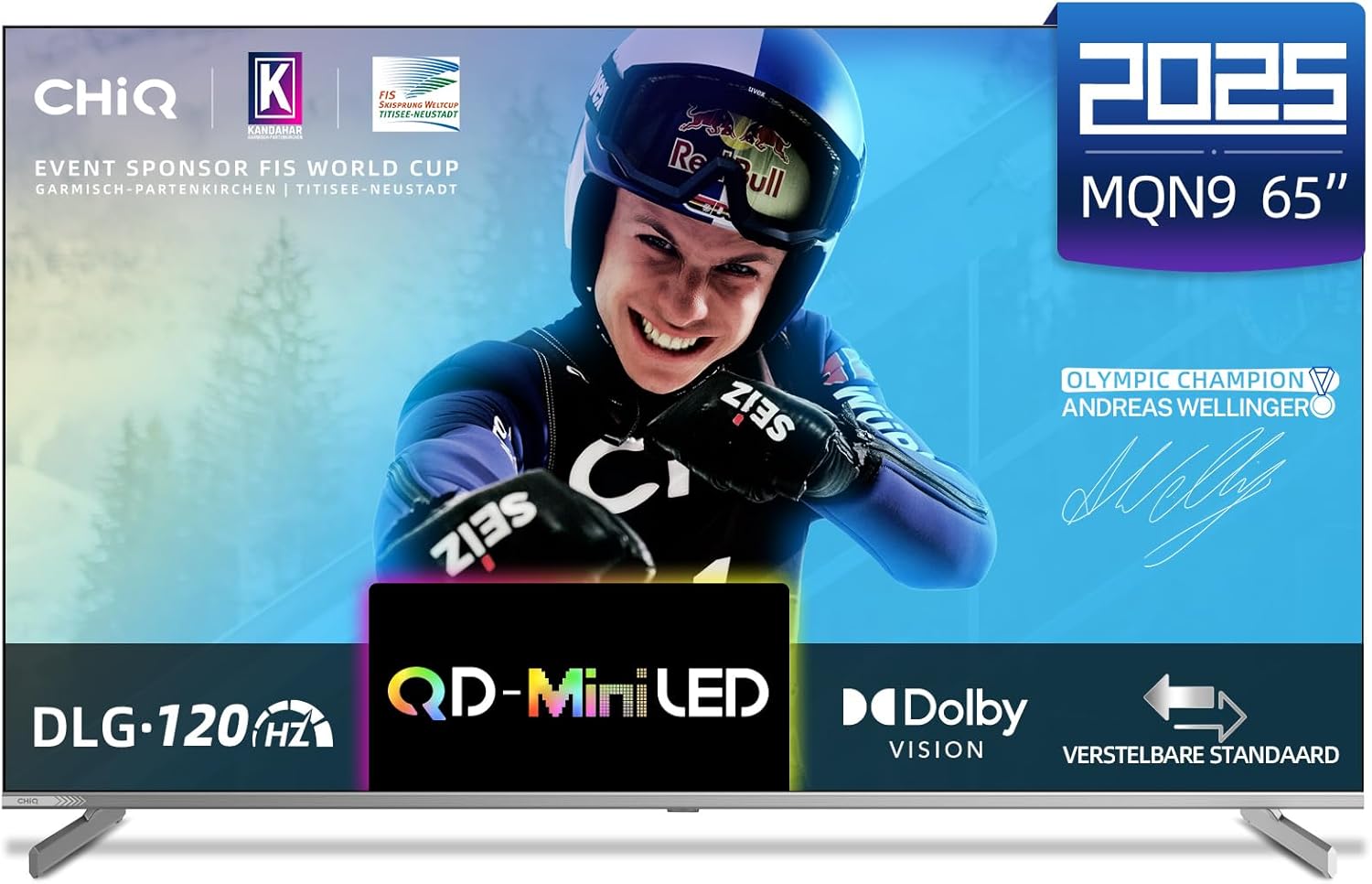
Introduction
This manual provides essential information for the setup, operation, maintenance, and troubleshooting of your CHiQ M65QN9G 65 Inch 4K Mini QLED Smart TV. Designed for an immersive viewing experience, this television combines advanced display technologies with smart functionalities to enhance your home entertainment.
Setup
1. Unpacking and Inspection
Carefully remove the TV and all accessories from the packaging. Inspect for any signs of damage. Retain the packaging for future transport or service needs.
2. Stand Installation
To install the TV stand:
- Place the TV screen-down on a soft, flat surface to prevent scratches.
- Align the stand components with the designated slots on the bottom of the TV.
- Secure the stands using the provided screws. Ensure they are firmly attached.

Image: Detailed views of the TV's rear panel, side profile, and the attached stand, illustrating its physical design.
3. Wall Mounting (Optional)
The CHiQ M65QN9G TV is VESA compatible (600x300 mm, M6 screws). For wall mounting, consult a professional installer and use a VESA-compliant wall mount kit (not included).
4. Connecting Peripherals
Connect your external devices to the TV's ports:
- HDMI 2.1 (x4): For high-definition devices like gaming consoles, Blu-ray players, and set-top boxes.
- USB 2.0 (x2): For connecting USB storage devices to play media.
- LAN (Ethernet): For a wired internet connection.
- ANT (Antenna): For connecting a terrestrial or cable antenna.
- AV Input: For older devices using composite video and stereo audio.
- Earphone: For connecting headphones.
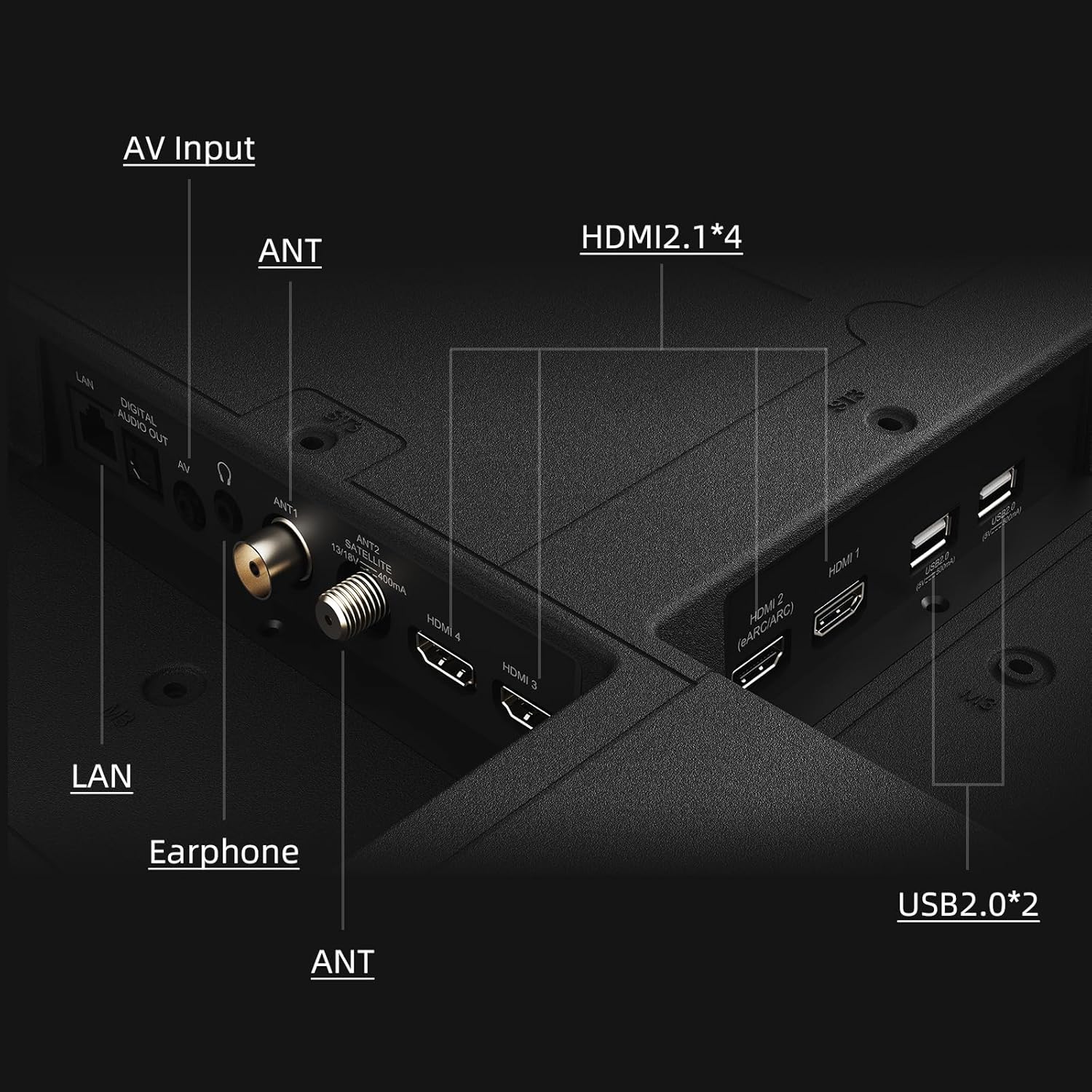
Image: A detailed view of the TV's connectivity panel, highlighting various ports including HDMI, USB, LAN, and antenna inputs.
5. Initial Power On and Setup Wizard
After connecting the power cable, press the power button on the remote control or TV. The TV will guide you through the initial setup process, including language selection, network connection (Wi-Fi 6 supported), and Google TV account setup.
Operating
1. Remote Control Functions
The included Bluetooth remote control provides easy navigation and access to smart features. Key functions include:
- Power Button: Turns the TV on/off.
- Navigation Pad (OK button): For menu navigation and selection.
- Volume Up/Down: Adjusts audio volume.
- Channel Up/Down: Changes TV channels.
- Google Assistant Button: Activates voice commands for search and smart home control.
- Dedicated App Buttons: Quick access to popular streaming services like Netflix and YouTube.
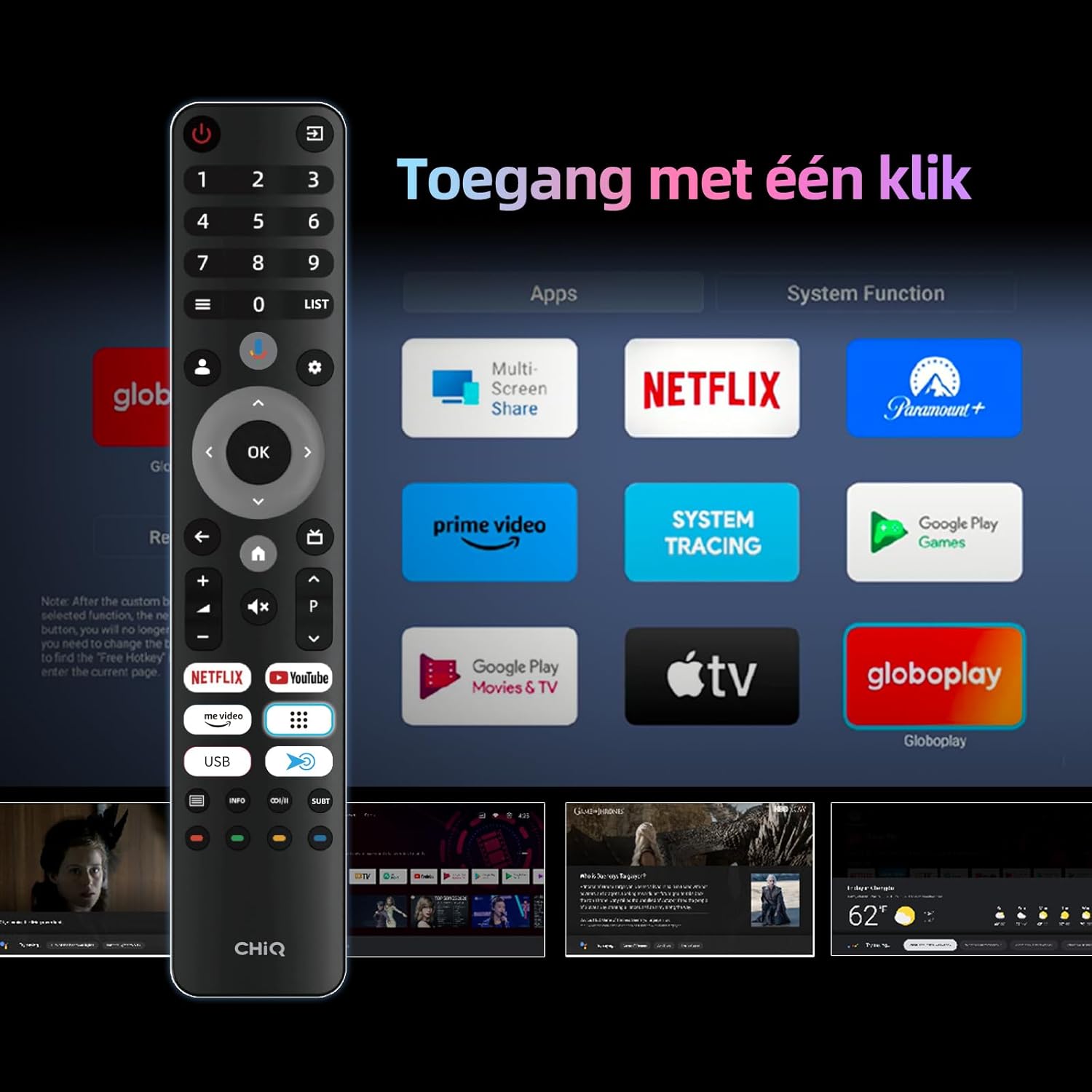
Image: The TV's remote control displayed alongside the Google TV interface, showing quick access buttons for various streaming applications.
2. Google TV Interface (Android 14)
Your CHiQ TV runs on Google TV 5.0 (Android 14), offering a personalized content experience. The home screen provides recommendations, access to installed apps, and content from your subscriptions. You can download additional apps from the Google Play Store.

Image: A visual representation of the Google TV interface, showcasing the wide array of available applications and content categories.
3. Smart Features
- Google Assistant: Use voice commands via the remote to search for content, control smart home devices, or get information.
- Chromecast built-in, Airplay, DLNA: Stream content directly from your Android or iOS devices to the TV.
- Google Smart Home Integration: Control compatible smart home devices directly from your TV.

Image: An illustration of using the Google Assistant voice command feature with the TV remote control.

Image: A visual demonstrating the ability to stream videos, games, and apps from a smartphone or tablet to the TV.

Image: An overview of the Google Smart Home feature, showing how the TV can act as a central hub to control lighting, temperature, and other smart devices.
Key Features
1. 4K Mini QLED with Quantum Color
The 4K Mini QLED display with Quantum Dot technology delivers vibrant and accurate colors, achieving 95% DCI-P3 color accuracy. Mini LED technology provides deeper blacks and brighter whites through precise local dimming, enhancing contrast and detail.

Image: An illustration explaining Mini LED technology, emphasizing its ability to produce deeper black levels and brighter white tones.

Image: A vibrant image demonstrating the QLED display's ability to render lifelike colors, featuring a colorful parrot.
2. Dolby Vision & HDR10
Experience stunning visuals with support for multiple HDR technologies, including Dolby Vision and HDR10. These technologies optimize brightness, color, and contrast frame by frame, revealing incredible detail in both bright and dark scenes.

Image: A scenic landscape demonstrating the enhanced brightness, color, and contrast provided by Dolby Vision and HDR10 technologies.
3. Immersive Dolby Atmos Sound
Two integrated Dolby Atmos speakers create a three-dimensional audio experience. Enjoy clear dialogues, directional sound effects, and powerful bass, providing an immersive soundstage for movies and games.

Image: A visual emphasizing the immersive 4K UHD and Dolby Atmos experience, with a vibrant image of a tiger on the TV screen.
4. DLG 120Hz & Responsive Gaming
DLG (Dual Line Gate) technology enables a 120Hz refresh rate for smoother motion, especially beneficial for gaming. Game Mode reduces input latency, ensuring precise control in fast-paced games. HDMI 2.1 supports 4K@60Hz HDR for modern consoles.

Image: A comparison illustrating the smoothness of DLG 120Hz refresh rate versus a standard 60Hz panel, with a fighter jet in motion.

Image: A scene depicting a user gaming on the CHiQ M65QN9G TV, highlighting the smooth and sharp movements enabled by DLG 120Hz and Game Mode.
5. Flexible Positioning & Contemporary Design
The TV features a matte metal frame and an adjustable metal stand, allowing for flexible placement. It can also be wall-mounted using VESA 600x300 mm (M6) for a seamless profile in modern spaces.

Image: A close-up of the TV's adjustable stand, demonstrating its design and stability.
Maintenance
1. Cleaning the TV
- Screen: Gently wipe the screen with a soft, lint-free cloth. For stubborn marks, use a screen-specific cleaning solution applied to the cloth, not directly to the screen.
- Body: Use a soft, dry cloth to clean the TV's frame and back. Avoid abrasive cleaners or solvents.
2. Software Updates
Ensure your TV's software is up to date for optimal performance and new features. The TV can automatically check for and install updates when connected to the internet. You can also manually check for updates in the settings menu.
Troubleshooting
If you encounter issues with your CHiQ M65QN9G TV, refer to the following common problems and solutions:
| Problem | Possible Solution |
|---|---|
| No Power | Check if the power cable is securely connected to the TV and the power outlet. Ensure the power outlet is functional. |
| No Picture / Black Screen | Verify the correct input source is selected. Check HDMI/AV cable connections. Restart the TV and connected devices. |
| No Sound | Check volume levels and mute settings. Ensure external audio systems are properly connected and powered on. Check audio output settings on the TV. |
| Remote Control Not Working | Replace batteries. Ensure there are no obstructions between the remote and the TV. Re-pair the Bluetooth remote if necessary. |
| Network Connection Issues | Restart your router/modem. Check Wi-Fi password. For wired connections, ensure the Ethernet cable is properly connected. |
| Picture Quality Issues (e.g., blurry, distorted) | Check the resolution of the input source. Adjust picture settings (brightness, contrast, sharpness) in the TV menu. Ensure the antenna signal is strong. |
If the problem persists after trying these solutions, please contact CHiQ customer support.
Specifications
Below are the technical specifications for the CHiQ M65QN9G 65 Inch 4K Mini QLED Smart TV:
| Feature | Detail |
|---|---|
| Brand | CHiQ |
| Model | M65QN9G |
| Screen Size | 65 Inch (165 cm) |
| Display Technology | Mini QLED |
| Resolution | 3840 x 2160 Pixels (4K UHD) |
| Refresh Rate | 60 Hz (DLG 120Hz software enhanced) |
| Operating System | Google TV 5.0 (Android 14) |
| HDR Support | Dolby Vision, HDR10, HLG |
| Audio Technology | Dolby Atmos, Dolby Audio |
| Connectivity | 4x HDMI 2.1, 2x USB 2.0, LAN, AV Input, Earphone |
| Wireless Connectivity | Wi-Fi 6 (2.4/5GHz Dual-band), Bluetooth |
| Response Time | 6.5 Milliseconds |
| Aspect Ratio | 16:9 |
| Brightness Ratio | 6000:1 |
| Mounting Type | Wall Mount (VESA 600x300 mm, M6) or Table Mount |
| Product Dimensions (with stand) | 144.5 cm (L) x 30.09 cm (W) x 89.47 cm (H) |
| Product Weight | 22.62 kg |
| Energy Efficiency Class | F |

Image: The energy efficiency label for the CHiQ M65QN9G TV, indicating its energy class and consumption.
For detailed product information and energy efficiency data, please refer to the EPREL database: https://eprel.ec.europa.eu/qr/2228505
Warranty and Support
1. Warranty Information
CHiQ products typically come with a 2-year warranty on all products. For specific components like refrigerator compressors (RF), a 12-year replacement warranty may apply. For washing machine (WM) products, a 2-year warranty covers both the product and motor.

Image: An infographic detailing CHiQ's service regulations, including warranty periods and return policies.
2. Customer Support
For any inquiries or technical assistance, CHiQ provides an online helpdesk staffed by professional personnel during weekdays. Please visit the official CHiQ website or your point of purchase for contact details.
You can also explore the CHiQ Store on Amazon for additional product information and support resources.


