
1. Introduction
Thank you for choosing the Coast Products Slayer Pro 1150 Lumen Rechargeable LED Flashlight. This manual provides essential information for the safe and effective use, maintenance, and troubleshooting of your device. Please read it thoroughly before operation.

Image 1.1: The Coast Slayer Pro 1150 Lumen Rechargeable LED Flashlight, showcasing its sleek, rectangular design in a dune color.
Key Features:
- 1150 Lumen Output: Provides powerful illumination.
- Rechargeable ZITHION Battery: Integrated USB-C charging for convenience.
- BeamSaver Memory Mode: Recalls your last used light setting.
- Dual Optic System: Offers both flood and spot beam options.
- Waterproof & Dust Resistant: IP67 rated for durability in various conditions.
- Slim Profile: Flat rectangular shape with a removable pocket clip for easy carrying.
2. Product Overview
Familiarize yourself with the components of your Slayer Pro flashlight:
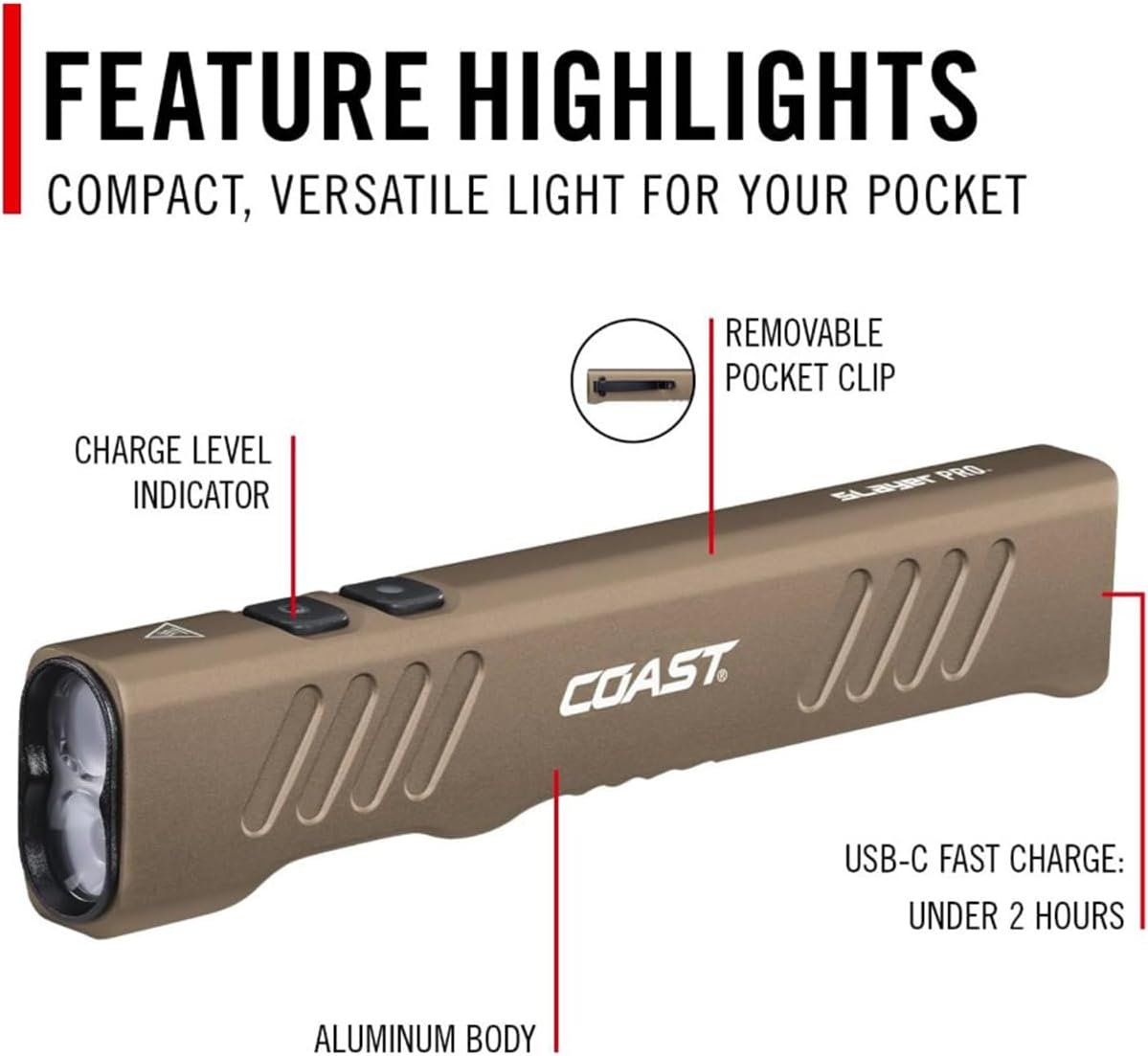
Image 2.1: Diagram highlighting key features including the removable pocket clip, charge level indicator, USB-C fast charge port, and aluminum body.
- Light Modes Button: Cycles through different light output modes.
- Memory Mode Button: Activates and sets the BeamSaver Memory Mode.
- Charge Level Indicator: Displays battery status.
- USB-C Charging Port: For recharging the internal battery.
- Removable Pocket Clip: Secures the flashlight to clothing or gear.
- Aluminum Body: Durable and lightweight construction.
3. Setup
3.1 Initial Charging
Before first use, fully charge your Slayer Pro flashlight. The integrated ZITHION rechargeable battery charges via the USB-C port.
- Locate the USB-C charging port on the flashlight body.
- Connect a standard USB-C cable to the flashlight and a compatible USB power source (e.g., wall adapter, computer USB port).
- The charge level indicator will show charging status. A full charge typically takes approximately two hours.
- Once fully charged, disconnect the USB-C cable.

Image 3.1: Illustration of the USB-C charging port and battery indicator, emphasizing fast charging capabilities.
4. Operating Instructions
4.1 Power On/Off and Light Modes
The Slayer Pro features a dual optic system with five lighting choices:
- Medium Flood
- High Flood
- Spot Light
- Low Flood
- Turbo
To cycle through these modes:
- Press the Light Modes button (typically the front button) to turn the flashlight on.
- Continue pressing the Light Modes button to cycle through the available modes.
- To turn the flashlight off, press the Light Modes button until the light extinguishes, or hold it down for a few seconds.
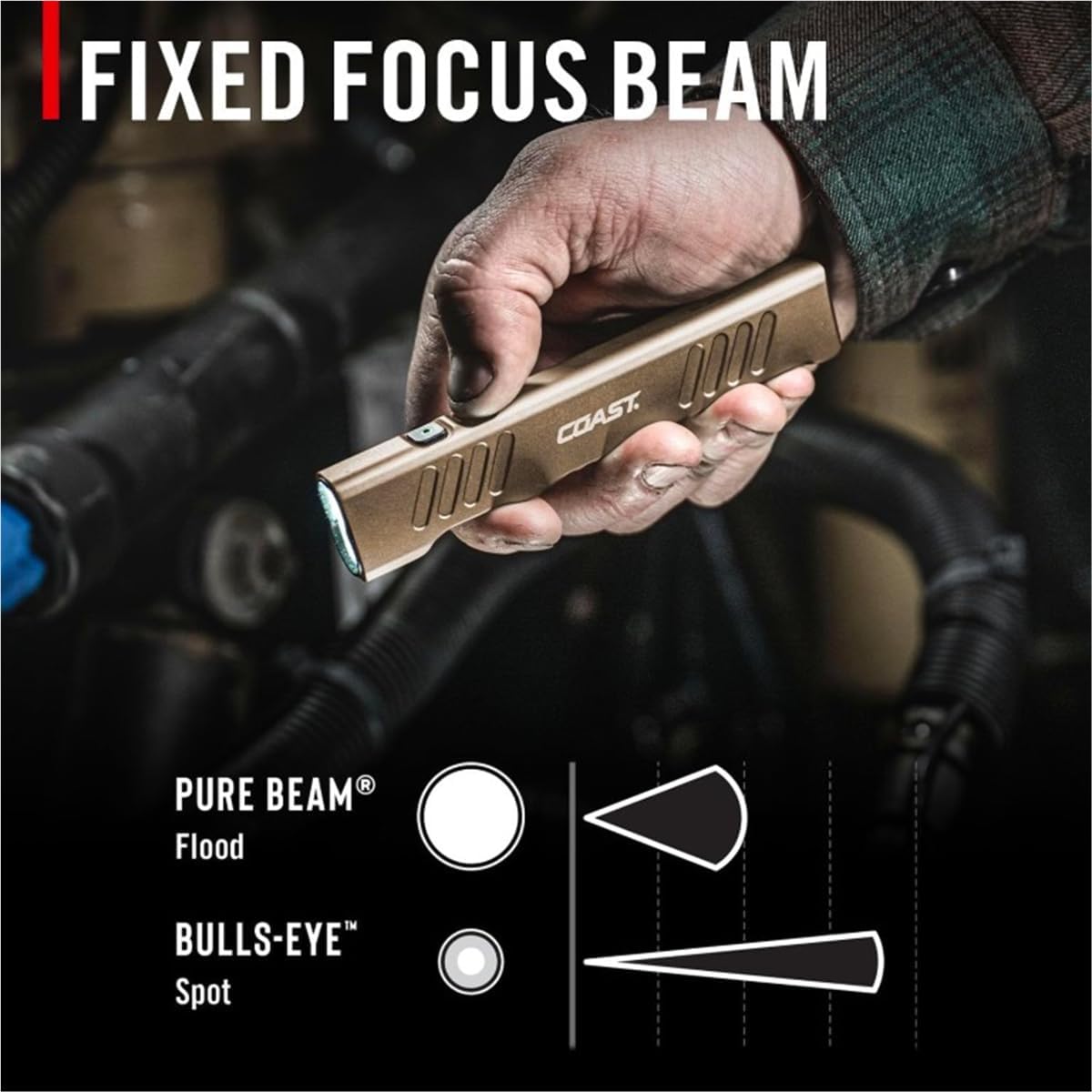
Image 4.1: Visual representation of the fixed focus beam, illustrating the wide Pure Beam (Flood) and concentrated Bulls-Eye (Spot) light patterns.
4.2 BeamSaver Memory Mode
The Memory Mode allows you to quickly access your preferred light setting.
- With the flashlight on and set to your desired light mode, press and hold the Memory Mode button (typically the rear button) until the light flashes. This indicates the mode has been saved.
- To activate the saved mode, simply press the Memory Mode button. The flashlight will turn on directly to your last saved setting.

Image 4.2: Close-up of the flashlight's control buttons, indicating the Light Modes button and the Memory Mode button.
5. Maintenance
5.1 Cleaning
To maintain optimal performance, keep your flashlight clean.
- Wipe the exterior with a soft, damp cloth.
- Avoid using abrasive cleaners or solvents, as these can damage the finish or internal components.
- Ensure the USB-C port cover is securely closed when not charging to prevent dust and water ingress.
5.2 Battery Care
- For best battery life, avoid fully discharging the battery frequently.
- Store the flashlight in a cool, dry place when not in use.
- Recharge the battery periodically if stored for extended periods to prevent deep discharge.
6. Specifications
The Coast Slayer Pro 1150 lm Flashlight is certified to ANSI FL1 Standard.

Image 6.1: Infographic displaying the flashlight's key performance metrics: 1150 lumens, 11 hours run time, and 130 meters distance.

Image 6.2: Detailed table of product specifications certified to ANSI FL1 Standard, including lumens, beam distance, and run time for various modes.
| Feature | Detail |
|---|---|
| Model Name | Slayer Pro 1150 Lumen Rechargeable Flashlight |
| Model Number | COS31104 |
| Light Output (Max) | 1150 Lumens (Turbo) |
| Light Source Type | LED |
| Power Source | Battery Powered (Lithium Ion) |
| Battery Cell Composition | Lithium Ion (ZITHION) |
| Charging Port | USB-C |
| Charge Time | Approximately 2 hours |
| Run Time (Low Flood) | Up to 11 hours |
| Beam Distance (Turbo) | 130 meters (426 feet) |
| Water Resistance Level | Waterproof (IP67) |
| Item Weight | 4 ounces |
| Dimensions (LxWxH) | 7 x 3 x 2.5 inches |
| Color | Dune (Multicoloured) |
| UPC | 015286311047 |
7. Safety Information
- Do not look directly into the LED light. High intensity light can cause eye damage.
- Keep out of reach of children.
- Do not attempt to disassemble or modify the flashlight. This will void the warranty and could cause damage or injury.
- Use only the provided or recommended charging cables and power sources.
- Avoid exposing the flashlight to extreme temperatures.
7.1 Water and Dust Resistance
The Slayer Pro flashlight is rated IP67, meaning it is waterproof and dust resistant. It can withstand submersion in water up to 1 meter for 30 minutes.
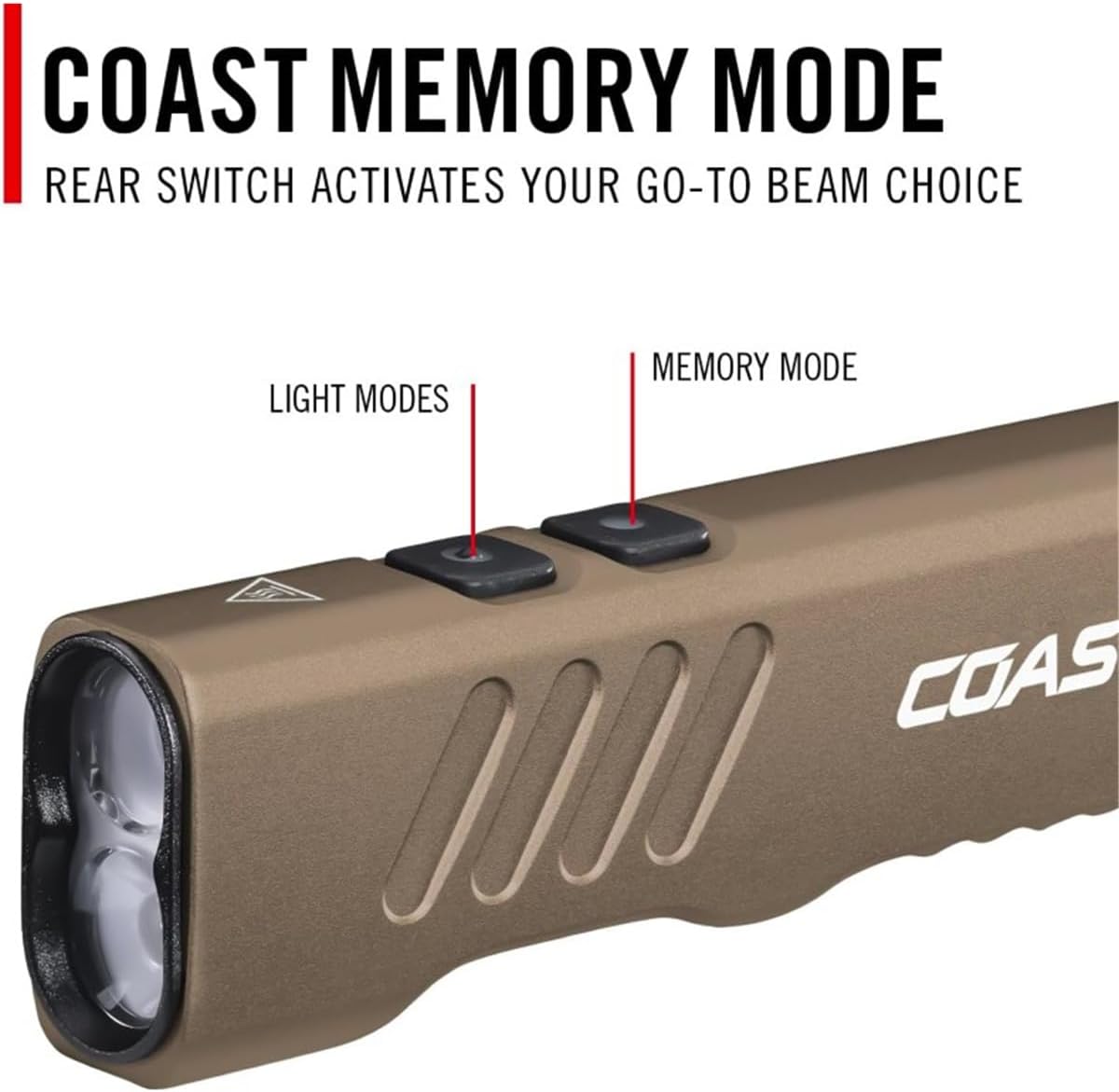
Image 7.1: Visual confirmation of the flashlight's IP67 water and dust resistance rating, showing it submerged in water.
8. Troubleshooting
| Problem | Possible Cause | Solution |
|---|---|---|
| Flashlight does not turn on. | Battery is depleted. | Charge the flashlight using the USB-C port. |
| Buttons are not being pressed correctly. | Ensure buttons are pressed firmly and correctly as per operating instructions. | |
| Flashlight does not charge. | USB-C cable or power source is faulty. | Try a different USB-C cable or power adapter. Ensure the connection is secure. |
| Charging port is obstructed. | Check the USB-C port for debris and gently clean if necessary. | |
| Light output is dim. | Battery is low. | Recharge the flashlight. |
| Lens is dirty. | Clean the lens with a soft, lint-free cloth. |
9. Warranty and Support
9.1 Warranty Information
Coast Products offers a lifetime warranty on the Slayer Pro flashlight. This warranty covers defects in materials and workmanship. Please note that the warranty does not cover abuse or normal wear and tear.
9.2 Customer Support
For further assistance, warranty claims, or to purchase accessories, please visit the official Coast Products website or contact their customer service department. You can also visit the Coast Store on Amazon for more information.