Introduction
Thank you for choosing the AFMAT PSC8 Electric Pencil Sharpener. This fully automatic, rechargeable sharpener is designed for convenience and efficiency, providing a hands-free sharpening experience for various pencil types and sizes. Please read this manual carefully to ensure proper use and maintenance of your device.
Important Safety Information
- Keep the sharpener away from water or other liquids.
- Do not attempt to disassemble the sharpener beyond the specified maintenance steps.
- Ensure the shavings tray is securely fastened before operation. The sharpener will not operate if the lid is removed.
- Supervise children during use to prevent misuse. The sharp blade is not exposed during normal operation.
- Use only a 5V 2A adapter for charging. Do not use adapters with output exceeding 5V.
- If the sharpener overheats, allow it to cool down for 15-30 minutes before resuming use.

Package Contents
Verify that all items are included in your package:
- AFMAT PSC8 Electric Pencil Sharpener
- USB Charging Cable (Adapter not included)
- Instruction Manual (this document)
Product Overview
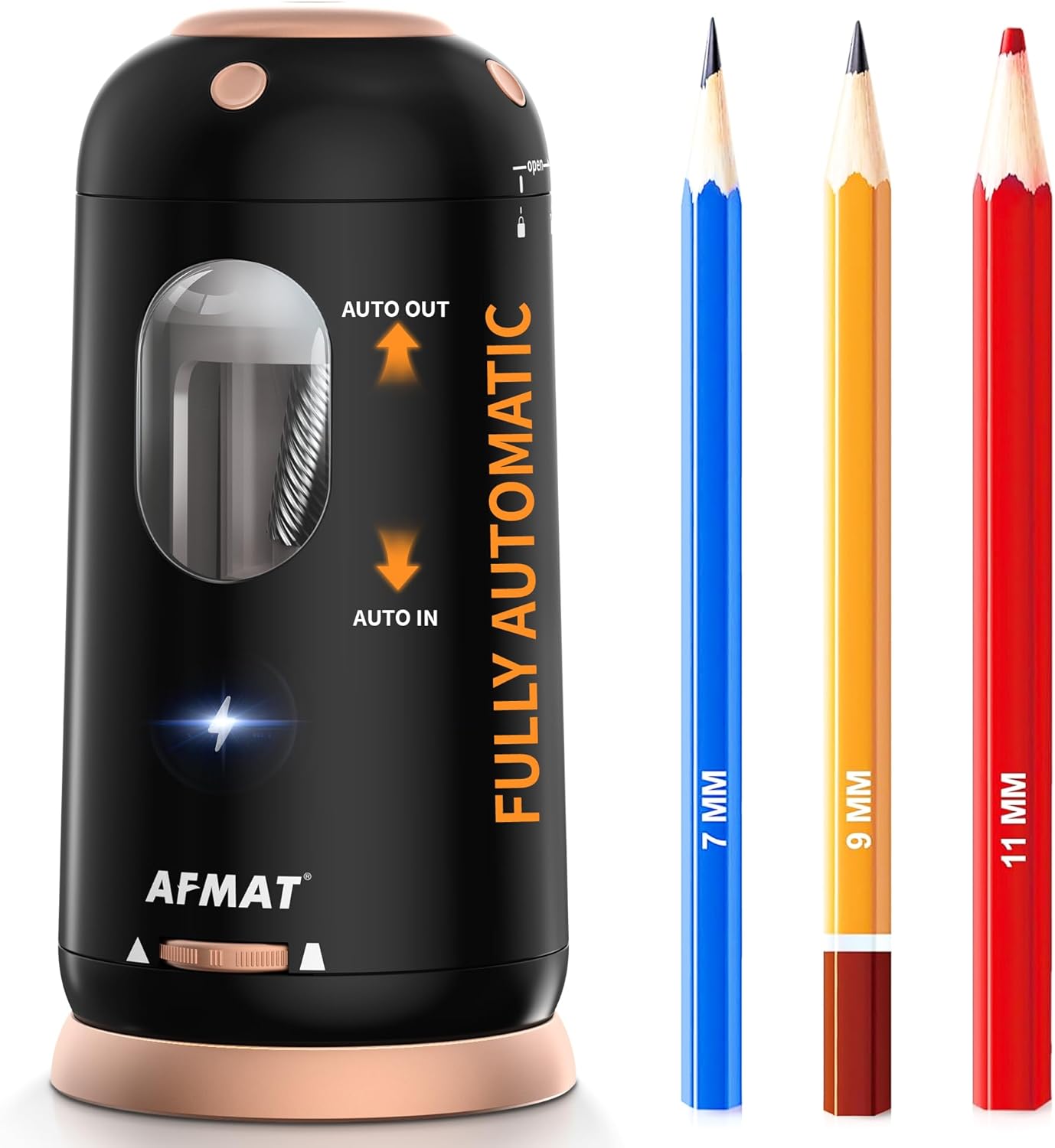
Familiarize yourself with the main components of your AFMAT PSC8 Electric Pencil Sharpener:
- Pencil Insertion Port: Top opening for inserting pencils.
- Shavings Tray: Transparent compartment to collect pencil shavings.
- Sharpness Adjustment Dial: Located at the bottom, allows selection of desired tip sharpness.
- Charging Port: For connecting the USB charging cable.
- Non-slip Base: Ensures stability during use.
Setup and Charging
- Initial Charge: Before first use, fully charge the sharpener. Connect the provided USB cable to the charging port on the sharpener and to a 5V 2A USB adapter (not included).
- Charging Indicator: The charging indicator light will illuminate during charging and change color or turn off when fully charged. A full charge typically takes about 2 hours.
- Battery Life: A single full charge can provide up to 600 pencil sharpenings.

Operating Instructions
1. Pencil Compatibility
The AFMAT PSC8 is designed to sharpen pencils with diameters between 7mm and 11.5mm, including standard, jumbo, and colored pencils. It supports various pencil shapes. It can sharpen pencils as short as 2.9 inches.

2. Adjusting Sharpness Settings
Rotate the dial at the bottom of the sharpener to select one of three sharpness settings:
- Sharp Tip (1st gear): For fine detail work.
- Medium Tip (2nd gear): Suitable for rough sketches or general writing.
- Blunt Tip (3rd gear): Ideal for shading or for children who are hard on pencils.
Note: For soft-core pencils (e.g., some colored pencils), use medium or blunt settings to prevent lead breakage. Ultra-soft pencils are not recommended.

3. Sharpening a Pencil
- Select your desired sharpness setting using the dial.
- Insert the pencil into the top insertion port. The sharpener will automatically pull the pencil in.
- The sharpener will operate until the pencil reaches the selected sharpness, then automatically eject it. This hands-free operation ensures safety and convenience.

Video 1: AFMAT PSC8 Fully Automatic Pencil Sharpener Demonstration. This video shows the sharpener in action, demonstrating its automatic pencil feeding and ejection for a perfect point.
Maintenance
1. Emptying the Shavings Tray
The sharpener features a large-capacity shavings tray. To empty it, twist the top cover counter-clockwise to unlock and remove it. Dispose of the shavings, then securely reattach the cover by twisting clockwise until it clicks into place.

2. Blade Replacement
The helical blade is durable and replaceable. If sharpening performance decreases over time, the blade may need replacement. To replace the blade:
- Unlock and remove the top cover.
- Carefully remove the old blade assembly.
- Insert a new blade assembly, ensuring it is properly seated.
- Reattach the top cover, twisting clockwise until it clicks.
Video 2: Troubleshooting and Blade Replacement for AFMAT PSC8. This video demonstrates how to remove the blade and clean out jammed pencil waste, and how to replace an old blade if sharpening isn't working well.
Troubleshooting
| Problem | Possible Cause | Solution |
|---|---|---|
| Pencil not sharpening to a sharp point. |
|
|
| Sharpener stops working after prolonged use. | Overheat protection activated. | Allow the sharpener to cool down for 15-30 minutes before using it again. |
| Sharpener does not turn on. |
|
|
Specifications
- Model: PSC8
- Brand: AFMAT
- Dimensions: 3.4 (W) x 7.2 (H) inches
- Weight: 1.34 pounds
- Material: Plastic
- Power Source: Rechargeable Battery
- Charging Input: 5V 2A (USB cable included, adapter not included)
- Pencil Diameter Compatibility: 7-11.5mm
- Sharpness Settings: 3 (Sharp, Medium, Blunt)
- Safety Features: Auto in/out, hands-free, auto-stop, overheat protection, non-exposed blade.
Customer Support
If you encounter any issues or have questions regarding your AFMAT PSC8 Electric Pencil Sharpener, please contact our customer support team for further assistance:
- Email: support@afmat.com
- WhatsApp: 1 (323) 961-7865

