
Introduction
Thank you for choosing the JUMMICO Desk with Adjustable Shelves. This manual provides essential information for the safe assembly, operation, and maintenance of your new desk. Please read these instructions carefully before beginning assembly and retain them for future reference.
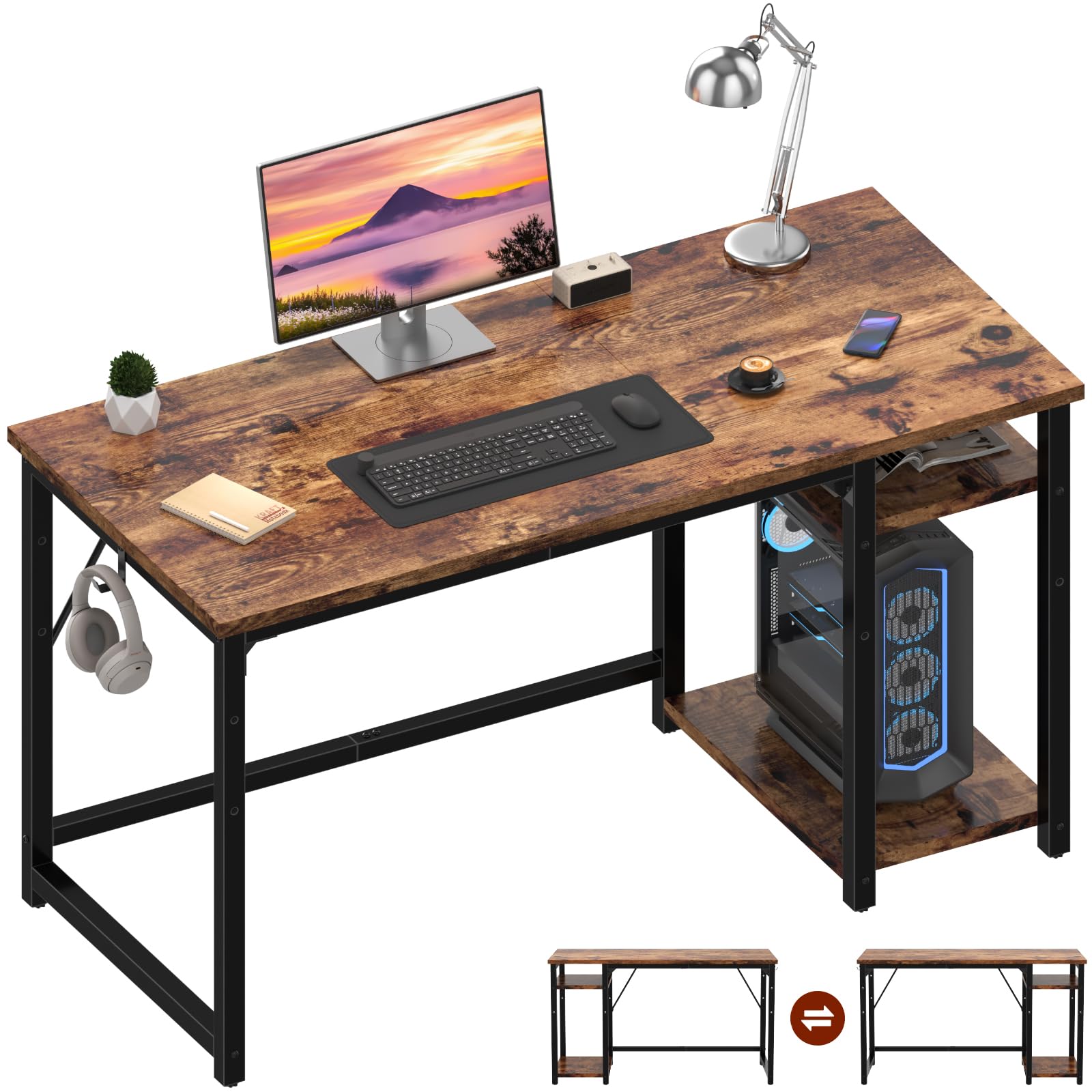
The JUMMICO desk, featuring a spacious top and integrated shelving, is designed for home office use, accommodating a computer, monitor, and other accessories.
Safety Information
Ensure the desk is properly anchored when fully loaded to prevent tipping. Always follow assembly instructions carefully to ensure structural integrity. Do not overload the shelves or tabletop beyond their stated weight capacity.
Package Contents
Before assembly, please verify that all components are present and undamaged. The package should contain:
- Desk Top Panel
- Steel Frame Components
- Adjustable Shelf Unit (includes shelves and support bars)
- Assembly Hardware (screws, bolts, Allen wrench)
- Instruction Manual
Assembly Instructions
Assembly of the JUMMICO desk is designed to be straightforward. It is recommended to assemble the desk on a soft, clean surface to prevent scratches. Two people are recommended for easier assembly.
- Unpack and Identify Parts: Carefully remove all components from the packaging. Lay them out and compare them against the parts list in your manual to ensure everything is present.
- Assemble the Steel Frame: Connect the main steel frame components using the provided screws and Allen wrench. Ensure all connections are secure but do not fully tighten until the entire frame is assembled.
- Attach the Desk Top: Carefully place the desk top panel onto the assembled steel frame. Align the pre-drilled holes and secure the top using the appropriate screws.
- Install the Adjustable Shelf Unit: The shelf unit can be installed on either the left or right side of the desk. Attach the vertical supports for the shelves to the main frame.
- Insert Shelves: Place the two shelves into the desired positions on the shelf unit. The central shelf is height-adjustable. Refer to the 'Operating Instructions' section for details on adjusting shelf height.
- Final Tightening: Once all components are in place and aligned, fully tighten all screws and bolts.
- Attach Accessories: Install the headphone hooks to the side of the desk as desired.

Detailed views showcasing the practical headphone hooks, the sturdy structural supports, and the triangular stability design of the JUMMICO desk, emphasizing its durability and user-friendly features.
Operating Instructions: Adjustable and Reversible Shelves
The JUMMICO desk features a versatile shelf unit designed for optimal organization. The entire shelf unit can be installed on either the left or right side of the desk during assembly. Additionally, the central shelf within the unit offers adjustable height.
- Reversible Shelf Unit: During initial assembly, decide whether you prefer the storage shelves on the left or right side of your desk. The frame is designed to accommodate either configuration.
- Adjustable Central Shelf: The central shelf can be moved up or down to create different storage heights. To adjust, remove the shelf, reposition the support pins to the desired height, and reinsert the shelf. This allows you to customize space for items like a computer tower, printer, or books.

This visual guide demonstrates the versatility of the JUMMICO desk's shelves, illustrating four distinct height adjustments to accommodate various items such as computer towers, books, or storage baskets.
Maintenance
To ensure the longevity and appearance of your JUMMICO desk, follow these simple maintenance guidelines:
- Cleaning: The desk surface is waterproof and scratch-resistant. Wipe spills immediately with a soft, dry cloth. For general cleaning, use a damp cloth with a mild, non-abrasive cleaner. Avoid harsh chemicals.
- Protection: While the surface is scratch-resistant, avoid dragging sharp or heavy objects across it. Use coasters for drinks to prevent water rings.
- Regular Checks: Periodically check all screws and bolts to ensure they remain tight. Retighten if necessary to maintain stability.

This image illustrates the protective qualities of the JUMMICO desk's surface, demonstrating its resistance to scratches from objects like keys and its waterproof nature, making it easy to clean.
Troubleshooting
If you encounter any issues with your JUMMICO desk, please refer to the following common solutions:
- Desk Wobbles: Ensure all screws and bolts are fully tightened. Check that the desk is placed on a level surface. Adjust the leveling feet (if present) on the bottom of the legs.
- Missing Parts: If any parts are missing upon unpacking, please contact JUMMICO customer support with your purchase details.
- Difficulty Assembling: Review the assembly instructions carefully. Ensure you are using the correct hardware for each step. Do not force parts together.
Specifications
| Feature | Detail |
|---|---|
| Brand | JUMMICO |
| Model Number | 0445 |
| Color | Brown |
| Overall Dimensions (L x W x H) | 120 cm x 50 cm x 75 cm |
| Product Weight | 13 kg |
| Material | High-quality particle board (tabletop), Steel (frame) |
| Desk Design | Computer Desk |
| Assembly Required | Yes |
| Special Features | Reversible and adjustable shelves, headphone hooks, stable steel structure, scratch-resistant, waterproof surface |

This diagram illustrates the overall dimensions of the JUMMICO desk, including the main tabletop (120 cm x 50 cm) and the integrated shelves, providing a clear understanding of its size and capacity.
Warranty and Support
For warranty information or technical support, please refer to the contact details provided with your purchase documentation or visit the official JUMMICO website. Please have your model number (0445) and purchase date available when contacting support.
