
1. Setup
1.1 Unboxing and Initial Setup
Your Ulefone Armor X16 package contains the following items:
- 1x Ulefone Armor X16 Rugged Phone
- 1x AC Power Charger, 33W
- 1x Type-C to Type-C Data Cable (100cm)
- 1x Protective Film (Pre-installed)
- 1x Tempered Glass Screen Protector
- 1x SIM Needle, Lanyard
- 1x Multi-language User Manual

Image: Ulefone Armor X16 package contents, showing the phone, charger, data cable, screen protector, SIM needle, lanyard, and user manual.
Video: An unboxing demonstration of the Ulefone Armor X16, showcasing the phone and its included accessories.
1.2 SIM Card and MicroSD Card Installation
The Ulefone Armor X16 supports a 3-card slot configuration (Nano-SIM + Nano-SIM + microSD). To install your SIM and/or microSD card:
- Locate the SIM card tray on the side of the device.
- Use the provided SIM needle to gently eject the tray.
- Place your Nano-SIM cards and/or microSD card into the designated slots on the tray.
- Carefully reinsert the tray into the phone until it clicks into place.

Image: The Ulefone Armor X16 displaying the triple card slot for two Nano-SIM cards and one microSD card.
1.3 Charging the Device
Before first use, fully charge your Ulefone Armor X16 using the provided 33W AC Power Charger and Type-C to Type-C Data Cable. The device supports 33W PD Fast Charging.

Image: The Ulefone Armor X16 connected to a 33W fast charger, illustrating its 10360mAh battery capacity.
2. Operating Instructions
2.1 Power On/Off/Restart
- Power On: Press and hold the Power button until the Ulefone logo appears.
- Power Off: Press and hold the Power button, then select 'Power off' from the options.
- Restart: Press and hold the Power button, then select 'Restart' from the options.
2.2 Display and User Interface
The Armor X16 features a 6.56-inch Fluid Display with 720 x 1612 resolution and a 90Hz refresh rate, providing a smooth visual experience. With 910 nits max brightness, the screen is easily readable outdoors.
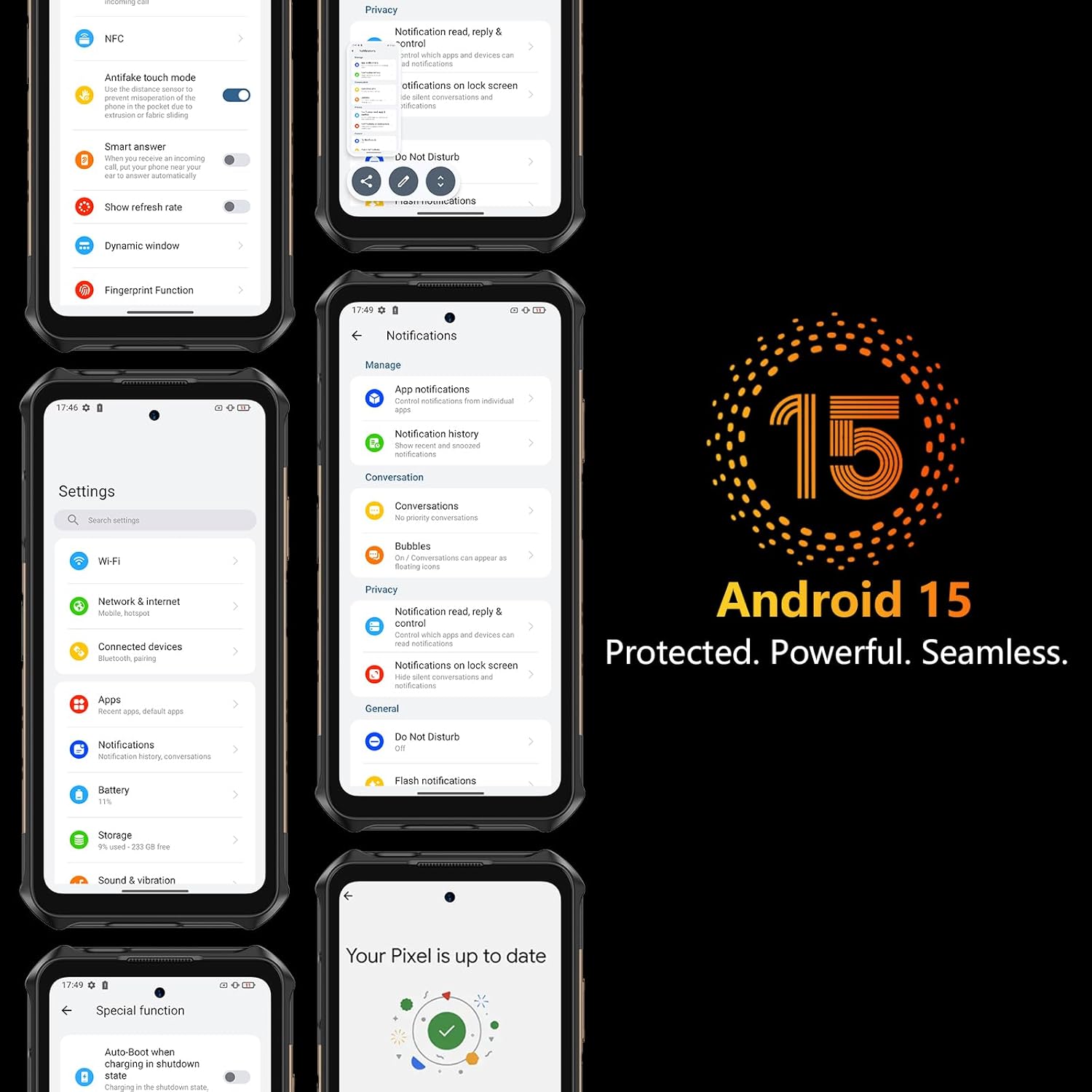
Image: The Ulefone Armor X16 highlighting its 6.56-inch 90Hz display with 910 nits brightness and 720x1612 resolution.
2.3 Android 15 Operating System
The device runs on Android 15 OS, offering enhanced privacy features like advanced theft detection and Private Space for sensitive data. It also supports efficient multitasking with app pairing and optimized large-screen controls.

Image: Multiple screenshots of the Ulefone Armor X16's Android 15 interface, demonstrating its features and privacy settings.
2.4 Performance and Storage
Powered by the MediaTek Helio G91 Octa-core processor and Mali-G52 MC2 GPU, the Armor X16 delivers efficient and lag-free performance. It comes with up to 12GB RAM (6GB physical + 6GB dynamic) and 128GB ROM, expandable up to 2TB via a microSD card (not included).
Image: Visual representation of the Ulefone Armor X16's MediaTek Helio G91 processor, 12GB RAM (6GB+6GB Dynamic), and 128GB ROM with 2TB expandable storage.
2.5 Camera Features
The Armor X16 is equipped with a versatile camera system:
- 48MP Main Camera: Features an OV48B sensor and f/1.9 aperture for clear photos.
- 20MP Infrared Night Vision Camera: Utilizes a Sony IMX350 sensor and f/1.8 lens with Ulefone NightElf 2.0 algorithm for visibility in darkness.
- 2MP Macro Camera: For detailed close-up shots.
- 16MP Front Camera: For selfies and video calls.
- Underwater Camera: Supports photography underwater.

Image: The Ulefone Armor X16's quad-camera system, detailing the 48MP main, 20MP night vision, 2MP macro, and 16MP front cameras, with examples of their capabilities.
2.6 Connectivity
The device supports Global 4G LTE Bands (FDD-LTE: B1/2/3/4/5/7/8/12/13/17/18/19/20/25/26/28A/28B/32/66/71; TDD-LTE: B34/38/39/40/41; WCDMA: B1/2/4/5/6/8/19; GSM: B2/3/5/8; CDMA: BC0/BC1/BC10). It also includes NFC, GPS+GLONASS+BEIDOU+Galileo+QZSS, Bluetooth 5.2, and Wi-Fi.
2.7 Special Features
- 10360mAh Battery: Provides extended usage with 555 hours standby, 56 hours talk time, 42 hours music playback, and 13 hours video playback.
- Built-in Flashlight: A powerful 133 lumens flashlight with adjustable brightness, activated via a one-key lighting function.
Video: A demonstration of the Ulefone Armor X31 Series flashlight, showcasing its brightness and utility in dark environments. The Armor X16 features a similar powerful flashlight.
- AI Assistant - Google Gemini: Your AI assistant for questions, brainstorming, and real-time help.
- AI Recorder: Captures voice and video calls, providing instant transcripts and summaries.
- Widevine L1 Certified: Enjoy high-definition streaming on platforms like Amazon Prime Video and Netflix.
- Custom Key: Programmable button for quick access to preferred functions.
- 3.5mm Headphone Jack: For wired audio connectivity.
- Gloves Mode: Allows for touch screen operation while wearing gloves.
- IR Blaster: For controlling compatible infrared devices.
- Headset-free FM: Listen to FM radio without needing a headset.
- Face Unlock + Fingerprint ID: Secure and convenient biometric authentication.

Image: The Ulefone Armor X16 highlighting its built-in flashlight, Face Unlock, Fingerprint ID, and Gloves Mode for enhanced usability.
3. Maintenance
3.1 Rugged Protection
The Ulefone Armor X16 is built to withstand harsh environments, boasting IP69K, IP68, and MIL-STD-810H certifications. This means it is resistant to:
- Water: Protected against powerful water jets and submersion.
- Dust: Fully sealed against dust ingress.
- Drops: Engineered to survive drops and impacts.
- Extreme Temperatures: Designed to operate in a wide range of temperatures.
Video: A durability test of the Ulefone Armor X16 Pro, demonstrating its resistance to drops, water, and other harsh conditions.
3.2 Cleaning and Care
To maintain your device's performance and appearance:
- Wipe the screen and body with a soft, damp cloth. Avoid abrasive materials.
- Ensure all port covers are securely closed to maintain water and dust resistance.
- Avoid exposing the device to extreme temperatures for prolonged periods.
3.3 Battery Care
To prolong battery life:
- Avoid fully discharging the battery frequently.
- Use the original charger for optimal charging performance.
- Do not expose the device to high temperatures while charging.
4. Troubleshooting
If you encounter any issues with your Ulefone Armor X16, consider the following general troubleshooting steps:
- Device Lagging or Freezing: Close background applications, uninstall unused apps, or restart the device.
- Network Issues: Check your SIM card installation, ensure mobile data is enabled, or try restarting the device.
- Charging Problems: Verify the charger and cable are properly connected and undamaged. Try a different power outlet.
- Screen Unresponsive: Perform a forced restart by holding the Power button for an extended period.
Video: A general troubleshooting guide for Android phones, demonstrating steps to resolve lagging or freezing issues by closing background apps, uninstalling applications, and restarting the device.
5. Specifications
| Feature | Specification |
|---|---|
| Model Name | Armor X16 |
| Operating System | Android 15.0 |
| CPU Model | MediaTek Helio G91 |
| CPU Speed | 2 GHz |
| RAM Memory Installed Size | 12 GB (6GB physical + 6GB dynamic) |
| Memory Storage Capacity | 128 GB (expandable to 2TB) |
| Screen Size | 6.56 Inches |
| Resolution | 720 x 1612 |
| Refresh Rate | 90 Hz |
| Battery Capacity | 10360 Milliamp Hours |
| Phone Talk Time | 56 Hours |
| Other Camera Features | 48MP Rear Camera + 20MP Night Vision Camera + 2MP Macro Camera, 16MP Front Camera |
| Connectivity Technologies | Bluetooth, NFC, USB, Wi-Fi |
| GPS | True (GPS+GLONASS+BEIDOU+Galileo+QZSS) |
| Special Features | 10360mAh Battery, 12GB RAM, 128GB ROM, 48MP Rear Camera+20MP Night Vision Camera, AI Assistant-Google Gemini, Widevine L1 Certified, Built-in 133 Lumens Flashlight, Custom Key, 3.5mm Headphone Jack, Underwater Camera, Gloves Mode, IR Blaster, Headset-free FM, Face Unlock+Fingerprint ID |
| Product Dimensions | 6.81 x 3.27 x 0.67 inches |
| Item Weight | 13.9 ounces (394 Grams) |
| Ruggedness Rating | IP69K, IP68, MIL-STD-810H |
6. Warranty and Support
6.1 Warranty Information
Your Ulefone Armor X16 comes with a standard manufacturer's warranty. Please refer to the warranty card included in your package for specific terms and conditions, including coverage duration and claim procedures. Keep your proof of purchase for warranty claims.
6.2 Customer Support
For any technical assistance, product inquiries, or support needs, please contact Ulefone customer service. Contact details can be found in the user manual included in your product packaging or on the official Ulefone website. Please have your product model and serial number ready when contacting support.


