1. Introduction
This manual provides detailed instructions for the setup, operation, and maintenance of your Govee Curtain Lights Pro. Featuring 960 RGBIC LEDs, these smart lights offer dynamic color-changing effects, AIGC capabilities, and robust outdoor durability with an IP67 waterproof rating. Please read this manual thoroughly to ensure proper use and optimal performance of your device.

Image 1.1: Govee Curtain Lights Pro product packaging, showing the lights and app interface.
2. What's in the Box
Verify that all components are present in your package:
- Curtain Lights x 1
- Power Adapter x 1
- Control Box x 1
- Fixed Mounting Bar x 5
- Plastic Strap x 5
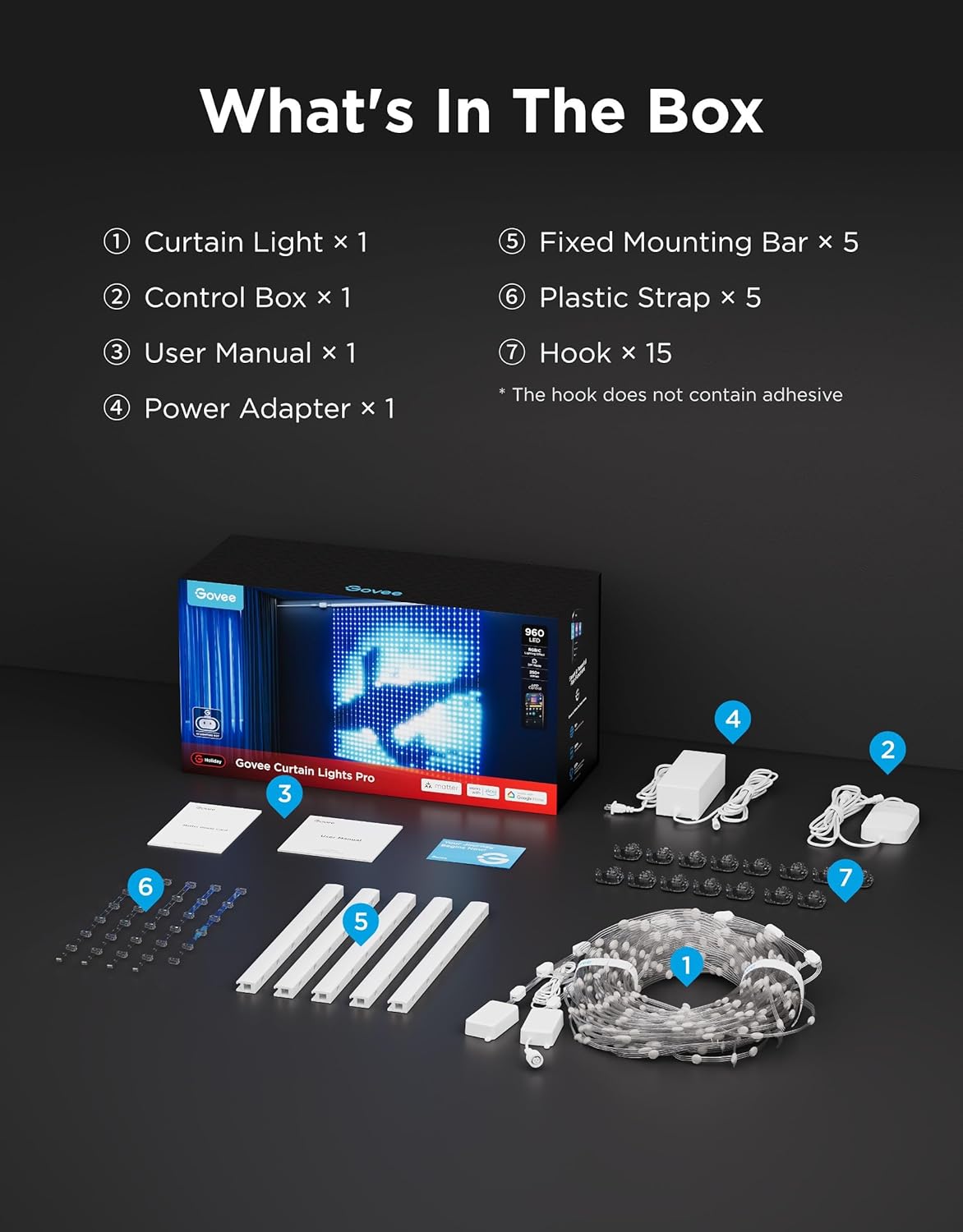
Image 2.1: All components included in the Govee Curtain Lights Pro package.
3. Setup and Installation
The Govee Curtain Lights Pro offers versatile installation options for both indoor and outdoor environments. The entire setup is IP67 waterproof, ensuring durability against rain and wind.
3.1 Mounting Options
- Adhesive Mounting: The fixed mounting bars and control box come with strong adhesive backing for direct attachment to smooth surfaces. Ensure the surface is clean and dry before application.
- Screw Mounting: For a more secure and permanent installation, especially outdoors or on uneven surfaces, screws and drywall anchors are provided. The fixed mounting bars have pre-drilled holes for this purpose.
- Plastic Straps: Use the included plastic straps to connect the bottom of the light strings, preventing them from swaying and maintaining a uniform display.

Image 3.1: All-Weather Performance Guaranteed, illustrating IP67 waterproof components and mounting methods.
3.2 Connecting Components
Connect the light strings to the control box, and then connect the control box to the power adapter. Ensure all connections are secure, especially for outdoor use, to maintain the IP67 rating.
4. Operating Instructions
Control your Govee Curtain Lights Pro using the Govee Home App or through voice commands.
4.1 Govee Home App Features
- Color & Scene Modes: Choose from 250+ preset modes, including festive themes, dynamic patterns, and static colors.
- Music Sync: Activate 10 music sync modes to synchronize light effects with audio.
- DIY Canvas: Utilize the 30-layer canvas to create custom light shows, pixel art, and animations. The app supports GIF uploads and offers over 1,000 assets for creative designs.
- Share Space: Explore and share custom designs with other Govee users.
- AIGC Lighting: Use AI-generated scenes and patterns for unique lighting effects.

Image 4.1: The Govee Home App's 30-layer DIY Canvas for custom light designs.
4.2 Voice Control
The Govee Curtain Lights Pro supports Matter, Amazon Alexa, and Google Assistant for seamless voice control. Connect your lights to your preferred smart home ecosystem to control power, colors, and scenes with simple voice commands.

Image 4.2: Smart Ecosystem Experience, showing voice control integration with smart assistants.
5. Advanced Features: Width Expansion (Splicing)
For larger displays, you can combine up to 3 sets of Govee Curtain Lights Pro (Model H70B6) to create a massive 16.2 × 5.77ft display. This feature is managed through the Govee Home App and unlocks over 50 exclusive scene modes for seamless, large-surface light shows.

Image 5.1: Create Large Works of Art by combining multiple sets for an expanded display.
5.1 How to Group Multiple Sets
To group multiple sets, ensure all individual sets are powered on and connected to the Govee Home App. Navigate to the device settings for one of the lights and look for the 'Width Expansion' or 'Device Splicing' option. Follow the in-app instructions to add and arrange your additional light sets into a single, unified canvas.
Video 5.1: Official Govee US video demonstrating how to group 2 or 3 sets of the Curtain Lights Pro for a larger display.
6. Maintenance
The Govee Curtain Lights Pro are designed for durability with an IP67 waterproof rating. This means they are protected against dust and can withstand immersion in water up to 1 meter for 30 minutes. For optimal performance, periodically inspect the cables and connections for any signs of wear or damage. Clean the LED strings gently with a soft, damp cloth if necessary.
7. Troubleshooting
If you encounter any issues with your Govee Curtain Lights Pro, please consider the following:
- Connectivity Issues: Ensure your device is within Bluetooth range for initial setup and that your Wi-Fi network is stable for remote control.
- Lights Not Responding: Check all physical connections, including the power adapter and control box. Restart the device by unplugging and re-plugging the power.
- Firmware Updates: Regularly check the Govee Home App for available firmware updates to ensure optimal performance and access to new features.
- Display Irregularities: For spliced devices, ensure the installation direction is correctly configured in the 'Width Expansion' settings within the app.
8. Specifications
| Feature | Specification |
|---|---|
| Model Number | H70B6 |
| LED Count | 960 RGBIC LEDs |
| Dimensions | 5.41 × 5.77 ft (single set) |
| Waterproof Rating | IP67 |
| Power Source | Corded Electric (24 Volts) |
| Control Method | App, Voice (Matter, Alexa, Google Assistant) |
| Material | Plastic |
| Special Features | Color Changing, Dimmable, AIGC, Music Sync |
9. Warranty and Support
For warranty information or technical support, please refer to the Govee official website or contact Govee customer service directly. Protection plans are available for purchase separately to extend coverage for your product.


