
Introduction
This manual provides comprehensive instructions for the LEOBOG HI98 Mechanical Keyboard. Designed for efficient input and multitasking, this 95% layout keyboard offers a compact form factor while retaining essential keys. Featuring a gasket-mounted structure, hot-swappable switches, and customizable RGB lighting, the HI98 delivers a comfortable and personalized typing experience.
Product Features
95% Layout (101-Keys)
The LEOBOG HI98 features a 95% layout with 101 keys, providing most of the functionality of a full-size keyboard, including a numeric keypad and arrow keys, in a more compact and space-saving design. The aluminum alloy case ensures superior durability and a premium feel.
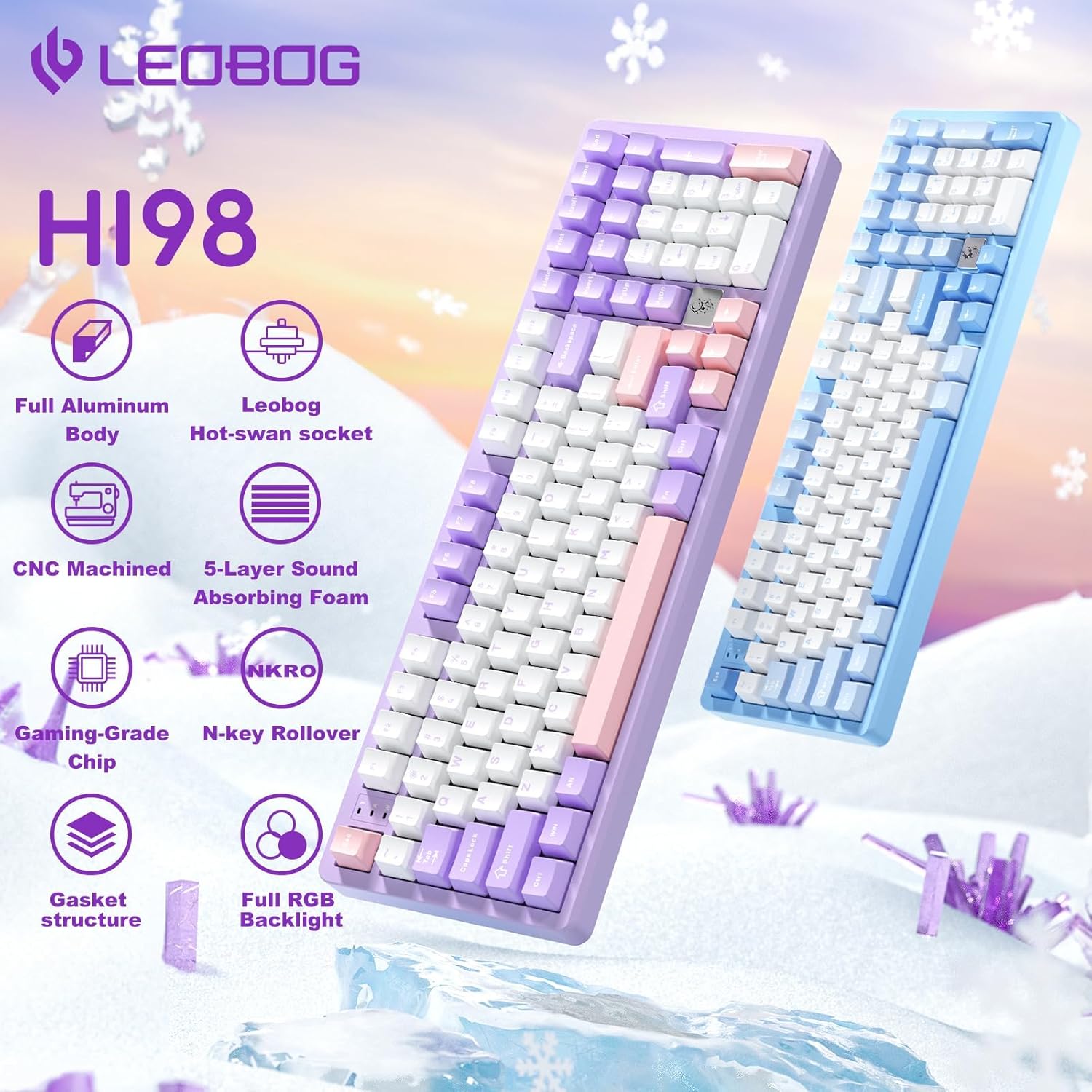
Image: LEOBOG HI98 Mechanical Keyboard showcasing its 95% layout with 101 keys, highlighting the compact design and aluminum body.
Gasket-Mounted Structure
Experience a comfortable and quiet typing experience with the gasket-mounted design. This structure incorporates quality ABS material, a top mount, 4-layers of sound-deadening material (PO foam, silicone pad), and a 1.2mm flexible hot-swappable PCB with a PC board. This design reduces noise and enhances key resilience for a crisper typing sound.

Image: Close-up view of the LEOBOG HI98 keyboard's internal structure, illustrating the gasket mount and sound-dampening layers.
Double-shot PBT Keycaps & Magnetic Plate
The keyboard features durable double-shot PBT keycaps that are sweat-proof, long-lasting, and resistant to fading. Their frosted surface provides a soft touch. A unique astronaut-shaped magnetic plate adds a distinctive aesthetic element.

Image: Detailed view of the LEOBOG HI98's double-shot PBT keycaps and the astronaut-shaped magnetic plate.
16.8 Million RGB Backlit Keyboard
Equipped with North-Facing LEDs, the keyboard offers 16 preset lighting effects and 10 musical rhythms. Brightness and speed can be adjusted via a knob or FN key combinations. Custom lighting effects are possible through the dedicated driver software.

Image: The LEOBOG HI98 keyboard illuminated with its vibrant RGB backlighting, demonstrating various lighting effects.
Tri-Mode Connectivity
The keyboard supports three connection modes: 2.4GHz wireless via a dongle, Bluetooth 5.0, and wired USB-C. This versatility ensures compatibility with various devices and usage scenarios.

Image: Side view of the LEOBOG HI98 keyboard showing the USB-C port and switches for connectivity modes (Mac/Win, 2.4G/USB/BT).
LEOBOG Star Vector Switches
The HI98 is equipped with LEOBOG Star Vector linear switches. These 5-pin switches feature POM material, an initial pressure of 32gf, bottom pressure of 55gf, total key stroke of 3.5mm, and a conduction pressure of 40gf with a 1.8mm conduction stroke. They are designed for a very light and smooth feel, ideal for long hours of typing.

Image: Diagram illustrating the specifications and characteristics of LEOBOG Star Vector switches.
Setup
Unboxing and Initial Inspection
Upon unboxing, carefully remove the keyboard from its packaging. Inspect for any visible damage. The package includes the LEOBOG HI98 keyboard, a USB-A to USB-C cable, and a keycap/switch puller tool.

Image: The LEOBOG HI98 keyboard and its included accessories laid out after unboxing.
Connecting Your Keyboard
The LEOBOG HI98 offers three connectivity options:
- Wired USB-C: Connect the provided USB-A to USB-C cable from your computer to the keyboard's USB-C port. This provides the most stable connection.
- 2.4GHz Wireless: Locate the 2.4GHz dongle stored in the magnetic slot on the back of the keyboard. Plug the dongle into an available USB-A port on your computer. Switch the keyboard's mode selector to 2.4G.
- Bluetooth 5.0: Switch the keyboard's mode selector to BT. On your device, search for available Bluetooth devices and select "LEOBOG HI98" to pair.
Ensure the Mac/Win switch on the side of the keyboard is set to your operating system for optimal functionality.
Operating Instructions
RGB Lighting Control
- Change Lighting Effect: Press FN + \ to cycle through 16 preset RGB lighting effects.
- Change Lighting Color: Press FN + TAB to switch between different backlight colors.
- Adjust Brightness/Speed: Use the multi-functional knob or FN key combinations to adjust the brightness and speed of the backlighting and side lights.
Multi-functional Knob
The knob located on the top right of the keyboard allows for quick adjustments:
- Volume Control: Rotate the knob to adjust system volume.
- Lighting Adjustments: Press and hold FN, then rotate the knob to cycle through lighting effects or adjust brightness/speed as indicated on the display screen.
Display Screen Navigation
The integrated display screen provides information and control options. By default, it may be in Chinese. To change the language to English, press FN + V. The screen also shows time, battery life, and connectivity mode.
Customization
Hot-Swappable Switches
The LEOBOG HI98 features an all-key hot-swappable design, allowing you to easily change switches without soldering. This keyboard is compatible with both 3-pin and 5-pin switches.
To remove a keycap: Use the keycap puller tool. Gently hook the puller onto the keycap and pull straight up.
To remove a switch: After removing the keycap, use the switch puller tool. Align the prongs with the clips on the top and bottom of the switch, squeeze gently, and pull straight up.
To install a switch: Align the pins of the new switch with the holes on the PCB. Press down firmly until the switch clicks into place. Ensure the switch is seated correctly and not bent.
To install a keycap: Align the keycap with the switch stem and push down gently until it is fully seated.
Maintenance
To maintain your keyboard's performance and appearance:
- Regularly clean keycaps with a soft, damp cloth.
- Use the provided keycap puller to remove keycaps for deeper cleaning of dust and debris.
- Avoid exposing the keyboard to excessive moisture or extreme temperatures.
Troubleshooting
- Connectivity Issues: Ensure the correct mode (Wired, 2.4GHz, Bluetooth) is selected and the Mac/Win switch is set appropriately. For wireless connections, verify the dongle is securely plugged in or Bluetooth is properly paired.
- RGB Lighting Malfunction: Check FN key combinations for brightness/speed adjustments. If using custom settings, ensure the driver software is correctly configured.
- Key Not Registering: For hot-swappable switches, try removing and re-inserting the switch to ensure proper contact. If the issue persists, try swapping with a known working switch.
- Language on Display: If the display is not in English, press FN + V to cycle through language options.
Specifications
| Feature | Detail |
|---|---|
| Product Dimensions | 15.9 x 5.35 x 1.89 inches |
| Item Weight | 6.3 pounds |
| Manufacturer | LEOBOG |
| Item Model Number | HI98 |
| Brand | LEOBOG |
| Keyboard Backlighting Color Support | RGB |
| Power Source | Wired |
| Switch Type | Mechanical (LEOBOG Star Vector Linear) |
| Keyboard Layout | QWERTY (95% Layout, 101 Keys) |
| Keycap Material | Double-shot PBT |
| Connectivity | 2.4GHz Wireless, Bluetooth 5.0, USB-C Wired |
Warranty and Support
LEOBOG offers a 48-month after-sales service for the HI98 keyboard. For any product quality issues or usage problems, our professional team is available to provide support and solutions. Please refer to the contact information provided in your product packaging for direct assistance.


