1. Introduction
This manual provides comprehensive instructions for the installation, operation, and troubleshooting of your AUTOUTLET 192KHz HDMI ARC Audio Extractor. This device is designed to extract audio from your TV's HDMI ARC port and convert it to a 3.5mm L/R stereo analog output, allowing connection to headphones, speakers, or amplifiers that lack an HDMI input. It supports a 192KHz sampling rate for high-quality stereo sound and enables TV remote volume control via CEC functionality.
2. Package Contents
Please verify that all items listed below are included in your package:
- 1 x ARC Audio Extractor
- 1 x Audio Cable (3.5mm to RCA)
- 1 x HDMI Cable
- 1 x USB Power Cable
- 1 x User Manual

Image: Contents of the AUTOUTLET ARC Audio Extractor package, including the extractor unit, HDMI cable, 3.5mm to RCA audio cable, USB power cable, and user manual.
3. Product Overview
The AUTOUTLET HDMI ARC Audio Extractor is a compact device designed to simplify audio connectivity. It features an HDMI input for ARC audio from your television and a 3.5mm output for analog stereo sound. The unit is powered via a USB connection.
3.1 Key Features
- ARC to 3.5mm Audio Output: Converts HDMI ARC audio to a 3.5mm L/R stereo output.
- 192KHz Sample Rate: Provides high-quality stereo sound.
- CEC Volume Control: Allows TV remote to control the volume of connected audio devices.
- Integrated Audio Amplifier: Enhances audio signal for clear output.
- Compact Design: Space-saving and easy to integrate into home entertainment setups.

Image: The AUTOUTLET ARC Audio Extractor unit connected to an HDMI cable and a 3.5mm to RCA audio cable, illustrating its compact form factor and primary connections.
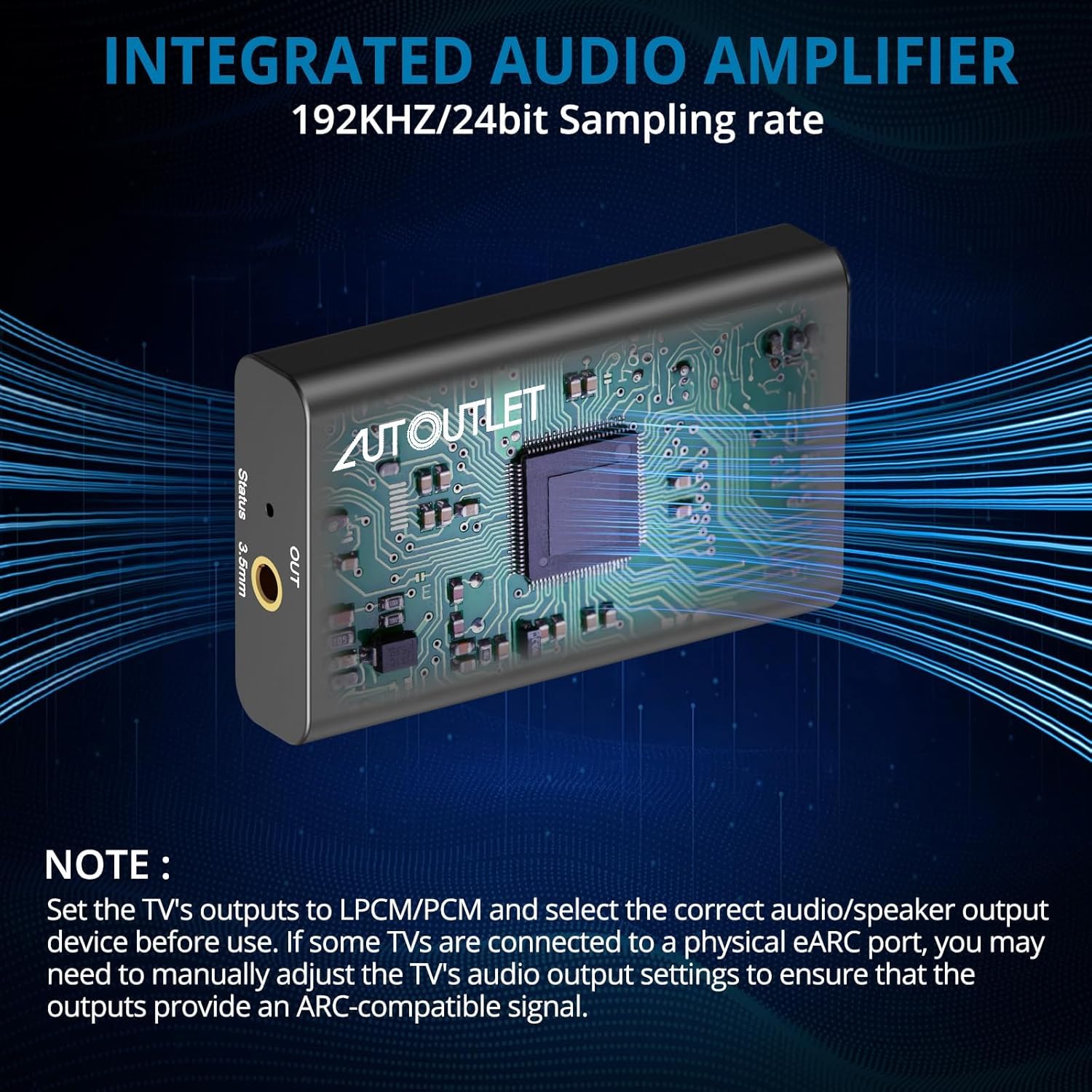
Image: An internal diagram of the AUTOUTLET ARC Audio Extractor, emphasizing its integrated audio amplifier and 192KHz/24bit sampling rate for high-fidelity sound processing.
4. Setup Instructions
Follow these steps to connect and configure your AUTOUTLET HDMI ARC Audio Extractor:
4.1 Connection Diagram

Image: A visual diagram illustrating the connection flow from a TV's HDMI ARC port to the audio extractor, then to a sound system or headphones via 3.5mm audio, powered by a USB cable.
Image: A practical demonstration of connecting the ARC Audio Extractor to a TV's HDMI ARC port and a sound system, highlighting the 'Plug and Play' ease of installation.
4.2 Step-by-Step Connection
- Connect HDMI ARC: Connect one end of the provided HDMI cable to the HDMI ARC port on your television. Connect the other end to the HDMI input port on the AUTOUTLET Audio Extractor. Ensure you are using the HDMI port labeled 'ARC' on your TV.
- Connect Audio Output: Connect the 3.5mm end of the audio cable to the 'OUT' port on the Audio Extractor. Connect the RCA (red and white) ends to the corresponding L/R audio input ports on your external audio device (e.g., soundbar, amplifier, headphones).
- Connect Power: Connect the USB power cable to the Audio Extractor's power input. Plug the other end into a USB port on your TV or a 5V USB power adapter (not included). For stable performance, a dedicated 5V power adapter is recommended.
4.3 Important Note on HDMI Ports
This device is specifically designed for TVs with an HDMI ARC port. It is not intended for use with standard HDMI ports or HDMI eARC ports for 5.1 audio extraction.

Image: A visual guide indicating the correct HDMI ARC port on a TV for connection, and explicitly marking standard HDMI and eARC ports as incompatible with this audio extractor.
4.4 TV Audio Settings (PCM)
To ensure proper audio output, your TV's audio settings must be configured to PCM (Pulse Code Modulation) stereo output. This device does not support Dolby Digital or DTS formats.

Image: A screenshot of a TV's audio settings menu, demonstrating how to select 'PCM' as the audio format to ensure compatibility with the audio extractor.
Example Settings for Common TV Brands:
- Samsung TV:
1) PCM format: Sound Setting Expert Settings - Audio Format - PCM
2) External audio system: Settings - Sound - Select speakers - HDMI ARC - LG TV:
1) PCM tuning method: Menu - All settings - Sound output - Optical - Digital audio output - PCM
2) If you need to synchronize the audio output of your TV's audio system: Menu - All settings - Sound output - HDMI ARC
4.5 Enabling CEC Function (Optional)
If your TV supports HDMI-CEC (Consumer Electronics Control), you can enable it to control the volume of the connected audio device using your TV remote. The specific setting name may vary by TV brand (e.g., LG Simplink, Samsung Anynet+).
Video: This video demonstrates the setup process for the AUTOUTLET ARC to 3.5mm Audio Extractor, including connecting the HDMI ARC cable, the 3.5mm audio output, and configuring TV settings for CEC functionality and PCM audio output. It visually guides users through the physical connections and menu navigation for optimal performance.
5. Operation
Once connected and configured, the AUTOUTLET HDMI ARC Audio Extractor operates automatically. Audio from your TV's HDMI ARC channel will be converted and output through the 3.5mm port to your connected audio device. Volume control can be managed via your TV remote if CEC is enabled, or directly on your external audio device.
The high-fidelity sound output is suitable for various audio experiences, including music, movies, and gaming.
6. Troubleshooting
If you encounter issues, please refer to the following troubleshooting steps:
- No Sound Output:
- Ensure all cables (HDMI, audio, power) are securely connected.
- Verify that the HDMI cable is connected to the HDMI ARC port on your TV, not a standard HDMI or eARC port.
- Check your TV's audio output settings. Confirm that the audio output is set to PCM stereo and not Dolby Digital or DTS.
- Ensure your external audio device (speakers, headphones) is powered on and correctly configured to receive input from the 3.5mm/RCA connection.
- Test with a different HDMI cable or audio cable if possible.
- Poor Sound Quality:
- Ensure the USB power supply is stable. If using the TV's USB port, try a dedicated 5V USB power adapter.
- Check the quality of your audio cables.
- Verify that your TV's audio output is set to PCM.
- TV Remote Volume Control (CEC) Not Working:
- Ensure CEC (e.g., Simplink, Anynet+) is enabled in your TV's settings.
- Some TVs may require specific CEC settings or may not fully support external device volume control via CEC. Refer to your TV's user manual for detailed CEC functionality.
7. Specifications
| Feature | Specification |
|---|---|
| Model Number | ZIXEFU156DES |
| Brand | AUTOUTLET |
| Interface Type | HDMI (ARC) |
| Audio Output | 3.5mm L/R Stereo |
| Sampling Rate | Up to 192KHz/24bit |
| Material | ABS |
| Power Input | 5V DC (via USB) |
| Dimensions | 9.41 x 6.34 x 0.87 inches (Package) |
| Weight | 7.05 ounces (Package) |
8. Maintenance
To ensure the longevity and optimal performance of your AUTOUTLET HDMI ARC Audio Extractor, follow these simple maintenance guidelines:
- Keep the device in a dry environment, away from moisture and extreme temperatures.
- Clean the device with a soft, dry cloth. Avoid using harsh chemicals or abrasive cleaners.
- Avoid dropping or subjecting the device to strong impacts.
- Ensure proper ventilation around the device to prevent overheating.
9. Warranty and Support
AUTOUTLET products are designed for reliability and performance. For warranty information or technical support, please refer to the contact details provided with your purchase or visit the official AUTOUTLET website. Please retain your proof of purchase for warranty claims.


