
Fanbulous F-LY52BK-1X01
Fanbulous 52-inch Smart Flush Mount Ceiling Fan User Manual
Model: F-LY52BK-1X01
Introduction
This manual provides detailed instructions for the installation, operation, and maintenance of your Fanbulous 52-inch Smart Flush Mount Ceiling Fan. Please read this manual thoroughly before installation and use to ensure safe and efficient operation. Keep this manual for future reference.
Safety Information
- Ensure power is disconnected at the main circuit breaker before installation or servicing.
- All wiring must be in accordance with national and local electrical codes. If you are unfamiliar with wiring, consult a qualified electrician.
- The ceiling fan must be mounted at least 7 feet (2.1 meters) from the floor to the bottom of the blades.
- Ensure the mounting structure can support the weight of the fan (approximately 8.8 pounds).
- Do not insert objects into the path of the fan blades.
- This fan is designed for indoor use only.
Package Contents
Carefully unpack all components and ensure you have received all items listed below. If any parts are missing or damaged, contact Fanbulous customer support.

Image: All components of the Fanbulous 52-inch Smart Flush Mount Ceiling Fan, including the motor, five blades, LED light kit, remote control, and various installation hardware.
- Fan Motor Assembly
- Fan Blades (5)
- LED Light Kit
- Remote Control
- Mounting Bracket
- Canopy
- Hardware Pack (screws, wire nuts, washers)
- User Manual
Installation Guide
Follow these steps for proper installation. Professional installation is recommended if you are not experienced with electrical wiring.
1. Prepare for Installation
- Turn off power at the circuit breaker.
- Ensure the mounting location is suitable and can support the fan's weight.
- Gather necessary tools (screwdriver, wire strippers, ladder, etc.).
2. Mount the Bracket and Motor
Secure the mounting bracket to the ceiling junction box. Then, attach the fan motor assembly to the mounting bracket, ensuring all connections are secure.

Image: Illustrates the high-quality DC motor, stable flush mount installation, 24W Max LED light, and the five double-color wood blades.
3. Install Fan Blades
Attach the five fan blades to the motor housing. The blades are reversible, offering a black or walnut finish to match your decor.
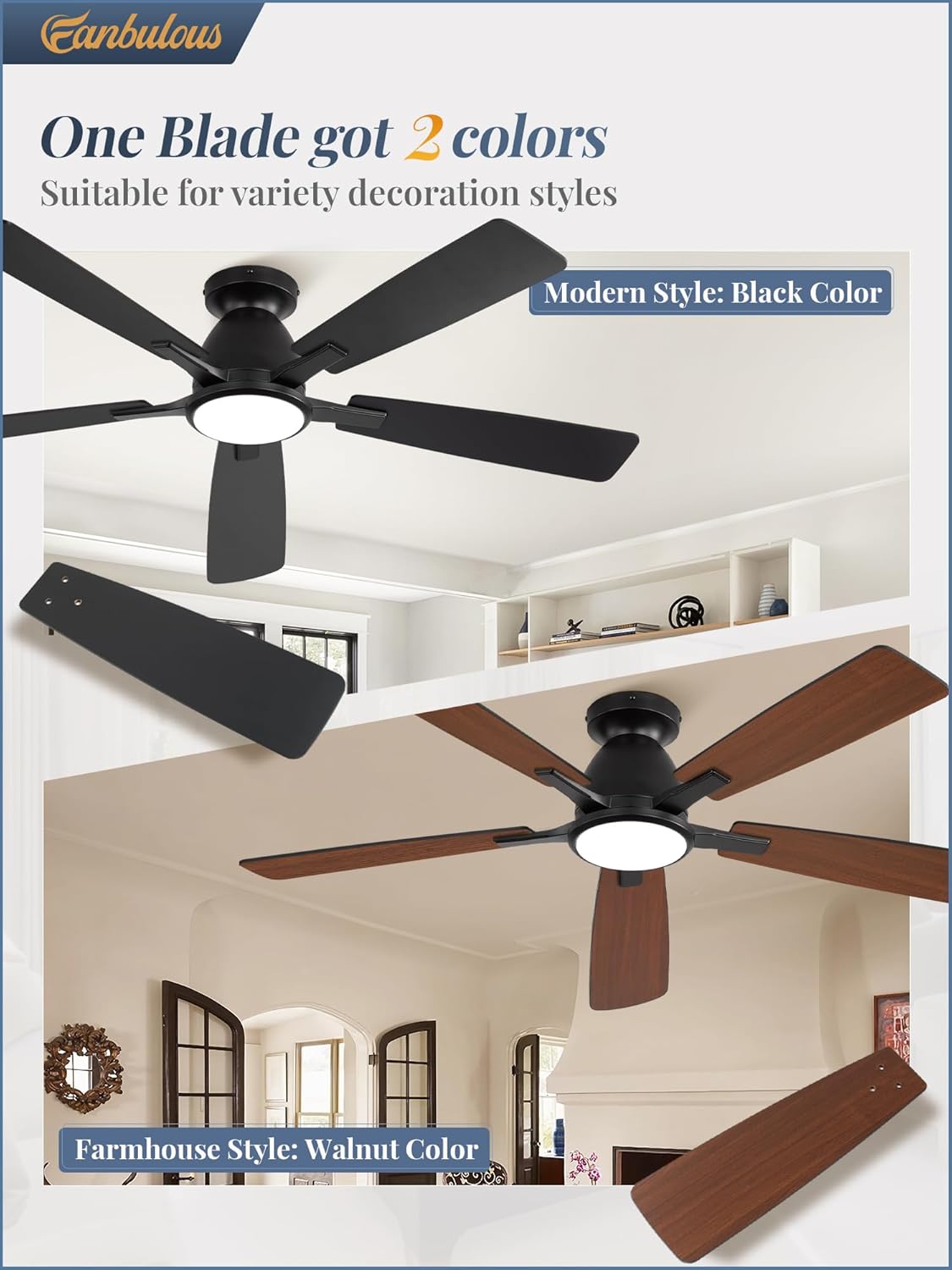
Image: Demonstrates the dual-sided fan blades, allowing users to choose between a modern black finish or a farmhouse-style walnut finish.
4. Connect Wiring and Install Light Kit
Connect the electrical wires according to the wiring diagram in the user manual. Then, attach the LED light kit to the fan motor assembly.
5. Final Assembly
Secure the canopy to cover the wiring and mounting bracket. Ensure all screws are tightened and the fan is stable.
Operating Instructions
Your Fanbulous ceiling fan offers multiple control options for convenience.
Control Methods
- Remote Control: The included remote allows for easy adjustment of fan speed, light settings, and timer functions.
- Smartphone App: Download the dedicated app for advanced control, including infinite dimming and color temperature adjustments. Bluetooth connection is required for app control.
- Wall Switch: The fan can also be controlled via a standard wall switch (not included).
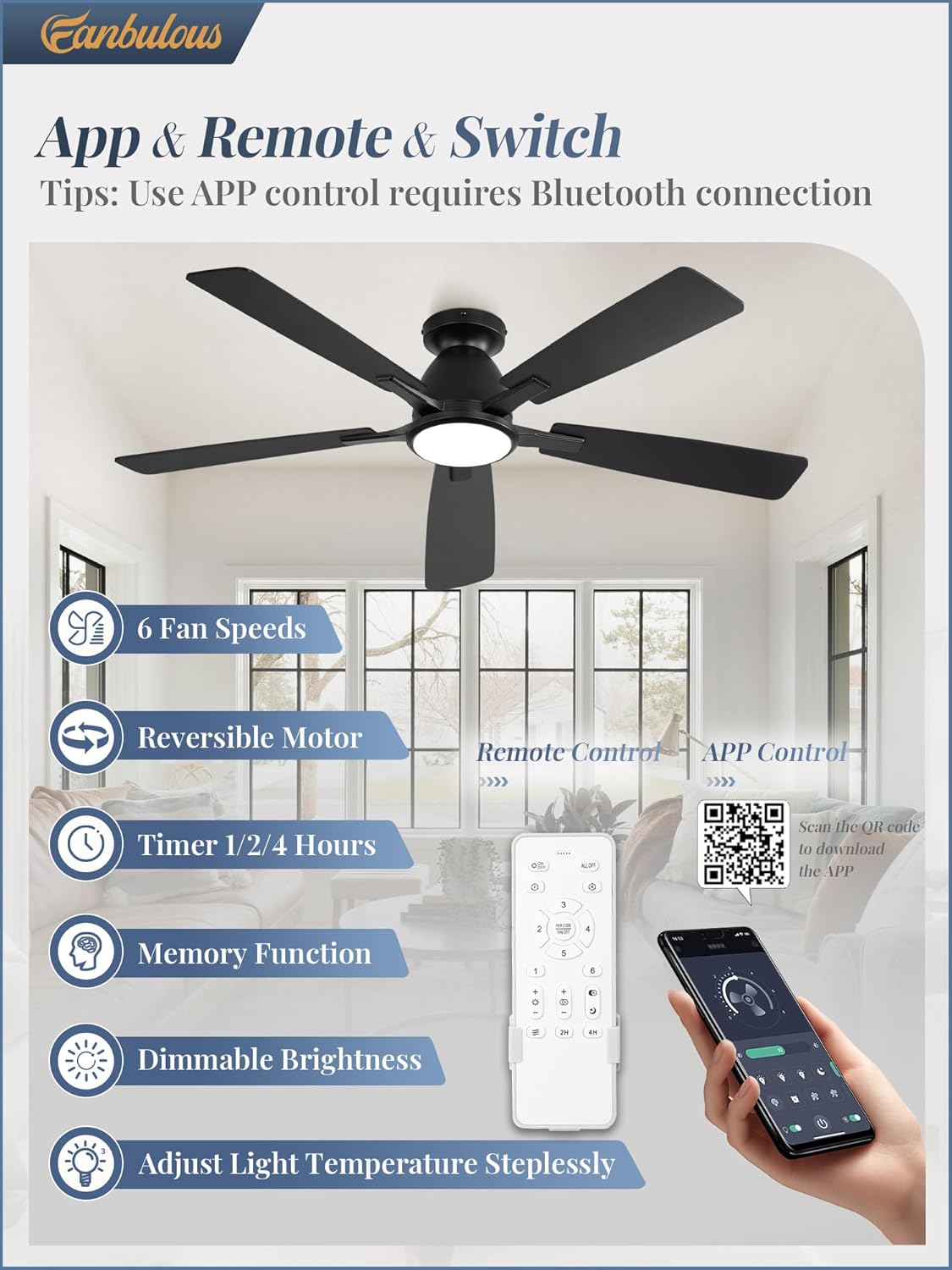
Image: Displays the three control methods: a physical remote, a smartphone screen showing the control app (with a QR code for download), and a wall switch. The QR code links to wosk.top/zd.html for app download.
Fan Speed Adjustment
The fan features 6 adjustable speeds to suit your comfort needs:
- Levels 1-2: Soft Wind (Low)
- Levels 3-4: Natural Wind (Medium)
- Levels 5-6: Cool Wind (High)
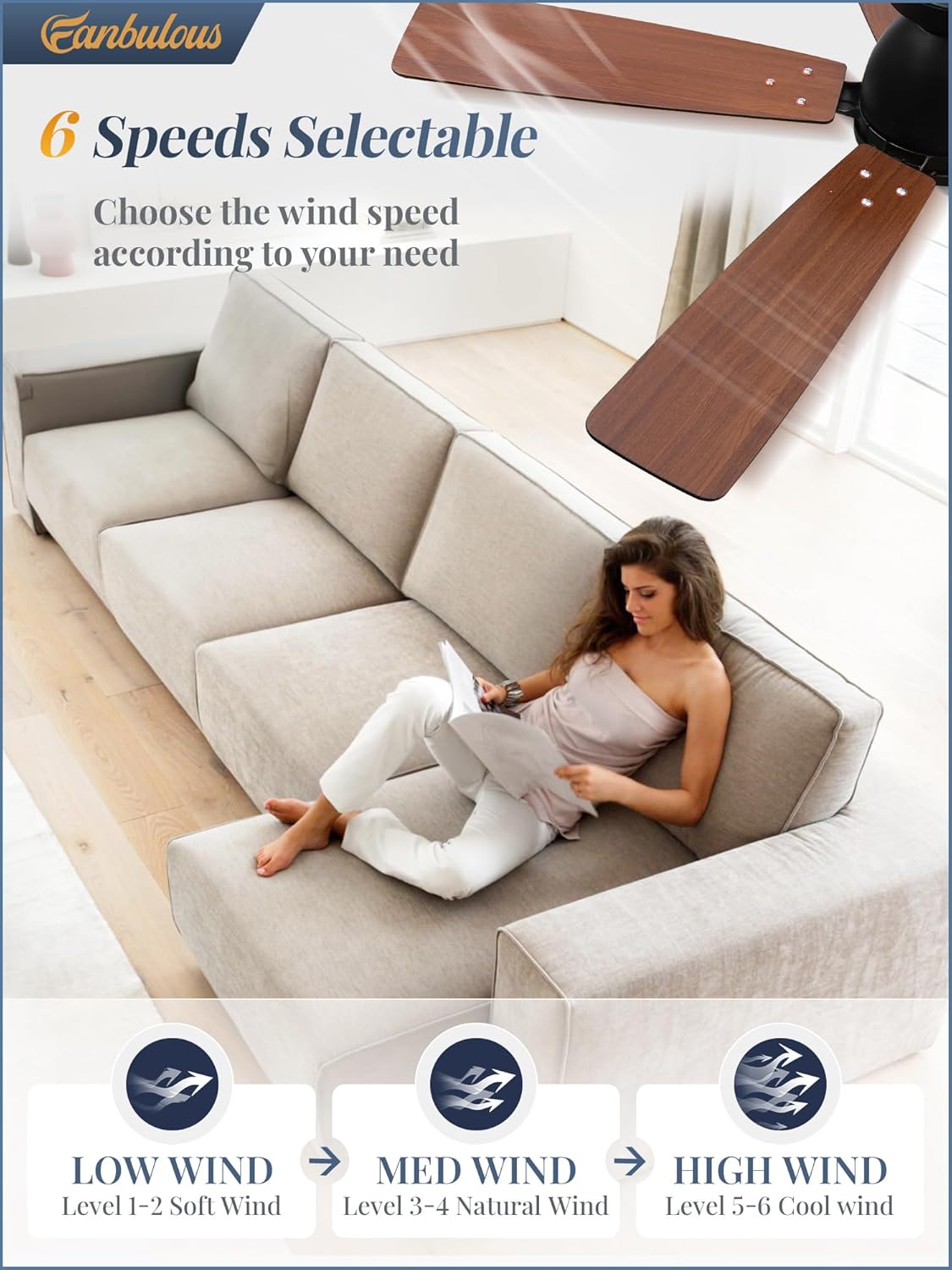
Image: Visual representation of the fan's 6-speed settings, categorized into Low, Medium, and High wind levels.
Light Functions
- Dimmable Brightness: Adjust the light intensity from 12% (216 LM) to 100% (1800 LM).
- Adjustable Color Temperature: Seamlessly change the light color from warm (3000K) to cool (6000K).
- Timer Settings: Set the light to turn off automatically after 1, 2, or 4 hours.
- Memory Function: The fan remembers your last light and fan settings.
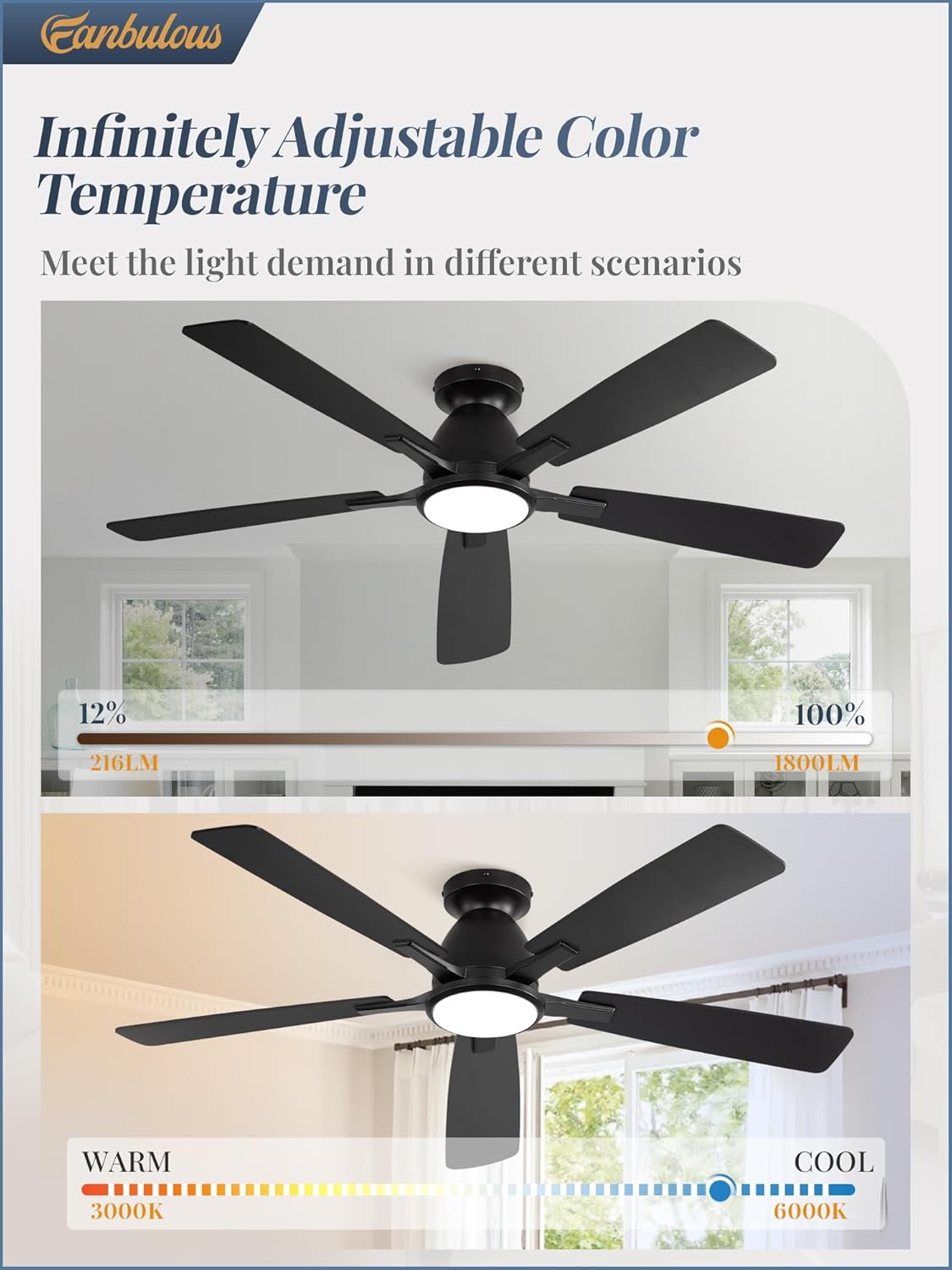
Image: Illustrates the infinitely adjustable color temperature and dimmable brightness features of the integrated LED light.
Reversible Motor Function
The DC motor allows for reversible blade rotation, providing comfort year-round:
- Summer Mode (Downward Airflow): Blades rotate counter-clockwise to create a cooling breeze.
- Winter Mode (Upward Airflow): Blades rotate clockwise to circulate warm air trapped near the ceiling.
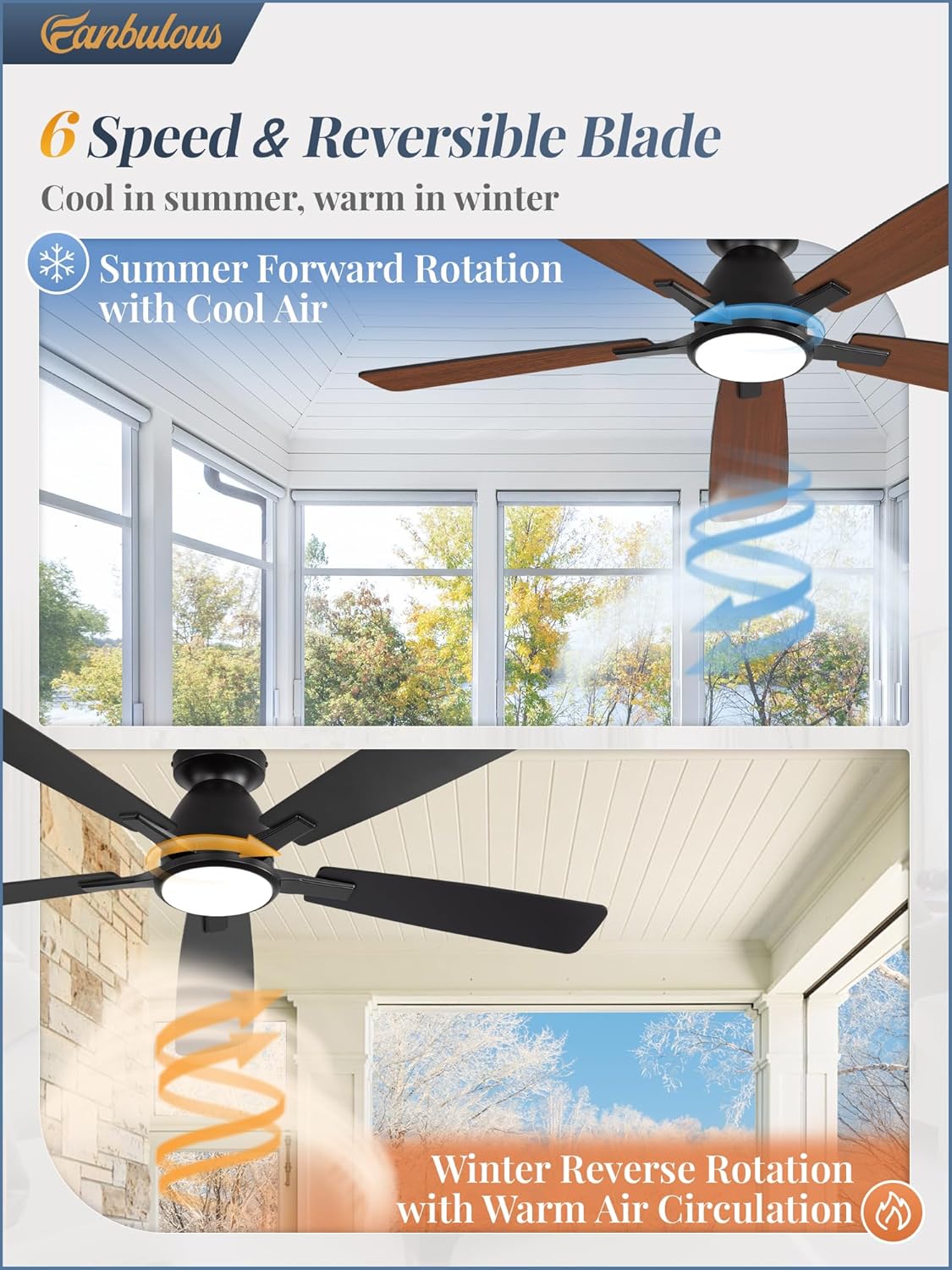
Image: Explains the 6-speed and reversible blade function, demonstrating how the fan provides cool air in summer and circulates warm air in winter.
Official Product Video: Smart Features Overview
Video: This video demonstrates the smart features of the Fanbulous 52-inch ceiling fan, including infinitely dimmable light and various control options via remote and app. It highlights the ease of adjusting fan speeds, light color temperature, and brightness.
Maintenance
- Cleaning: Dust the fan blades and motor housing regularly with a soft, damp cloth. Do not use abrasive cleaners or solvents.
- Blade Balance: If the fan wobbles, check that all blade screws are tight. Use the included balance kit if necessary.
- Light Source: The integrated LED light is designed for long life and is not user-replaceable.
Troubleshooting
| Problem | Possible Cause | Solution |
|---|---|---|
| Fan does not start | No power; loose wiring; remote not paired | Check circuit breaker; ensure all wires are securely connected; re-pair remote control with the fan. |
| Fan wobbles | Loose blade screws; unbalanced blades; improper mounting | Tighten all blade screws; use the blade balancing kit; ensure mounting bracket is securely installed. |
| Light does not work | Loose wiring; LED driver issue | Check light kit wiring connections; contact customer support if the issue persists. |
| Remote not responding | Dead batteries; remote not paired; interference | Replace remote batteries; re-pair remote with the fan; ensure no strong interference sources are nearby. |
Specifications

Image: Detailed dimensions of the 52-inch ceiling fan, highlighting its 52-inch diameter, 10.2-inch height, 19.5-inch blade length, and 8-inch light diameter.
- Model: F-LY52BK-1X01
- Size: 52 Inch
- Product Dimensions: 52"D x 52"W x 10.2"H
- Motor Type: Brushless DC Motor
- Number of Blades: 5
- Blade Length: 19.5 Inches
- Number of Power Levels: 6 (Fan Speeds)
- Light Power: 20W (Max 24W)
- Luminosity Range: 216LM - 1800LM
- Color Temperature Range: 3000K (Warm) - 6000K (Cool)
- Voltage: 120 Volts
- Noise Level: 35 Decibels
- Control Method: Remote, App, Wall Switch
- Installation Type: Flush Mount
- Indoor/Outdoor Usage: Indoor
- Certification: FCC
- Item Weight: 8.8 Pounds
Warranty and Support
Fanbulous products are designed for quality and durability. For warranty information or technical support, please refer to the contact details provided with your purchase documentation or visit the official Fanbulous website.
After-sales email: support@fanbous.com
Related Documents - F-LY52BK-1X01
 |
Fanbulous 52" Ceiling Fan with Light User Manual Comprehensive user manual for the Fanbulous 52" Ceiling Fan with Light, covering installation, operation, energy saving tips, troubleshooting, and customer service. |
 |
Ceiling Fan Light User Manual User manual for the Ceiling Fan Light, providing instructions for preparation, installation, operation, and troubleshooting. |
 |
Lutron Single-Pole/3-Way Quiet Fan-Speed Controls Installation Guide Comprehensive installation instructions for Lutron Single-Pole and 3-Way Quiet Fan-Speed Controls, including model information, wiring diagrams, important safety notes, and troubleshooting tips. |
 |
Danfoss iC2 Motor Controller: Programming and Parameters Guide A comprehensive guide to programming the Danfoss iC2 motor controller, detailing Quick Access (qACC) and Main Menu (Par) parameters for setting up two fixed speeds with reversing functionality, including digital input configurations and unit controls. |
 |
Braun Replacement Blade Compatibility Chart 2025 Autumn/Winter Edition This document is the Braun Replacement Blade Compatibility Chart for the 2025 Autumn/Winter edition. It helps users identify the correct replacement blade (F/C part numbers) for their specific Braun shaver model across various series. It also directs users to an online search tool for replacement parts and provides important disclaimers regarding product compatibility and genuine parts. |
Ask a question about this manual
Ask about setup, troubleshooting, compatibility, parts, safety, or missing instructions. Manuals+ will review the question and use this page’s manual context to help answer it.