
DLYFULL B1T-Magnetic, DB1
DLYFULL B1T-Magnetic and DB1 Universal Battery Testers User Manual
Models: B1T-Magnetic, DB1
1. Introduction
This manual provides detailed instructions for the safe and effective use of your DLYFULL B1T-Magnetic and DB1 Universal Battery Testers. Please read this manual thoroughly before operation and retain it for future reference.
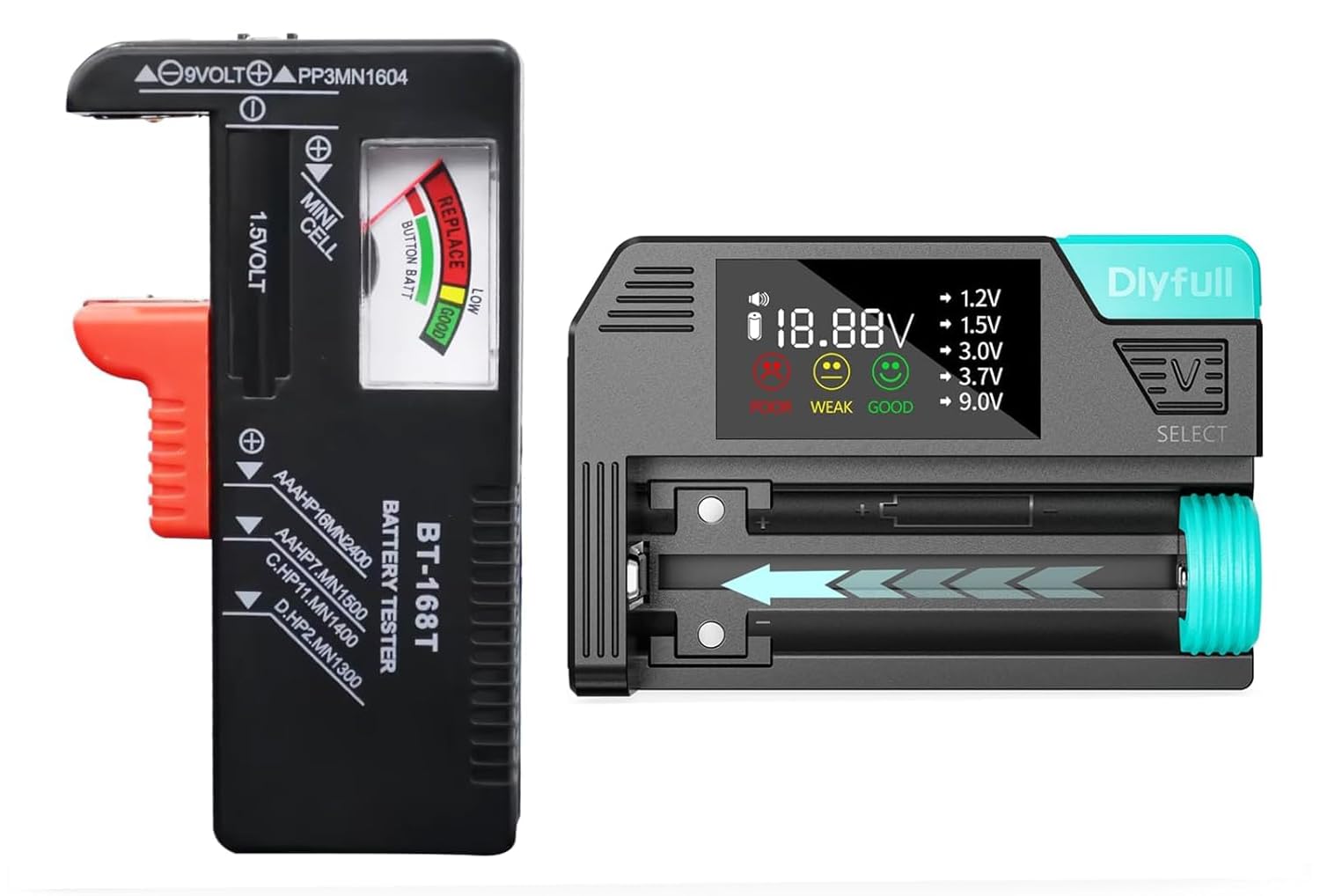
Image 1: The DLYFULL B1T-Magnetic and DB1 Universal Battery Testers. The B1T-Magnetic is on the left, featuring a red slider and a needle gauge. The DB1 is on the right, with an LCD screen and a battery slot.
The DLYFULL B1T-Magnetic is a compact battery tester designed for common household batteries, featuring a magnetic contact for secure testing. The DLYFULL DB1 is a versatile digital battery tester compatible with a broader range of battery types, providing precise voltage and health readings on an LCD display.
2. Package Contents
- 1 x DLYFULL B1T-Magnetic Battery Tester
- 1 x DLYFULL DB1 Universal Battery Tester
- 2 x AAA Batteries (for DB1 operation)
- 1 x User Manual (this document)
3. DLYFULL B1T-Magnetic Battery Tester
3.1. Features
- Magnetic Hold: Ensures secure contact with batteries during testing, preventing accidental drops. Note: The 9V terminal does not feature magnetic hold.
- Wide Compatibility: Tests 1.5V AAA, AA, C, D alkaline batteries, 9V batteries, and various button-cell batteries.
- Easy-to-Read Display: Analog needle gauge indicates battery status as 'Good' (green), 'Low' (yellow), or 'Replace' (red).

Image 2: Illustration of the B1T-Magnetic tester's magnetic hold feature, showing a battery securely held in place compared to a non-magnetic tester.
3.2. Compatible Battery Types (B1T-Magnetic)
- 1.5V Alkaline: AAA, AA, C, D
- 9V Batteries: PP3, MN1604, 6F22, 006P
- Button Cell Batteries: 1.5V cells (e.g., LR44, 189, LR1130)

Image 3: Visual representation of various battery types compatible with the B1T-Magnetic tester, including D, C, AA, AAA, button cells, and 9V batteries.
3.3. Operation (B1T-Magnetic)
- For 1.5V Cylindrical Batteries (AAA, AA, C, D):
- Locate the 1.5V slot on the tester.
- Place the battery between the positive (+) and negative (-) terminals. The magnetic contact will help secure the battery.
- Observe the needle on the gauge.
- For 9V Batteries:
- Locate the two small terminals at the top of the tester.
- Press the 9V battery's terminals against the tester's terminals, ensuring correct polarity.
- Observe the needle on the gauge.

Image 4: Demonstrates how to test a 9V battery using the dedicated terminals on the B1T-Magnetic tester.
- For Button Cell Batteries:
- Locate the 'MINI CELL' slot.
- Place the button cell battery into the slot, ensuring correct polarity.
- Observe the needle on the gauge.

Image 5: A two-step visual guide showing how to insert a cylindrical battery into the B1T-Magnetic tester by pressing and pulling the red slider, then observing the test result.
3.4. Reading the Results (B1T-Magnetic)

Image 6: Close-up of the B1T-Magnetic tester's analog gauge, clearly showing the 'REPLACE' (red), 'LOW' (yellow), and 'GOOD' (green) sections for cylindrical and button cell batteries.
- GOOD (Green Zone): The battery has sufficient power for continued use.
- LOW (Yellow Zone): The battery's power is diminishing and may need replacement soon.
- REPLACE (Red Zone): The battery is depleted and should be replaced.
4. DLYFULL DB1 Universal Battery Tester
4.1. Features
- Broad Compatibility: Tests 1.2V Ni-MH/CD, 1.5V Alkaline, 3.0V Lithium, 3.7V Li-ion, and 9.0V batteries. Supports AAA, AA, C, SC, D, N sizes, button cells, CR123A, CR2032, LR44, 18650, and more.
- Smart LCD Display: Provides precise digital readings of battery voltage and health status (Poor, Weak, Good). Includes a buzzer alert.
- Enhanced Magnetic Slot: Securely holds batteries in place during testing.
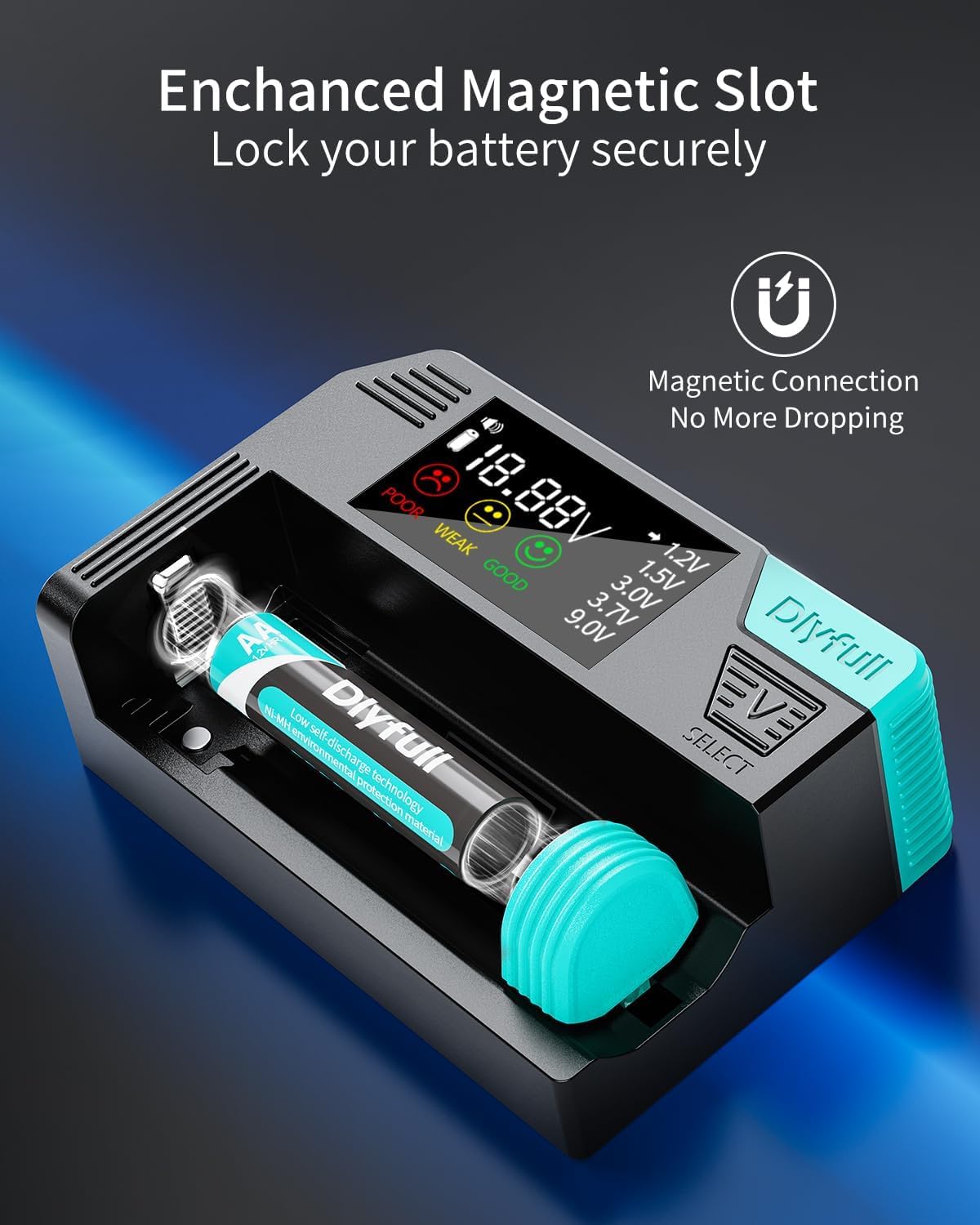
Image 7: Close-up of the DB1 tester's enhanced magnetic slot, illustrating how it securely holds a battery for testing.
4.2. Compatible Battery Types (DB1)
- 1.2V Ni-MH/Ni-CD: AA, AAA
- 1.5V Alkaline: AA, AAA, C, D, N, Button Cells (e.g., LR44, AG13)
- 3.0V Lithium: CR123A, CR2
- 3.0V Lithium Button Cells: CR2032
- 3.7V Li-ion: 18650, 21700, 26650
- 9.0V Alkaline/Ni-MH

Image 8: A comprehensive visual guide to the wide range of battery types compatible with the DB1 tester, including various cylindrical, button cell, and 9V batteries.
4.3. Setup and Operation (DB1)
- Insert AAA Batteries: Open the battery compartment on the DB1 tester and insert the two included AAA batteries, observing correct polarity.
- Insert Battery to Test: Place the battery you wish to test into the magnetic slot, ensuring the positive (+) and negative (-) terminals align correctly. The magnetic slot will secure the battery.
- Select Battery Type: Press the 'SELECT' button to cycle through the different battery voltage types (1.2V, 1.5V, 3.0V, 3.7V, 9.0V) until the correct voltage for your battery is displayed.
- Read Results: The LCD screen will display the battery's voltage and its health status.
4.4. Reading the Results (DB1)

Image 9: A detailed view of the DB1 tester's LCD display, showing voltage reading, battery status indicators (Poor, Weak, Good), and voltage selection options.
- The LCD displays the exact voltage of the battery.
- Battery health is indicated by icons and text: 'GOOD' (green smiley face), 'WEAK' (yellow neutral face), or 'POOR' (red sad face).
- A buzzer alert may sound for certain conditions.
5. Maintenance
- Cleaning: Wipe the testers with a soft, dry cloth. Do not use abrasive cleaners or solvents.
- Storage: Store the testers in a cool, dry place away from direct sunlight and extreme temperatures.
- Battery Replacement (DB1): If the DB1 display becomes dim or unresponsive, replace the two AAA batteries in its compartment.
6. Troubleshooting
- No Reading (B1T-Magnetic): Ensure the battery is making firm contact with both terminals. Check battery polarity.
- No Display (DB1): Check if the internal AAA batteries are inserted correctly and have sufficient charge. Replace them if necessary.
- Inaccurate Reading: Ensure the correct battery type is selected on the DB1 tester. For both testers, ensure clean contact points on both the battery and the tester.
7. Specifications
DLYFULL B1T-Magnetic Battery Tester
- Supported Battery Types: 1.5V (AAA, AA, C, D, Button Cells), 9V
- Display Type: Analog Needle Gauge
- Special Features: Magnetic battery hold (excluding 9V terminal)
DLYFULL DB1 Universal Battery Tester
- Supported Battery Types: 1.2V Ni-MH/CD, 1.5V Alkaline, 3.0V Lithium, 3.7V Li-ion, 9.0V
- Supported Battery Sizes: AAA, AA, C, SC, D, N, Button Cells (e.g., CR123A, CR2032, LR44), 18650, 21700, 26650
- Display Type: Smart LCD with Voltage and Health Indicators
- Power Source: 2 x AAA Batteries (included)
- Special Features: Enhanced magnetic slot, Buzzer alert
8. Safety Information
- Do not attempt to test non-rechargeable batteries that are visibly damaged or leaking.
- Ensure correct battery polarity when inserting batteries into the testers.
- Keep out of reach of children.
- Do not expose the testers to water or excessive moisture.
- Do not disassemble or modify the testers.
9. Warranty and Support
Warranty information for DLYFULL products is typically provided at the point of purchase or on the official DLYFULL website. Please refer to your purchase documentation for specific warranty terms and conditions.
For technical support or inquiries, please contact DLYFULL customer service through the retailer where the product was purchased or visit the official DLYFULL website for contact information.
Related documentsB1T-Magnetic, DB1

Ask a question about this manual
Ask about setup, troubleshooting, compatibility, parts, safety, or missing instructions. Manuals+ will review the question and use this page’s manual context to help answer it.