
1. Safety Information
Please read this manual carefully before operating the RCB R16 electric scooter. Failure to follow instructions can lead to serious injury or damage to the product.
Important Notice
This product may not comply with the latest certification requirements for Personal Mobility Vehicles (VMP) in certain regions. Always check local regulations before use.
General Safety Guidelines
- Always wear a helmet and appropriate protective gear (knee pads, elbow pads) when riding.
- Ensure all components are securely fastened before each ride.
- Do not ride in heavy rain, on slippery surfaces, or through puddles deeper than 2 cm.
- Avoid riding on uneven terrain, steep slopes, or over obstacles that could cause loss of control.
- Maintain a safe distance from other vehicles and pedestrians.
- Do not perform stunts or sudden maneuvers.
- The maximum load capacity is 120 kg. Do not exceed this limit.
- Recommended for users aged 16 and above.
- Familiarize yourself with local traffic laws and regulations regarding electric scooters.
2. What's in the Box
Verify that all items are present upon unboxing:
- 1 x RCB R16 Electric Scooter
- 1 x Charging Adapter
- 1 x User Manual
- 1 x Toolkit
3. Setup
3.1 Unboxing and Initial Assembly
Carefully remove the scooter and all accessories from the packaging. The scooter comes partially folded. Follow these steps to prepare it for use:
- Lift the handlebar stem until it locks into the upright position. Ensure the folding mechanism is securely latched.
- Connect the main cable from the handlebar to the corresponding port in the stem.
- Attach the handlebar to the stem using the provided screws and Allen wrench from the toolkit. Ensure it is firmly secured.
Video: Unboxing and initial assembly of the RCB R16 electric scooter. (Note: This is a user-submitted video for demonstration purposes.)
3.2 Charging the Battery
Before first use, fully charge the scooter's battery. The charging port is typically located on the side of the deck.
- Connect the charging adapter to the scooter's charging port.
- Plug the adapter into a power outlet.
- The charging indicator on the adapter or scooter display will show the charging status. A full charge takes approximately 6 hours.
- Disconnect the charger once the battery is full to prolong battery life.

Image: Illustration of the scooter's long-range 7.8Ah battery and 6-hour charging time.
3.3 App Connection
The RCB R16 electric scooter supports app control for enhanced features.
- Download the official RCB app from your smartphone's app store.
- Turn on the scooter and enable Bluetooth on your phone.
- Open the RCB app and follow the on-screen instructions to connect to your scooter.
- Through the app, you can monitor speed, battery level, driving distance, and adjust settings.
4. Operation
4.1 Power On/Off
- To power on: Press and hold the power button on the display for a few seconds.
- To power off: Press and hold the power button again until the display turns off.
4.2 Speed Modes
The scooter features three adjustable speed modes:
- Pedestrian Mode: Max 6 km/h (approx. 3.7 mph)
- ECO Mode: Max 12 km/h (approx. 7.5 mph)
- Sport Mode: Max 25 km/h (approx. 15.5 mph)
Toggle between modes by pressing the power button briefly while the scooter is on.

Image: Display showing the three adjustable speed modes.
4.3 Lights and Turn Signals
The scooter is equipped with a headlight, brake light, and turn signals for enhanced visibility and safety.
- Headlight: Press the light button on the handlebar to turn the headlight on or off.
- Brake Light: The rear brake light illuminates automatically when the brake lever is engaged.
- Turn Signals: Use the directional buttons on the handlebar to activate left or right turn signals.

Image: Overview of the scooter's safe light system.
Video: Demonstration of the RCB R16 electric scooter's headlight, brake light, and turn signals. (Note: This is a user-submitted video for demonstration purposes.)
4.4 Braking System
The RCB R16 features a dual braking system for reliable stopping power.
- Drum Brake: Activated by the brake lever on the handlebar.
- Electronic Brake: Provides additional stopping power and energy recovery.
Always apply brakes smoothly to avoid sudden stops and maintain control.

Image: Illustration of the scooter's double brake system.
4.5 Folding and Portability
The R16 is designed for easy folding and transport.
- To fold: Locate the folding mechanism on the stem, release the latch, and carefully fold the handlebar stem downwards until it clicks into place with the rear fender.
- To unfold: Release the latch from the rear fender and lift the handlebar stem until it locks upright.

Image: Visual guide to the scooter's 3-second folding mechanism and folded dimensions.
5. Maintenance
Regular maintenance ensures the longevity and safe operation of your RCB R16 electric scooter.
5.1 Cleaning
- Wipe the scooter with a damp cloth after each use. Avoid using high-pressure water jets or harsh chemicals.
- Do not immerse the scooter in water.
5.2 Battery Care
- Charge the battery regularly, even if not in use, to maintain its health.
- Avoid completely draining the battery.
- Store the scooter in a cool, dry place away from direct sunlight and extreme temperatures.
5.3 Tire and Brake Inspection
- Regularly check the solid tires for wear and tear.
- Inspect the brake system for proper function and adjust if necessary.
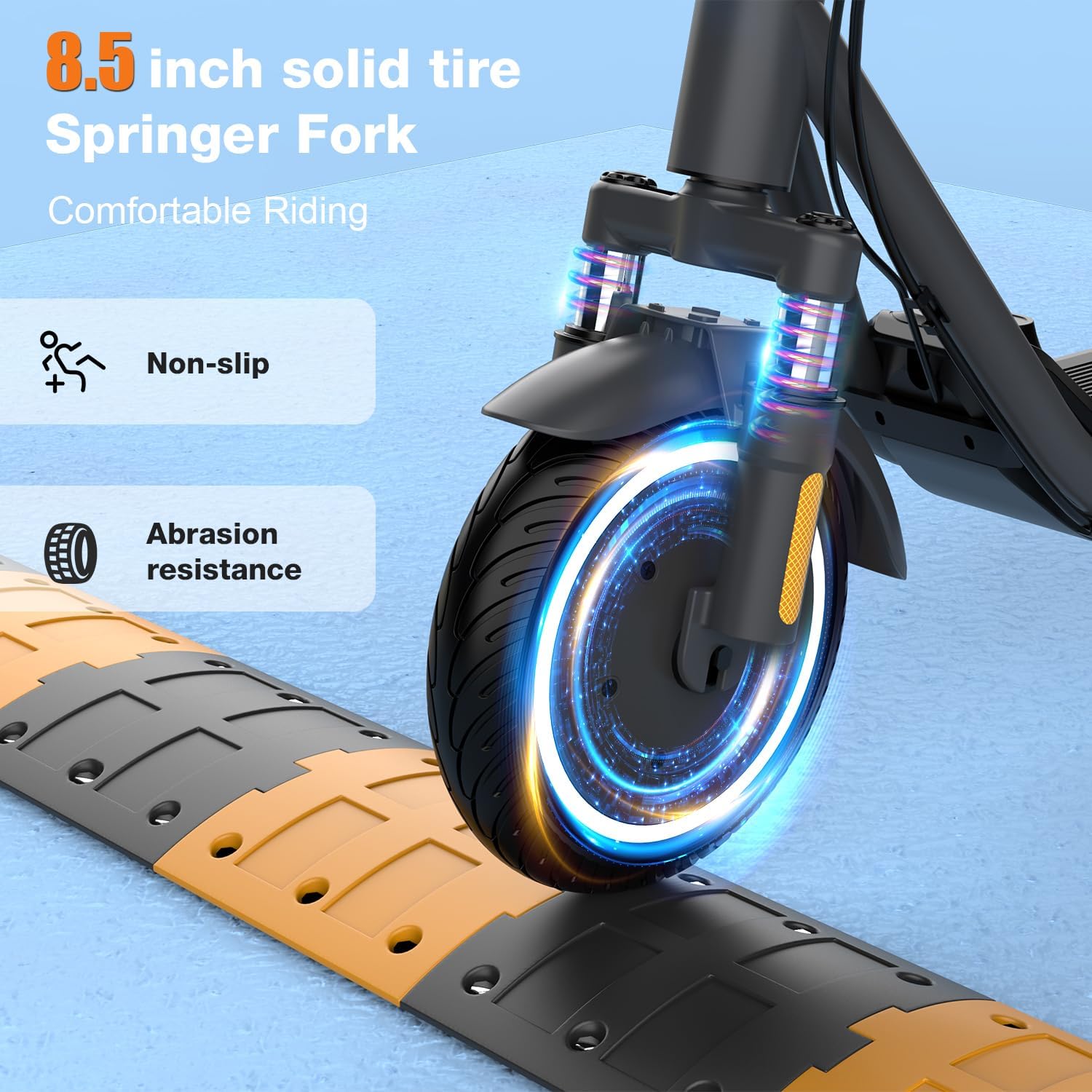
Image: Close-up of the 8.5-inch solid tire and front suspension.
6. Troubleshooting
If you encounter issues with your RCB R16 scooter, refer to the following common problems and solutions:
| Problem | Possible Cause | Solution |
|---|---|---|
| Scooter does not turn on | Low battery; Loose connections | Charge the battery; Check all cable connections. |
| Reduced range or power | Low battery; Overload; Extreme temperature | Fully charge battery; Ensure rider weight is within limits; Operate in moderate temperatures. |
| Brakes not effective | Brake cable loose; Worn brake pads | Adjust brake cable tension; Replace brake pads if worn. |
| App not connecting | Bluetooth off; Scooter off; App issue | Ensure Bluetooth is on and scooter is powered; Restart app/phone. |
7. Specifications
Key technical specifications for the RCB R16 electric scooter:
| Feature | Detail |
|---|---|
| Model | R16 |
| Motor Power | 300W (up to 500W peak) |
| Max Speed | 25 km/h |
| Max Range | 23-29 km |
| Battery | 7.8Ah Lithium Ion |
| Charging Time | Approx. 6 hours |
| Wheel Size | 8.5 inches (Solid) |
| Max Load | 120 kg |
| Product Dimensions (unfolded) | 112 x 52 x 116 cm |
| Product Weight | 15.3 kg |
| Brake Type | Drum Brake + Electronic Brake |
| Suspension | Front Suspension |
| Special Features | APP Control, Foldable, Headlight, Brake Light, Turn Signals |

Image: RCB R16 electric scooter highlighting its main features and specifications.
8. Warranty & Support
8.1 Warranty Information
The RCB R16 electric scooter comes with a limited warranty. Please refer to the warranty card included in your package or contact customer support for detailed terms and conditions.
8.2 Customer Support
For any questions, technical assistance, or warranty claims, please contact RCB customer support through the following channels:
- Website: Visit the official RCB website for FAQs and support resources.
- Email: Refer to your user manual for the specific customer service email address.
- Phone: Contact details may be available on the RCB website or in your product documentation.


