
DARKBEAM A900-365+395
DARKBEAM UV Flashlight Instruction Manual
Model: A900-365+395
1. Introduction
Thank you for choosing the DARKBEAM UV Flashlight. This powerful dual-light UV flashlight combines both 365nm and 395nm black light wavelengths, offering versatile detection capabilities for various applications. This manual provides essential information for the safe and effective use of your new device. Please read it thoroughly before operation.
2. Safety Information
⚠ WARNING: DO NOT STARE DIRECTLY AT THE UV LIGHT WITHOUT PROPER EYE PROTECTION. Prolonged exposure can cause eye damage.
- Keep out of reach of children.
- Do not disassemble or modify the flashlight.
- Avoid exposing the flashlight to extreme temperatures or direct sunlight for extended periods.
- Ensure the charging port cover is securely closed to maintain water resistance.
- Dispose of batteries responsibly according to local regulations.
3. Package Contents
Please verify that all items are present in your package:
- 1 x A900 Dual UV 2-in-1 Flashlight
- 1 x AAA Battery Holder (for optional use)
- 1 x USB-A to USB-C Charging Cable
- (Note: Battery is pre-inserted into the flashlight)
4. Product Overview
The DARKBEAM A900 features a robust aluminum alloy case and a user-friendly design. It integrates two distinct UV light sources for comprehensive detection needs.
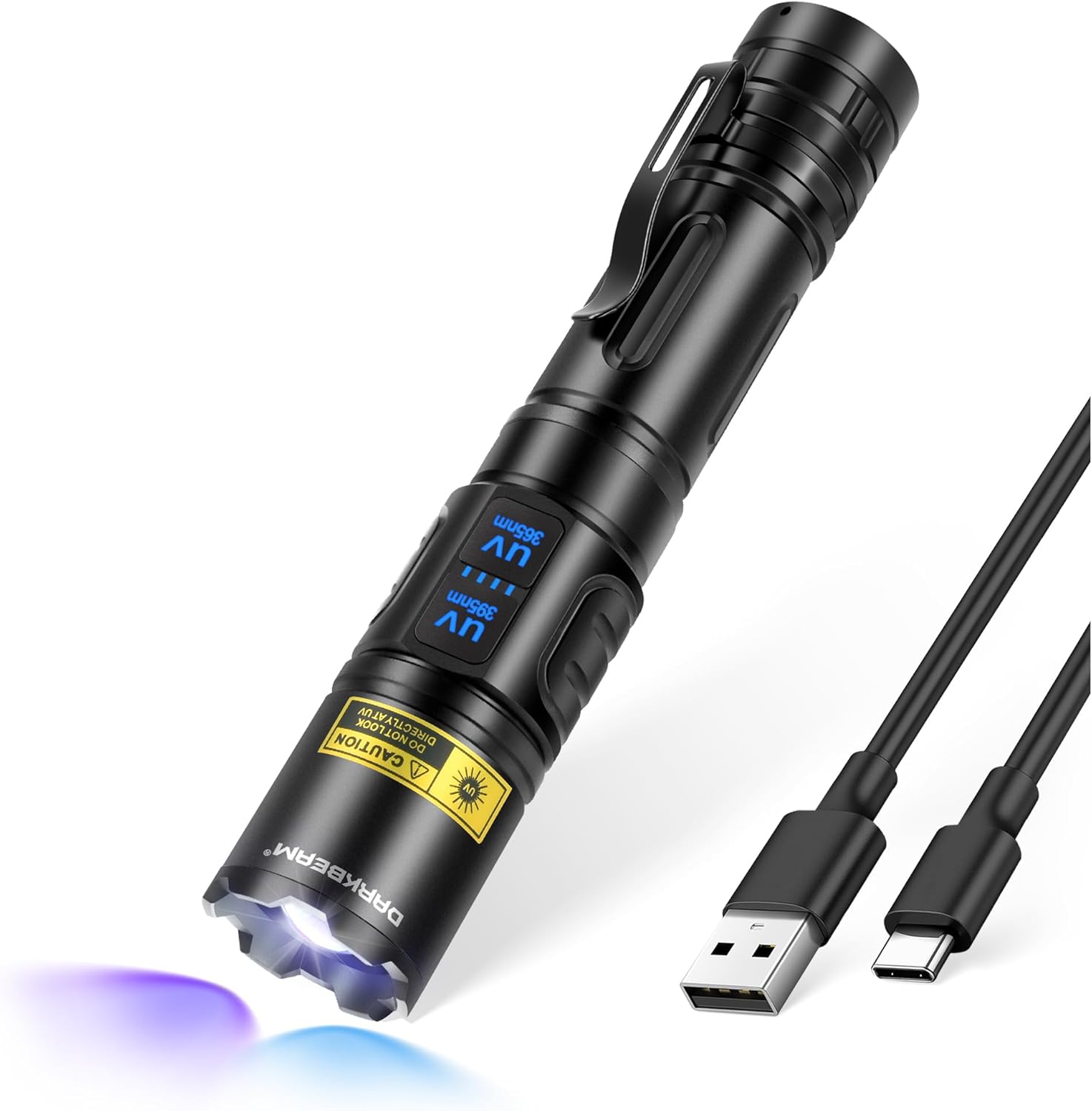
Image: The DARKBEAM A900 UV Flashlight shown with its included USB-C charging cable.
4.1 Dual UV Lamps
This flashlight is equipped with both 365nm and 395nm UV LED beads, each with high power output. Separate switches allow for independent or simultaneous activation.
- UV 395nm (Violetish Light): This wavelength is brighter and visible to the human eye, ideal for general detection tasks such as pet urine, scorpions, and certain stains.
- UV 365nm (Bluish Light): This is a true invisible UV light, less visible to the human eye but highly effective for detecting fluorescent agents, watermarks, and uranium glass. It performs best in dark environments.

Image: Visual representation of the two UV wavelengths and their typical uses, including scorpion detection, tomato hornworm detection, cat ringworm, and fluorescent agent identification.
4.2 Key Features
- Focus Adjustable Head: Allows for easy transition between a wide floodlight and a narrow, focused beam.
- USB Rechargeable: Built-in rechargeable battery with USB-C charging port and a four-level LED power display.
- Durable Construction: High-quality aluminum alloy case, shock-resistant (up to 10-foot drop), and IPX4 waterproof rating.
- Portable Design: Compact size with a pocket clip for easy carrying.
5. Setup
5.1 Initial Charging
Your flashlight comes with a pre-inserted rechargeable battery. For optimal performance, fully charge the flashlight before first use.
- Locate the USB-C charging port on the flashlight body.
- Connect the provided USB-A to USB-C cable to the flashlight and a compatible USB power source (e.g., laptop, wall adapter, power bank).
- The four-level LED power display will indicate charging progress. All four lights will illuminate when fully charged. A full charge typically takes 5-7 hours.

Image: Illustration of the USB-C charging port and the four-level LED battery indicator lights, showing charging from various sources.
5.2 Optional AAA Battery Use
While the flashlight is designed for its rechargeable battery, an AAA battery holder is included for emergency use. Insert 3 AAA batteries into the holder and then insert the holder into the flashlight.
6. Operating Instructions
6.1 Powering On/Off and Mode Selection
The flashlight features two separate switches for independent control of the UV 365nm and UV 395nm lights.
- To activate UV 395nm: Press the switch labeled "UV 395nm". Press again to turn off.
- To activate UV 365nm: Press the switch labeled "UV 365nm". Press again to turn off.
- To activate Dual UV (both 365nm and 395nm): Press both switches simultaneously. Press either switch again to turn off its respective light, or both to turn off both.
6.2 Adjusting Focus
The flashlight head can be adjusted to change the beam focus from a wide floodlight to a narrow spotlight.
- To widen the beam (floodlight): Push the flashlight head inwards towards the body.
- To narrow the beam (spotlight): Pull the flashlight head outwards away from the body.
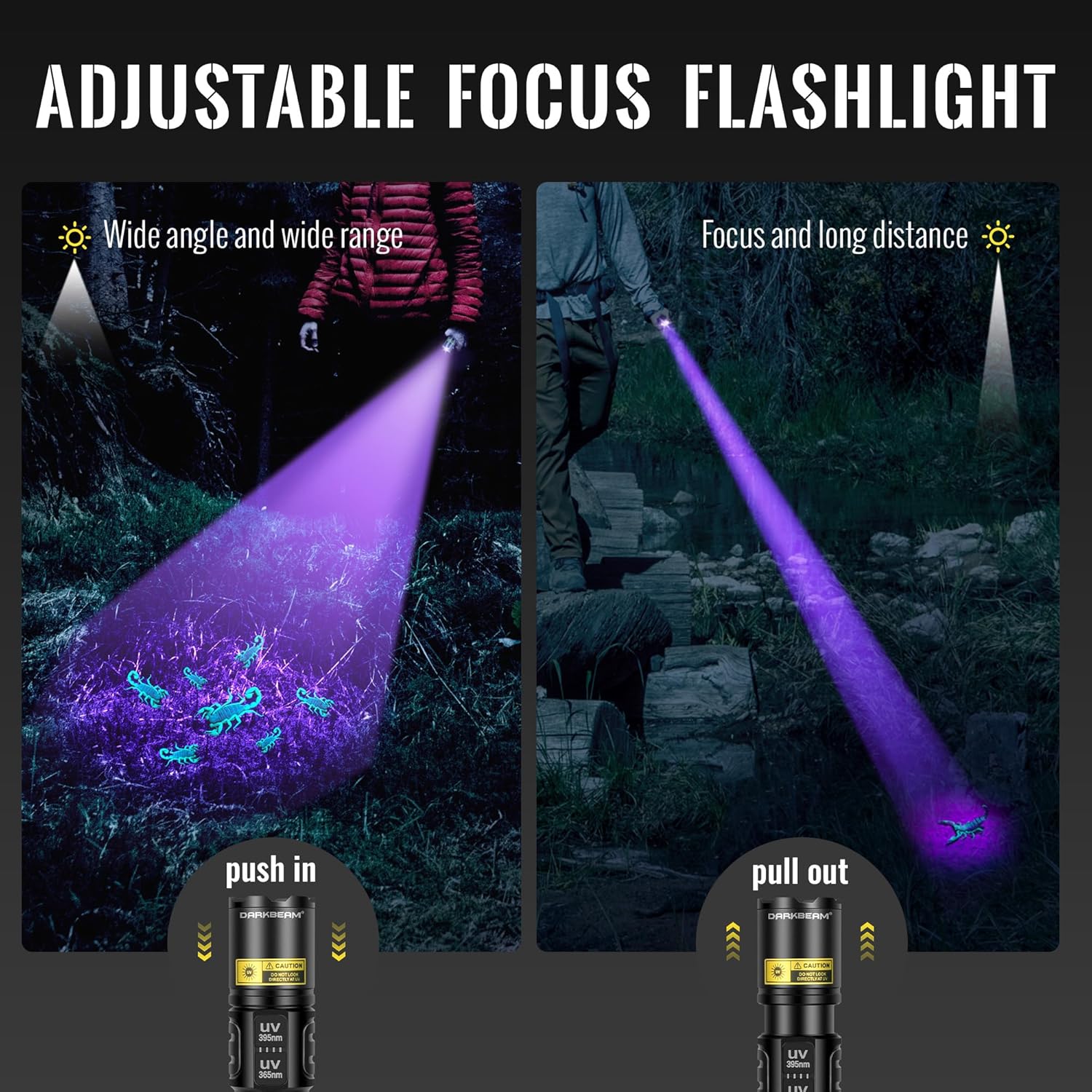
Image: Demonstrates the adjustable focus mechanism, showing how pushing in or pulling out the flashlight head changes the beam from wide angle to focused long distance.
6.3 Applications
The dual UV wavelengths make this flashlight suitable for a variety of uses:
- Pet urine and stain detection on carpets and surfaces.
- Cat ringworm detection (365nm is often preferred for this).
- Scorpion searching.
- Detecting fluorescent agents in cosmetics or fabrics.
- Currency and document identification (watermarks).
- Uranium glass and mineral detection.
- UV resin and 3D print curing.
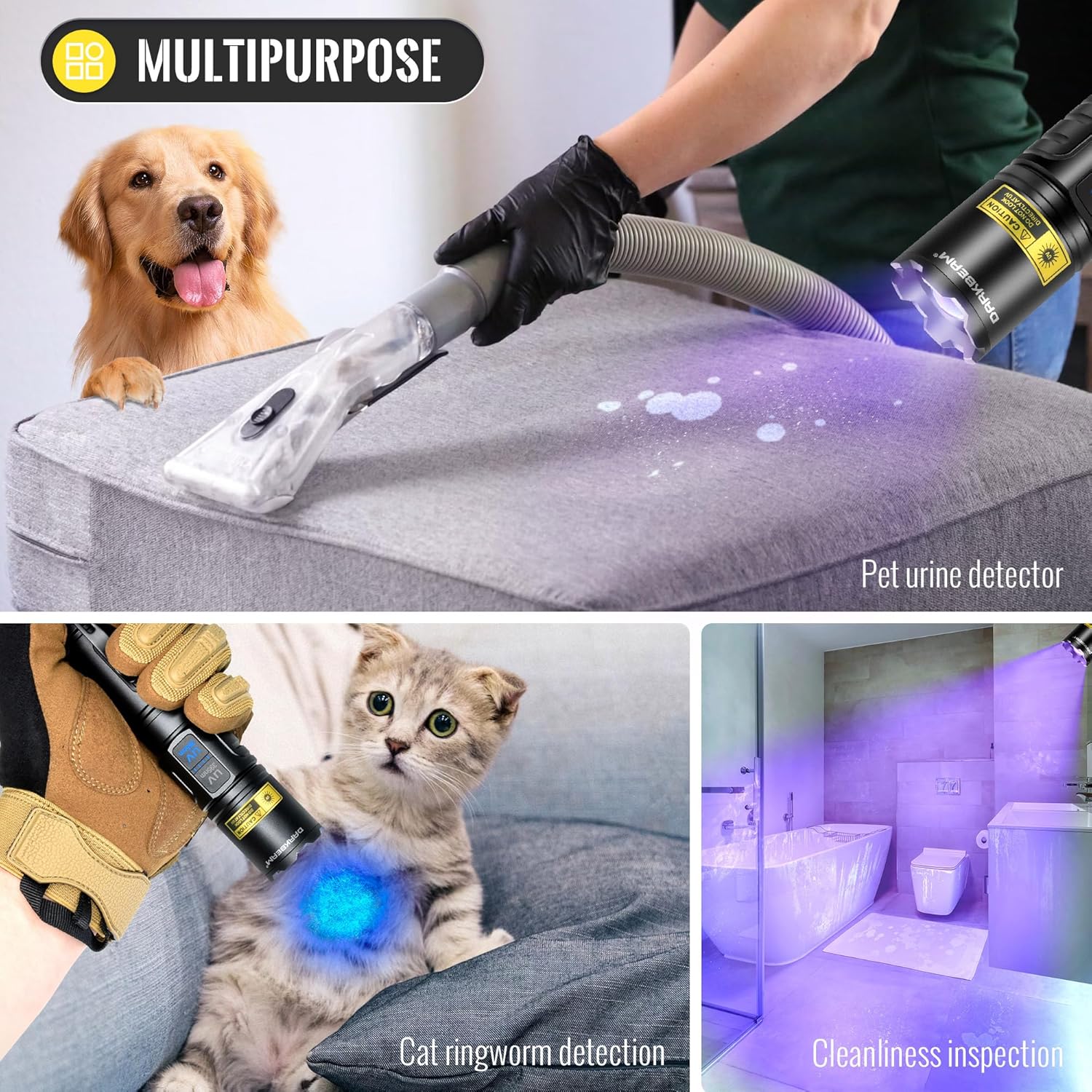
Image: A collage demonstrating multiple applications including pet urine detection, cat ringworm detection, and general cleanliness inspection.
7. Maintenance
7.1 Cleaning
Wipe the flashlight body with a soft, damp cloth. Do not use abrasive cleaners or solvents.
7.2 Battery Care
- Recharge the battery when the power indicator shows low charge to prolong battery life.
- If storing for an extended period, charge the battery to approximately 50% and recharge every 3-6 months.
7.3 Storage
Store the flashlight in a cool, dry place away from direct sunlight and extreme temperatures.
7.4 Water Resistance
The flashlight has an IPX4 waterproof rating, meaning it is resistant to splashing water from any direction. It is not designed for submersion.

Image: Depiction of the flashlight's durability, highlighting its shock-resistant and IPX4 waterproof capabilities, suitable for use in rain and snow.
8. Troubleshooting
| Problem | Possible Cause | Solution |
|---|---|---|
| Flashlight does not turn on. | Battery is depleted or not properly inserted. | Charge the battery. Ensure the battery is correctly oriented and fully inserted. |
| Light is dim. | Low battery. | Recharge the battery. |
| Flashlight not charging. | Charging cable or adapter issue; port obstruction. | Try a different USB-C cable or power adapter. Check for debris in the charging port. |
| Beam focus is not smooth. | Dust or debris in the focusing mechanism. | Gently clean the exterior of the flashlight head. Avoid forcing the mechanism. |
9. Specifications
| Feature | Detail |
|---|---|
| Model Number | A900-365+395 |
| Light Source Type | UV LED (365nm & 395nm) |
| Power Source | Battery Powered (Rechargeable Lithium Ion) |
| Material | Aluminum Alloy |
| Product Dimensions | 6.3"D x 1.1"W x 1.1"H |
| Item Weight | 6.4 Ounces |
| Water Resistance Level | IPX4 (Waterproof) |
| Runtime | Up to 15 hours (depending on mode) |
| Charging Time | Approx. 5-7 hours (full charge) |
| Included Components | Flashlight, AAA Battery Holder, USB-C Cable |
10. Warranty and Support
DARKBEAM products are manufactured to high quality standards. For any questions, concerns, or assistance regarding your UV flashlight, please contact the Seller directly via your Amazon order. Our support team aims to respond within 24 hours.
For more information, visit the official DARKBEAM store on Amazon: DARKBEAM Store
Ask a question about this manual
Ask about setup, troubleshooting, compatibility, parts, safety, or missing instructions. Manuals+ will review the question and use this page’s manual context to help answer it.