
1. Introduction
This manual provides detailed instructions for the setup, operation, and maintenance of your HotYeah 15.6-inch 4K UHD Portable Monitor (Model Y156U02D). Please read this manual thoroughly before using the product to ensure proper functionality and to prevent damage.
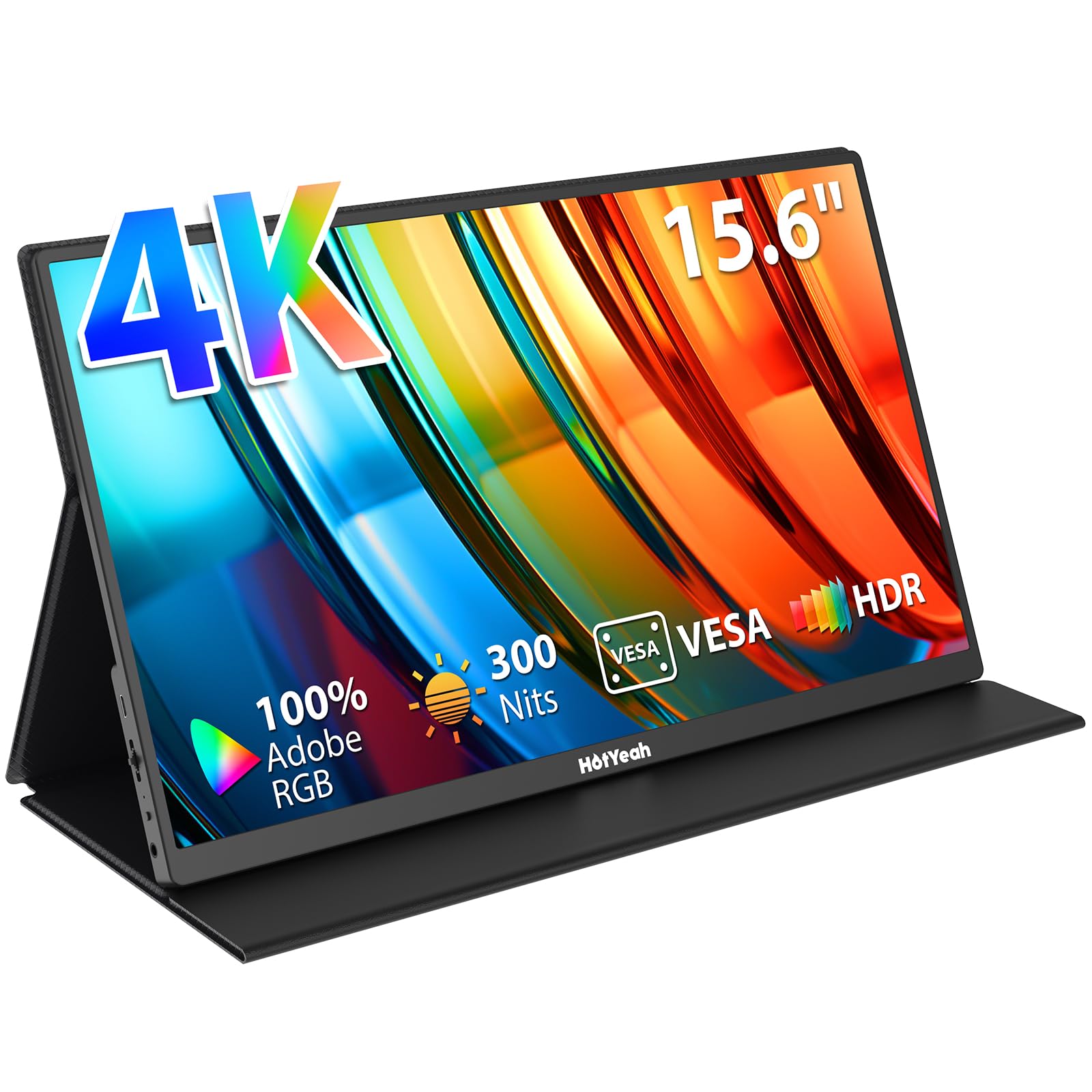
Image: HotYeah 15.6-inch 4K UHD Portable Monitor, showcasing its slim design and vibrant display.
2. Package Contents
Verify that all items are present in the package:
- 1 x HotYeah 15.6-inch 4K Portable Monitor
- 1 x Smart Cover Stand
- 1 x Black USB-C to USB-C Cable (for power supply & video output)
- 1 x White USB-C to USB-C Cable (for power supply)
- 1 x PD Power Adapter
- 1 x Mini-HDMI to HDMI Cable
3. Product Overview
Familiarize yourself with the monitor's ports and controls.

Image: Diagram illustrating the various ports and controls on the HotYeah Portable Monitor, including USB-C, Mini-HDMI, OTG port, menu trackwheel, power button, indicator light, and 3.5mm audio jack.
3.1 Ports and Buttons
- Full-function USB-C Ports (x2): For power supply, video, and audio transmission. Supports Thunderbolt 3.0/4.0 or USB 3.1 Type-C DP ALT-MODE.
- Mini-HDMI Port: For video and audio input from compatible devices.
- OTG Port: For connecting wired keyboards or mice.
- 3.5mm Audio Jack: For connecting headphones or external speakers.
- Power Button: To turn the monitor on/off.
- Menu Trackwheel: To navigate and adjust OSD (On-Screen Display) settings.
- Indicator Light: Shows the monitor's power status.
4. Setup and Connection
Follow these steps to connect your portable monitor to various devices.
4.1 USB-C Connection (Single Cable)
For devices supporting Thunderbolt 3.0/4.0 or USB 3.1 Type-C DP ALT-MODE, a single USB-C to USB-C cable can provide both power and video signal.
- Connect one end of the black full-function USB-C to USB-C cable to a full-function USB-C port on your device.
- Connect the other end of the cable to one of the full-function USB-C ports on the HotYeah monitor.
- The monitor should automatically detect the signal and display the content.
4.2 HDMI Connection (Video + Power)
For devices with an HDMI output, you will need both an HDMI cable for video and a USB-C cable for power.
- Connect the Mini-HDMI to HDMI cable from your device's HDMI output to the Mini-HDMI port on the HotYeah monitor.
- Connect the white USB-C to USB-C cable to one of the monitor's full-function USB-C ports and the other end to the provided PD power adapter. Plug the adapter into a power outlet.
- The monitor requires an external power supply (30W or above) when using HDMI.

Image: Visual guide demonstrating single USB-C cable connection and Mini-HDMI with separate USB-C power connection for the monitor.
4.3 Smart Cover Stand Installation
The included smart cover doubles as a stand, offering flexible viewing angles.
- Place the monitor on a flat surface.
- Fold the smart cover along its grooves to form a triangular stand.
- Position the monitor into the grooves of the folded cover to achieve your desired viewing angle.

Image: The HotYeah Portable Monitor positioned in its 2-in-1 smart cover, demonstrating its use as a stand.
4.4 VESA Mounting
The monitor features 75x75mm VESA holes for wall-mounted or desktop arm setups.
- Ensure the monitor is powered off and disconnected from all cables.
- Remove the smart cover if attached.
- Align the VESA mounting holes on the back of the monitor with your VESA-compatible mount.
- Secure the monitor to the mount using appropriate screws (not included with monitor).

Image: HotYeah Portable Monitor mounted on a VESA arm, demonstrating its vertical orientation capability.
4.5 Setup Videos
Video: Overview of the HotYeah 15.6-inch 4K Portable Monitor (Y156U02D), highlighting its features and connectivity.
Video: Unboxing and initial setup guide for the HotYeah 15.6-inch 4K Portable Monitor (Y156U02D).
Video: Instructions on how to properly install and use the HotYeah Smart Cover as a stand.
5. Operating Modes and Features
The HotYeah portable monitor offers various display modes and features to enhance your viewing experience.
5.1 Display Modes
- Extend Mode: Extend your host screen to the portable monitor for increased workspace, allowing you to browse multiple windows simultaneously.
- Mirror Mode: Duplicate the screen of your smartphone, tablet, or game device for a larger visual experience.
- Landscape and Portrait Modes: Adjust the display orientation based on your needs, suitable for programming, document browsing, or entertainment.
5.2 Visual Quality
Experience superior visual quality with the monitor's advanced display technologies.

Image: Comparison of 2K and 4K displays, highlighting the HotYeah monitor's 3840x2160 UHD IPS panel, 8-bit color, 100% Adobe RGB, and 300 Nits brightness.
- 4K 8-bit UHD Visuals: Enjoy realistic 100% Adobe RGB color gamut, 350 nits brightness, 1500:1 contrast ratio, 16.7M 8-bit color depth, and 6800K color temperature for vivid and detailed picture quality.
- HDR Mode: Provides superior color accuracy and more vibrant colors.
- FreeSync Technology: Automatically eliminates screen tearing and stuttering for a smooth gaming experience.

Image: HotYeah Portable Monitor displaying a game, emphasizing smooth gameplay with HDR and FreeSync technologies.
6. Maintenance and Care
Proper care will ensure the longevity and optimal performance of your monitor.
- Cleaning the Screen: Use a soft, lint-free cloth slightly dampened with water or a screen-cleaning solution. Avoid harsh chemicals or abrasive materials.
- Cleaning the Body: Wipe the monitor's frame with a soft, dry cloth.
- Storage: When not in use, store the monitor in its smart cover to protect it from dust and scratches. Avoid placing heavy objects on top of the monitor.
- Handling: Handle the monitor with care. Avoid dropping it or subjecting it to strong impacts.
- Temperature: Operate and store the monitor within recommended temperature ranges to prevent damage.
7. Troubleshooting (FAQ)
Here are solutions to common issues you might encounter:
| Question | Answer |
|---|---|
| Some warm tips before buying this 4K monitor? |
|
| I have charged my monitor for a long time. Why does the monitor still show 'no signal'? | HotYeah 4K monitor DOES NOT have an internal battery. Please connect your device to the monitor for use. |
| Will any USB-C to USB-C cable work well with this monitor? | No. The USB-C cable should be 3.1 version or above which supports video output. |
| Do I have to install a driver? | No. Just plug and play. |
| What's the function of each cable? |
|
8. Specifications
| Feature | Detail |
|---|---|
| Brand | HotYeah |
| Model Number | Y156U02D |
| Screen Size | 15.6 Inches |
| Resolution | 4K UHD 3840 x 2160 Pixels |
| Aspect Ratio | 16:9, 4:3 |
| Screen Surface Description | Matte |
| Contrast Ratio | 1500:1 |
| Refresh Rate | 60 Hz |
| Response Time | 1 Milliseconds |
| Display Technology | IPS, LCD |
| Viewing Angle | 178 Degrees |
| Brightness | 350 Candela |
| Color Gamut | 100% Adobe RGB |
| Picture Quality Enhancement | HDR |
| Adaptive Sync | FreeSync |
| Connectivity Technology | HDMI, USB Type C |
| Hardware Connectivity | 3.5mm Audio, Thunderbolt (via USB-C), USB Type C, Mini HDMI |
| Additional Features | Blue Light Filter, Built-In Speakers, Flicker-Free, Portable, Tilt Adjustment |
| Item Dimensions (D x W x H) | 0.4"D x 8.7"W x 14"H |
| Item Weight | 1.8 Pounds |
| Compatible Devices | Desktop, Gaming Console, Laptop, Smartphone, Tablet |
9. Warranty and Support
HotYeah stands by its products and offers comprehensive support.
9.1 Warranty Information
Your HotYeah Portable Monitor comes with a 12-month warranty and a 30-day return policy for any reason. Please retain your proof of purchase for warranty claims.
9.2 Customer Service
For any questions or assistance, please feel free to contact our 24/7 professional customer service team:
- Email: support@hotyeahmonitor.com