
1. Introduction
The FLUMINER L1 Pro is a high-efficiency mining device engineered for Scrypt algorithm cryptocurrencies such as Litecoin (LTC), Dogecoin (DOGE), and Belcoin (BEL). This manual provides essential information for the safe and effective setup, operation, and maintenance of your FLUMINER L1 Pro miner.
Key features include:
- High Hashrate: Up to 6.0 GH/s ±5% for Scrypt algorithm.
- Energy Efficient: Power consumption of 1400W ±10%.
- Quiet Operation: Integrated silent design with noise levels around 45dB.
- User-Friendly: Intuitive operating system and intelligent management functions for plug-and-play use and real-time monitoring.
- Versatile Power: Supports 110-240V working voltage.
- Connectivity: RJ45 Ethernet 10/100/1000M and WiFi.
2. Safety Information
Please read all safety warnings and instructions carefully before operating the device to prevent injury or damage.
- Ensure the device is connected to a grounded power outlet with the correct voltage (110-240V).
- Do not operate the miner in environments with high humidity or extreme temperatures (operating temperature: 0-40°C).
- Keep the device away from flammable materials.
- Do not attempt to open or modify the device. Refer all servicing to qualified personnel.
- Ensure adequate ventilation around the miner to prevent overheating.
- Disconnect power before performing any maintenance or cleaning.
3. Package Contents
Verify that all items are present in your package:
- FLUMINER L1 Pro Scrypt Miner Unit
- Power Cable (specific to region)
- User Manual (this document)
If any items are missing or damaged, please contact your vendor immediately.
4. Product Overview
Familiarize yourself with the components of your FLUMINER L1 Pro miner.
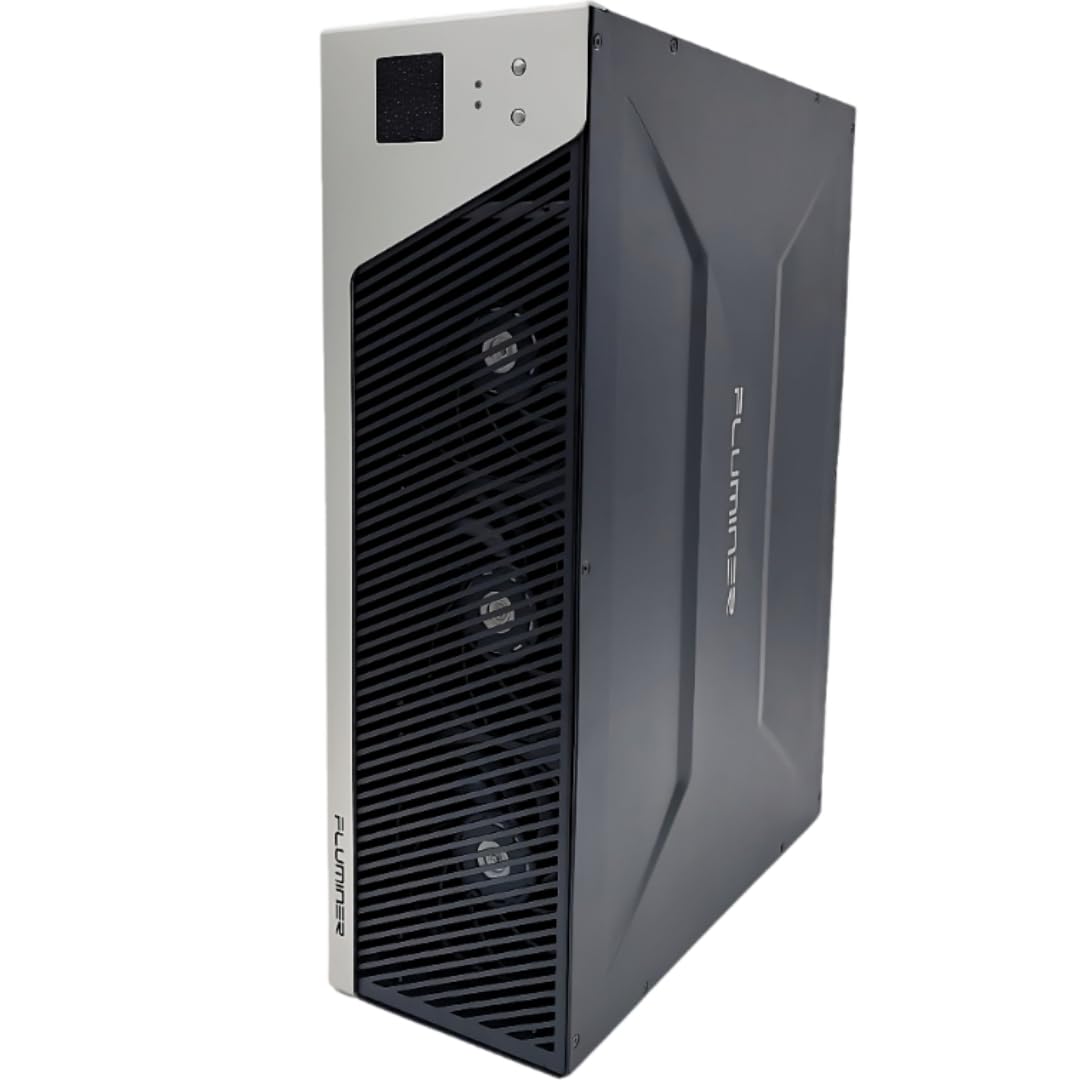
Figure 4.1: Front View of FLUMINER L1 Pro Miner
This image displays the front panel of the FLUMINER L1 Pro miner, featuring its distinctive silver and black design, ventilation grilles for airflow, and the TJZECOM branding.

Figure 4.2: Rear View of FLUMINER L1 Pro Miner
This image illustrates the rear panel of the FLUMINER L1 Pro miner, highlighting the power input socket, the RJ45 Ethernet port for network connection, and the exhaust fans responsible for cooling the internal components.
5. Setup Instructions
- Placement: Choose a stable, well-ventilated location for the miner. Ensure there is sufficient space around the device for proper airflow. Avoid enclosed spaces.
- Power Connection:
- Connect the provided power cable to the power input socket on the rear of the FLUMINER L1 Pro.
- Plug the other end of the power cable into a grounded 110-240V AC power outlet.
- Important: Use a dedicated circuit if possible, as the miner consumes significant power (1400W).
- Network Connection:
- Ethernet: Connect an Ethernet cable from your router or network switch to the RJ45 Ethernet port on the rear of the miner.
- Wi-Fi: The FLUMINER L1 Pro also supports Wi-Fi connectivity. Refer to the operating instructions for initial Wi-Fi setup via the web interface.
- Initial Power On: Once power and network are connected, the miner will automatically power on. Allow a few minutes for the system to boot up.
6. Operating Instructions
- Accessing the Web Interface:
- After the miner has booted, use a network scanning tool (e.g., IP Scanner) to find the IP address of your FLUMINER L1 Pro on your local network.
- Open a web browser on a computer connected to the same network and enter the miner's IP address into the address bar.
- Log in using the default credentials (refer to the device label or contact support if unknown).
- Configuration:
- Navigate to the "Miner Configuration" or "Pool Settings" section.
- Enter your mining pool URL, worker name, and password.
- If using Wi-Fi, configure your Wi-Fi network settings (SSID and password) in the network section.
- Save the settings and restart the miner if prompted.
- Monitoring:
- The web interface provides real-time monitoring of hashrate, power consumption, temperature, and earnings.
- Regularly check these metrics to ensure optimal performance and stability.
7. Maintenance
- Cleaning: Periodically clean the exterior of the miner and ensure ventilation openings are free from dust and debris. Use a soft, dry cloth. Do not use liquids or abrasive cleaners.
- Ventilation: Ensure the miner is always in a well-ventilated area. Blocked vents can lead to overheating and reduced performance or damage.
- Firmware Updates: Check the official FLUMINER website or your vendor's support page for available firmware updates. Follow the provided instructions carefully when performing updates.
- Power Supply Check: Regularly inspect the power cable and connections for any signs of wear or damage.
8. Troubleshooting
| Problem | Possible Cause | Solution |
|---|---|---|
| Miner does not power on. | Power cable disconnected, faulty power outlet, power supply issue. | Check power cable connections. Test the power outlet. If issues persist, contact support. |
| Cannot access web interface. | Incorrect IP address, network cable disconnected, Wi-Fi not configured, network conflict. | Verify IP address. Check Ethernet cable. Ensure Wi-Fi is configured correctly. Restart router. |
| Low hashrate or no mining activity. | Incorrect pool settings, network issues, overheating, hardware fault. | Verify pool URL, worker name, and password. Check network stability. Ensure proper ventilation. Contact support if hardware is suspected. |
| Excessive noise or vibration. | Fan obstruction, loose components, fan malfunction. | Ensure no obstructions to fans. Contact support if noise persists, indicating a potential fan issue. |
9. Specifications
| Feature | Detail |
|---|---|
| Crypto Algorithm | Scrypt |
| Hashrate | 6.0 GH/s ±5% |
| Power Consumption | 1400W ±10% |
| Power Efficiency | 0.23 J/MH (at 25°C ambient temperature) |
| Networking Connection | RJ45 Ethernet 10/100/1000M, Wi-Fi |
| Operating Temperature | 0-40°C (32-104°F) |
| Working Voltage | 110 ~ 240V |
| Noise Level | ≈ 45dB |
| Form Factor | 3U Server |
| Net Weight | 12.8 KG (30.8 pounds) |
| Dimensions (L*W*H) | 140mm*300mm*450mm (5.51 x 11.81 x 17.72 inches) |
| Manufacturer | Fluminer |
10. Warranty and Support
The FLUMINER L1 Pro miner typically comes with a manufacturer's warranty. Please refer to your purchase documentation or the official FLUMINER website for specific warranty terms and conditions.
For technical support, troubleshooting assistance, or warranty claims, please contact your vendor or the FLUMINER customer service team. Ensure you have your product model number and purchase details ready when contacting support.
Manufacturer: Fluminer
Seller: TJZECOM


