1. Introduction
This manual provides essential information for setting up, operating, maintaining, and troubleshooting your MSI Titan AI Gaming Laptop. Please read this manual thoroughly before using your device to ensure optimal performance and longevity.
The MSI Titan AI Gaming Laptop is a high-performance machine designed for demanding tasks such as AI model training, gaming, and content creation. It features cutting-edge components to deliver an exceptional user experience.
2. Setup
2.1 Unboxing and Initial Inspection
Carefully remove all components from the packaging. Verify that all items listed below are present and undamaged. If any items are missing or damaged, contact your retailer immediately.
- MSI Titan AI Gaming Laptop
- 400W Power Supply Unit (PSU)
- USB-C DV4K 100W Universal Docking Station
- Documentation (Quick Start Guide, Warranty Card)

Figure 1: Front view of the MSI Titan AI Gaming Laptop, highlighting its 18-inch Mini LED 4K display, Intel Core Ultra 9 processor, NVIDIA GeForce RTX 5090 GPU, and Per Key RGB keyboard.
2.2 Connecting the Power Adapter
Connect the 400W Power Supply Unit (PSU) to the laptop's power input port. Plug the other end of the PSU into a grounded electrical outlet. Ensure the connection is secure.
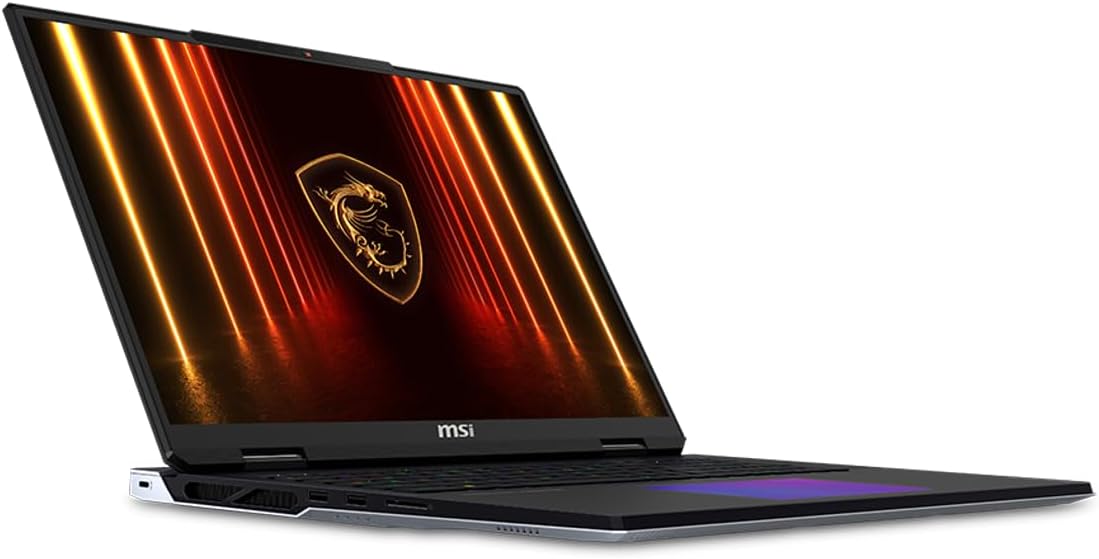
Figure 2: Side view of the laptop, illustrating the placement of ports including USB, Thunderbolt 5, and the power input.
2.3 Initial Power On and Windows Setup
Press the power button to turn on the laptop. Follow the on-screen instructions to complete the Windows 11 Pro setup. This includes selecting your region, language, creating a user account, and connecting to a network.
Video 1: Official product video showcasing the MSI Titan AI Gaming Laptop's features, including its design, cooling system, display, and AI capabilities. This video provides a visual overview of the laptop's key selling points and performance aspects.
3. Operating Instructions
3.1 Keyboard and Touchpad
The laptop features a Per Key RGB Standard Keyboard. Customize lighting effects through the MSI Center software. The touchpad supports multi-touch gestures for navigation.
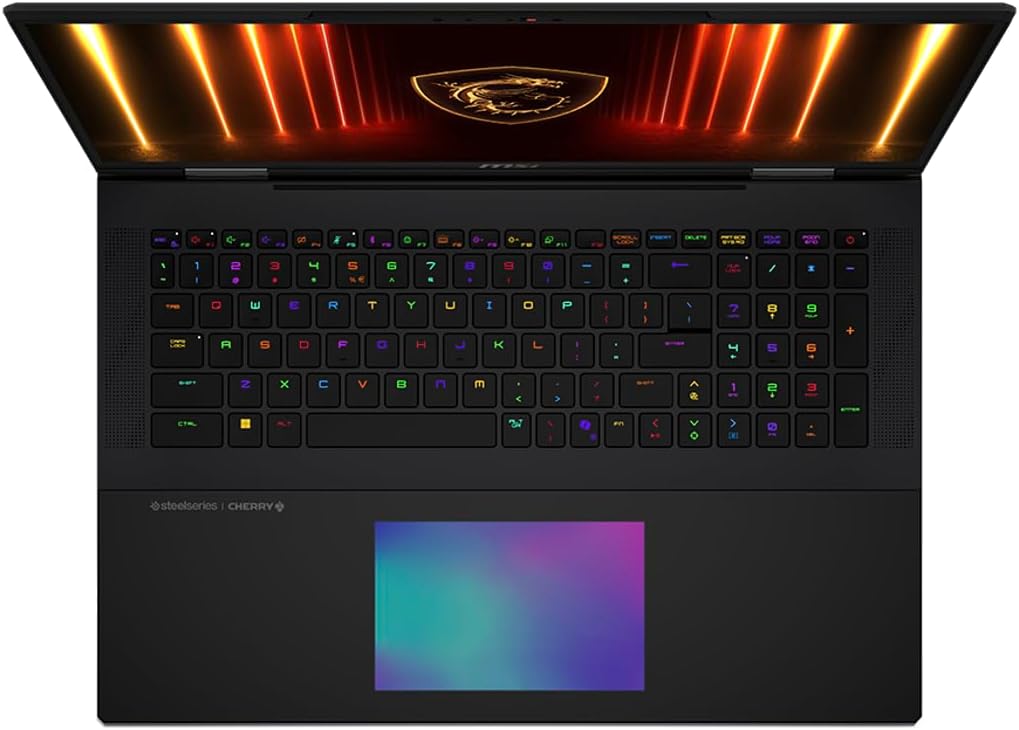
Figure 3: Close-up of the laptop's keyboard, demonstrating the customizable Per Key RGB lighting and the layout of the keys.
3.2 Display Features
Your MSI Titan AI Gaming Laptop is equipped with an 18-inch Mini LED 4K (3840x2400) 120Hz 16:10 Display. This display offers vibrant colors, deep blacks, and a high refresh rate for an immersive visual experience, ideal for gaming and professional applications.
3.3 Connectivity
The laptop supports 802.11be Wi-Fi, Bluetooth 5.4, and includes an RJ-45 Ethernet port for wired network connections. It also features HDMI, 2 Thunderbolt 5 ports, an SD Card Reader, and a Headphone/Microphone Combo Jack.
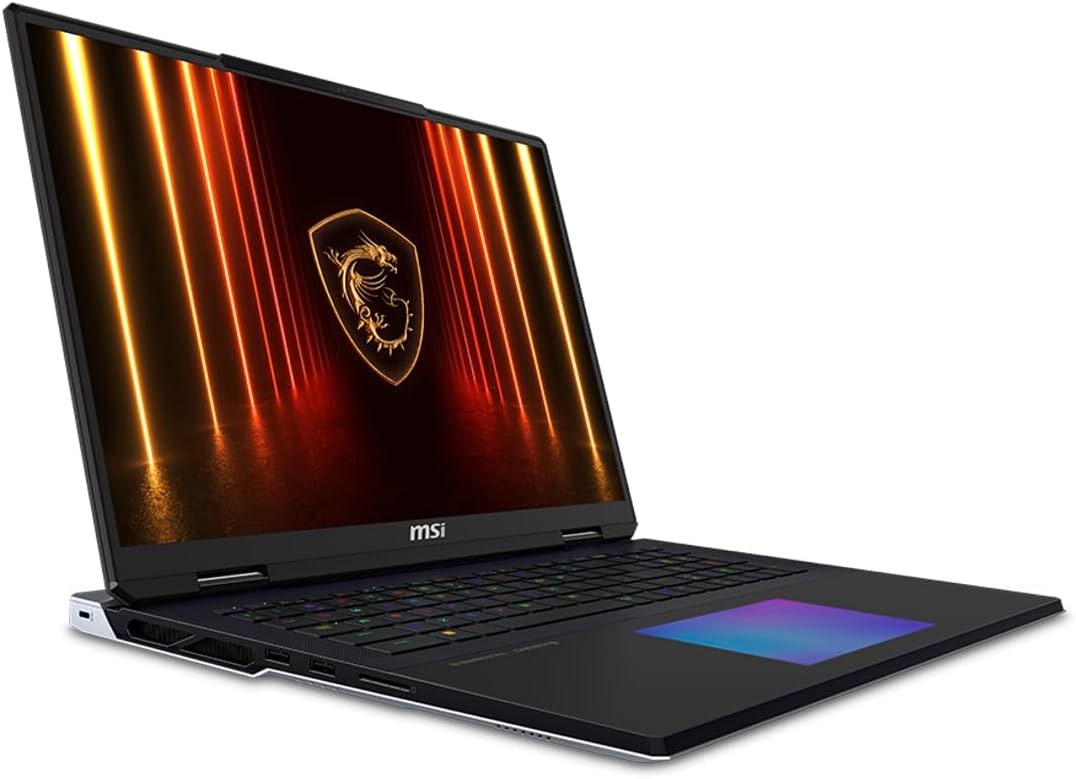
Figure 4: Left side of the laptop, detailing the arrangement of USB ports, audio jack, and cooling vents.
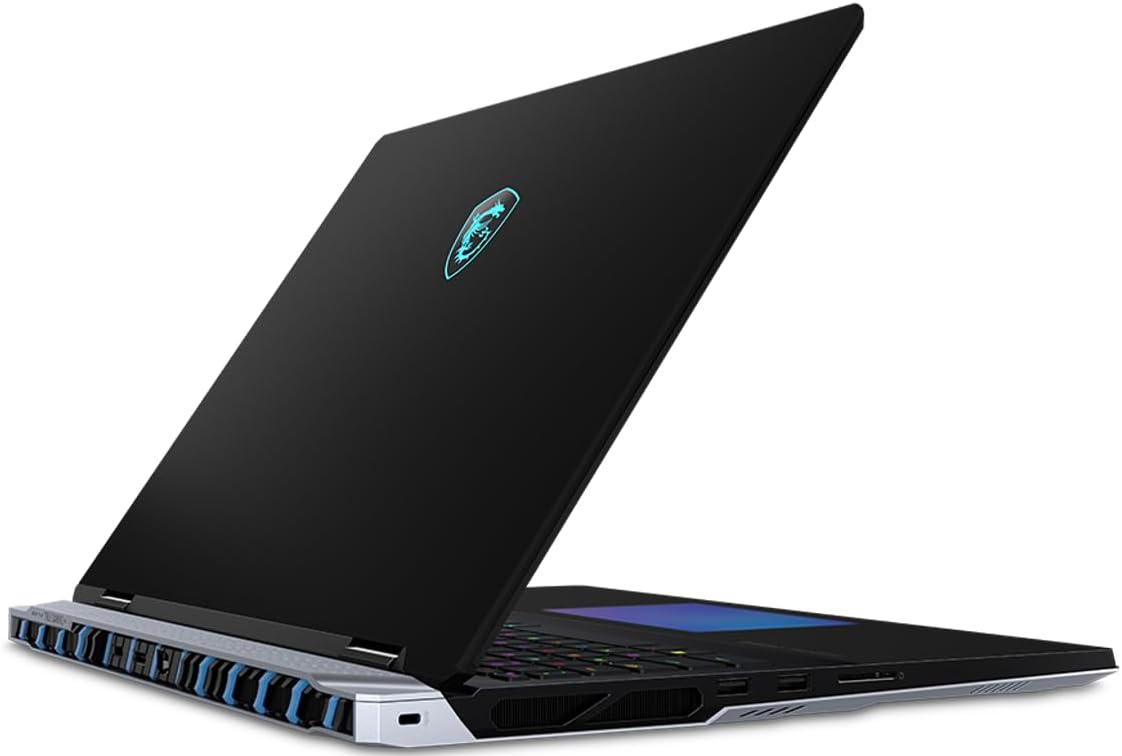
Figure 5: Right side of the laptop, showing additional USB ports, the SD card reader, and other connectivity options.
3.4 USB-C Dock Usage
The included USB-C DV4K 100W Universal Docking Station (Model: 6X3S6U3) expands your connectivity options. Connect it to a Thunderbolt 5 port on your laptop. This dock provides additional USB-C, DisplayPort (DP), HDMI, and RJ45 ports, along with 100W Power Delivery (PD) for charging compatible devices.
4. Maintenance
4.1 Cleaning Your Laptop
Regularly clean the screen with a soft, lint-free cloth and a screen-safe cleaning solution. Use a soft brush or compressed air to remove dust from the keyboard and cooling vents. Avoid using harsh chemicals or abrasive materials.
4.2 Software Updates
Keep your Windows 11 Pro operating system, drivers, and MSI Center software updated to ensure optimal performance, security, and compatibility. Check for updates regularly through Windows Update and the MSI Center application.
4.3 Battery Care
The laptop is equipped with a 4-Cell 95 WHr Battery. To maximize battery lifespan, avoid fully discharging the battery frequently. It is recommended to keep the battery charge between 20% and 80% when possible. Store the laptop in a cool, dry place if not used for extended periods.
5. Troubleshooting
5.1 Power Issues
- Laptop does not turn on: Ensure the power adapter is securely connected to both the laptop and a working electrical outlet. Check the power indicator light on the laptop.
- Battery not charging: Verify the power adapter is functioning correctly. Try a different outlet. If the issue persists, contact support.
5.2 Display Problems
- No display: Connect an external monitor to the HDMI or Thunderbolt 5 port to check if the issue is with the laptop's internal display. Restart the laptop.
- Flickering or distorted display: Update your NVIDIA GeForce RTX 5090 graphics drivers. Adjust display settings in Windows.
5.3 Performance Issues
- Slow performance: Close unnecessary applications. Check for background processes consuming high CPU or RAM. Ensure adequate ventilation to prevent overheating.
- Applications crashing: Update drivers and software. Check for system errors using Windows diagnostic tools.
6. Specifications
| Component | Detail |
|---|---|
| Model Name | Titan AI Gaming Laptop |
| Model Number | SF20250910B0FCM6RZQ9 |
| Processor | Intel Ultra 9-285HX (2.80GHz, up to 5.5GHz, 36MB Cache, 24-Cores, 24-Threads) |
| Graphics | NVIDIA GeForce RTX 5090 24GB GDDR7 (VR Ready) |
| Display | 18" Mini LED 4K (3840x2400) 120Hz 16:10 |
| Memory | 64GB DDR5 SO-DIMM |
| Storage | 2x8TB PCIe NVMe SSD (16TB available storage) |
| Operating System | Windows 11 Pro-64 |
| Wireless Connectivity | 802.11be, Bluetooth 5.4 |
| Ports | HDMI, 2x Thunderbolt 5, SD Card Reader, Headphone/Microphone Combo Jack, RJ-45 |
| Battery | 4-Cell 95 WHr Battery |
| Power Supply | 400W PSU |
| Dimensions (WxLxH) | 15.9 IN x 12.12 IN x 1.35 IN |
| Weight | 7.95 lbs |
| Included Dock | USB-C DV4K 100W Universal Docking Station-6X3S6U3 |
7. Warranty & Support
7.1 Manufacturer Warranty
This product comes with a 1-Year Manufacturer warranty from GreatPriceTech (Professionally upgraded by GreatPriceTech). Please retain your proof of purchase for warranty claims.
7.2 Technical Support
For technical assistance, troubleshooting, or warranty inquiries, please contact GreatPriceTech customer support. Refer to the documentation included with your laptop for specific contact details or visit the GreatPriceTech website.


