
Introduction
Thank you for choosing the LOBKIN X18 Bone Conduction Headphones. These open-ear sport earphones are designed to provide a comfortable and safe listening experience, allowing you to enjoy audio while remaining aware of your surroundings. Featuring IPX8 waterproofing, Bluetooth 5.4 connectivity, and 32GB of internal memory for offline MP3 playback, the X18 is ideal for various activities including swimming, running, hiking, and cycling.
What's in the Box
- 1 x LOBKIN X18 Bone Conduction Headphones
- 1 x Charging Cable
- 1 x User Manual
Product Features
- Open-Ear Design: Delivers sound through bone conduction, keeping your ear canals open for situational awareness.
- IPX8 Waterproof: Fully submersible, suitable for swimming and other water sports.
- 32GB Internal Memory: Store thousands of songs for offline listening, especially useful for swimming where Bluetooth signals are limited.
- Bluetooth 5.4: Provides stable and efficient wireless connection to your devices.
- 8 Hours Playtime: Enjoy extended listening sessions on a single charge.
- Built-in Microphone: For hands-free calls.
- Lightweight and Secure Fit: Designed for comfort and stability during active use.
Setup
1. Charging the Headphones
Before first use, fully charge the headphones. Connect the magnetic charging cable to the charging port on the headphones and the USB-A end to a standard USB power adapter (not included) or a computer's USB port. The LED indicator will show charging status.

Image: The LOBKIN X18 headphones with an illustration of magnetic charging and an 8-hour battery life indicator.
2. Powering On/Off
- Power On: Press and hold the Power button for 3 seconds until the LED indicator flashes blue.
- Power Off: Press and hold the Power button for 5 seconds until the LED indicator flashes red and then turns off.
3. Bluetooth Pairing
- Ensure the headphones are powered off.
- Press and hold the Power button for 5-7 seconds until the LED indicator flashes red and blue alternately, indicating pairing mode.
- On your device (smartphone, tablet, etc.), enable Bluetooth and search for available devices.
- Select "LOBKIN X18" from the list. Once connected, the LED indicator will flash blue slowly.
4. Switching Between Bluetooth and MP3 Mode
The headphones support both Bluetooth streaming and local MP3 playback from the 32GB internal memory. To switch modes, press the Mode button (usually indicated by an 'M' or a specific icon) once. The headphones will announce the current mode.
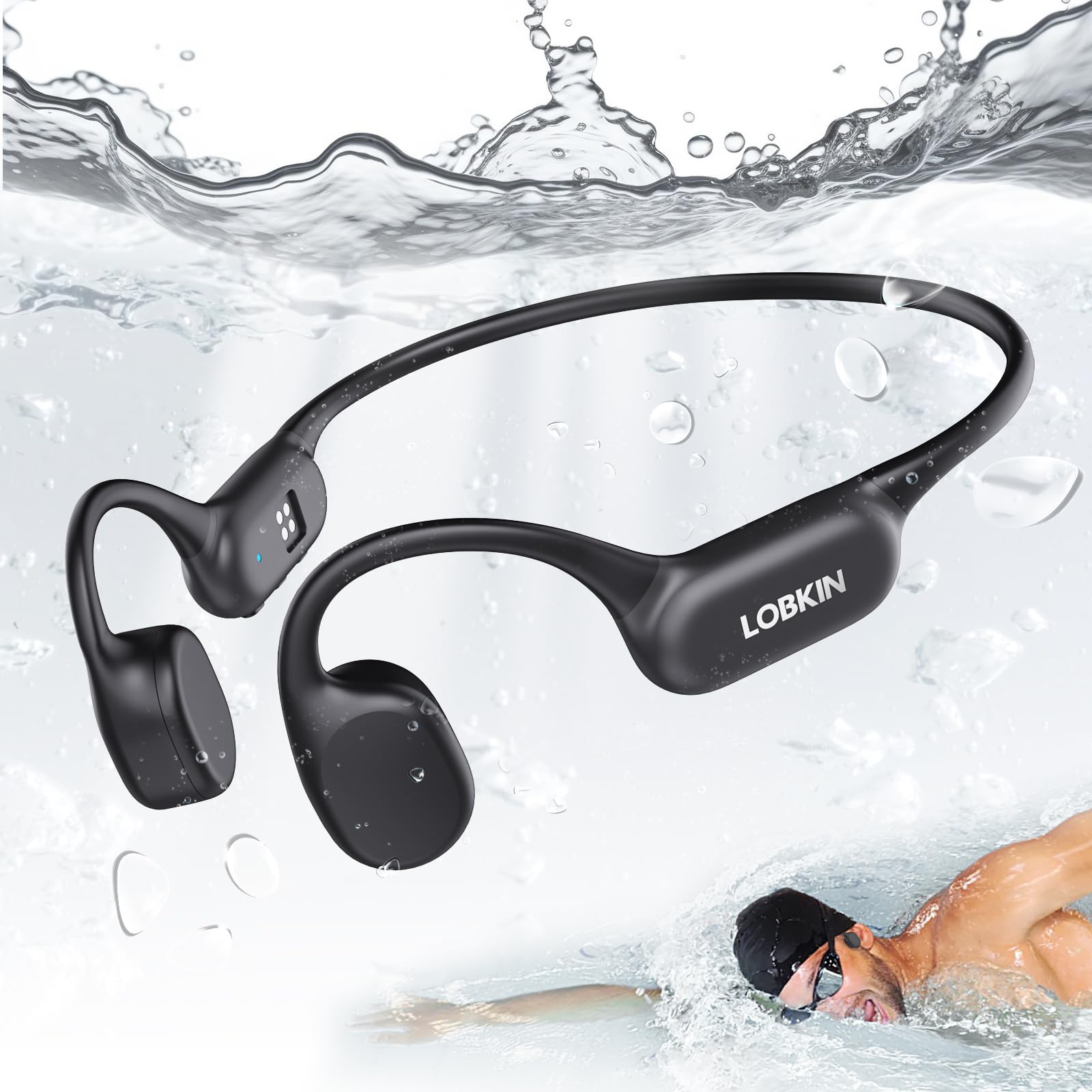
Image: A swimmer wearing LOBKIN X18 headphones underwater, highlighting the IPX8 waterproof rating and 32GB offline MP3 mode. Note: Switch to MP3 mode when swimming.
5. Loading Music to 32GB Internal Memory
To transfer music files (MP3, WAV, FLAC, APE formats are typically supported), connect the headphones to your computer using the charging cable. The headphones will appear as a removable disk drive. Drag and drop your audio files into the drive folder. Disconnect safely after transfer.
Operating Instructions
Basic Controls
| Button/Action | Function |
|---|---|
| Power Button (Long Press) | Power On/Off |
| Power Button (Short Press) | Play/Pause (Music), Answer/End Call |
| Volume + Button (Short Press) | Increase Volume |
| Volume + Button (Long Press) | Next Track |
| Volume - Button (Short Press) | Decrease Volume |
| Volume - Button (Long Press) | Previous Track |
| Mode Button (Short Press) | Switch between Bluetooth Mode and MP3 Mode |
| Power Button (Double Press) | Redial Last Number |
Using for Swimming
When using the headphones for swimming, it is essential to switch to MP3 Mode. Bluetooth signals do not transmit effectively through water, so streaming music via Bluetooth will not work reliably underwater. Ensure your desired music is loaded onto the 32GB internal memory before entering the water.

Image: Various usage scenarios for the LOBKIN X18 headphones, including running, driving, swimming, and working, demonstrating their versatility.
Maintenance
- Cleaning: After use, especially after swimming or heavy sweating, rinse the headphones with clean fresh water and wipe them dry with a soft cloth. Do not use harsh chemicals or abrasive cleaners.
- Storage: Store the headphones in a cool, dry place away from direct sunlight and extreme temperatures.
- Charging Port: Ensure the magnetic charging contacts are clean and dry before charging to prevent corrosion.
- Avoid Impact: Do not drop or subject the headphones to strong impacts, as this may damage internal components.
Troubleshooting
| Problem | Possible Solution |
|---|---|
| Headphones won't power on. | Ensure the headphones are fully charged. Connect to the charging cable and check the LED indicator. |
| Cannot pair via Bluetooth. | Ensure headphones are in pairing mode (flashing red/blue). Turn off and on your device's Bluetooth. Move closer to your device. |
| No sound in Bluetooth mode. | Check volume levels on both headphones and connected device. Ensure headphones are correctly paired and selected as the audio output. |
| No sound in MP3 mode. | Ensure music files are loaded correctly onto the internal memory. Check volume levels. |
| Poor sound quality underwater. | Ensure you are in MP3 mode. Bluetooth does not work effectively underwater. |
| Headphones not recognized by computer. | Try a different USB port or cable. Ensure the headphones are powered on when connecting to the computer. |
Specifications
| Feature | Detail |
|---|---|
| Model Number | X18 |
| Connectivity | Bluetooth 5.4 |
| Water Resistance | IPX8 |
| Internal Memory | 32GB |
| Playtime | Up to 8 hours |
| Charging Time | Approximately 2 hours (Fast Charging) |
| Audio Driver Type | Bone Conduction Driver |
| Frequency Range | 20 Hz - 20,000 Hz |
| Control Type | Media Control (Push Button) |
| Ear Placement | Open Ear |
Warranty and Support
The LOBKIN X18 Bone Conduction Headphones come with a 1-year warranty from the date of purchase. This warranty covers manufacturing defects and workmanship under normal use. It does not cover damage caused by misuse, accidents, unauthorized modifications, or normal wear and tear.
For technical support, warranty claims, or any questions regarding your product, please contact LOBKIN customer service through the retailer where you purchased the product or visit the official LOBKIN website for contact information.


