
Soundcore D1301
Soundcore Sleep A30 by Anker Sleep Earbuds User Manual
Model: D1301
Introduction
This manual provides instructions for the Soundcore Sleep A30 by Anker Sleep Earbuds. It covers setup, operation, maintenance, and troubleshooting to ensure optimal use of your device for a restful sleep experience.
What's in the Box
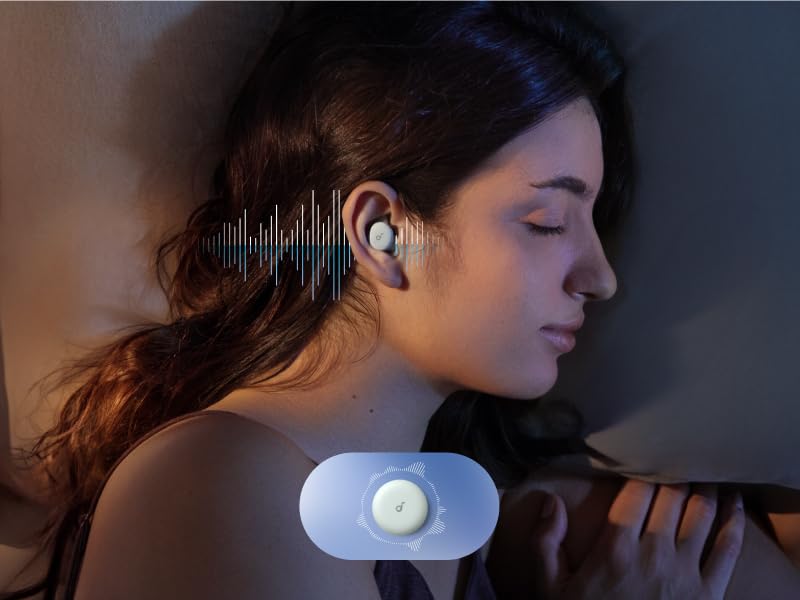
The Soundcore Sleep A30 package includes:
- Soundcore Sleep A30 Earbuds
- Charging Case
- XS/S/M/L Silicone Ear Tips (Size M Pre-Installed)
- S/M/L Foam Ear Tips
- S/M/L Ear Wings (Size M Pre-Installed)
- USB-C Cable
Setup
1. Choosing the Right Fit
Selecting the correct ear tips and ear wings is crucial for comfort and effective noise cancellation. The earbuds come with various sizes of silicone and foam ear tips, and ear wings.
- Select Ear Tips and Ear Wings: Experiment with the provided XS/S/M/L silicone and S/M/L foam ear tips, and S/M/L ear wings to find the combination that best fits your ears. A snug fit is essential for optimal noise blocking.
- Insert Earbuds: Gently insert the earbuds into your ears at the angle shown in the diagram, ensuring they sit flush and comfortably.
The earbuds feature an ultra-soft silicone and a shorter nozzle design for comfort, especially for side sleepers.
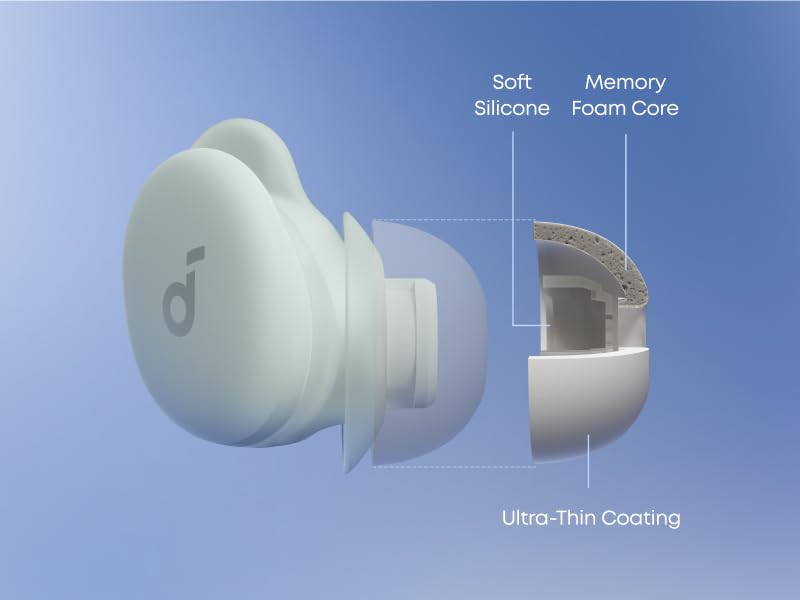
Image: Earbud tip construction for comfort.
2. Charging the Earbuds and Case
Before first use, fully charge the earbuds and the charging case.
- Connect the charging case to a power source using the provided USB-C cable.
- The LED indicators on the case will show the charging status.
- A full charge for the earbuds takes approximately 3.28 hours. The charging case takes about 2.5 hours to fully charge.
3. Connecting to the Soundcore App
Download the Soundcore app to unlock the full features of your Sleep A30 earbuds, including personalized audio, sleep tracking, and advanced noise cancellation settings.
Video: Instructions on setting up your sleep audio journey within the Soundcore app.
- Open the Soundcore app and follow the on-screen instructions to pair your Sleep A30 earbuds.
- The app allows you to personalize bedtime audio, set sleep reminders, and configure built-in alarms.
Operating the Earbuds
Active Noise Cancellation (ANC)
The Sleep A30 earbuds feature Smart ANC with Ear Canal Adaptation Technology to reduce disruptive noises.

- ANC dynamically adjusts to your ear canal to provide deeper noise reduction.
- It effectively blocks low-frequency sounds such as snoring, pet sounds, appliance hum, and traffic noise.
- You can activate and manage ANC settings through the Soundcore app.
Video: Explanation of Active Noise Cancellation and Masking Audio features of Sleep A30.
Adaptive Snore Masking System
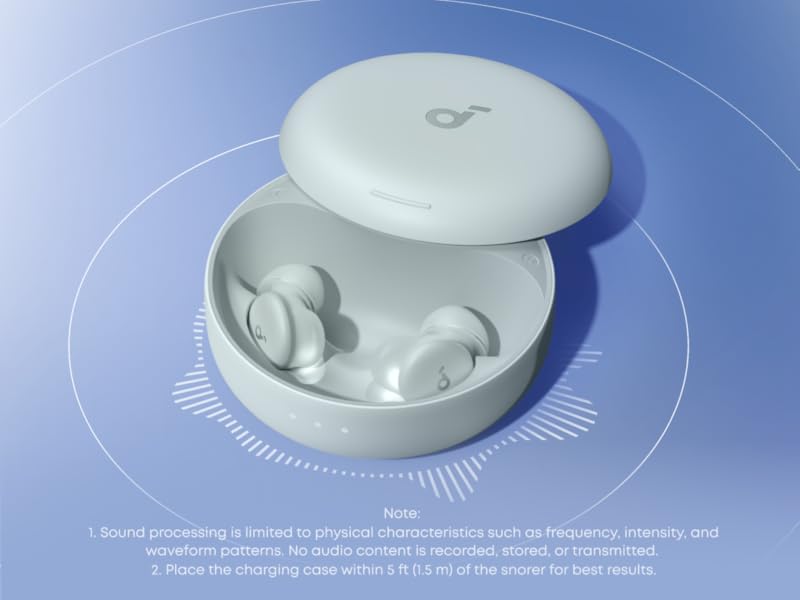
The charging case monitors snoring sounds, and the earbuds optimize snore-masking audio using soothing white noise.

- The charging case should be placed near your bedside to monitor snoring.
- The earbuds will automatically adjust the volume and frequency of the masking audio to reduce snoring fluctuations.
- For best results, use foam ear tips to maximize noise reduction.
AI Brainwave Audio
Utilize AI Brainwave Audio for quicker sleep and relaxation.

Binaural beats deliver different frequencies to each ear, helping to sync your brainwaves with calming patterns to promote relaxation and restful sleep. Access these features through the Soundcore app.
Touch Controls
The earbuds feature touch controls for managing playback and settings. Specific functions can be customized via the Soundcore app.
- Double-tap: Default action for snoozing alarms or toggling ANC (customizable).
- Refer to the Soundcore app for a full list of customizable touch controls.
Maintenance
Cleaning
Regular cleaning helps maintain sound quality and hygiene.
- Gently wipe the earbuds and charging case with a soft, dry, lint-free cloth.
- Remove ear tips and clean them with mild soap and water, then dry thoroughly before reattaching.
- Ensure charging contacts on both earbuds and case are clean and dry.
Replacing Ear Tips and Wings
Over time, ear tips and wings may wear out. Replace them as needed to maintain optimal fit and performance.
- Carefully remove the old ear tips/wings.
- Attach new ear tips/wings, ensuring they are securely fastened.
- Soundcore offers replacement sets for purchase.
Troubleshooting
If you encounter issues with your Soundcore Sleep A30 earbuds, refer to the following common solutions:
| Issue | Possible Solution |
|---|---|
| Earbuds not charging or connecting in case | Ensure earbuds are properly seated in the charging case. Clean the charging contacts on both the earbuds and the case with a dry cloth. Check if the case itself is charged. |
| ANC not effective | Verify that you have the correct size ear tips and wings for a snug seal. A poor fit significantly reduces ANC performance. Ensure ANC is activated in the Soundcore app. |
| Alarm not sounding | Check alarm settings in the Soundcore app. Ensure the earbuds are connected and have sufficient battery. Some users report intermittent alarm failures; consider a backup alarm. |
| Short battery life | Using ANC continuously and streaming Bluetooth audio will consume more battery. Adjust settings in the app (e.g., auto-switch to local mode, turn off Bluetooth when asleep) to extend battery life. |
| Discomfort during sleep | Experiment with different sizes of silicone and foam ear tips, and ear wings. Ensure the earbuds are inserted correctly. For side sleepers, a softer pillow may help reduce pressure. |
For further assistance, refer to the Troubleshooting Guide (PDF) or the User Guide (PDF).
Specifications
| Feature | Detail |
|---|---|
| Brand | Soundcore |
| Model Name | Sleep A30 |
| Model Number | D1301 |
| Ear Placement | In Ear |
| Form Factor | In Ear |
| Noise Control | Active Noise Cancellation (Adaptive) |
| Connectivity Technology | Wireless (Bluetooth 5) |
| Bluetooth Range | 15 meters |
| Control Type | Touch Control |
| Earbud Battery Life | Up to 58 hours (various usage scenarios) |
| Charging Case Battery Life | Up to 45 hours (additional) |
| Earbud Charge Time | 3.28 hours |
| Case Charge Time | 2.5 hours |
| Water Resistance Level | Waterproof |
| Material | Plastic |
| Weight (Carrying Case) | 66 g |
| UPC | 194644276447 |

Battery Life Details:
- Normal use with ANC all-night: 9 hours
- Bluetooth Mode + ANC On: 6.5 hours
- Local Mode + ANC On: 8.5 hours
- Bluetooth Mode + ANC Off: 10 hours
- Local Mode + ANC Off: 14 hours
- Total playtime with case: 45 hours
Note: All playback times were measured at 50% volume.
Warranty
The Soundcore Sleep A30 earbuds come with an 18-month warranty, providing hassle-free replacement for any quality issues.

For detailed warranty terms and conditions, please refer to the official Soundcore website or contact customer support.
Support
If you have questions regarding fit, connectivity, white noise options, or any other product-related inquiries, please contact Soundcore customer support.

Our sleep experts are available to assist you and provide guidance for a better experience with your Sleep A30 earbuds.
You can also find additional resources and FAQs on the official Soundcore website: www.soundcore.com
Related documentsD1301


Ask a question about this manual
Ask about setup, troubleshooting, compatibility, parts, safety, or missing instructions. Manuals+ will review the question and use this page’s manual context to help answer it.