
1. Introduction
Thank you for choosing the FONDAIL Solar Security Camera. This wireless outdoor camera provides 2K HD video, 360° view, and advanced features like color night vision, PIR detection, and two-way audio. Designed for ease of use and continuous operation, it is powered by solar energy, ensuring reliable home security.
This manual provides detailed instructions for setting up, operating, and maintaining your security camera. Please read it thoroughly before use to ensure proper installation and functionality.

Image: The FONDAIL Solar Security Camera with its accompanying solar panel, highlighting its wireless and solar-powered design.
2. What's in the Box
Upon opening the package, please verify that all the following components are included:
- Camera
- Solar Panel
- User manual
- Screw Package for Camera
- Screw Package for Solar Panel
- Power Cable

Image: A visual representation of all items included in the product packaging, such as the camera, solar panel, and mounting accessories.
3. Product Overview & Features
3.1 Key Features
- Solar Powered & 100% Wireless: Equipped with a solar panel for continuous charging and a built-in rechargeable battery, eliminating the need for wires and ensuring uninterrupted operation.
- 2K HD Video & Versatile Night Vision: Offers 2K Full HD resolution with 355° horizontal and 100° vertical rotation. Features three night vision modes: full-color, intelligent lighting, and automatic infrared, providing clear visibility up to 32 feet in darkness.
- Smart AI Detection & Two-Way Audio: Utilizes AI for person and vehicle detection with customizable motion zones, reducing false alarms. Built-in microphone and speaker allow for real-time two-way communication via the "FONDAIL" app.
- Sound & Flash Alarm: PIR sensor triggers instant alerts, activating spotlight illumination, flash alarms, and sirens to deter intruders.
- Dual Storage Options: Supports Micro SD card (up to 256GB, not included) and offers a lifetime 7-day cycle cloud storage for event recordings.
- Enhanced Wi-Fi Connectivity: Reliable and stable 2.4 GHz WiFi connection for uninterrupted video streaming and remote access. (Note: 5G WiFi is not supported).
- Durable & Weatherproof: IP66 waterproof rating, designed to withstand temperatures from -4°F to 122°F, ensuring year-round protection.
3.2 Feature Illustrations

Image: The camera and solar panel mounted on a wall at night, illustrating its non-stop solar-powered operation with rechargeable battery, two-way audio, and instant alert capabilities.

Image: A smartphone screen showing remote control options for the camera's 355° pan and 80° tilt, indicating comprehensive coverage.

Image: A security camera detecting a person, with text indicating motion detection, two-way audio, and night vision capabilities, along with alert options like light and siren alarms.
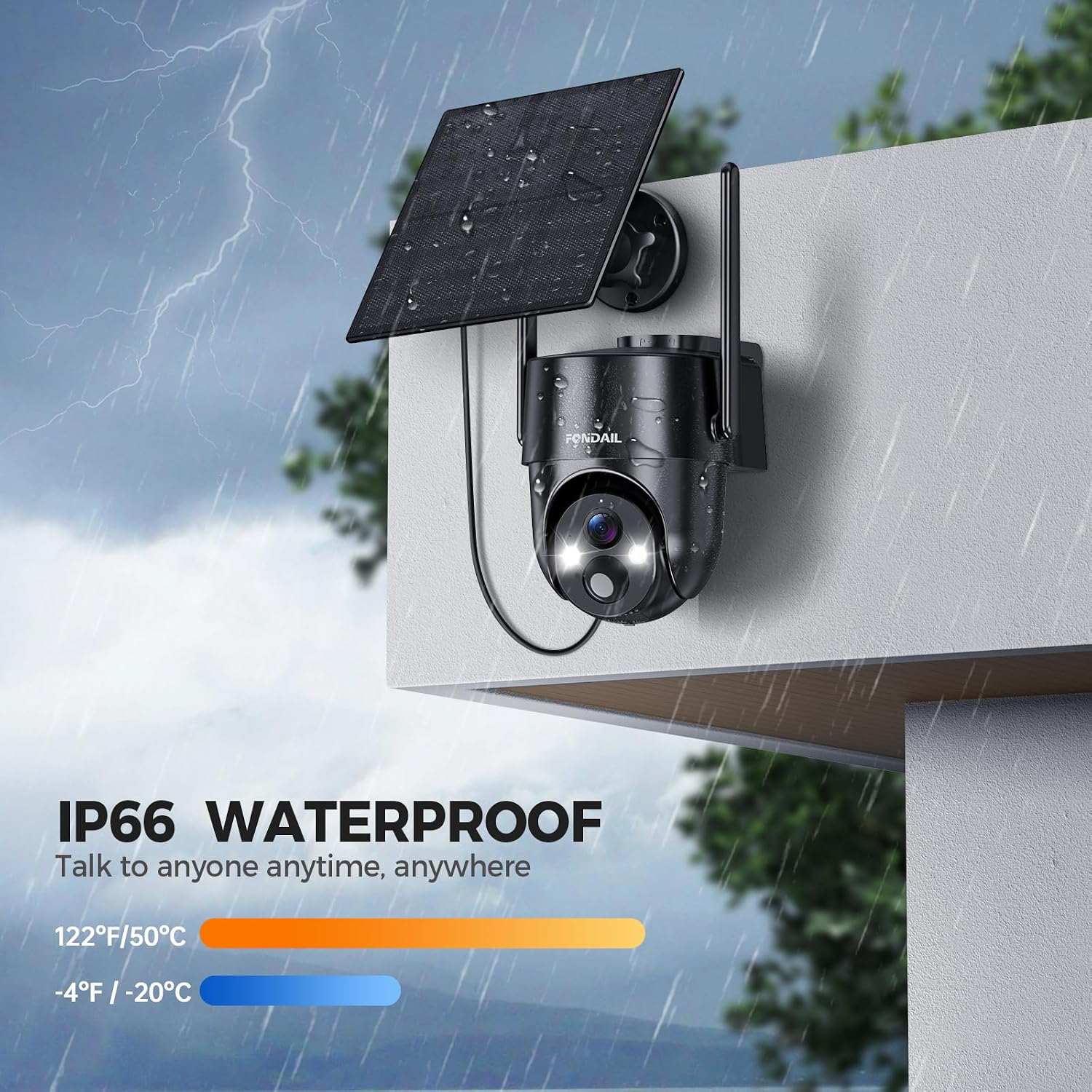
Image: The camera and solar panel mounted outdoors during a rainstorm, demonstrating its IP66 waterproof rating and ability to withstand extreme temperatures.

Image: Visual representation of the camera's dual storage options: a TF (Micro SD) card slot and cloud service for safe and convenient video storage.
4. Setup & Installation
The FONDAIL Solar Security Camera is designed for quick and easy installation. Follow these steps to set up your camera:
- Choose a Location: Select an outdoor location with good Wi-Fi signal coverage and direct sunlight exposure for the solar panel. The camera is wall-mountable.
- Mount the Bracket: Use the provided screw package to securely mount the camera bracket to your chosen surface.
- Attach the Camera: Slide the camera onto the mounted bracket until it clicks into place.
- Position the Solar Panel: Mount the solar panel in a location that receives maximum direct sunlight throughout the day. Connect the solar panel cable to the camera.
- Download the App: Download the "FONDAIL" app (or "CloudEdge" as indicated by controller type) from your smartphone's app store.
- Pair the Camera: Follow the in-app instructions to pair your camera with your 2.4 GHz Wi-Fi network.

Image: A visual guide showing three simple steps for setting up the camera: attaching the camera to its base, marking and drilling holes, and mounting the camera to the wall.
5. Operating Instructions
5.1 Using the FONDAIL App
The "FONDAIL" app (or "CloudEdge" app) is your primary interface for controlling and monitoring your security camera. Ensure your smartphone is connected to the internet.
- Live View: Open the app and select your camera to view the live feed.
- Pan & Tilt: Use the on-screen controls to remotely adjust the camera's 355° horizontal and 100° vertical viewing angles.
- Two-Way Audio: Tap the microphone icon in the app to speak through the camera's speaker, and listen through its microphone.
- Motion Alerts: Customize motion detection zones and sensitivity settings. You will receive instant alerts on your phone when motion is detected.
- Alarm Functions: Activate the spotlight, flash alarm, or siren directly from the app to deter intruders.
- Playback: Access recorded footage from your Micro SD card or cloud storage. The camera supports motion-triggered recording only, not 24/7 recording.
- Sharing: The camera can be shared with multiple users through the app, allowing family members to monitor the property.

Image: A person using the smartphone app to communicate with a delivery driver at their front door, demonstrating the live view and two-way talk feature.

Image: A split image showing the clear visual difference between the camera's daytime and nighttime surveillance capabilities, highlighting its effective night vision.
6. Maintenance
To ensure optimal performance and longevity of your FONDAIL Solar Security Camera, consider the following maintenance tips:
- Clean the Lens: Periodically wipe the camera lens with a soft, damp cloth to remove dust, dirt, or water spots that may obstruct the view.
- Clean the Solar Panel: Ensure the solar panel is free from dirt, leaves, or snow to maximize charging efficiency. A clean panel ensures continuous power.
- Check Connections: Occasionally inspect the cable connection between the camera and the solar panel to ensure it is secure and free from damage.
- Software Updates: Keep the "FONDAIL" app updated to the latest version to benefit from new features and security enhancements.
7. Troubleshooting
If you encounter issues with your FONDAIL Solar Security Camera, refer to the following common problems and solutions:
| Problem | Possible Cause / Solution |
|---|---|
| Camera not connecting to Wi-Fi | Ensure your Wi-Fi is 2.4 GHz (5G is not supported). Check Wi-Fi signal strength at the camera's location. Restart your router and the camera. |
| Battery not charging | Ensure the solar panel is placed in direct sunlight and is clean. Check the connection cable between the solar panel and the camera. |
| No motion alerts | Verify motion detection settings in the app (sensitivity, detection zones). Ensure notifications are enabled on your smartphone. |
| Poor video quality at night | Ensure the camera lens is clean. Check if night vision mode is active in the app. Ensure there are no obstructions blocking the camera's view. |
| No 24/7 recording | This camera only supports motion-triggered recording, not continuous 24/7 recording. |
8. Specifications
| Feature | Detail |
|---|---|
| Model Name | snap 26T |
| Indoor/Outdoor Usage | Outdoor |
| Connectivity Protocol | Wi-Fi (2.4 GHz only) |
| Power Source | Solar Powered |
| Video Capture Resolution | 2K |
| Pan/Tilt Range | 355° Horizontal, 100° Vertical |
| Night Vision | Color Night Vision, Intelligent Lighting, Automatic Infrared (up to 32 feet) |
| Detection | Smart AI (Person/Vehicle), PIR Detection |
| Audio | 2-Way Audio (Built-in Mic & Speaker) |
| Storage Options | Micro SD Card (up to 256GB), 7-Day Cycle Cloud Storage |
| Waterproof Rating | IP66 |
| Operating Temperature | -4°F to 122°F (-20°C to 50°C) |
| Dimensions (L x W x H) | 11.42 x 6.5 x 5.51 inches |
| Item Weight | 2.01 pounds |
9. Warranty & Support
FONDAIL is committed to providing high-quality products and excellent customer service. We offer refund and exchange services for quality-related problems.
- Replacement Services: We offer replacement services for product defects and other issues.
- Online Service: For any questions or assistance, please contact us via email or phone. Our customer support team is available to answer your inquiries within 12 hours.

Image: Customer care information including email (support@fondail.com) and phone number ((888) 742-6588) for replacement services and online support.