
1. Introduction
Thank you for choosing the ORIGIMAGIC C4 Ryzen 5 3550H Mini PC. This compact and powerful desktop computer is designed for a wide range of applications, from daily office tasks and home entertainment to advanced multitasking and 4K triple display setups. This manual provides essential information for setting up, operating, maintaining, and troubleshooting your new Mini PC.
2. Product Overview
The ORIGIMAGIC C4 Mini PC is powered by the AMD Ryzen 5 3550H processor, offering enhanced CPU and GPU performance for smooth operation. It features 16GB DDR4 RAM and a 512GB M.2 NVMe SSD, with expansion options for up to 32GB RAM and 4TB storage. Dual 1000Mbps NIC ports, WiFi 5, and Bluetooth 5.0 ensure stable and efficient connectivity. The device supports 4K triple display output via HDMI 2.0, USB Type-C, and DP ports.

Image: The ORIGIMAGIC C4 Mini PC showcasing its compact design and key internal components like RAM and SSD, alongside its AMD Ryzen 5 3550H processor, WiFi 5, Bluetooth 5.0, and dual RJ45 LAN capabilities.

Image: A visual representation of the ORIGIMAGIC C4 Mini PC highlighting its core features: AMD Ryzen 5 3550H processor, 16GB DDR4 RAM, 512GB M.2 NVMe SSD, Radeon Vega 8 Graphics, WiFi 5, Bluetooth 5.0, and Dual RJ45 LAN ports.

Image: The compact dimensions of the ORIGIMAGIC C4 Mini PC, illustrating how its small volume frees up desk space compared to a standard desktop computer.

Image: The ORIGIMAGIC C4 Mini PC is shown next to a sleeping dog, emphasizing its quiet operation with a noise level of approximately 38dB, suitable for tranquil environments.
Product Overview Video
Video: A comprehensive overview of the ORIGIMAGIC C4 Mini PC, showcasing its design, features, and various connectivity options.
3. What's in the Box
- 1x ORIGIMAGIC C4 Mini PC
- 1x Power adapter
- 1x User manual
- 1x VESA mount with screws
- 1x HDMI cable
4. Hardware Overview
Ports and Connectors
The C4 Mini PC offers a variety of ports to meet diverse connectivity needs:
- Front Ports: 3x USB 3.2 interfaces, 1x USB Type-C interface, 1x 3.5mm audio interface, Power button.
- Rear Ports: 1x HDMI 2.0 (4K@60Hz), 1x DP (1080p@60Hz), 2x 1000Mbps RJ45 LAN ports, 1x USB 2.0 interface, DC power input.

Image: A detailed view of the ORIGIMAGIC C4 Mini PC's versatile ports, including USB 3.2, USB Type-C, Audio Jack, Power button on the front, and DC, RJ45 LAN, HDMI 2.0, DP, USB 3.2, USB 2.0 on the rear.
5. Setup Guide
Follow these steps to set up your ORIGIMAGIC C4 Mini PC:
- Connect Peripherals: Connect your monitor(s) using HDMI, DP, or USB Type-C cables. Connect your keyboard and mouse to the available USB ports.
- Power Connection: Connect the power adapter to the DC input port on the rear of the Mini PC, then plug the adapter into a power outlet.
- Network Connection: For wired internet, connect an Ethernet cable to one of the RJ45 LAN ports. For wireless, the device supports WiFi 5.
- Power On: Press the power button on the front of the Mini PC. The system will boot up, and you will be guided through the Windows 11 Pro setup process.
VESA Mount Installation
The Mini PC can be mounted to the back of a monitor using the included VESA mount:
- Fix the VESA bracket to the Mini PC with screws.
- Fix the bracket on the back of your display with screws.

Image: Step-by-step illustration of how to easily install the ORIGIMAGIC C4 Mini PC using the VESA mount on the back of a monitor, saving desk space.
6. Operating Instructions
Your ORIGIMAGIC C4 Mini PC comes pre-installed with Windows 11 Pro, providing a familiar and intuitive operating environment. It is suitable for various applications:
- Office Productivity: Efficiently handle documents, spreadsheets, and presentations.
- Home Entertainment: Stream 4K content, browse the web, and enjoy multimedia.
- Creative Tasks: Perform photo editing and other light creative work.
- Education & Online Learning: Ideal for students and remote work setups.
- Soft Routing & Server Applications: Utilize dual LAN ports for network management.
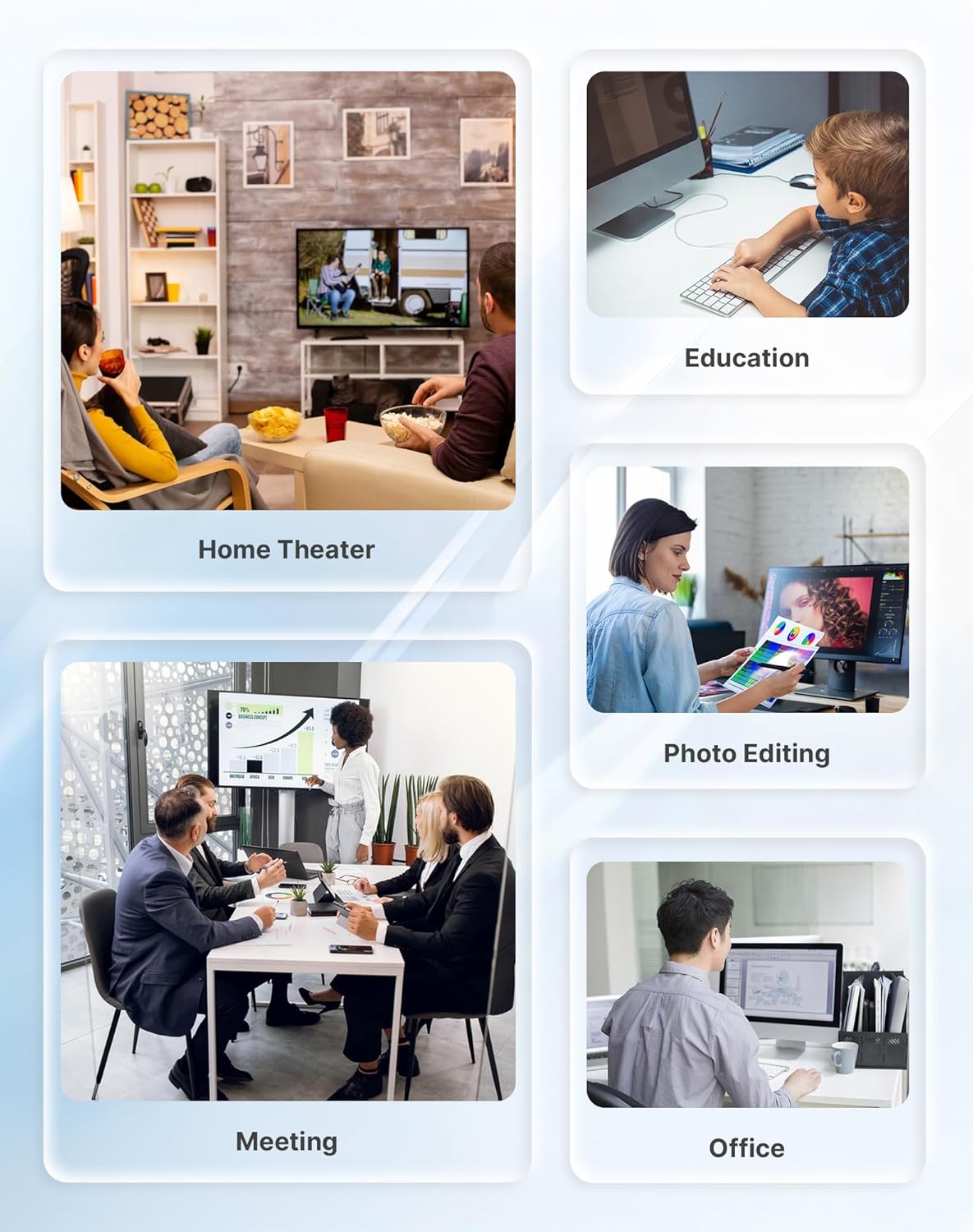
Image: A collage demonstrating diverse applications of the ORIGIMAGIC C4 Mini PC, such as home theater, educational use, photo editing, business meetings, and general office work.

Image: Another visual showcasing the versatility of the Mini PC across different environments, including school computer rooms, meetings, offices, design studios, live streaming, gaming, and home theater setups.
7. Upgrading Components
The ORIGIMAGIC C4 Mini PC is designed for easy upgrades to enhance its performance and storage capacity.
- RAM: Expandable up to 32GB DDR4. The device comes with one 16GB DDR4 SODIMM module, leaving one slot free for expansion.
- SSD: Storage capacity can be expanded up to 4TB via an additional M.2 2280 NVMe PCIe 3.0 X1 slot.

Image: An internal view of the ORIGIMAGIC C4 Mini PC, highlighting the accessible slots for DDR4 SODIMM RAM and M.2 NVMe PCIe 3.0 SSD for easy upgrades.

Image: A diagram illustrating the internal layout of the ORIGIMAGIC C4 Mini PC, showing dual memory channels for up to 32GB RAM and storage expansion options for up to 4TB SSD.
RAM and SSD Replacement Video
Video: A step-by-step guide on how to replace or upgrade the memory (RAM) and hard drive (SSD) in your ORIGIMAGIC 3550H Mini PC.
8. BIOS Settings: Power-on Wake-up
To configure the power-on wake-up settings, access the BIOS menu during startup. This feature allows the Mini PC to automatically power on under specific conditions.
Power-on Wake-up Setting Video
Video: Instructions on how to access and configure the Power-on Wake-up settings in the BIOS of your ORIGIMAGIC 3550H Mini PC.
9. Triple Display Setup
The ORIGIMAGIC C4 Mini PC supports a triple-screen display setup, enhancing productivity and multitasking capabilities. You can connect up to three monitors simultaneously using the available ports:
- HDMI 2.0 (supports 4K@60Hz)
- USB Type-C (supports 4K@60Hz)
- DP (supports 1080p@60Hz)

Image: The ORIGIMAGIC C4 Mini PC demonstrating its capability to connect to three monitors simultaneously, creating an expansive workspace for enhanced productivity.

Image: A setup featuring the ORIGIMAGIC C4 Mini PC driving three displays, illustrating its triple screen display functionality for multitasking and immersive viewing.
Triple Display Setup Video
Video: A short demonstration of the ORIGIMAGIC 3550H Mini PC's triple display capabilities, showing multiple screens connected and functioning.
10. Connectivity
The C4 Mini PC offers robust connectivity options for various network and peripheral devices:
- Dual 1000Mbps NIC: Equipped with an RTL8111H chip, providing high-speed wired network connections suitable for diverse network environments or soft routing applications.
- WiFi 5: For stable and efficient wireless internet access.
- Bluetooth 5.0: For seamless connection to wireless devices such as projectors, printers, monitors, and speakers.

Image: Icons representing the fast and stable connectivity features of the ORIGIMAGIC C4 Mini PC: WiFi 5, Bluetooth 5.0, and Dual RJ45 LAN.

Image: A close-up of the ORIGIMAGIC C4 Mini PC's Dual RJ45 LAN ports, emphasizing enhanced network stability, higher data transfer rates, and suitability for soft routing applications.

Image: A diagram illustrating the ORIGIMAGIC C4 Mini PC's ability to connect wirelessly to multiple devices such as printers, game controllers, smartphones, headphones, keyboards, and mice, ensuring fast and stable connections.
11. Troubleshooting
If you encounter any issues with your ORIGIMAGIC C4 Mini PC, please refer to the following general troubleshooting tips:
- No Power: Ensure the power adapter is securely connected to both the Mini PC and a working power outlet. Try a different outlet.
- No Display: Verify that the monitor cables (HDMI, DP, USB-C) are correctly connected to both the Mini PC and the monitor. Ensure the monitor is powered on and set to the correct input source.
- No Internet: For wired connections, check the Ethernet cable and router. For WiFi, ensure the WiFi adapter is enabled and connected to the correct network.
- System Slowdown: Check for background applications consuming resources. Consider upgrading RAM or SSD if performance issues persist.
- Overheating: Ensure the Mini PC has adequate ventilation and is not obstructed.
For more detailed troubleshooting or technical assistance, please visit the ORIGIMAGIC official website's technical support page or contact customer support.
12. Specifications
| Feature | Detail |
|---|---|
| Brand | origimagic |
| Model Name | C4 |
| CPU Model | Ryzen 5 3550H |
| CPU Speed | 3.7 GHz (Max Boost) |
| Operating System | Windows 11 Pro |
| RAM Memory Installed | 16 GB DDR4 (Expandable to 32 GB) |
| Hard Disk Description | 512 GB M.2 NVMe PCIe 3.0 X4 SSD (Expandable to 4 TB) |
| Graphics Coprocessor | Radeon Vega 8 Graphics |
| Video Output | HDMI 2.0 (4K@60Hz), USB Type-C (4K@60Hz), DisplayPort (1080p@60Hz) |
| Connectivity Technology | Bluetooth 5.0, Wi-Fi 5 (802.11a/b/g/n/ac), Dual 1000Mbps RJ45 LAN |
| Item Dimensions | 5.04 x 5 x 1.69 inches |
| Power Consumption | 25 Watts |
| Cooling Method | Air |
| Security Features | Windows Defender, Windows Hello, Windows Security, Power-saving features |
13. Warranty and Support
All ORIGIMAGIC mini PCs come with a 2-year limited warranty and 24/7 after-sales support. Your satisfaction is our priority.
- Warranty: 2-year limited warranty.
- Technical Support: 24/7 after-sales support.
- Contact: For any usage or technical issues, please visit the ORIGIMAGIC official website's technical support page or contact our after-sales team at support@origimagic.com.

Image: The ORIGIMAGIC customer support team, emphasizing their commitment to quality experience with services including replacement support, maintenance support, and quality support.


