Introduction
Thank you for choosing the PAXA Clipbuds7 Open Ear Earbuds. These earbuds are designed to provide a comfortable and immersive audio experience while maintaining awareness of your surroundings. Featuring a unique clip-on design with detachable butterfly earrings, Bluetooth 5.4 connectivity, and long battery life, the Clipbuds7 are ideal for daily wear, fitness, and work. Please read this manual carefully to ensure proper use and maintenance of your device.
Package Contents
Please check the box for the following items:
- PAXA Clipbuds7 Open Ear Earbuds (Left and Right)
- Charging Case
- Detachable Butterfly-Style Ear Clips (Pre-attached or separate, depending on model variant)
- USB-C Charging Cable
- User Manual (This document)

Figure 1: Contents of the PAXA Clipbuds7 package.
Product Overview
The PAXA Clipbuds7 feature a unique design for comfort and style. Below is an overview of the main components.

Figure 2: PAXA Clipbuds7 Earbuds and Charging Case.

Figure 3: Detachable Butterfly Earring Design.
The butterfly ear clips are designed to be removable, allowing you to customize the look of your earbuds. To attach or detach the butterfly clip, gently slide it onto or off the designated slot on the earbud's C-bridge.
Video 1: Demonstration of attaching and detaching the butterfly earring and wearing the earbuds.
Setup
1. Charging the Earbuds and Case
Before first use, fully charge the earbuds and charging case. Place the earbuds into the charging case and close the lid. Connect the USB-C charging cable to the charging port on the case and the other end to a USB power source (e.g., computer, wall adapter).
- The LED display on the charging case indicates the battery level.
- A full charge for the case takes approximately 0.5 hours.
- The earbuds provide up to 8 hours of listening time on a single charge, with an additional 36 hours from the charging case.
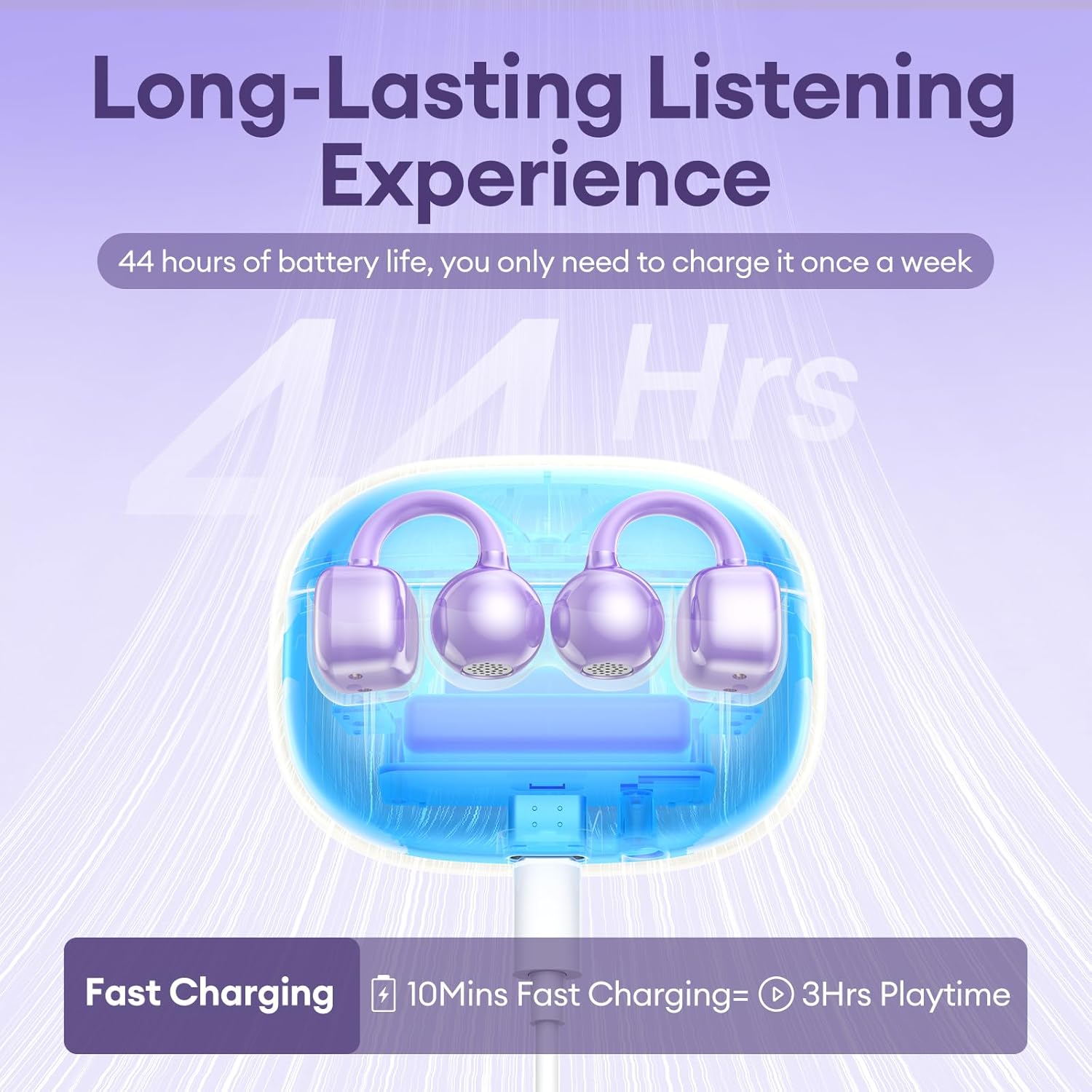
Figure 4: Battery Life and Charging Information.
2. Bluetooth Pairing
To pair your PAXA Clipbuds7 with a device:
- Ensure the earbuds are charged and inside the charging case.
- Open the charging case lid. The earbuds will automatically enter pairing mode, indicated by a flashing LED light on the earbuds (if applicable, refer to specific LED indicators in the quick start guide).
- On your device (smartphone, tablet, laptop), go to Bluetooth settings and turn Bluetooth on.
- Search for "Clipbuds7" in the list of available devices and select it to connect.
- Once connected, the earbuds will indicate successful pairing (e.g., a voice prompt or solid LED light).
The earbuds will automatically reconnect to the last paired device when taken out of the case, if Bluetooth is enabled on the device.

Figure 5: Bluetooth 5.4 Connectivity.
Wearing Instructions
The PAXA Clipbuds7 are designed for comfortable and secure open-ear wear. Follow these steps for optimal fit and sound quality:
- Open the Earcuff: Gently open the C-shaped earcuff of the earbud.
- Clip onto Ear: Position the earbud on the thinnest part of your ear, then gently clip it on.
- Adjust for Comfort: Adjust the earbud slightly to align the sound outlet with your ear canal for optimal sound and a secure fit. The flexible C-bridge design adapts to various ear shapes.

Figure 6: Wearing Tips for PAXA Clipbuds7.
Figure 7: Detailed Wearing Steps.
Operating Instructions
The PAXA Clipbuds7 feature touch controls for easy management of your audio and calls.

Figure 8: Touch Control Functions.
| Function | Action |
|---|---|
| Power On | Open the charging case lid. |
| Power Off | Place earbuds back into the charging case and close the lid. |
| Play/Pause Music | Double-click either earbud. |
| Next Song | Triple-click the right (R) earbud. |
| Previous Song | Triple-click the left (L) earbud. |
| Volume Up | Click the right (R) earbud. |
| Volume Down | Click the left (L) earbud. |
| Answer/End Call | Double-click either earbud. |
| Reject Call | Press and hold either earbud for 2 seconds. |
| Activate Voice Assistant | Hold both earbuds for 2 seconds. |
Maintenance & Care
Proper care will extend the life of your PAXA Clipbuds7.
- Cleaning: Use a soft, dry, lint-free cloth to clean the earbuds and charging case. Do not use harsh chemicals or abrasive materials.
- Water Resistance: The earbuds are IP45 waterproof, meaning they are protected against dust and low-pressure water jets. They are suitable for workouts and outdoor use but should not be submerged in water. Dry them thoroughly before placing them back in the charging case.
- Storage: When not in use, store the earbuds in their charging case to protect them and keep them charged. Store in a cool, dry place away from extreme temperatures.
- Battery Care: To preserve battery life, avoid fully discharging the earbuds and case frequently. Charge them regularly, even if not used for extended periods.
Troubleshooting
If you encounter issues with your PAXA Clipbuds7, try the following solutions:
| Problem | Possible Solution |
|---|---|
| Earbuds not pairing |
|
| Only one earbud working |
|
| Low volume or poor sound quality |
|
| Charging case not charging |
|
Specifications
| Feature | Detail |
|---|---|
| Model Name | Clipbuds714 |
| Brand | PAXA |
| Connectivity Technology | Wireless |
| Wireless Communication Technology | Bluetooth |
| Bluetooth Version | 5.4 |
| Bluetooth Range | 50 Feet |
| Ear Placement | Open Ear |
| Form Factor | Over Ear (Clip-on) |
| Noise Control | Hybrid Noise Cancellation (for mic, ENC) |
| Control Type | Touch Control |
| Water Resistance Level | IP45 Waterproof |
| Single Charge Playtime | Up to 8 hours |
| Total Playtime (with case) | Up to 44 hours |
| Carrying Case Battery Capacity | 250 Milliamp Hours |
| Carrying Case Charging Time | 0.5 Hours |
| Item Weight | 2.39 ounces |
| Material | Plastic |
| Compatible Devices | Cellphones, Laptops, Tablets |
Warranty and Support
PAXA products are manufactured to the highest quality standards. For information regarding warranty coverage, technical support, or service inquiries, please refer to the warranty card included in your product packaging or visit the official PAXA website. Please retain your proof of purchase for warranty claims.


