
1. Introduction
Welcome to the world of aerial photography and exploration with your new CHUBORY X10 PRO 5G FPV RC Quadcopter. This GPS-enabled drone is designed for both beginners and experienced enthusiasts, offering a 4K UHD camera, extended flight time, and intelligent flight features for an unparalleled flying experience. This manual provides essential information for safe operation, setup, maintenance, and troubleshooting to ensure you get the most out of your X10 PRO drone.
2. Safety Guidelines
Before operating your drone, please read and understand all safety instructions. Failure to follow these guidelines may result in injury, damage to the drone, or property damage.
- Pre-Flight Check: Always inspect the drone, propellers, and battery before each flight. Ensure all components are securely attached and undamaged.
- Flight Environment: Fly in open areas, away from people, buildings, trees, and power lines. Avoid flying in strong winds, rain, or other adverse weather conditions.
- Battery Safety: Use only original CHUBORY batteries and chargers. Do not overcharge or over-discharge batteries. Store batteries in a cool, dry place.
- FAA Exemption: The X10 PRO drone weighs under 0.55 lbs (250 grams), making it exempt from FAA registration requirements in the United States for recreational use. However, always adhere to local aviation regulations and no-fly zones.
- Maintain Visual Line of Sight: Always keep the drone within your visual line of sight during flight.
- Respect Privacy: Be mindful of others' privacy when using the camera.
3. Package Contents
Verify that all items are present in your package:
- CHUBORY X10 PRO RC Quadcopter
- Remote Controller
- 3 x Lithium Ion Batteries
- Carrying Case
- USB Charging Cable
- Spare Propellers
- Screwdriver
- User Manual (this document)

Figure 3.1: Complete package contents of the CHUBORY X10 PRO drone, including the drone, remote controller, three batteries, carrying case, charging cable, spare propellers, and a screwdriver.
4. Product Overview
4.1 Key Features
- FAA-Exempt Portable Powerhouse: Mid-sized (under 0.55lb) GPS drone requiring no registration. Unique composite material construction ideal for spontaneous aerial photography across US locations.
- Extended Performance Package: Triple-battery system delivers 90min flight time. 3328ft control range. Wind-resistant alloy brushless motors combine whisper-quiet operation with powerful thrust.
- Smart 4K Imaging System: UHD 4K camera (4096x3072 photos / 2048x1080 video) with 100° adjustable wide-angle lens (±90°). Real-time FPV transmission. Dual positioning (Optical Flow + GPS) for stable hovering.
- Intelligent Flight Automation: GPS-enabled Follow Me/Tap Fly/POI modes. Auto Return Home (low battery/signal loss). One-Key Return function. Precision height locking for cinematic shots.
- Travel-Ready Design: Foldable airframe with durable carrying case for easy transport.

Figure 4.1: Visual representation of the X10 PRO's intelligent features, including 4K High-definition Camera, GPS, FPV Real-time Transmission, Smart Return, Tap Fly, Point of Interest, Auto Hover, Speed Switch, Smart Follow, and One Key Start.
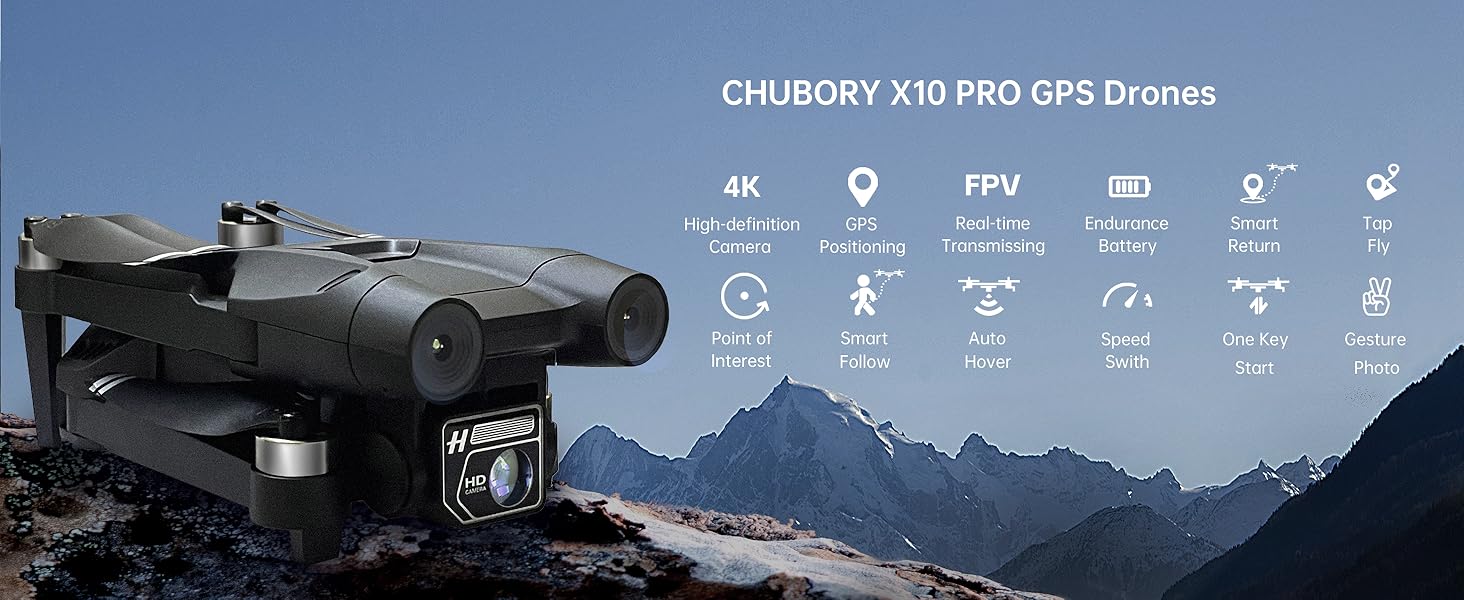
Figure 4.2: An overview of the CHUBORY X10 PRO GPS Drone highlighting its key capabilities such as 4K High-definition Camera, GPS Positioning, FPV Real-time Transmitting, Endurance Battery, Smart Return, Tap Fly, Point of Interest, Smart Follow, Auto Hover, Speed Switch, One Key Start, and Gesture Photo.
4.2 Components
The X10 PRO consists of the main drone body with foldable arms, a high-definition camera, brushless motors, and a remote controller. The drone is powered by rechargeable Lithium Ion batteries.
5. Getting Started (Setup)
5.1 Battery Installation and Charging
The X10 PRO comes with three Lithium Ion batteries, providing up to 90 minutes of total flight time (30 minutes per battery).
- Insert the fully charged battery into the drone's battery compartment until it clicks into place.
- To charge the batteries, connect them to the provided USB charging cable and plug into a suitable USB power source (e.g., computer USB port, USB wall adapter).
- The charging indicator light will show the charging status. Ensure batteries are fully charged before each flight.
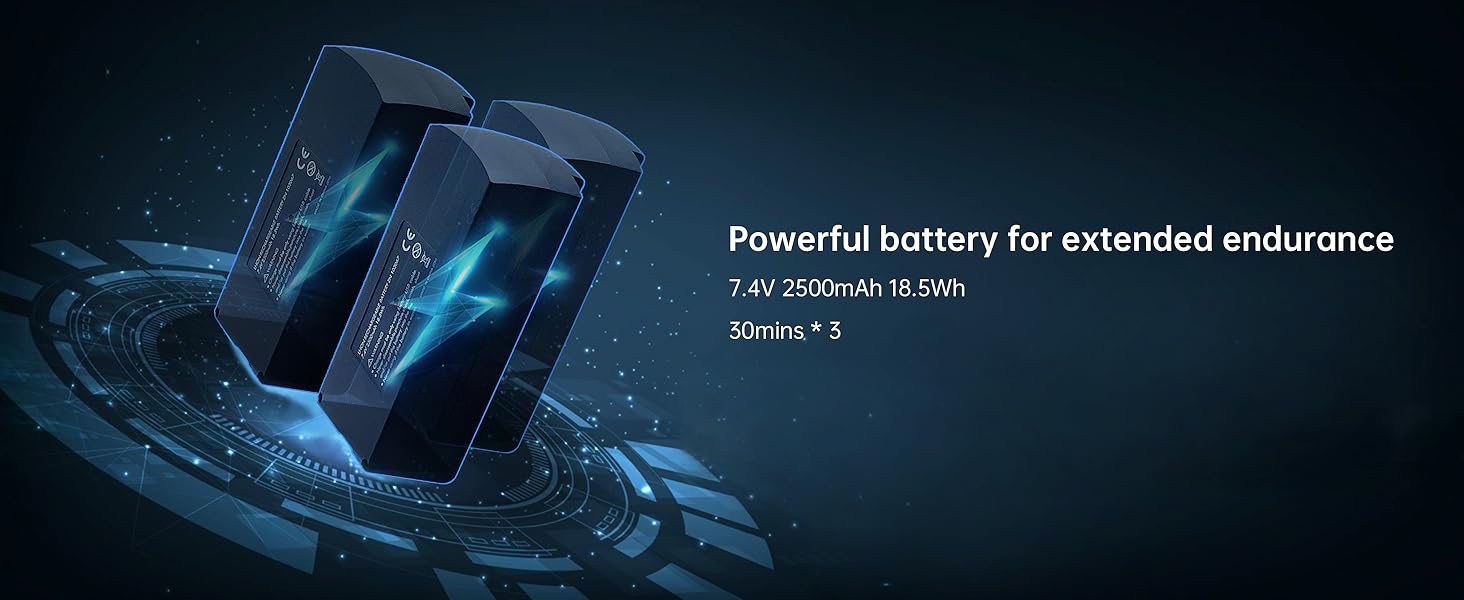
Figure 5.1: Illustration of the powerful 7.4V 2500mAh 18.5Wh batteries, indicating 30 minutes of endurance per battery, for a total of 90 minutes with three batteries.
5.2 Propeller Installation
Attach the propellers to the drone's motors according to the markings (A and B) on the propellers and motor arms. Ensure they are securely fastened.
5.3 Remote Controller Setup
Install batteries into the remote controller (not included, typically AA or AAA). Power on the controller and then the drone. Follow the pairing instructions in the quick start guide to connect the two devices.
5.4 App Download and Connection
Download the official CHUBORY drone app from your device's app store. Connect your smartphone to the drone's Wi-Fi network (usually named 'X10 PRO-XXXXXX'). Open the app to view the FPV feed and access intelligent flight modes.
6. Operating Instructions
6.1 Basic Flight Controls
Familiarize yourself with the remote controller's joysticks and buttons. The left joystick typically controls altitude and yaw (rotation), while the right joystick controls forward/backward and left/right movement. Practice in an open, safe area.

Figure 6.1: The X10 PRO drone demonstrating its impressive 3280ft remote control range, allowing for extensive aerial exploration.
6.2 Intelligent Flight Modes
The X10 PRO features several intelligent flight modes to enhance your flying and photography experience:
- Follow Me: The drone will automatically follow the remote controller or a designated subject, keeping it in the frame. Ideal for capturing dynamic action shots.

Figure 6.2: The X10 PRO autonomously tracks and follows a target, such as a person on a bicycle, ensuring the subject remains centered in the shot.
- Tap Fly: Tap points on the map in the app, and the drone will fly along the designated path.

Figure 6.3: Navigate effortlessly by simply tapping your desired destinations on the screen within the app, and the drone will follow the programmed route.
- Point of Interest (POI): Set a central point, and the drone will circle around it at a specified radius and altitude, capturing cinematic shots of the subject.

Figure 6.4: The X10 PRO automatically circles or maintains focus on a specific location or object, perfect for capturing dynamic panoramic views.
- Auto Return Home (RTH): The drone will automatically return to its take-off point if the battery is low or the signal is lost. You can also activate this function manually.

Figure 6.5: The drone's Smart Return feature, enabled by GPS, ensures it is not prone to loss, with automatic return functions for signal loss and low battery.
- One-Key Return: Press a button on the remote controller or in the app to initiate an automatic return to the take-off point.
6.3 Camera Operation
The X10 PRO is equipped with a 4K UHD camera for high-quality photo and video capture.
- FPV (First Person View): View the live camera feed on your smartphone via the app, allowing for real-time aerial perspective.
- Photo/Video Capture: Use the dedicated buttons on the remote controller or within the app to take photos (4096x3072) or record videos (2048x1080).
- Adjustable Lens: The camera lens can be adjusted by ±90° for optimal framing.
- Gesture Photography: Utilize specific hand gestures to trigger photo or video capture, as detailed in the app's instructions.

Figure 6.6: The X10 PRO's high-definition 4K camera features a 100° FOV and a 90° remotely adjustable angle, ensuring versatile capture options.

Figure 6.7: Experience authentic 4K UHD imagery with the X10 PRO's SONY lens, offering a 100° FOV and 90° ECL for stunning aerial visuals.

Figure 6.8: Capture moments effortlessly with intuitive hand gestures, allowing for convenient photo and video recording.
7. Care and Maintenance
Proper care and maintenance will extend the lifespan of your X10 PRO drone.
- Cleaning: Use a soft, dry cloth to clean the drone and remote controller. Do not use harsh chemicals or solvents.
- Storage: Store the drone and its components in the provided carrying case in a cool, dry place, away from direct sunlight and extreme temperatures.
- Battery Care: For long-term storage, charge batteries to approximately 50-60%. Recharge them every three months to prevent over-discharge.
- Propeller Inspection: Regularly check propellers for cracks or damage. Replace damaged propellers immediately using the provided spares.
8. Troubleshooting Guide
If you encounter issues with your X10 PRO drone, refer to the table below for common problems and solutions.
| Problem | Possible Cause | Solution |
|---|---|---|
| Drone does not power on | Low or uncharged battery; Battery not properly installed | Charge battery fully; Reinstall battery securely |
| No FPV feed in app | Not connected to drone's Wi-Fi; App not launched correctly | Ensure phone is connected to drone's Wi-Fi; Restart app and drone |
| Drone drifts during flight | Improper calibration; Strong wind interference | Perform gyroscope and compass calibration; Fly in calm conditions |
| Short flight time | Battery not fully charged; Old battery; Aggressive flying | Fully charge batteries; Consider replacing old batteries; Fly more smoothly |
| Remote controller not connecting | Controller batteries low; Pairing failed | Replace controller batteries; Re-attempt pairing process |
9. Technical Specifications
| Specification | Detail |
|---|---|
| Brand | CHUBORY |
| Model Name | X10 PRO |
| Item Weight | 235 Grams (8.3 ounces) |
| Product Dimensions | 3.74"L x 3.74"W x 1.18"H (Folded) |
| Video Capture Resolution | 4K (4096x3072 photos / 2048x1080 video) |
| Connectivity Technology | Wi-Fi (5G FPV) |
| Maximum Control Range | 3280 Feet |
| Flight Time | Up to 90 minutes (with 3 batteries) |
| Motor Type | Brushless Motor |
| Positioning System | GPS + Optical Flow |
| Battery Type | Lithium Ion (7.4V 2500mAh) |
| Age Range (Description) | Adult |
| UPC | 718027257405 |
10. Warranty and Customer Support
CHUBORY is committed to providing high-quality products and excellent customer service.
- Warranty: The X10 PRO includes a 1-year replacement warranty from the date of purchase.
- Money-Back Guarantee: A 30-day money-back guarantee is offered for your peace of mind.
- Customer Support: For any questions, technical assistance, or warranty claims, please contact CHUBORY customer support. You can find contact information and more resources on the official CHUBORY store page: Visit the CHUBORY Store on Amazon.
Note on Videos: No official product videos were available for embedding in this manual based on the provided data.


