
1. Introduction
Thank you for purchasing the Gelielim Portable Multi-Band Radio. This device offers versatile audio entertainment and utility features, including FM, AM, SW, and Wide FM radio reception, MP3 playback from USB and SD cards, and convenient dual charging methods (USB and solar). It also includes an integrated LED light for emergency use. Please read this manual carefully before use to ensure proper operation and to maximize your enjoyment of the product.
2. Product Features
- Multi-Band Radio: Supports FM (76-108 MHz), AM (530-1710 KHz), and SW (5.9-18.0 MHz) frequencies, including Wide FM compatibility.
- MP3 Player: Play music directly from USB memory sticks or SD cards.
- Dual Charging Options: Recharge the internal battery via USB or the integrated solar panel.
- Integrated LED Light: High-brightness LED light functions as a flashlight for illumination in dark environments or during power outages.
- User-Friendly Design: Features large tuning knobs and a backlit frequency display for easy operation and visibility.
- Portable: Compact size and a retractable carry handle for easy transport.
3. Package Contents
Please check that all items are present and in good condition:
- Gelielim Portable Multi-Band Radio (Model 788ss)
- USB Charging Cable
- Instruction Manual
4. Controls and Functions
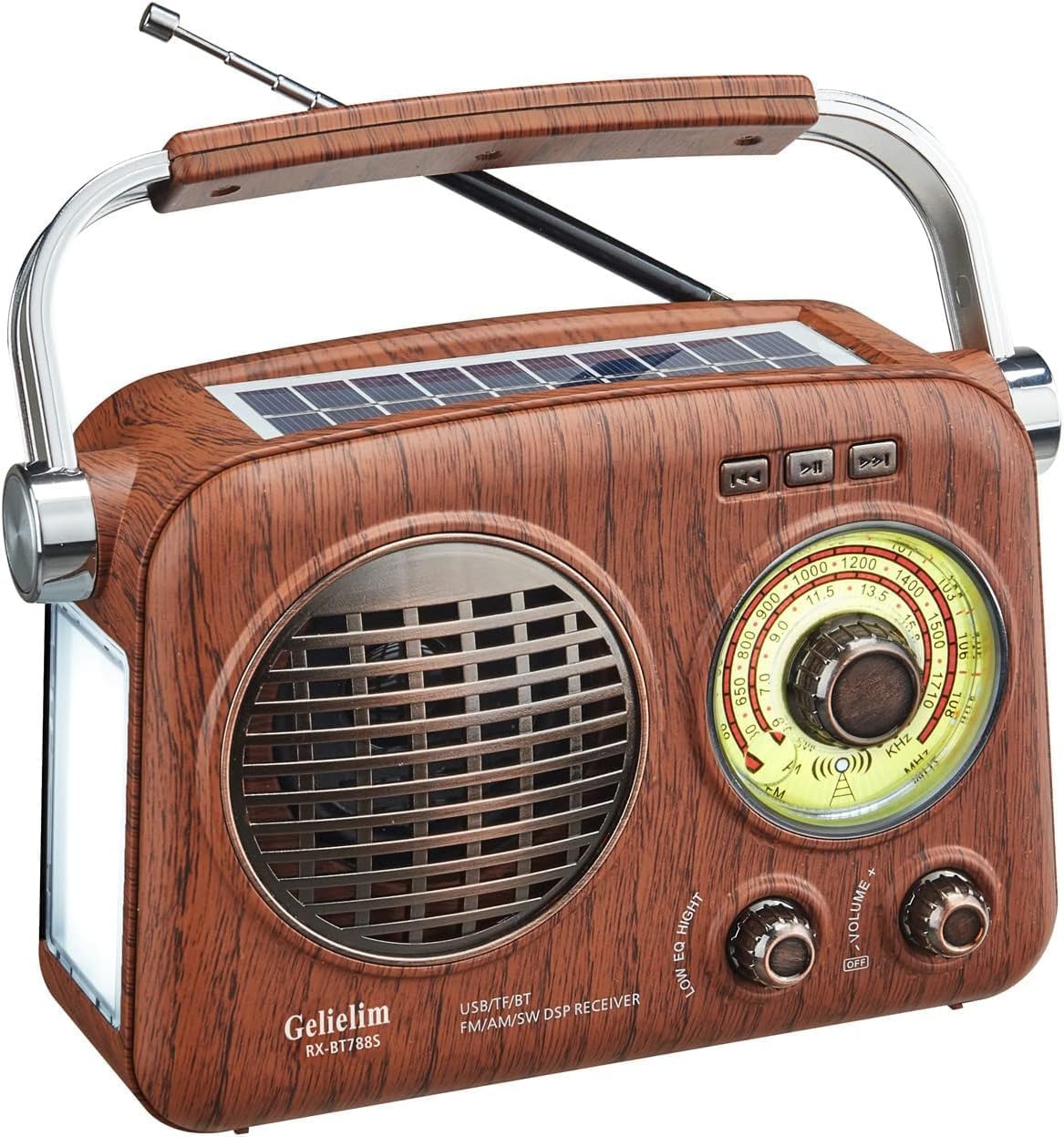
Image 4.1: Front view of the radio, highlighting its compact dimensions (approx. 175mm width, 75mm depth, 170mm height) and weight (approx. 726g). The retractable antenna extends to approximately 34cm.

Image 4.2: Side panel controls, including the USB port, TF (SD) card slot, DC 5V charging port, charge indicator light, and the torch (LED light) switch with ON/AUTO/OFF settings.
Front Panel
- Speaker Grille: Audio output.
- Tuning Dial: Displays selected frequency for FM, AM, and SW bands. Features a backlight for visibility.
- Tuning Knob: Used to select radio stations.
- Volume/Power Knob: Controls the power ON/OFF and adjusts the audio volume.
- Band Selector Switch: Toggles between FM, AM, SW, and MP3 modes.
Side Panel
- USB Port: For playing MP3 files from a USB memory stick.
- TF (SD) Card Slot: For playing MP3 files from an SD card.
- DC 5V Charging Port: Connect the USB charging cable here.
- CHARGE Indicator: Illuminates when the device is charging.
- TORCH Switch (ON/AUTO/OFF): Controls the LED light.
Top Panel
- Retractable Antenna: Extends for improved radio reception.
- Solar Panel: For solar charging the internal battery.
- Carry Handle: For convenient portability.
5. Setup
Initial Charging
Before first use, fully charge the radio's internal battery. Connect the provided USB charging cable to the DC 5V port on the side of the radio and plug the other end into a USB power source (e.g., computer, USB wall adapter). The CHARGE indicator will illuminate during charging. Charging time may vary.
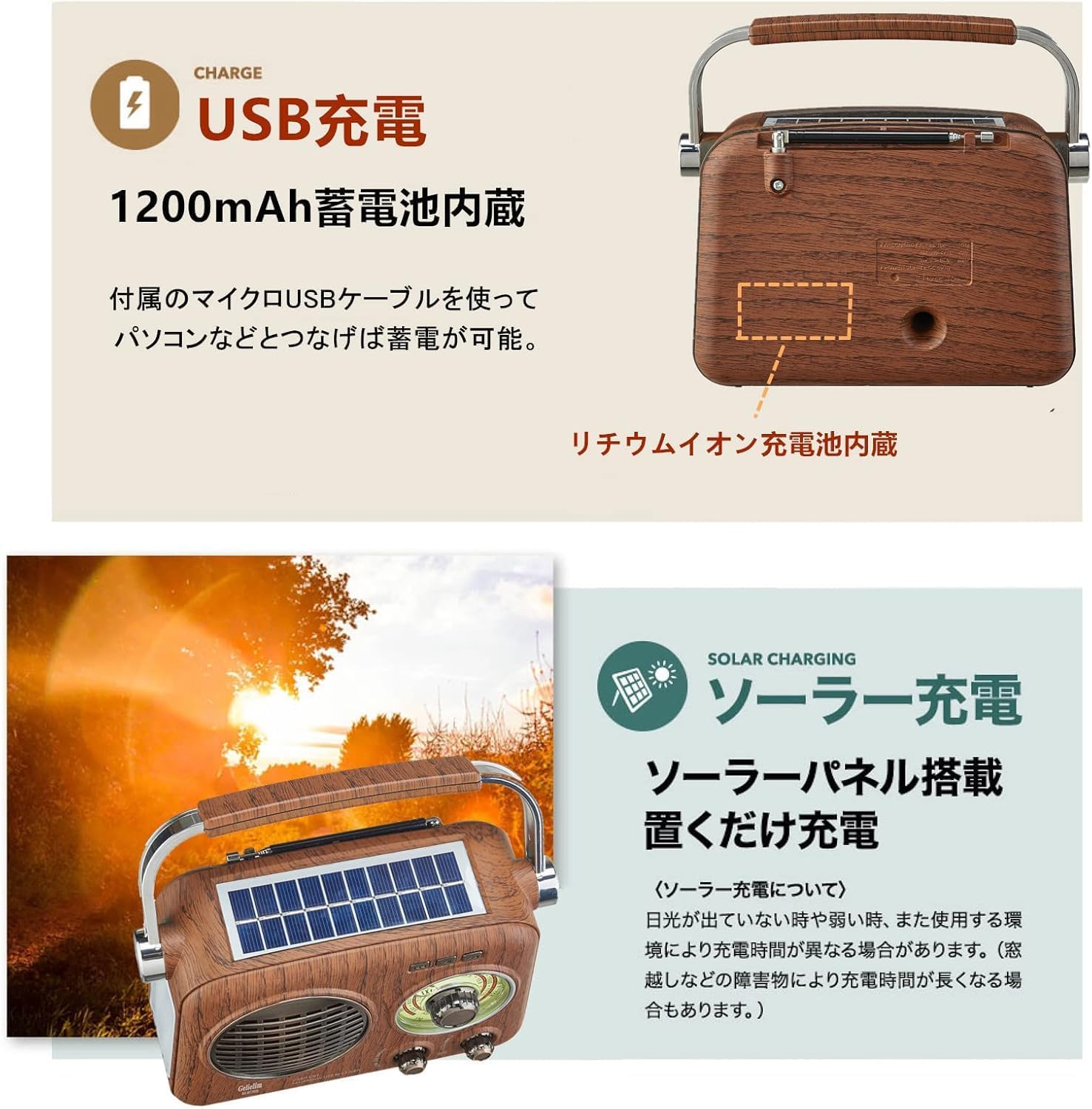
Image 5.1: USB charging port and indicator light on the side of the radio.
Antenna Extension
For optimal radio reception, extend the retractable antenna fully. Adjust its direction for the best signal clarity.
6. Operating Instructions
6.1 Power On/Off and Volume Control
- To turn the radio ON, rotate the Volume/Power knob clockwise.
- To adjust the volume, continue rotating the Volume/Power knob.
- To turn the radio OFF, rotate the Volume/Power knob counter-clockwise until it clicks.
6.2 Radio Operation (FM/AM/SW)
- Turn on the radio using the Volume/Power knob.
- Use the Band Selector Switch to choose your desired band: FM, AM, or SW.
- Extend the antenna for better reception.
- Rotate the Tuning Knob to scan for stations. The frequency will be displayed on the tuning dial.
- Adjust the antenna position for optimal signal clarity.

Image 6.1: Radio in use, showing the tuning dial and the LED light feature.
6.3 MP3 Playback (USB/SD Card)
- Insert a USB memory stick into the USB port or an SD card into the TF (SD) card slot.
- Set the Band Selector Switch to the 'MUSIC' or 'MP3' position (if available, otherwise it may automatically detect).
- The radio will automatically detect and begin playing MP3 files.
- Use the volume knob to adjust playback volume.
6.4 LED Light Operation
- Locate the TORCH switch on the side of the radio.
- Slide the switch to 'ON' for continuous illumination.
- Slide the switch to 'AUTO' for the light to turn on automatically in dark conditions.
- Slide the switch to 'OFF' to turn off the LED light.

Image 6.2: The LED light on the side of the radio providing illumination.
6.5 Solar Charging
The radio features a solar panel on its top surface. Place the radio in direct sunlight to charge the internal battery. The CHARGE indicator may illuminate, depending on light intensity. Solar charging is ideal for maintaining battery levels or for emergency charging when other power sources are unavailable. Charging efficiency depends on sunlight conditions.

Image 6.3: The radio positioned for solar charging, with the solar panel facing upwards.
7. Maintenance
- Cleaning: Wipe the radio with a soft, dry cloth. Do not use abrasive cleaners or solvents.
- Storage: Store the radio in a cool, dry place away from direct sunlight and extreme temperatures.
- Battery Care: If storing for an extended period, charge the battery periodically to maintain its lifespan.
- Antenna: Handle the retractable antenna gently to prevent damage.
8. Troubleshooting
| Problem | Possible Cause | Solution |
|---|---|---|
| No power | Battery is depleted. | Charge the radio using the USB cable or solar panel. |
| Poor radio reception | Antenna not extended or positioned correctly. Weak signal in the area. | Extend the antenna fully and adjust its direction. Try moving to a different location. |
| MP3 files not playing | USB/SD card not inserted correctly. Incompatible file format. Band selector not in 'MUSIC' mode. | Ensure USB/SD card is fully inserted. Check if files are in MP3 format. Set band selector to 'MUSIC' or 'MP3'. |
| LED light not working | TORCH switch is in 'OFF' position. Battery is low. | Slide the TORCH switch to 'ON' or 'AUTO'. Charge the radio. |
9. Specifications
| Feature | Detail |
|---|---|
| Brand | Gelielim |
| Model Number | 788ss |
| Color | Wood Grain |
| Dimensions (L x W x H) | Approx. 175 x 75 x 170 mm (6.9 x 3.0 x 6.7 inches) |
| Weight | Approx. 726g (1.6 lbs) |
| Material | ABS |
| Radio Frequencies | AM: 530-1710 KHz, FM: 76-108 MHz, SW: 5.9-18.0 MHz |
| Connectivity | USB, SD Card (TF Card Slot) |
| Audio Output Mode | Monaural |
| Display Type | LED (for backlight) |
| Power Source | Internal Rechargeable Battery (USB/Solar Charging) |
| Special Features | Built-in LED flashlight, Retractable Carry Handle |
| Country of Origin | China |
10. Warranty and Support
This product comes with a one-year warranty from the date of purchase. If you encounter any issues or have questions regarding your Gelielim Portable Multi-Band Radio, please do not hesitate to contact our customer service for assistance. Please refer to the contact information provided with your purchase documentation.