
1. Introduction
Thank you for choosing the Tuerthy Sunrise Alarm Clock. This device is designed to enhance your daily routine by providing a natural and gentle wake-up experience, along with features to aid sleep and create a pleasant ambiance. This manual provides detailed instructions for setup, operation, and maintenance to ensure optimal performance and user satisfaction.
2. Product Overview
The Tuerthy Sunrise Alarm Clock combines an alarm clock, wake-up light, night light, and sound machine into one device. Key features include a unique circular light design, a wood grain finish, and intuitive controls.
2.1 Components
- Circular Light Ring: Provides sunrise/sunset simulation and various lighting modes.
- Digital Display: Shows time, alarm status, and other settings.
- Spiral Knob: Multi-functional control for settings, volume, and selections.
- Touch Surface: Activates dynamic lights with a tap.
- USB Charging Port: For power supply.

Figure 2.1: Front view of the Tuerthy Sunrise Alarm Clock, showcasing its unique circular light design, wood grain base, and digital time display.

Figure 2.2: An illustration highlighting the core functionalities of the Tuerthy Sunrise Alarm Clock: alarm, natural white noise, sunrise simulation, sleep assistance, and USB charging capability.
3. Setup
3.1 Initial Power-On
- Connect the provided USB cable to the alarm clock's USB charging port.
- Plug the other end into a compatible USB power adapter (not included) and then into a wall outlet.
- The digital display will illuminate, indicating the device is powered on.
3.2 Setting Time and Date
The spiral knob is the primary control for setting time and date.
- Press and Hold the Spiral Knob: This enters the time setting mode. The hour display will begin to flash.
- Rotate the Spiral Knob: Turn clockwise or counter-clockwise to adjust the hour.
- Press the Spiral Knob: Confirm the hour and move to setting the minute.
- Repeat Rotation and Press: Adjust and confirm minutes, then year, month, and day in sequence.
- Final Press: After setting the day, press the knob one last time to exit time/date setting mode.
4. Operating Instructions
4.1 Sunrise Alarm & Wake-Up Light
This feature simulates a natural dawn to gently wake you up.
- Set Alarm Time: Press the spiral knob briefly to cycle through alarm settings. When the alarm time flashes, rotate the knob to adjust the hour, then press to confirm and adjust minutes.
- Select Alarm Sound: After setting the time, rotate the knob to choose from 10 nature sounds. Press to confirm.
- Activate Sunrise Mode: The sunrise simulation can be toggled on/off during alarm setup. Rotate the knob to select 'Sunrise ON' or 'Sunrise OFF'.
- Adjust Sunrise Duration: The light gradually brightens over 10-60 minutes before your set alarm time. This duration can be adjusted in the alarm settings.
- Brightness Levels: The sunrise light has 20 adjustable brightness levels.

Figure 4.1: Visual representation of the gradual sunrise simulation feature, showing the light intensifying over time from 6:30 AM to 7:00 AM to gently wake the user.
4.2 12 Dynamic Lights + Night Light Hub
Control various lighting functions using the oversized spiral knob and touch surface.
- Cycle Through Colors: Rotate the spiral knob to cycle through 4 dynamic color flows (C09-C12), 7 static hues (C02-C08), or sunset mode.
- Adjust Brightness: Press the knob to lock the current color setting, then rotate to adjust 20 dimming levels. This allows for a range from vibrant ambiance to a soft night light.
- Save Preferences: Hold the spiral knob to save your current lighting preferences as the default mood.
- Smart Touch Activation: Tap the wood surface anywhere to instantly activate dynamic lights.

Figure 4.2: Demonstration of the touch control feature, allowing users to tap the light ring to cycle through 12 dynamic light colors and adjust 20 brightness levels.
4.3 30-Sound Library & Sleep Timer
The device offers a variety of sounds to aid sleep and relaxation, controlled by the spiral knob.
- Select Sound: Rotate the spiral knob to choose from 10 white/pink/brown noises or 20 nature/lullaby tracks.
- Adjust Volume: Click the knob to set the volume (32 levels).
- Set Sleep Timer: After selecting a sound, click the knob again to set an auto-off timer from 10 to 480 minutes. Lights and sounds will fade in sync.
- Snooze Function: Double-press the spiral knob to activate a one-touch snooze, extending the alarm by 9 minutes.
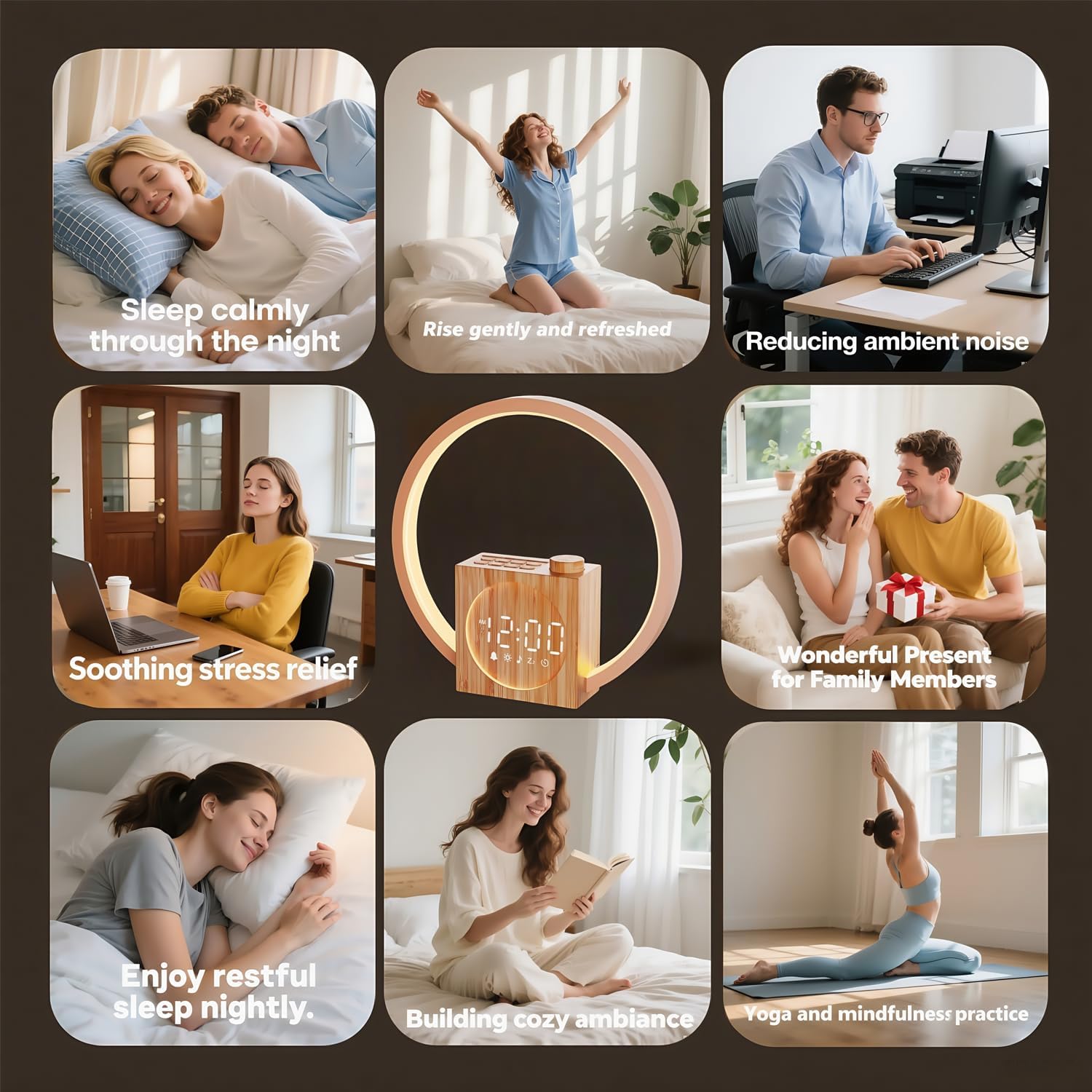
Figure 4.3: An overview of the 30 available calming audio options, categorized into white noise, fan tones, natural sounds (sea, rain, birds), and relaxation tracks (yoga).

Figure 4.4: An image illustrating the sleep aid function, where the alarm clock provides soothing sounds and a customizable sleep timer (10-480 minutes) to help users fall asleep.
5. Maintenance
5.1 Cleaning
- Ensure the device is unplugged before cleaning.
- Wipe the exterior with a soft, dry, or slightly damp cloth.
- Do not use abrasive cleaners, solvents, or harsh chemicals, as these may damage the finish.
- Avoid getting moisture into any openings.
5.2 Storage
- Store the alarm clock in a cool, dry place when not in use for extended periods.
- Keep it away from direct sunlight and extreme temperatures.
6. Troubleshooting
| Problem | Possible Cause | Solution |
|---|---|---|
| Device does not power on. | Not properly connected to power. | Ensure USB cable is securely connected and power adapter is plugged into a working outlet. |
| Alarm does not sound/light up. | Alarm not activated or volume too low. | Check alarm settings to ensure it is enabled. Increase alarm volume. Verify sunrise mode is active if desired. |
| Light modes are not changing. | Incorrect operation of the spiral knob or touch surface. | Refer to Section 4.2 for detailed instructions on changing light modes and brightness. Ensure you are rotating or pressing the knob correctly. |
| Time display is incorrect. | Time was not set correctly or power interruption. | Reset the time and date following instructions in Section 3.2. |
| Sounds are distorted or too quiet. | Volume setting is too low or speaker obstruction. | Adjust the volume using the spiral knob. Ensure the speaker area is not blocked. |
6.1 Factory Reset
If issues persist, a factory reset can be performed. Consult the product packaging or manufacturer's website for specific instructions on how to perform a factory reset, as this typically involves a combination of button presses.
7. Specifications
- Brand: Tuerthy
- Model: B0FCFH8DNN
- Color: Wood Grain
- Product Dimensions: 4.7 x 3.81 x 22.5 cm
- Item Weight: 410 g
- Special Features: Adjustable Brightness, Adjustable Volume, Alarm, Double Bell, Mood Light, Charging Port
- Number of Light Sources: 12
- Power Source: USB (Adapter not included)
- Certifications: FCC, CE, RoHS approved
8. Warranty and Support
8.1 Warranty Information
The Tuerthy Sunrise Alarm Clock comes with a 1-year warranty from the date of purchase. This warranty covers manufacturing defects and ensures the product is free from defects in material and workmanship under normal use.
The warranty does not cover damage caused by misuse, accidents, unauthorized modifications, or normal wear and tear.
8.2 Customer Support
For any questions, concerns, or warranty claims, please contact our customer support team. We are committed to ensuring your satisfaction with Tuerthy products.
Contact Information: Please refer to the product packaging or the official Tuerthy website for the most up-to-date customer support contact details.

