
CNBRO 2408cc9b-f0d6-4607-9cc5-2012bc4e99f9
CNBRO Smart Bracelet Fitness Tracker User Manual
Model: 2408cc9b-f0d6-4607-9cc5-2012bc4e99f9
Introduction
This manual provides detailed instructions for the setup, operation, maintenance, and troubleshooting of your CNBRO Smart Bracelet Fitness Tracker. This device is designed to monitor various health and fitness metrics, including steps, calories, distance, heart rate, and sleep patterns. It also features multiple sport modes and remote camera control.
Package Contents
- 1 x CNBRO Smart Bracelet
- 1 x Magnetic Charging Cable
- 1 x User Manual
Setup
1. Charging the Device
Before initial use, fully charge your smart bracelet. Connect the magnetic charging cable to the charging points on the back of the device and to a standard USB power adapter (not included). A full charge typically takes approximately 2 hours.

Image: The CNBRO Smart Bracelet connected to its magnetic charging cable, illustrating the charging process.
2. App Installation
Download and install the "Jring" application on your smartphone. The app is compatible with iOS 10.0 or above and Android 5.0 or above. Search for "Jring" in your device's app store.
3. Device Pairing
- Ensure your smartphone's Bluetooth is enabled.
- Open the "Jring" app and follow the on-screen instructions to create an account or log in.
- Navigate to the device pairing section within the app.
- Select your smart bracelet from the list of available devices. The device uses Bluetooth 5.1 for connection.
- Confirm the pairing on both your phone and the smart bracelet if prompted.
Operating Instructions
Basic Navigation
The smart bracelet features a touchscreen interface. Swipe left/right or up/down to navigate through different functions and tap to select. Refer to the on-screen icons for specific functions.
Activity Tracking (Pedometer)
The device automatically tracks your steps, calories burned, and distance traveled throughout the day. View these metrics directly on the bracelet or in the "Jring" app for detailed historical data.
Heart Rate Monitoring
The smart bracelet supports 24-hour continuous heart rate tracking. To view your current heart rate, navigate to the heart rate interface on the device. For detailed analysis and trends, check the "Jring" app.
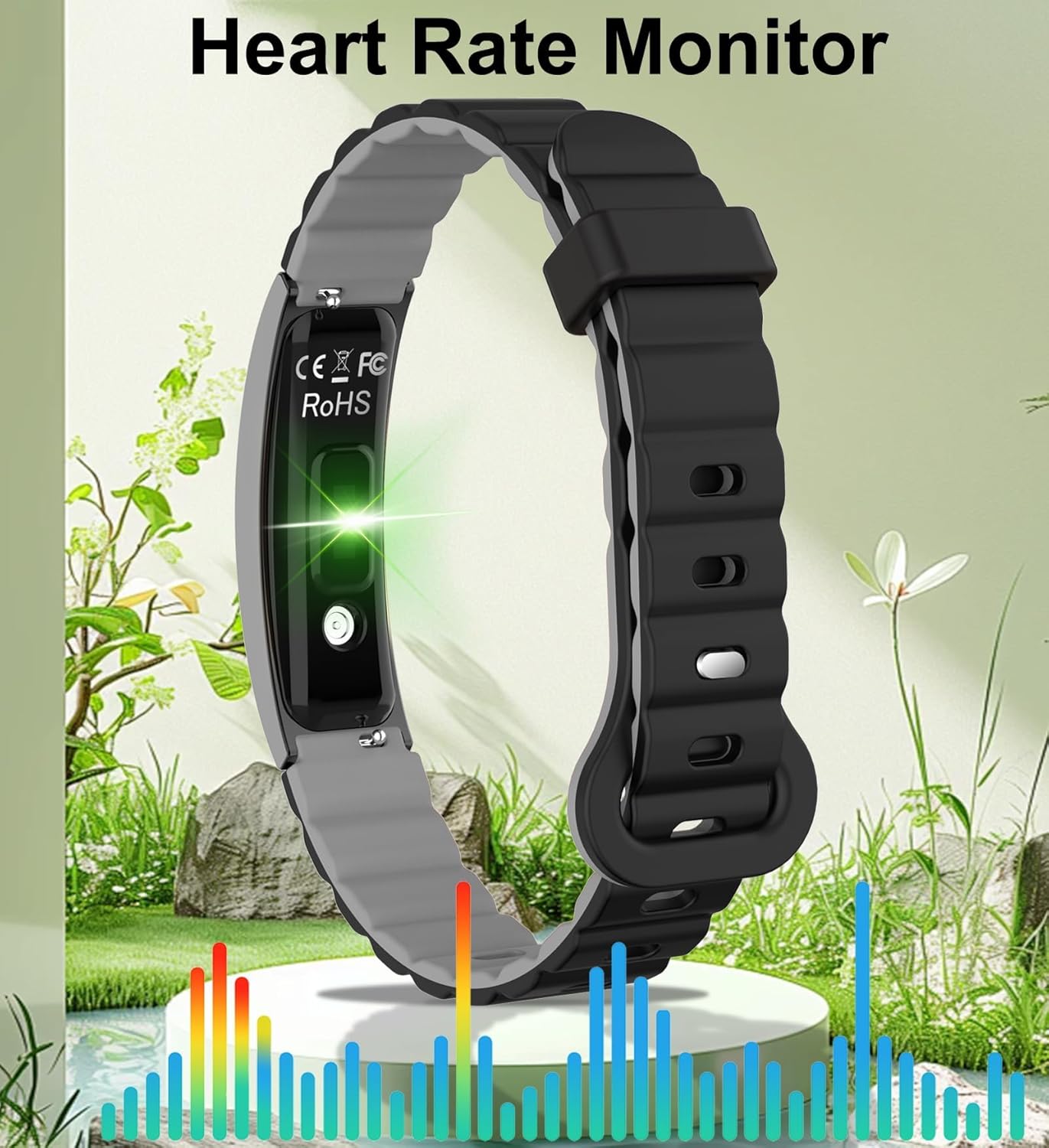
Image: The CNBRO Smart Bracelet with a green light indicating active heart rate monitoring, set against a background of health data visualization.
Sleep Tracking
Wear the bracelet while sleeping to automatically track your sleep duration and quality. The "Jring" app provides a comprehensive analysis, including deep sleep, light sleep, and wake-up times, helping you understand and improve your sleep habits.

Image: A CNBRO Smart Bracelet worn on the wrist of a person sleeping, illustrating its sleep tracking function.
Sport Modes
The device includes multiple sport modes. Activate a specific sport mode within the "Jring" app to track your activity time, heart rate during exercise, route (via smartphone GPS), mileage, and calories burned for that specific activity.

Image: Two individuals engaged in running, with an overlay showing "Sport Record," "Mileage," "Calories," and "Heart Rate" data, demonstrating the multiple sports modes feature of the CNBRO Smart Bracelet.
Blood Oxygen Measurement
The smart bracelet can measure your blood oxygen levels. Navigate to the blood oxygen function on the device to initiate a measurement. For best results, remain still during the measurement.

Image: A graphic illustrating blood oxygen measurement with a chart showing O2 levels over time, alongside the CNBRO Smart Bracelet.
Remote Camera Control
Once paired with your smartphone, you can use the smart bracelet as a remote shutter for your phone's camera. Open the camera function in the "Jring" app, then shake your wrist or tap the bracelet to take a photo.
Maintenance
Cleaning
Wipe the device regularly with a soft, damp cloth. Avoid using harsh chemicals or abrasive materials, as these can damage the device's finish and sensors.
Water Resistance
The CNBRO Smart Bracelet is IP68 waterproof, meaning it can withstand swimming, hand washing, cold showers, and rain. Important: Do not expose the device to hot water, steam, or use it for diving, as this can compromise the waterproof seals.
Storage
When not in use for extended periods, store the device in a cool, dry place. Ensure it is fully charged before storing to prolong battery life.
Troubleshooting
Device Not Turning On
- Ensure the device is fully charged. Connect it to the magnetic charger for at least 30 minutes.
- Press and hold the touch button (if applicable) or the side button for several seconds to power on.
Cannot Connect to Smartphone
- Verify Bluetooth is enabled on your smartphone.
- Ensure the "Jring" app is open and running in the background.
- Restart both your smartphone and the smart bracelet.
- Try unpairing and re-pairing the device through the "Jring" app's settings.
- Check if your smartphone's operating system meets the compatibility requirements (iOS 10.0+ or Android 5.0+).
Inaccurate Readings (Steps, Heart Rate, Sleep)
- Ensure the bracelet is worn snugly but comfortably on your wrist, about one finger's width above your wrist bone.
- Clean the sensors on the back of the device.
- For heart rate, remain still during measurement.
- Ensure your personal information (height, weight, age) is accurately entered in the "Jring" app.
Battery Drains Quickly
- Reduce the screen brightness.
- Limit continuous heart rate monitoring if not needed 24/7.
- Ensure the device is not constantly searching for a Bluetooth connection.
Specifications
| Model Number | 2408cc9b-f0d6-4607-9cc5-2012bc4e99f9 |
| Brand | CNBRO |
| Operating System Compatibility | Android 5.0 or above, iOS 10.0 or above |
| Connectivity | Bluetooth 5.1 |
| Charging Type | Magnetic Charging |
| Full Charge Time | Approximately 2 Hours |
| Standby Time | Up to 10 Days (5 days working time) |
| Water Resistance Level | IP68 (Waterproof up to 1.5 meters) |
| Case Material | Zinc alloy + IML |
| Band Material | Silicone gel |
| Metrics Measured | Heart Rate, Sleep Duration, Distance, Step Count, Blood Oxygen |
| Item Weight | 0.1 Kilograms |
| Dimensions (approx.) | 48.00 mm (length) x 14.50 mm (width) x 9.90 mm (thickness) |

Image: A technical diagram illustrating the dimensions (length, width, thickness) of the CNBRO Smart Bracelet.
Warranty and Support
Warranty Information
This CNBRO Smart Bracelet is covered by a 1-year seller warranty from the date of purchase. This warranty covers manufacturing defects under normal use. It does not cover damage caused by misuse, accidents, unauthorized modifications, or failure to follow the instructions in this manual.
Customer Support
For any questions, technical assistance, or warranty claims, please contact our customer support team. We are committed to providing the best possible solution within 24 hours. Refer to your purchase documentation for specific contact details.
Ask a question about this manual
Ask about setup, troubleshooting, compatibility, parts, safety, or missing instructions. Manuals+ will review the question and use this page’s manual context to help answer it.