
Product Overview
The TISHLED Gasket Creamy Mechanical Numpad K19 is a versatile numeric keypad designed to enhance productivity and user experience. It features tri-mode connectivity, hot-swappable switches, programmable keys, and customizable RGB backlighting. This manual provides detailed instructions for setup, operation, and maintenance.

Image 1: TISHLED Gasket Creamy Mechanical Numpad K19, showcasing its compact design and key layout.
What's in the Box
- 1x Tri-Mode Programmable Mechanical Numpad
- 1x Nano 2.4G USB Receiver
- 1x USB C Cable
- 1x Keycaps & Switches Puller
Setup
1. Initial Charging
Before first use, connect the numpad to a USB power source using the provided USB-C cable to ensure it is fully charged. The 1500mAh lithium battery provides extended usage time.
2. Connectivity Options (Tri-Mode Connection)
The K19 Numpad supports three connection modes: Wireless 2.4GHz, Bluetooth 5.0, and Wired USB-C.

Image 2: The TISHLED K19 Numpad highlighting its tri-mode connectivity options.
- Wireless 2.4GHz: Insert the Nano 2.4G USB Receiver into your device's USB port. Press FN + 4 to switch to 2.4G mode.
- Bluetooth 5.0: The numpad can connect to up to 3 Bluetooth devices. Press FN + 1, FN + 2, or FN + 3 to switch to BT1, BT2, or BT3 mode respectively. Follow your device's Bluetooth pairing instructions.
- Wired USB-C: Connect the numpad directly to your device using the provided USB-C cable. Press FN + 5 to switch to Wired mode.
3. Driver Installation
For full programmability of the 18 keys (excluding FN), download and install the keypad driver from the provided link: bit.ly/K19-Driver. The numpad features memory capability, retaining settings even after power loss.
Operating Instructions
1. Key Functions & Programmability
All 18 keys, except the FN key, are programmable via the keypad driver. Customize each key for system shortcuts, multimedia shortcuts, text input, one-click file/folder/web page opening, macros, and more.
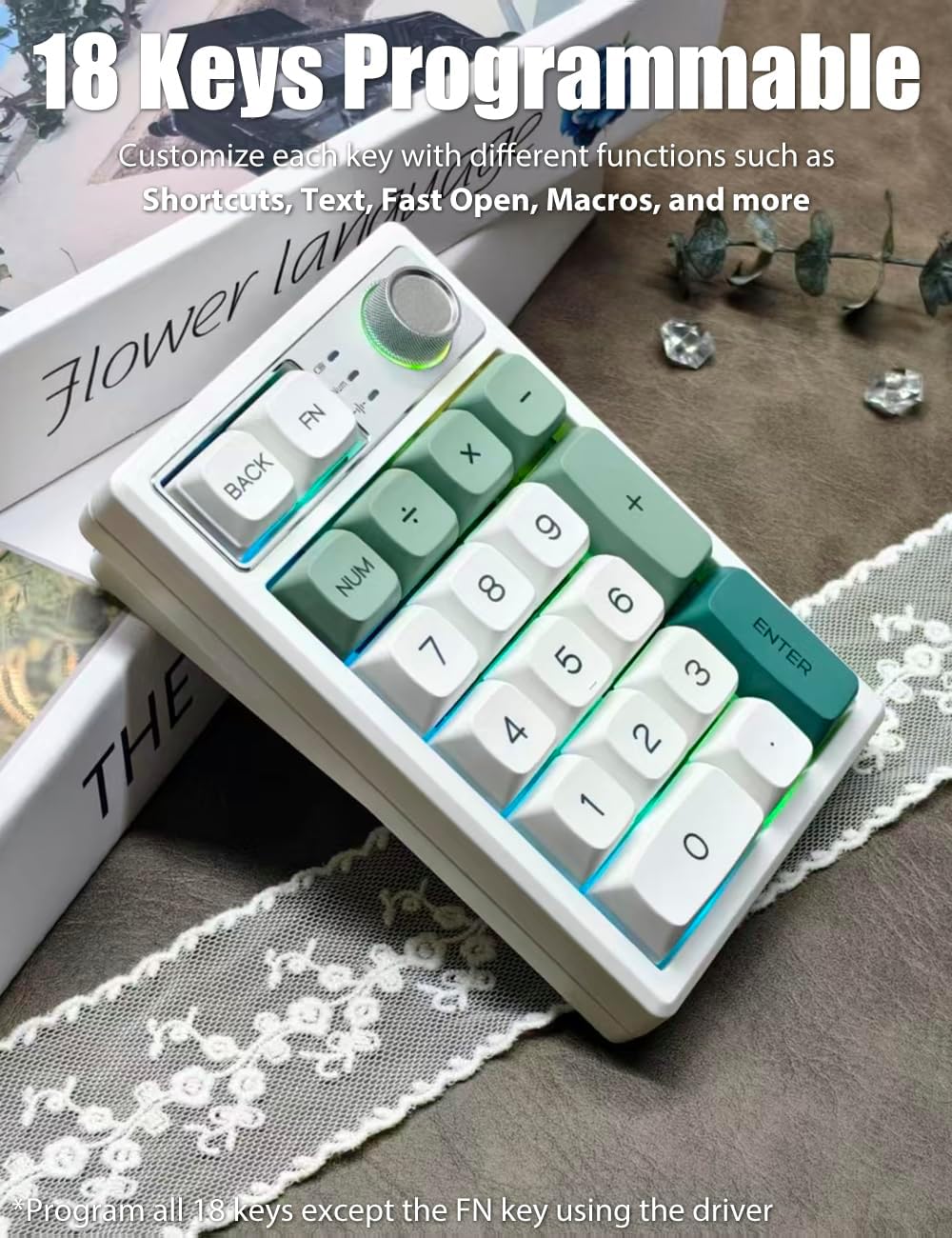
Image 3: The TISHLED K19 Numpad illustrating its 18 programmable keys.
2. Multifunction Knob
The metal knob offers dual functionality:
- Volume Control: Turn the knob to adjust the system volume. Click the knob for Esc.
- Brightness Control: Press FN + Click the knob to switch to brightness mode. Turn the knob to adjust the backlight brightness.
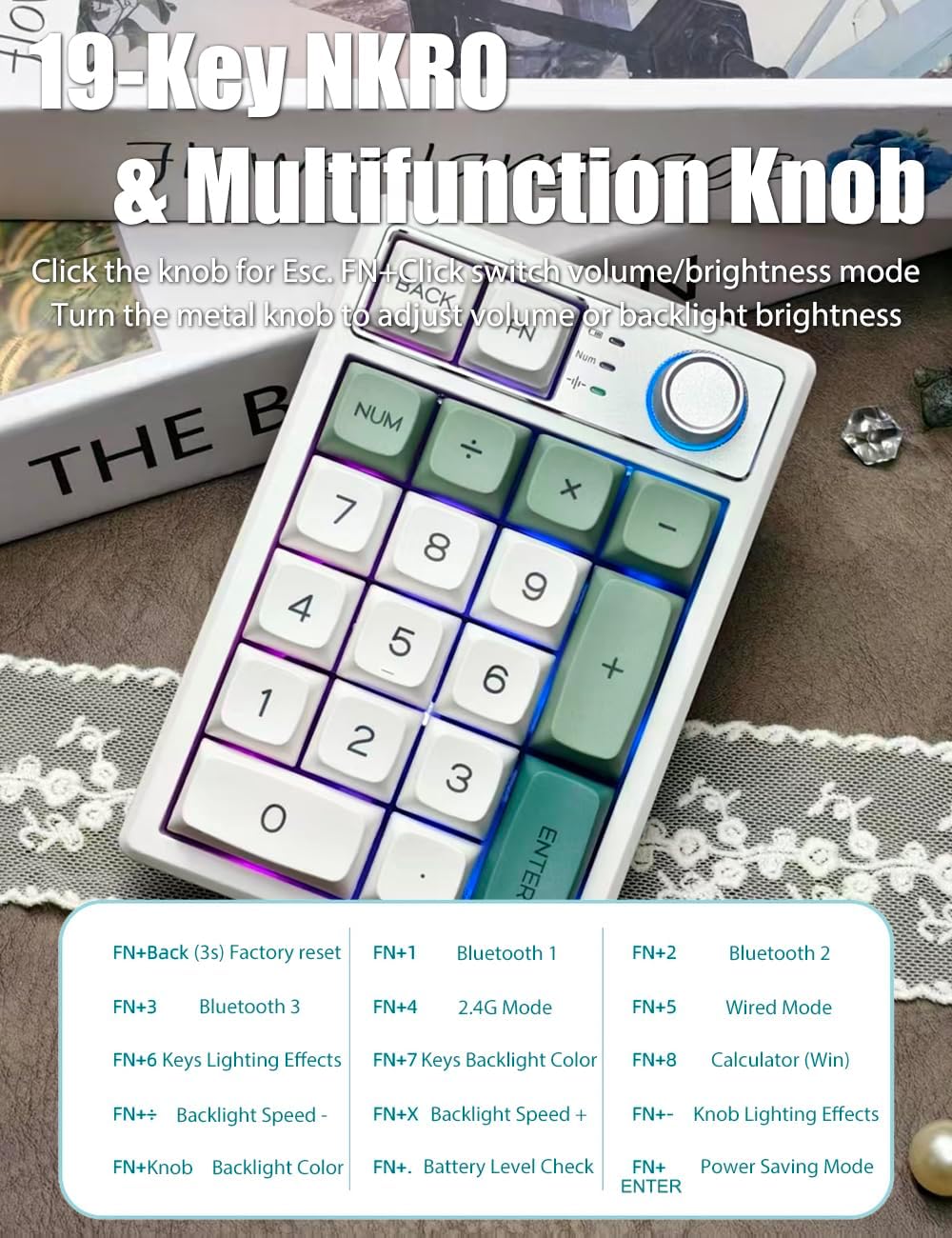
Image 4: The TISHLED K19 Numpad showing the multifunction knob and key functions.
3. RGB Backlight Control
The numpad features True RGB Backlit with up to 18 backlight modes. It supports RGB colors and single colors. You can customize the backlight and activate music rhythm mode via the driver.

Image 5: The TISHLED K19 Numpad displaying its vibrant RGB backlighting and durable PBT keycaps.
- Press FN + 6 for Keys Lighting Effects.
- Press FN + 7 for Keys Backlight Color.
- Press FN + - to decrease Backlight Speed.
- Press FN + X to increase Backlight Speed.
- Press FN + Knob for Backlight Color.
- Press FN + . to check Battery Level.
- Press FN + ENTER for Power Saving Mode.
4. 19-Key NKRO (N-Key Rollover)
All 19 keys are anti-ghosting and non-conflict, ensuring every keystroke is registered during fast typing or intense usage.
5. Battery Management
The numpad features a 1500mAh lithium battery with low-power chip and energy-saving technology, providing 30-60 days of usage depending on backlight settings. The backlight automatically turns off after 2 minutes of inaction, and the keyboard enters Hibernation Mode after 30 minutes of idle time. Press any key to wake it up.

Image 6: The TISHLED K19 Numpad highlighting its rechargeable battery and energy-saving features.
Features
- Tri-Mode Connection: Supports Wireless 2.4GHz, Bluetooth 5.0 (up to 3 devices), and Wired USB-C for broad compatibility across Windows, MacOS, iOS, and Android systems.
- Gasket-Mount & Hot Swap: Features gasket materials (EVA foam, IXPE switch pads) for a consistent, softer typing feel and pleasing acoustic feedback. The hot-swappable design supports both 3-pin and 5-pin switches, coming with creamy sounding linear Ice switches.
- 18 Keys Programmable: Customize all 18 keys (excluding FN) using the keypad driver for various functions, macros, and shortcuts. Settings are retained due to memory capability.
- True RGB Backlit & PBT Keycaps: Offers up to 18 RGB backlight modes, customizable colors, and music rhythm mode via the driver. Equipped with ultra-durable PBT keycaps that resist wear and oiliness.
- 19-Key NKRO & Multifunction Knob: All 19 keys are anti-ghosting. The metal knob adjusts volume (click for Esc) and backlight brightness (FN + Click to switch mode).
- Rechargeable & Energy-Saving: Integrated 1500mAh battery provides 30-60 days of use. Features automatic backlight off and hibernation mode to conserve power.
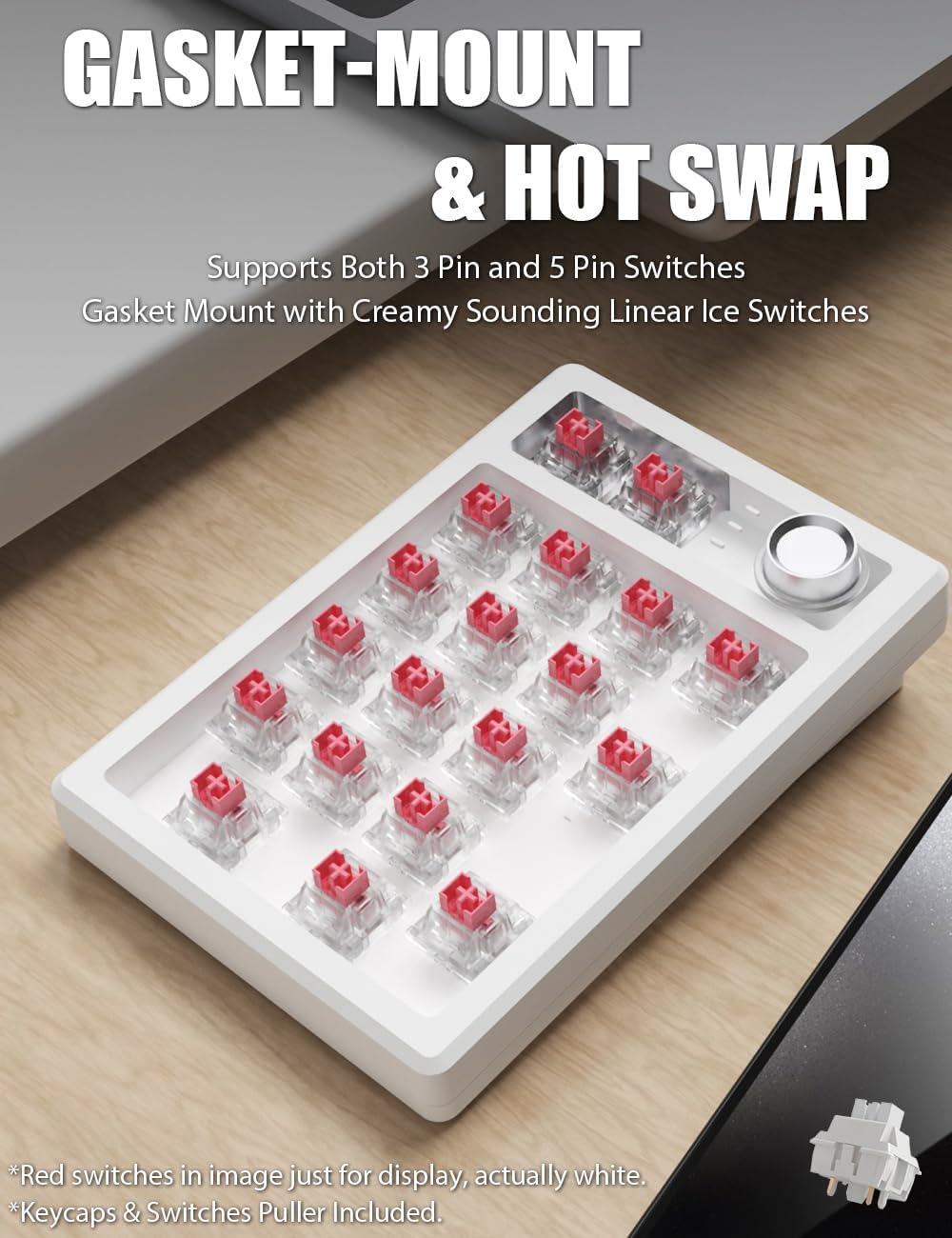
Image 7: The TISHLED K19 Numpad with keycaps removed, illustrating the gasket-mount and hot-swappable switch design.
Maintenance
- Cleaning: Use a soft, dry cloth to clean the numpad. For deeper cleaning, carefully remove keycaps using the provided puller and clean with compressed air or a soft brush.
- Switch/Keycap Replacement: The numpad is hot-swappable. Use the included keycaps & switches puller to carefully remove and replace switches or keycaps as desired.
- Firmware Updates: Periodically check the TISHLED website for any available firmware updates for your K19 Numpad to ensure optimal performance and access to new features.
Troubleshooting
- Numpad not connecting: Ensure the correct connection mode (2.4G, BT1/2/3, Wired) is selected using FN key combinations. Check battery level. For 2.4G, ensure the USB receiver is properly inserted. For Bluetooth, ensure your device's Bluetooth is on and the numpad is in pairing mode.
- Keys not responding: Check the connection. If wired, ensure the cable is secure. If wireless, check battery and connection mode. Try restarting the numpad.
- RGB lights not working/customizing: Ensure the numpad is powered on. Use FN key combinations to cycle through modes or adjust brightness. If using custom settings, ensure the driver is installed and running correctly.
- Factory Reset: To perform a factory reset, press and hold FN + Back for 3 seconds.
Specifications
| Feature | Detail |
|---|---|
| Product Dimensions | 5.2 x 3.5 x 1.4 inches |
| Item Weight | 12 ounces |
| Manufacturer | TISHLED |
| Item model number | K19 |
| Batteries | 1 Nonstandard Battery (included) |
| Connectivity Technology | Bluetooth 5.0, Wired USB C, Wireless 2.4G |
| Keyboard Description | Numeric |
| Special Feature | Backlit, Hot-Swappable, Programmable Keys, Rechargeable, Volume Roller |
| Keyboard backlighting color support | RGB |
Official Product Video
Video 1: A short demonstration of the crisp click sound produced by the numeric keypad's mechanical switches.
Warranty & Support
For warranty information, technical support, or further assistance, please refer to the official TISHLED website or contact their customer service. Details can typically be found in the product packaging or on the manufacturer's website.