
TRIGKEY Key I13
TRIGKEY Key I13 Mini PC User Manual
Model: Key I13 with Intel Core i9-13900HK, 32GB DDR5 RAM, 1TB M.2 SSD
1. Introduction
This manual provides essential information for the proper setup, operation, and maintenance of your TRIGKEY Key I13 Mini PC. Please read this guide thoroughly before using the device to ensure optimal performance and longevity. Keep this manual for future reference.

Image 1.1: Front and rear view of the TRIGKEY Key I13 Mini PC, showcasing its compact design and various ports.
2. Package Contents
Upon unpacking, please verify that all items listed below are present and in good condition:
- TRIGKEY Key I13 Mini PC
- Power Adapter
- HDMI Cable
- User Manual (this document)
- VESA Mount (optional, may vary by package)
3. Product Overview
3.1 External Interfaces
The TRIGKEY Key I13 Mini PC features a comprehensive set of ports for connectivity. Refer to the diagram below for port identification and function.
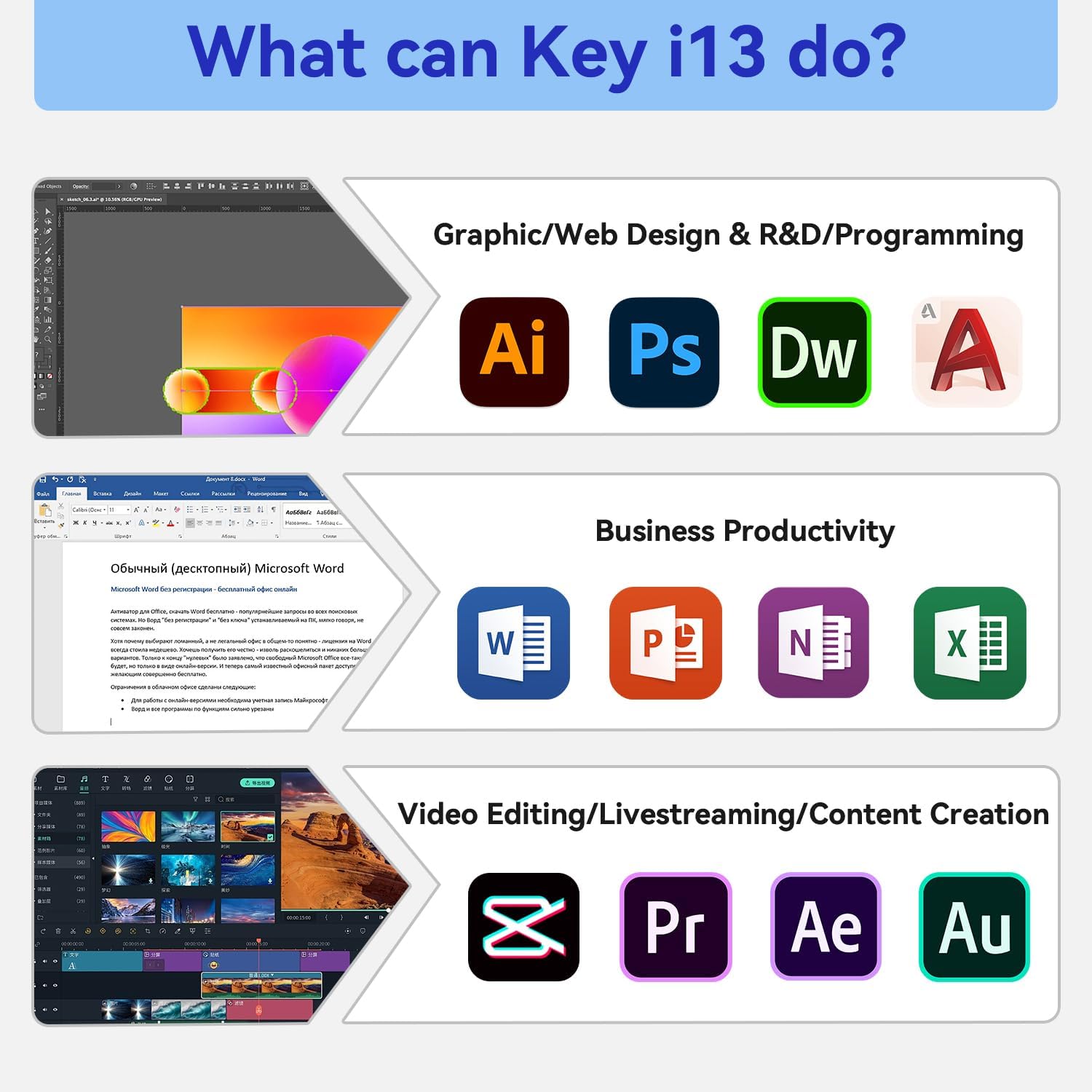
Image 3.1: Detailed view of the TRIGKEY Key I13 Mini PC's front and rear ports.
- Front Panel: USB 3.2 10Gbps, USB-C 3.2 10Gbps, 3.5mm Audio Jack, Power Button, CLR CMOS Button.
- Rear Panel: DC IN (Power Input), 3.5mm Audio Jack, Thunderbolt 4 (40Gbps/DP1.4), HDMI 4K 60Hz, DP1.4 4K 144Hz, 3x USB 3.2 10Gbps, LAN 2.5G.
3.2 Key Internal Components
The Key I13 Mini PC is engineered for high performance and efficiency.
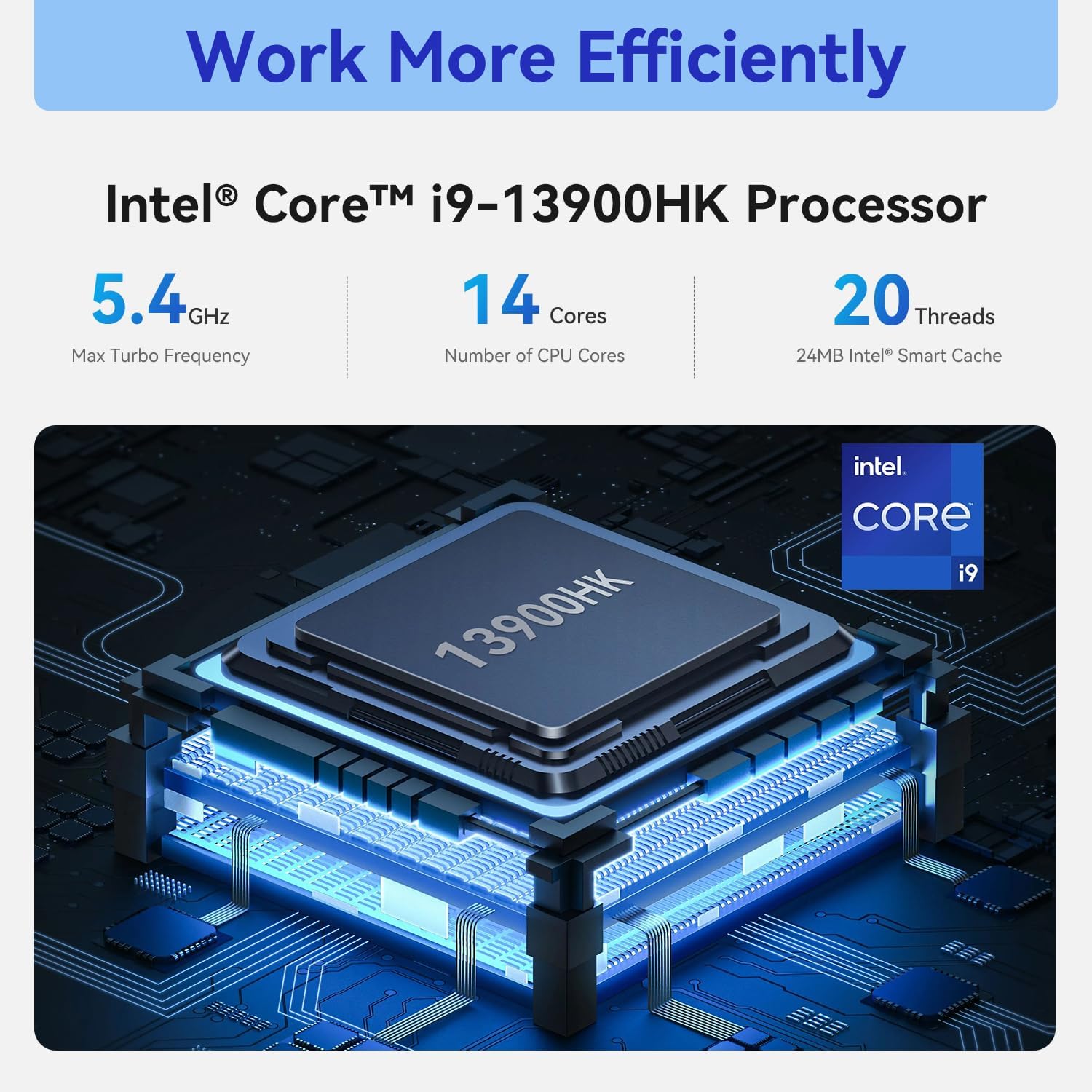
Image 3.2: Visual representation of the Intel Core i9-13900HK processor, highlighting its 14 cores and 5.4GHz max turbo frequency.
- Processor: Intel Core i9-13900HK with 14 Cores, 20 Threads, and a Max Turbo Frequency of 5.4GHz.
- Graphics: Integrated Intel Iris Xe Graphics, capable of dynamic frequencies up to 1.5GHz.
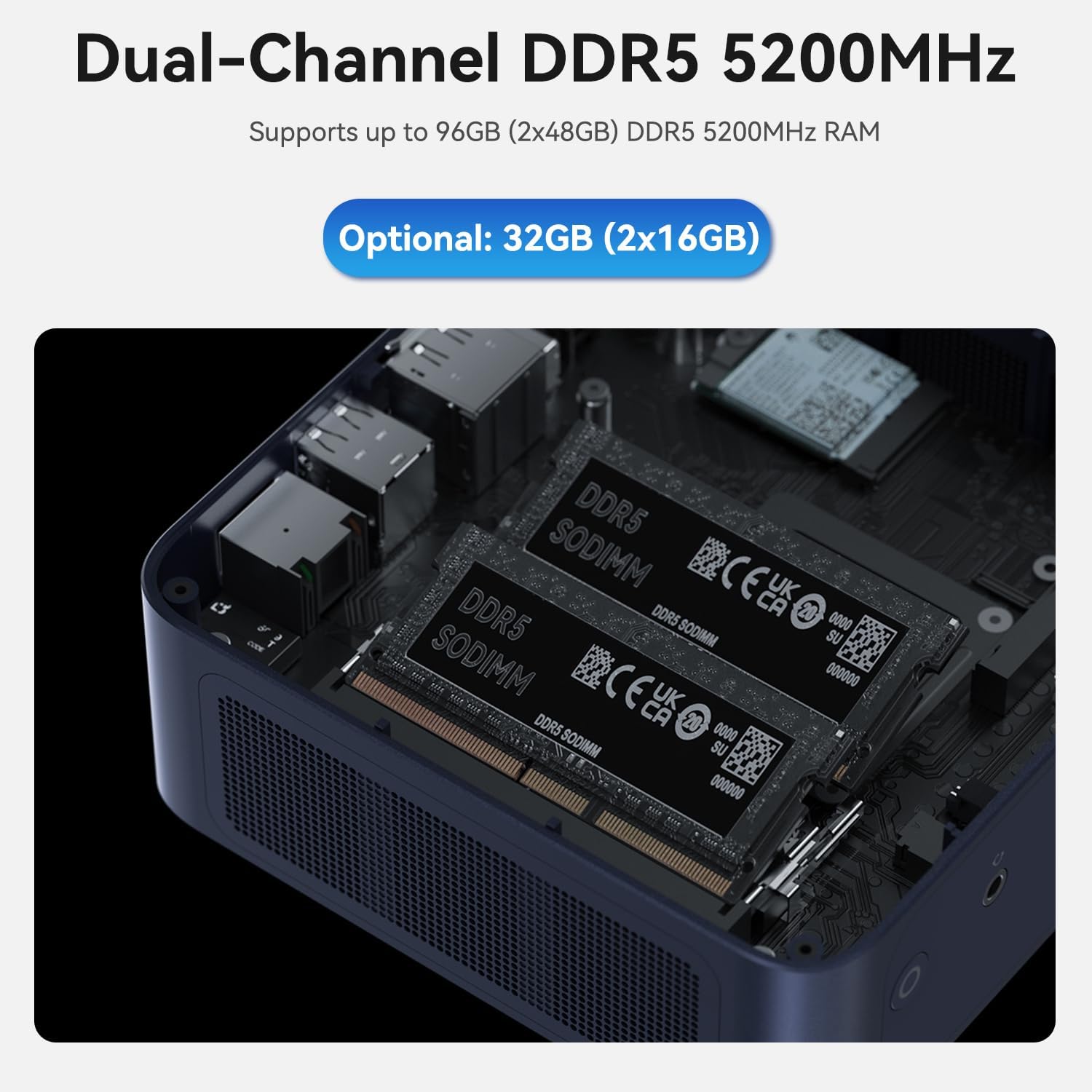
Image 3.3: Internal view showing the dual-channel DDR5 SODIMM slots, supporting high-speed memory.
- Memory: 32GB Dual-Channel DDR5 5200MHz RAM, expandable up to 96GB (2x48GB).

Image 3.4: Internal view displaying the dual M.2 2280 PCIe 4.0 x4 slots for high-speed storage.
- Storage: 1TB M.2 SSD (single module), with dual M.2 2280 PCIe 4.0 x4 slots supporting up to 4TB each, for a total of 8TB storage expansion.
4. Setup Guide
Follow these steps to set up your TRIGKEY Key I13 Mini PC:
- Connect Peripherals: Connect your monitor(s) to the HDMI, DisplayPort (DP), or Thunderbolt 4 ports. Connect your keyboard and mouse to the available USB ports.
- Connect to Network: For a wired connection, plug an Ethernet cable into the 2.5G LAN port. For wireless, ensure Wi-Fi antennas are connected (if external) or that the internal Wi-Fi is enabled.
- Connect Power: Plug the power adapter into the DC IN port on the Mini PC, then plug the adapter into a power outlet.
- Power On: Press the Power Button on the front panel. The system will boot up.
- Initial Windows Setup: Follow the on-screen instructions to complete the Windows 11 Pro operating system setup, including language, region, network connection, and user account creation.
5. Operating Instructions
5.1 Basic Operation
- Power On/Off: Press the Power Button to turn on. To turn off, use the Windows Shut Down option or press and hold the Power Button for 5 seconds for a forced shutdown (not recommended for regular use).
- Restart: Use the Windows Restart option.
- Sleep Mode: Use the Windows Sleep option.
5.2 Usage Scenarios
The TRIGKEY Key I13 Mini PC is designed for a variety of demanding tasks:
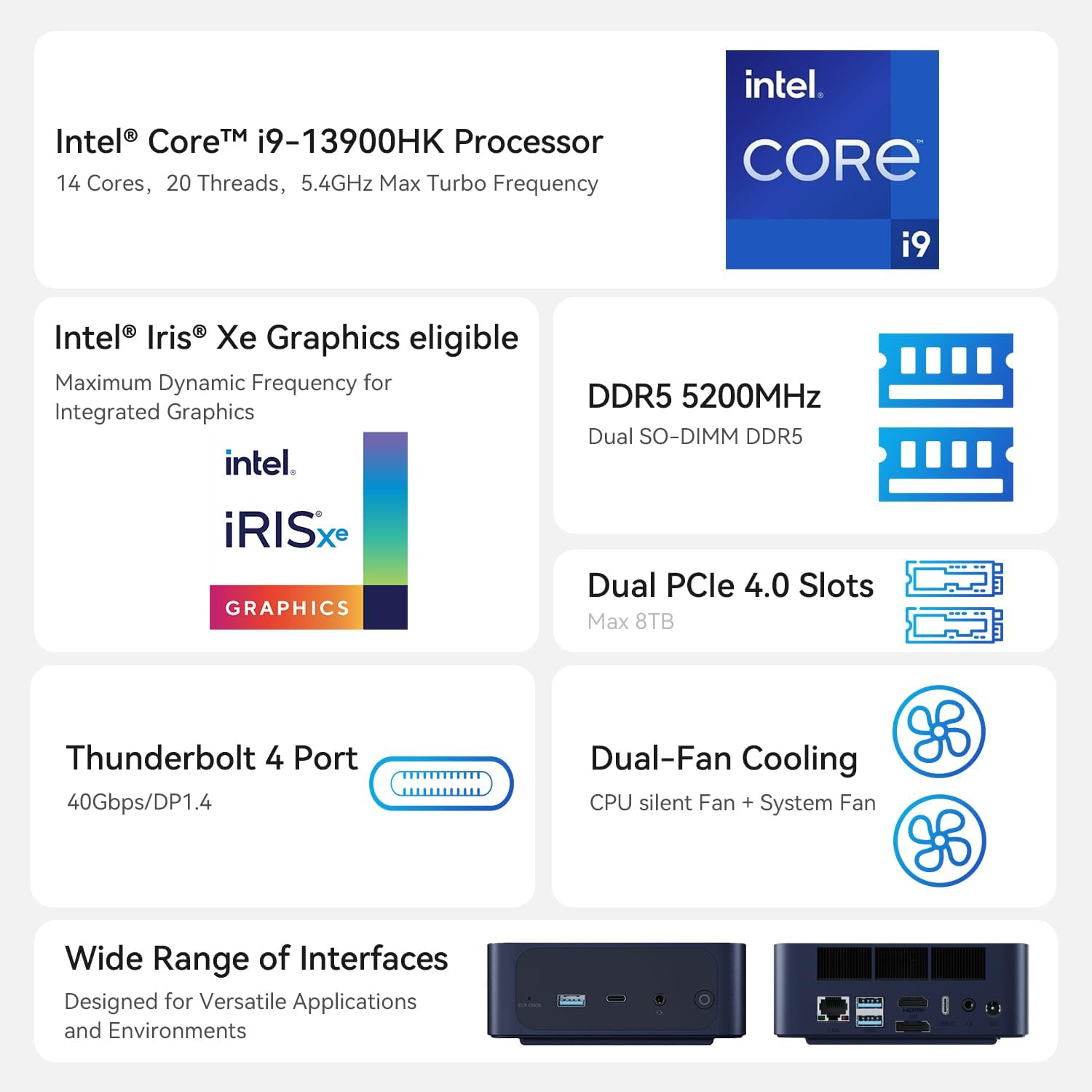
Image 5.1: Examples of professional applications and tasks the Key I13 Mini PC is capable of handling.
- Graphic/Web Design & R&D/Programming: Suitable for applications like Adobe Illustrator, Photoshop, Dreamweaver, and various development environments.
- Business Productivity: Efficiently handles office suites such as Microsoft Word, PowerPoint, OneNote, and Excel.
- Video Editing/Livestreaming/Content Creation: Capable of running demanding software like DaVinci Resolve, Adobe Premiere Pro, After Effects, and Audition.
6. Maintenance
Regular maintenance helps ensure the longevity and performance of your Mini PC.
- Cleaning: Use a soft, dry cloth to clean the exterior. For vents, use compressed air to remove dust buildup. Ensure the device is powered off and unplugged before cleaning.
- Software Updates: Regularly check for and install Windows updates and driver updates from the TRIGKEY or Intel website to maintain system stability and security.
- Storage Expansion: The Mini PC supports dual M.2 2280 PCIe 4.0 SSDs. To install or upgrade, power off the device, disconnect all cables, and carefully open the chassis. Refer to the detailed instructions on the manufacturer's website for safe installation.
- RAM Upgrade: The device supports dual-channel DDR5 SODIMM RAM, expandable up to 96GB. Follow similar safety precautions as with storage expansion when upgrading RAM.
7. Troubleshooting
If you encounter issues with your Mini PC, refer to the following common problems and solutions:
- No Power: Ensure the power adapter is securely connected to both the Mini PC and a working power outlet. Test the outlet with another device.
- No Display: Verify that the monitor is powered on and correctly connected to the Mini PC via HDMI, DP, or Thunderbolt 4. Try a different cable or monitor if possible. Ensure the correct input source is selected on your monitor.
- No Network Connection: For wired connections, check the Ethernet cable and router. For Wi-Fi, ensure the Wi-Fi adapter is enabled in Windows settings and that you are connected to the correct network with the correct password.
- System Unresponsive: If the system freezes, press and hold the Power Button for 5 seconds to force a shutdown. Wait a few moments, then power it back on.
- CLR CMOS Button: If you experience boot issues or incorrect BIOS settings, you can use the CLR CMOS button (usually a small pinhole button) to reset the BIOS to default settings. Consult the manufacturer's website for specific instructions on using this feature.
If problems persist, contact TRIGKEY customer support for further assistance.
8. Specifications
Detailed technical specifications for the TRIGKEY Key I13 Mini PC:
| Feature | Specification |
|---|---|
| Brand | TRIGKEY |
| Model Name | Key I13 (TRIGKEY Mini PC) |
| Processor | Intel Core i9-13900HK |
| CPU Speed | 5.4 GHz (Max Turbo Frequency) |
| Number of Cores | 14 Cores |
| Cache Size | 24 MB Intel Smart Cache |
| Graphics | Integrated Intel Iris Xe Graphics |
| Installed RAM | 32 GB DDR5 5200MHz |
| Maximum RAM | 96 GB (2x48GB) |
| Storage | 1 TB M.2 SSD |
| Storage Expansion | Dual M.2 2280 PCIe 4.0 x4 slots (up to 8TB total) |
| Operating System | OS11 (Windows 11 Pro) |
| Network Interface | 2.5G LAN, Wi-Fi (integrated) |
| Video Output | 2x HDMI 4K 60Hz, 1x DP1.4 4K 144Hz, 1x Thunderbolt 4 (DP1.4) |
| USB Ports | 4x USB 3.2 10Gbps, 1x USB-C 3.2 10Gbps, 1x Thunderbolt 4 (USB-C) |
| Audio Ports | 2x 3.5mm Audio Jack |
| Dimensions (L x W x H) | 13.2 x 5.8 x 6.8 cm |
| Weight | 1.1 kilograms |
9. Warranty and Support
TRIGKEY products are covered by a manufacturer's warranty. For specific warranty terms and conditions, please refer to the documentation included with your purchase or visit the official TRIGKEY website. For technical support, driver downloads, or further assistance, please contact TRIGKEY customer service through their official channels.
Related documentsKey I13


Ask a question about this manual
Ask about setup, troubleshooting, compatibility, parts, safety, or missing instructions. Manuals+ will review the question and use this page’s manual context to help answer it.