
1. Introduction
This manual provides essential information for the safe and effective use of your GYXEL & JUJIANG Gate Opener Remote Control Transmitter, Model SM28G-35D. Please read these instructions carefully before operating the device.
Product Features
- Compatibility: Designed for all GYXEL swing and sliding gate openers, and all JUJIANG gate opener models.
- Security: Advanced security technology with 433.92 MHz frequency and rolling code encryption.
- Range: Up to 100 feet (approximately 30 meters) operating range.
- Capacity: A single gate opener can pair with up to 120 remotes.
- Operation: Each button press cycles the gate through open–pause–close–pause–open actions.
- Design: Compact, ergonomic, and lightweight ABS construction for durability and portability.
2. Package Contents
Verify that all items are present in your package:
- GYXEL & JUJIANG Gate Opener Remote Control Transmitter (Model SM28G-35D)
- Keychain attachment
- 12V 27A built-in battery
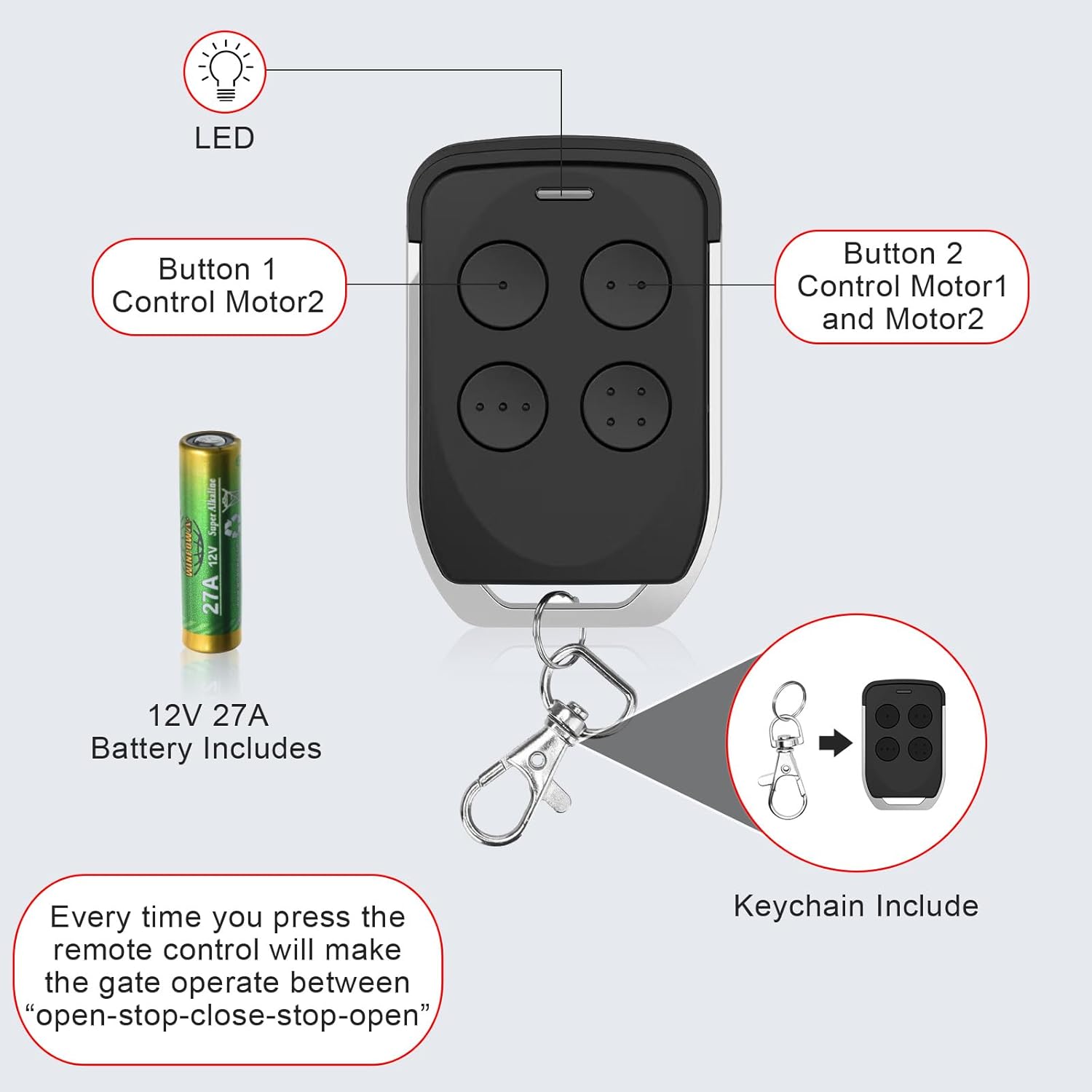
Figure 2.1: Remote Control Components and Included Accessories
3. Setup and Programming
3.1 Battery Check
The remote control comes with a pre-installed 12V 27A battery. No initial battery installation is required. If the remote's LED indicator does not light up when a button is pressed, the battery may need to be checked or replaced.
3.2 Programming a New Remote Control
Follow these steps to pair your new remote control with your gate opener system:
- Locate the control board of your GYXEL or JUJIANG gate opener.
- Press the [Learn] button on the control board for approximately 1 second. The buzzer will emit a short beep, and the digital display on the control board will show a number (e.g., '01').
- While the control board is in learning mode, press and hold any button (e.g., Button 1) on your new remote control.
- The digital display on the control board will show the remote's number, indicating successful programming.
Note: If the control board does not receive a remote signal within 8 seconds after pressing the [Learn] button, the indicator LED will turn off, and the programming mode will exit. Repeat the steps if programming is unsuccessful.

Figure 3.1: Programming a New Remote Control
3.3 Clearing All Paired Remote Controls
To erase all previously paired remote controls from your gate opener system:
- Press and hold the [Learn] button on the gate opener's control board for approximately 6 seconds.
- The buzzer will sound with a long beep, and the digital display will show '00'. This indicates that all remote controls have been successfully erased.
3.4 Video Tutorial: Program and Clear Remote Control
Video 3.1: Step-by-step guide on how to program and clear the remote control for your gate opener.
4. Operating Instructions
4.1 Basic Gate Operation
Once programmed, press any button on the remote control to operate your gate. Each press of the button will cycle the gate through the following actions: Open → Pause → Close → Pause → Open.
4.2 Operating Range
The remote control offers an operating range of up to 100 feet (approximately 30 meters). For optimal performance, ensure a clear line of sight to the gate opener. Obstacles such as trees, walls, or other structures may reduce the effective range.
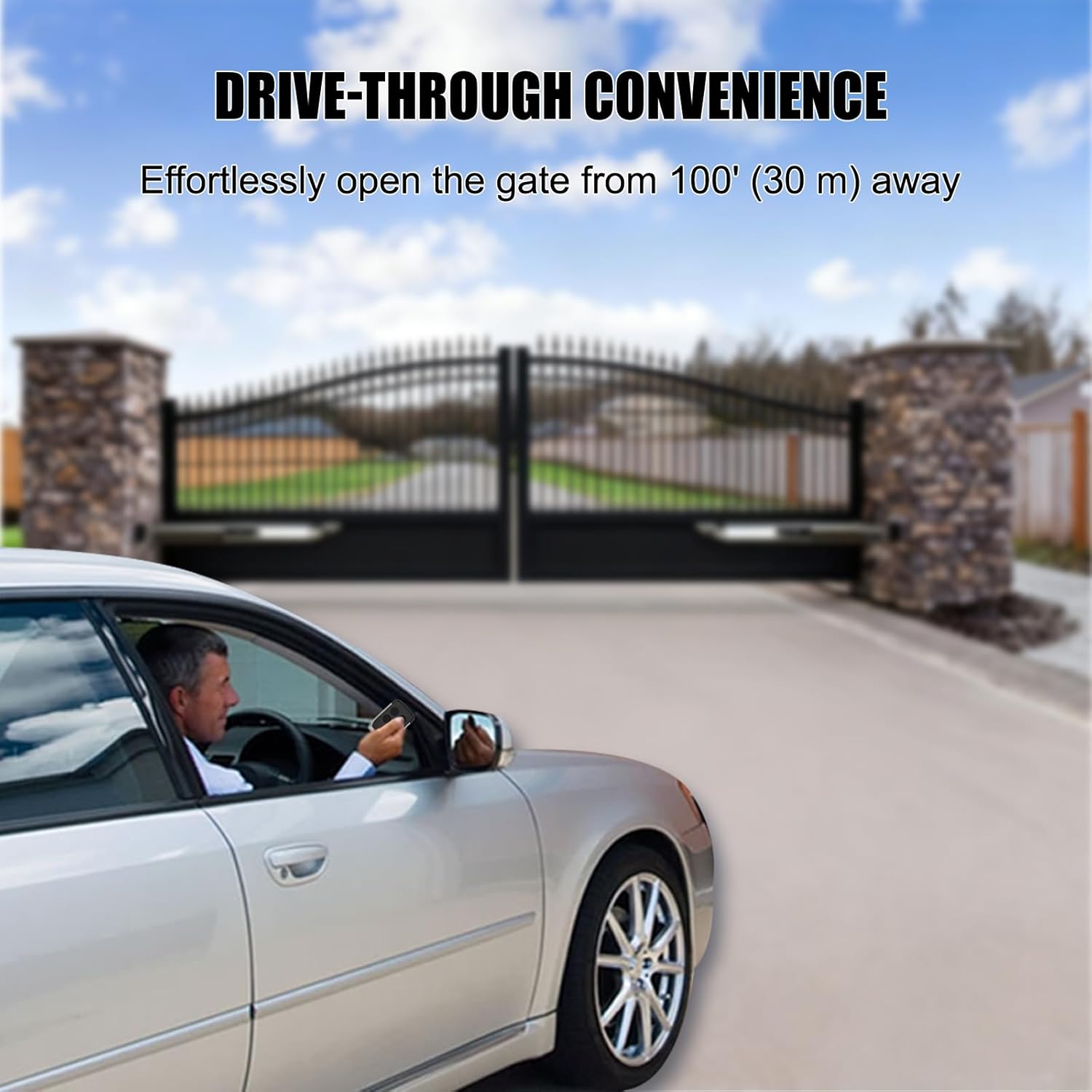
Figure 4.1: Remote Control Operating Range
4.3 Security Features
The remote control utilizes advanced security technology, including 433.92 MHz frequency and rolling code encryption, to prevent unauthorized access to your gate system.

Figure 4.2: Advanced Security for Your Property
5. Maintenance
5.1 Battery Replacement
The remote control uses a 12V 27A battery. If the remote's LED indicator becomes dim or the operating range decreases significantly, the battery may need replacement. To replace the battery:
- Carefully open the remote control casing.
- Remove the old 12V 27A battery.
- Insert a new 12V 27A battery, ensuring correct polarity.
- Close the remote control casing securely.
5.2 Cleaning
Wipe the remote control with a soft, dry cloth to remove dust or dirt. Do not use abrasive cleaners or immerse the remote in water.
6. Troubleshooting
If you encounter issues with your remote control, refer to the following common problems and solutions:
- Remote not pairing: Ensure you are following the programming steps correctly (Section 3.2). Check if the gate opener's control board is receiving power.
- Remote not responding after pairing: Check the battery in the remote control (Section 5.1). Ensure you are within the operating range (Section 4.2) and there are no significant obstructions.
- Gate opener not responding to any remote: Try clearing all paired remotes (Section 3.3) and then reprogramming them. This can resolve conflicts or corrupted pairings.
- Reduced operating range: Replace the remote's battery. Ensure there are no new obstructions between the remote and the gate opener.
7. Specifications
| Brand | Gyxel |
| Model Number | SM28G-35D |
| Color | Black |
| Compatible Devices | GYXEL Gate Opener, JUJIANG Gate Opener |
| Connectivity Technology | Radio Frequency |
| Button Quantity | 4 |
| Maximum Range | 100 Feet (approx. 30 meters) |
| Battery Type | 12V 27A (built-in) |
| Special Features | Ergonomic, Lightweight |
8. Warranty and Support
8.1 Warranty Information
This product is covered by a 12-month warranty from the date of purchase. This warranty covers manufacturing defects and malfunctions under normal use. It does not cover damage caused by misuse, accidents, unauthorized modifications, or improper installation.
8.2 Return Policy
A 30-day hassle-free return policy is available for this product. Please refer to your retailer's return policy for specific details and procedures.
8.3 Technical Support
Lifetime technical support is provided for this product. Should you encounter any issues or require assistance, please contact GYXEL customer support through the retailer's platform or the official GYXEL website. Our dedicated team is ready to provide prompt and professional solutions.