
1. Introduction
This manual provides essential information for setting up, operating, maintaining, and troubleshooting your Beelink SER5 MAX Mini PC. Please read it carefully before using the device.
The Beelink SER5 MAX Mini PC is a compact and powerful computer designed for various tasks, from office work and content creation to light gaming. It features an AMD Ryzen 7 7735U processor, 24GB LPDDR5 RAM, and a 1TB PCIe X4 SSD, offering high performance and efficient multitasking capabilities.
2. What's in the Box
Verify that all items are present in the package:
- 1x Beelink SER5 MAX 7735U Mini PC
- 1x HDMI Cable (100CM)
- 1x Power adapter
- 1x User Manual
- 1x VESA-mounted bracket
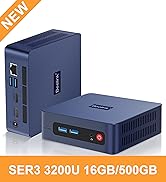
Image: Contents of the Beelink SER5 MAX Mini PC package, including the mini PC, cables, power adapter, user manual, and VESA mount.
3. Setup
3.1 Connecting Peripherals
Before powering on, connect your essential peripherals:
- Monitor: Connect your monitor(s) using the HDMI, DisplayPort, or Type-C ports. The device supports up to three 4K displays simultaneously.
- Keyboard and Mouse: Connect your USB keyboard and mouse to the available USB 2.0 or USB 3.2 ports.
- Network: For wired internet, connect an Ethernet cable to the 2.5G LAN port. For wireless, ensure your WiFi 6 (MT7920) is enabled and connect to your network. Bluetooth 5.4 is available for wireless accessories.
- Power: Connect the power adapter to the DC-in jack on the mini PC and then to a power outlet.

Image: Rear view of the Beelink SER5 MAX Mini PC, highlighting the HDMI, DisplayPort, USB, LAN, and DC-in ports.

Image: The Beelink SER5 MAX Mini PC in an office meeting, demonstrating its connectivity with WiFi 6 and Bluetooth 5.4.
3.2 Powering On
Press the power button located on the front of the mini PC. The power LED will illuminate, and the system will begin to boot.
3.3 Triple Display Configuration
The Beelink SER5 MAX supports connecting up to three 4K displays simultaneously. Use the HDMI 2.0 (4K@60Hz), DP 1.4 (4K@144Hz), and Type-C (4K@120Hz) interfaces to extend your desktop across multiple screens for enhanced productivity.

Image: A Beelink SER5 MAX Mini PC powering a triple monitor setup, illustrating its multi-display capability.
4. Operating Instructions
4.1 General Use
The Beelink SER5 MAX Mini PC is pre-installed with an operating system (OS). Upon first boot, follow the on-screen instructions to complete the initial setup, including language, region, and user account creation.
4.2 Performance
Equipped with the AMD Ryzen 7 7735U processor (8 cores/16 threads, up to 4.75GHz) and 24GB LPDDR5 RAM, this mini PC is capable of handling demanding applications such as office suites, coding environments, web browsing, photo/video editing software (e.g., Photoshop, Premiere Pro, Illustrator), and light gaming.
Image: A woman working on a computer, illustrating the efficient performance of the Beelink Mini PC for design tasks.
4.3 Cooling System
The mini PC features an advanced cooling system comprising a heat pipe, heatsink, and a silent fan. This design improves thermal performance, ensuring stable and quiet operation even under heavy workloads.

Image: A diagram illustrating the internal components of the Beelink SER5 MAX Mini PC's cooling system, including the heat pipe, heatsink, and silent fan.
5. Maintenance
5.1 Storage Expansion
The mini PC comes with a 1TB M.2 2280 PCIe x4 SSD. Its storage is expandable up to 8TB (2x4TB) by adding additional M.2 PCIe SSDs (not included). Refer to the detailed instructions for opening the chassis and installing additional storage.

Image: An internal view of the Beelink SER5 MAX Mini PC, showing the two M.2 PCIe SSD slots for storage expansion.
5.2 General Care
Keep the mini PC in a well-ventilated area to ensure optimal cooling. Avoid exposing it to extreme temperatures, humidity, or direct sunlight. Clean the exterior with a soft, dry cloth. Do not use liquid cleaners directly on the device.
6. Troubleshooting
6.1 Common Issues
- No Power: Ensure the power adapter is securely connected to both the mini PC and a working power outlet.
- No Display: Check all monitor cable connections. Ensure the monitor is powered on and set to the correct input source. Try connecting to a different display port or monitor if available.
- No Internet Connection: For wired connections, verify the Ethernet cable is properly seated. For Wi-Fi, check your router and ensure Wi-Fi is enabled on the mini PC.
- Slow Performance: Close unnecessary applications. Check for background processes consuming resources. Ensure the cooling vents are not obstructed.
For specific issues or advanced troubleshooting, please refer to the support section.
7. Specifications
| Feature | Detail |
|---|---|
| Brand | Beelink |
| Model Number | SER5 MAX 7735U 24G+1TB |
| CPU Model | AMD Ryzen 7 7735U (8 cores/16 threads, up to 4.75GHz) |
| Graphics Coprocessor | AMD Radeon Graphics (12-core, 2200 MHz) |
| RAM Memory Installed | 24 GB LPDDR5 |
| Memory Storage Capacity | 1 TB PCIe x4 SSD (expandable up to 8TB) |
| Operating System | OS (Pre-installed) |
| Connectivity Technology | WiFi 6 (MT7920), Bluetooth 5.4, 2.5G LAN |
| Video Output Interface | HDMI 2.0 (4K@60Hz), DisplayPort 1.4 (4K@144Hz), Type-C (4K@120Hz) |
| Total USB Ports | 4 (USB 3.2 Gen2 10Gbps x2, USB 2.0 x2) |
| Item Weight | 0.88 kg |
| Certifications | FCC, CE, ROSH |

Image: A comprehensive table detailing the technical specifications of the Beelink SER5 MAX Mini PC.
8. Warranty and Support
Beelink provides comprehensive support for your Mini PC:
- Warranty: 1 Year Free Warranty.
- Technical Support: Lifetime technical issue assistance.
- Customer Service: 7 Days/24 Hours serving.
If you require assistance, including setting up automatic startup or any other technical issues, please contact our customer service team. You can typically find contact information on the official Beelink website or through your purchase platform (e.g., Amazon: "Login Amazon" > "Your Account" > "Your Orders" > "Click Get Help").

Image: An infographic detailing Beelink's customer support, including lifetime technical support and 24/7 customer service.
8.1 Official Product Video
Video: An introductory video for the Beelink SER5 MAX Mini PC, showcasing its features and design. This video is provided by Beelink-shop.


