
1. Introduction
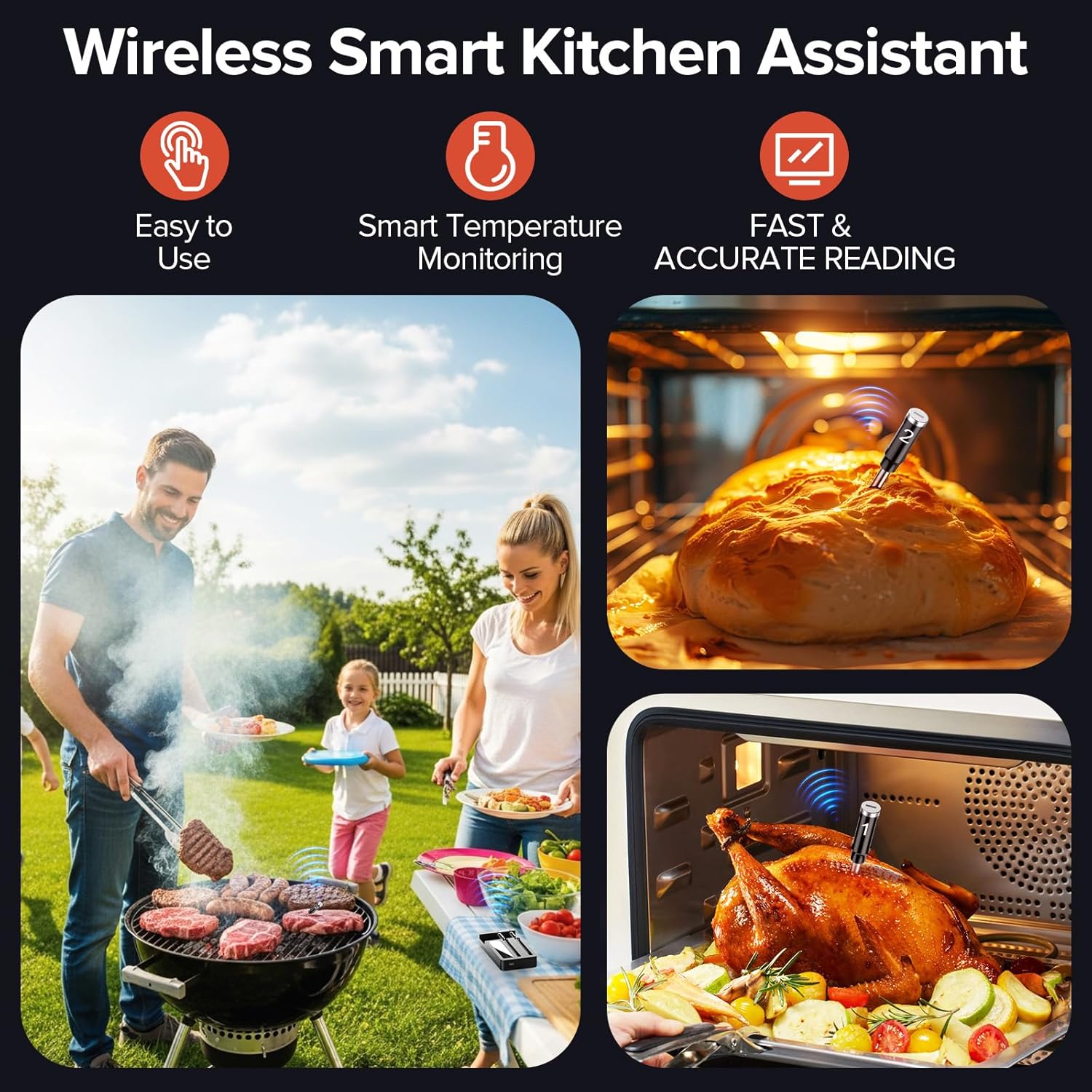
The ROUUO Smart Wireless Meat Thermometer is designed to assist in achieving precise cooking temperatures for various meats and dishes. It features dual probes for simultaneous monitoring, wireless connectivity via Bluetooth and Wi-Fi, and a companion application for remote temperature tracking and alerts. This manual provides essential information for the proper use and care of your device.
Key Features:
- Smart Temperature Monitoring: Provides real-time internal temperature updates, preset stable temperatures, and time reminders.
- Long-Range Wireless Connectivity: Supports Bluetooth and 2.4GHz WiFi with a range up to 200ft for remote monitoring.
- Fast Charging: Offers extended use from short charging periods.
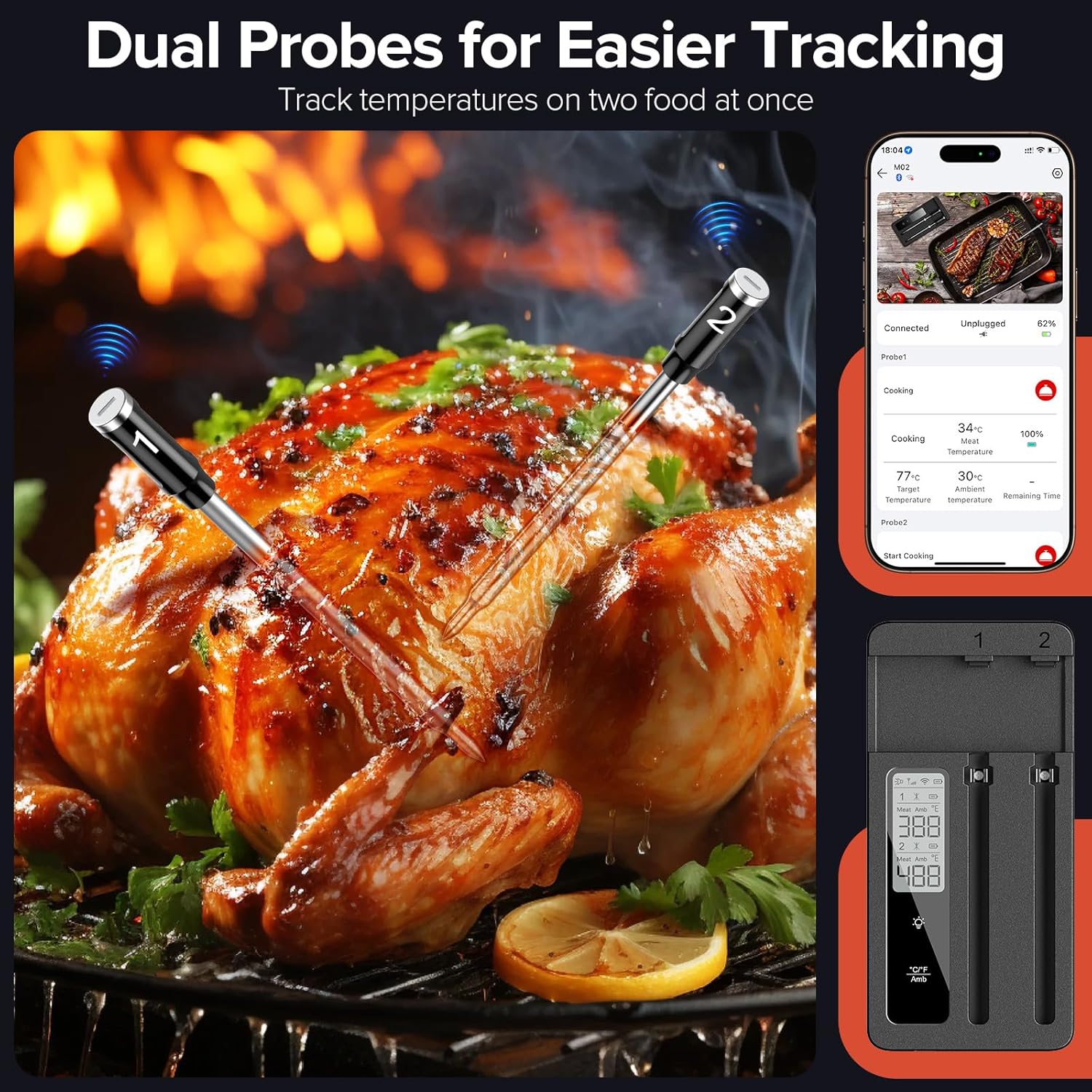
- Dual Ultra-Thin Probes: Allows monitoring of two dishes simultaneously with minimal impact on food integrity.
- Effortless Cleaning: IP67 waterproof probes are dishwasher-safe.
2. Package Contents
Verify that all items listed below are included in your package:
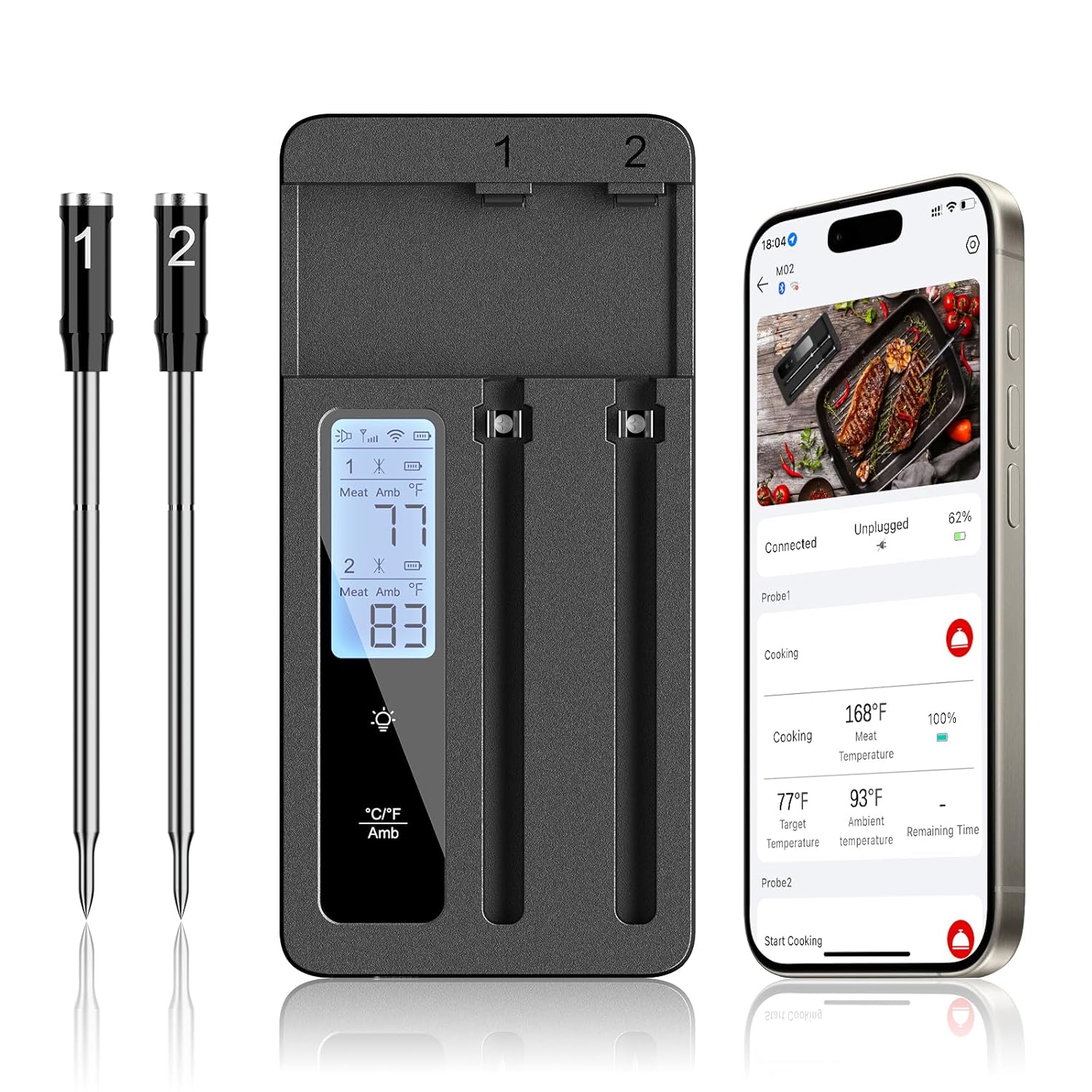
- 1 × Repeater (Main Unit)
- 2 × Probes
- 1 × User Manual
- 1 × USB-C Charger Cable
3. Setup Guide
3.1 Charging the Device
Before first use, fully charge the repeater and probes. Connect the USB-C charger cable to the repeater. The probes charge when inserted into the repeater. A full charge for the repeater takes approximately 3 hours, providing over 150 hours of battery life. Probes charge in about 35 minutes for over 20 hours of use, with a quick 1-minute charge offering hours of operation.

3.2 App Installation
Download the companion application from your smartphone's app store (iOS or Android). Search for "ROUUO Thermometer" or refer to the QR code in the included user manual for direct access.
3.3 Device Pairing and Connectivity
Ensure Bluetooth and Wi-Fi are enabled on your smartphone. Open the ROUUO app. The app will guide you through connecting to the repeater. The repeater connects to the probes via short-range Bluetooth and then communicates with your smartphone via Bluetooth or Wi-Fi, offering a range of up to 200 feet (Wi-Fi) or 130 feet (Bluetooth).

4. Operating Instructions
4.1 Probe Placement
Carefully insert the probe into the thickest part of the meat, avoiding bone or gristle. For poultry, insert into the thickest part of the thigh or breast. Ensure the probe tip is fully embedded in the food for accurate internal temperature readings. The dual probes allow for monitoring two different items or two different locations within a larger item simultaneously.

4.2 Using the Companion App
The app provides a comprehensive interface for monitoring and controlling your cooking. You can:
- View real-time internal and ambient temperatures for both probes.
- Select from preset temperature targets for various types of meat and doneness levels.
- Set custom temperature alerts and timers.
- Receive notifications when target temperatures are reached or when cooking time is complete.
- Track temperature history and progress graphs.

4.3 Repeater Display Information
The repeater features a backlit LED display for clear readings. It shows:
- Individual temperature readings for Probe 1 and Probe 2 (meat and ambient).
- Battery level indicators for the repeater and probes.
- Bluetooth/Wi-Fi connection status.
- Fahrenheit/Celsius unit switching.

5. Maintenance and Care
5.1 Cleaning
The probes are IP67 waterproof and dishwasher-safe. After each use, clean the probes thoroughly with soap and water or place them in the dishwasher. Ensure all food residue is removed. The repeater unit is not waterproof; clean it with a damp cloth and avoid submerging it in water.

5.2 Storage
Store the probes securely within the repeater unit when not in use. The repeater features built-in magnets for convenient attachment to metallic surfaces like a refrigerator, and it also includes a tabletop stand for easy placement on countertops.

6. Troubleshooting
- No Power/Device Not Turning On: Ensure the repeater is fully charged. Connect it to the USB-C charger and allow sufficient time for charging.
- Probes Not Charging: Ensure probes are correctly seated in their slots within the repeater. Verify the repeater itself is charged.
- Connectivity Issues (Bluetooth/Wi-Fi):
- Ensure the repeater is within range of your smartphone (Bluetooth) or Wi-Fi router (Wi-Fi).
- Check that Bluetooth and Wi-Fi are enabled on your smartphone.
- Restart the app and the repeater.
- If using Wi-Fi, ensure the repeater is connected to a 2.4GHz network, as 5GHz networks may not be supported.
- Inaccurate Temperature Readings:
- Ensure the probe is inserted into the thickest part of the meat, avoiding bone or gristle.
- Verify the probe tip is fully submerged in the food.
- Check for any visible damage to the probe or its cable.
- Short Battery Life: Ensure the device is charged for the recommended duration. Extreme temperatures during use can affect battery performance.
If you encounter persistent issues not resolved by these steps, please contact customer support.
7. Product Specifications
| Feature | Specification |
|---|---|
| Brand | ROUUO |
| Model | B0FCBW34CJ |
| Connectivity Technology | Bluetooth, WiFi (2.4GHz) |
| Special Features | Dual Probe, Fast Reading System, High Accuracy, Large Display, Wi-Fi Support |
| Display Type | Digital (Backlit LED) |
| Probe Material | 304 Food Grade Stainless Steel, Ceramic |
| Probe Temperature Range (Food) | 14°F to 212°F (-10°C to 100°C) |
| Probe Temperature Range (Ambient) | 14°F to 572°F (-10°C to 300°C) |
| Waterproof Rating | IP67 (Probes) |
| Power Source | Battery Powered (1 x 12V battery included) |
| Repeater Charging Time | Approx. 3 hours |
| Repeater Battery Life | 150+ hours |
| Probe Charging Time | Approx. 35 minutes |
| Probe Battery Life | 20+ hours |
| Package Dimensions | 6.93 x 4.17 x 1.14 inches |
| Weight | 12.31 ounces |
8. Warranty and Customer Support
This product comes with a standard manufacturer's warranty. For specific warranty details, please refer to the warranty card included in your package or contact ROUUO customer support directly. If you have any questions, require technical assistance, or need to report an issue, please reach out to the manufacturer's support team through the contact information provided in the product packaging or on the official ROUUO website.