
1. Introduction
This manual provides detailed instructions for the installation, operation, and maintenance of your EKIY EC17 Wireless CarPlay & Android Auto Adapter. Please read this manual thoroughly before using the device to ensure optimal performance and safety. The EKIY EC17 converts your existing wired CarPlay or Android Auto system into a wireless connection, offering enhanced convenience and a clutter-free driving experience.
2. Package Contents
Verify that all items are present in your package:
- EKIY EC17 Wireless CarPlay & Android Auto Adapter
- USB Female A to C cable
- User Manual
3. Setup Guide
Follow these steps to set up your EKIY EC17 adapter:
- Plug In the Adapter: Connect the EKIY EC17 adapter to your car's USB port using the provided USB Female A to C cable. Ensure the port supports data transfer for CarPlay/Android Auto.
- Enable Bluetooth: On your smartphone (iPhone or Android), go to your device's Bluetooth settings and ensure Bluetooth is turned on.
- Pair with Adapter: On your car's infotainment screen, navigate to the CarPlay or Android Auto interface. The adapter should appear as a Bluetooth device. Select it to initiate pairing.
- Confirm Connection: Follow any on-screen prompts on your car's display and your smartphone to confirm the connection. Once paired, your wired CarPlay or Android Auto system will now function wirelessly.
The initial setup typically takes about 30 seconds. For future drives, the adapter will automatically reconnect to your phone within approximately 5 seconds after the car engine is turned on.
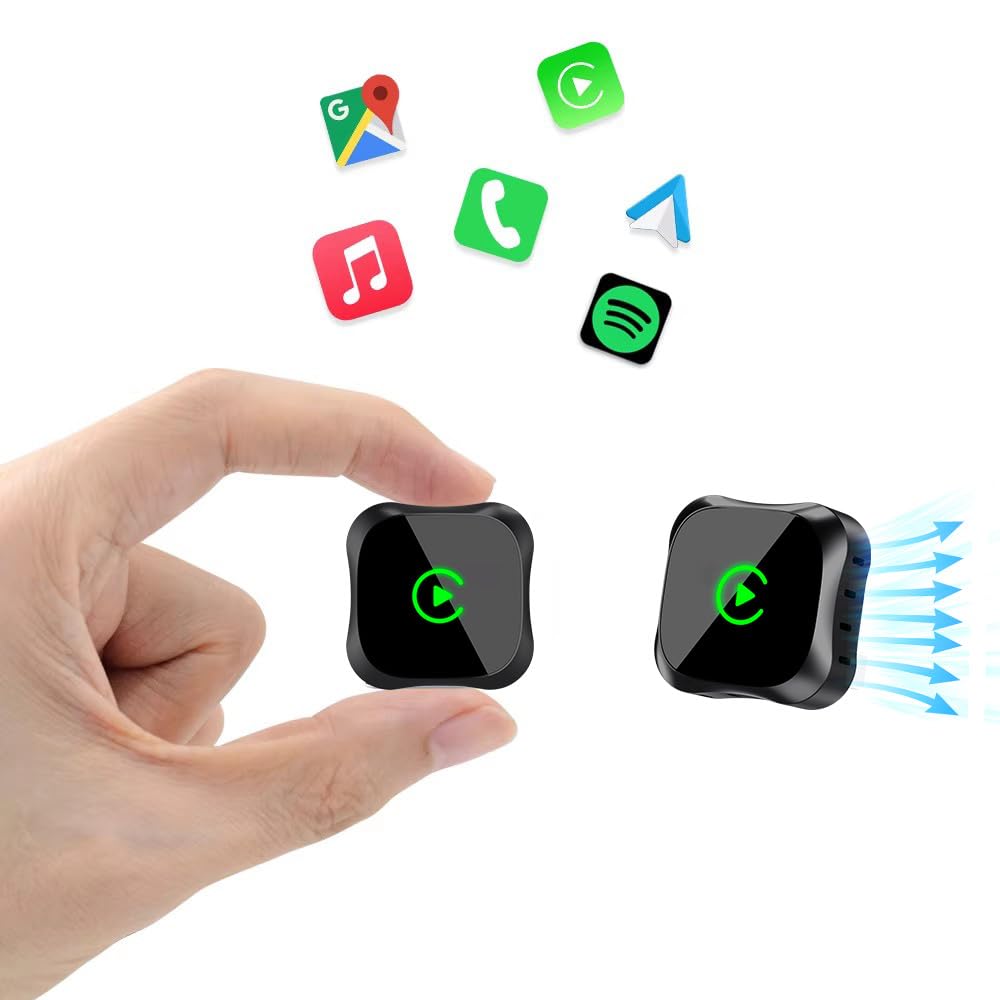
Image: The EKIY EC17 adapter, a compact device, shown connected to a car's USB port, ready for wireless operation.
4. Operating Instructions
Once set up, the EKIY EC17 adapter provides a seamless wireless experience:
- Automatic Reconnection: The adapter automatically connects to your paired smartphone when the car starts, utilizing its built-in 5.8GHz WiFi module for quick detection.
- Full Functionality: Enjoy all standard CarPlay and Android Auto features wirelessly, including hands-free calling, navigation, music streaming, and messaging.
- Control Methods: The adapter supports various control inputs from your car's system, such as voice control, steering wheel buttons, touchscreen, and knob operations.
- Stable Connection: Advanced Bluetooth 5.3 and 5.8GHz WiFi technology ensure a stable and fast wireless connection for uninterrupted performance.
Important Note: The adapter connects to only one phone at a time. If you need to switch to a different phone, ensure you disconnect the Bluetooth and Wi-Fi connection of the previously connected phone first.
5. Compatibility
The EKIY EC17 Wireless CarPlay & Android Auto Adapter is designed for broad compatibility:
- Vehicle Compatibility: Works with approximately 98% of cars manufactured from 2016 onwards that come with factory-installed wired CarPlay and Android Auto.
- Smartphone Operating System: Requires iOS 10 or later for iPhones, and Android 11.0 or later for Android smartphones.
- Exclusions: This adapter does not support BMW, Tesla, certain other specific car models, and some aftermarket stereos.
For specific compatibility verification, please refer to the official CarPlay & Android Auto websites or contact EKIY support.
6. Maintenance
To ensure the longevity and optimal performance of your EKIY EC17 adapter:
- Keep Clean: Regularly wipe the adapter with a soft, dry cloth to remove dust and debris. Avoid using liquid cleaners.
- Environmental Conditions: Store and operate the adapter within recommended temperature ranges. Avoid exposure to extreme heat, cold, or moisture.
- Firmware Updates (OTA): The adapter supports Over-The-Air (OTA) updates. Periodically check for and install updates to ensure you have the latest features and performance enhancements. Instructions for OTA updates will be provided through the adapter's interface or support channels.
7. Troubleshooting
If you encounter issues with your EKIY EC17 adapter, refer to the following common solutions:
- Adapter Not Connecting:
- Ensure the adapter is securely plugged into a functional USB port in your car.
- Verify that Bluetooth and Wi-Fi are enabled on your smartphone.
- Restart your car's infotainment system and your smartphone.
- Forget the adapter from your phone's Bluetooth settings and re-pair.
- Frequent Disconnections or Lag:
- Ensure no other devices are interfering with the Bluetooth or Wi-Fi signal.
- Try plugging the adapter into a different USB port if available.
- Check for and install any available OTA firmware updates for the adapter.
- Ensure your phone's operating system is up to date.
- Cannot Switch Between Phones:
- Remember to disconnect the Bluetooth and Wi-Fi of the previously connected phone before attempting to connect a new one.
- No Audio or Distorted Audio:
- Check your car's audio settings and ensure the correct input source is selected.
- Adjust volume levels on both your phone and car's system.
If problems persist, please contact EKIY customer support for further assistance.
8. Specifications
| Brand | EKIY |
| Model | EC17 |
| Manufacturer | EKIY |
| Product Dimensions | 50 x 70 x 30 mm (L x W x H) |
| Item Weight | 50 g |
| Material | Aluminium, Tempered Glass |
| Compatible Devices | Smartphone (with iOS 10+ or Android 11+) |
| Connector Type | USB Type C |
| Wireless Technologies | Bluetooth 5.3, 5.8GHz WiFi |
| Heat Dissipation | 4-Way Heat Dissipation Design |
9. Warranty and Support
EKIY is committed to providing excellent customer service and product reliability:
- Warranty: The EKIY EC17 adapter comes with a 12-month global support warranty.
- Technical Support: Enjoy lifetime professional technical support through a dedicated Customer Care Portal.
For any inquiries, technical assistance, or warranty claims, please visit our official website or contact our customer support team.


