
1. Introduction
This manual provides essential instructions for the safe and efficient operation of your Hotlemon Large Bluetooth Speaker S1. Please read this manual thoroughly before using the product and retain it for future reference.
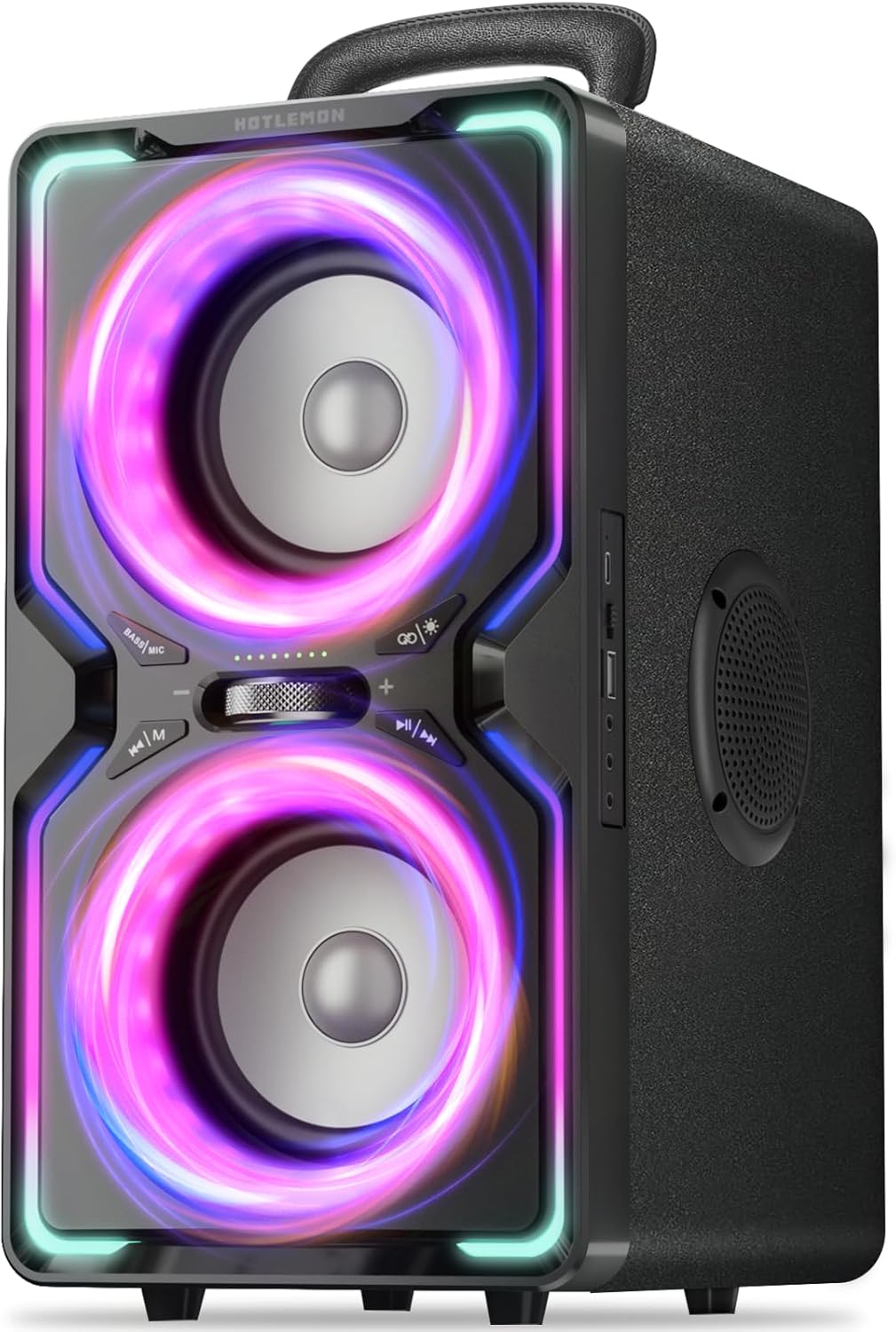
Figure 1: Hotlemon Large Bluetooth Speaker S1, showcasing its front panel with illuminated speaker rings.
2. What's in the Box
Verify that all items are present upon unboxing:
- 1 x Hotlemon Large Bluetooth Speaker S1
- 1 x Power Cable
- 1 x Quick Start Guide
- 1 x Warranty Card

Figure 2: Included accessories: speaker, Type-C cables, AUX cable, and instruction manual.
3. Key Features
- Powerful Audio Output: Delivers 240W (Peak) sound with deep bass and clear highs.
- Dynamic Light Modes: Features 6 stunning dynamic light modes that synchronize with music.
- Extended Playtime: Equipped with a 15,600mAh battery, providing up to 15 hours of music playback.
- Fast Charging & Power Bank Function: Supports 30W PD/QC fast charging and can charge external devices.
- True Wireless Stereo (TWS): Allows pairing two speakers for immersive 360° stereo sound.
- Bluetooth 5.3 Connectivity: Ensures stable wireless audio with low latency.
- Multiple Inputs: Includes microphone and guitar inputs for versatile use.
- Durable Design: Constructed with a wooden enclosure and bass duct for enhanced sound quality and resonance suppression.

Figure 3: 240W Peak Powerful Sound with Deep Bass.

Figure 4: Wooden enclosure and bass duct for superior sound.

Figure 5: Up to 15 hours of continuous playtime.

Figure 6: TWS 360° Full Immersive Sound capability.

Figure 7: Six dynamic light modes that sync with music.

Figure 8: Microphone and Guitar Inputs for live performance.
4. Setup
4.1 Charging the Speaker
Before first use, fully charge the speaker. Connect the provided power cable to the DC 5V port on the side of the speaker and plug the other end into a power outlet. The battery indicator lights on the front panel will show charging progress.
4.2 Powering On/Off
Locate the ON/OFF switch on the side panel of the speaker. Slide the switch to the 'ON' position to power on the device. Slide it to 'OFF' to power down.
4.3 Bluetooth Pairing
- Ensure the speaker is powered on and in Bluetooth mode (indicated by a flashing blue light).
- On your mobile device, enable Bluetooth and search for available devices.
- Select 'HOTLEMON-S1' from the list to pair. A confirmation tone will sound upon successful connection.
- For subsequent uses, the speaker will automatically connect to the last paired device if it is within range.
5. Operation
5.1 Control Panel Overview

Figure 9: Detailed view of the speaker's control panel.
- 1. BASS | MIC: Short press to toggle between Bass and Microphone volume adjustment.
- 2. TWS | LIGHT: Short press to cycle through light modes. Long press to activate/deactivate TWS pairing.
- 3. VOLUME Knob: Rotate to adjust the main volume, Bass, or Microphone volume.
- 4. Previous Song / M: Short press for previous track. Long press to force disconnect Bluetooth.
- 5. Next Song / Play/Pause: Short press for next track. Long press to play/pause music.
- 6. DC 5V: Power input port.
- 7. OFF | ON: Power switch.
- 8. USB | TF: USB port for playback and charging, TF card slot.
- 9. GIT: Guitar input.
- 10. MIC: Microphone input.
- 11. AUX: Auxiliary input.
5.2 Adjusting Volume and Bass
Use the VOLUME Knob (3) to adjust the overall sound volume. Press the BASS | MIC (1) button to switch to bass adjustment mode, then use the VOLUME Knob (3) to increase or decrease bass levels.
5.3 Light Modes
Press the TWS | LIGHT (2) button repeatedly to cycle through the 6 available light modes. The last mode turns the lights off.
Video 1: Demonstration of the speaker's dynamic light modes and control panel interaction.
5.4 True Wireless Stereo (TWS) Pairing
To pair two Hotlemon Large Bluetooth Speakers for TWS:
- Ensure both speakers are powered on and not connected to any other Bluetooth device.
- On one speaker (this will be the primary), long press the TWS | LIGHT (2) button until you hear a pairing tone.
- The primary speaker will search for the secondary speaker. Once connected, a confirmation tone will sound, and the lights will synchronize.
- Connect your mobile device to the primary speaker via Bluetooth.
5.5 Using Microphone and Guitar Inputs
Connect a microphone to the MIC (10) port or a guitar to the GIT (9) port. Adjust the microphone volume using the BASS | MIC (1) button and VOLUME Knob (3).
5.6 Charging External Devices
The speaker can act as a power bank. Connect your device's USB charging cable to the USB (8) port on the side panel to charge it.
6. Maintenance
- Keep the speaker away from water and excessive moisture.
- Clean the speaker with a soft, dry cloth. Do not use abrasive cleaners.
- Store the speaker in a cool, dry place when not in use.
- To maintain battery health, charge the speaker fully at least once a month, even if not in regular use.
7. Troubleshooting
| Problem | Solution |
|---|---|
| Speaker does not power on. | Ensure the battery is charged. Connect to power and try again. Check the ON/OFF switch position. |
| Cannot pair via Bluetooth. | Ensure the speaker is in Bluetooth pairing mode (flashing blue light). Disconnect from any other devices. Move your device closer to the speaker. |
| No sound or low volume. | Adjust the speaker's volume knob and your device's volume. Ensure the correct input source is selected. Check cable connections for AUX/MIC/GIT. |
| Lights are not working. | Press the TWS | LIGHT button to cycle through light modes. The last mode turns lights off. |
| TWS pairing fails. | Ensure both speakers are Hotlemon S1 models and are not connected to other devices. Place them close to each other and try long-pressing the TWS | LIGHT button on one speaker again. |
8. Specifications
| Feature | Detail |
|---|---|
| Model Name | HOTLEMON-S1 |
| Speaker Type | Party Bluetooth Speaker |
| Speaker Maximum Output Power | 240 Watts (Peak) |
| Bluetooth Version | 5.3 |
| Bluetooth Range | 100 Feet |
| Battery Capacity | 15600 Milliamp Hours |
| Playtime | Up to 15 hours |
| Fast Charging | 30W PD/QC |
| Connectivity Technology | Auxiliary, Bluetooth, USB |
| Special Features | Bass Boost, LED Light, Portable, Stereo Pairing (TWS), USB Power Bank |
| Material | Acrylonitrile Butadiene Styrene (ABS), Wood |
| Product Dimensions | 10"D x 9"W x 15"H |
| Item Weight | 13.22 pounds |
| Control Method | Push Button, Rotary Knob |
| Indoor/Outdoor Usage | Indoor, Outdoor |
9. Warranty & Support
The Hotlemon Large Bluetooth Speaker S1 comes with a Limited Warranty. Please refer to the included Warranty Card for detailed terms and conditions. For technical support or customer service inquiries, please contact Hotlemon customer support through the contact information provided on the Warranty Card or the official Hotlemon website.