
Introduction
This manual provides detailed instructions for the proper use and maintenance of your Trevi DJ 12E35 BT Wireless Over-Ear Headphones. Please read this guide thoroughly before using the product to ensure optimal performance and longevity.
Package Contents
Upon opening the package, please verify that all items listed below are present and in good condition:
- Trevi DJ 12E35 BT Wireless Over-Ear Headphones
- Audio Cable (3.5mm to 3.5mm Jack)
- USB Type-C Charging Cable
- User Manual

Product Overview and Controls
Familiarize yourself with the main components and controls of your Trevi DJ 12E35 BT headphones.
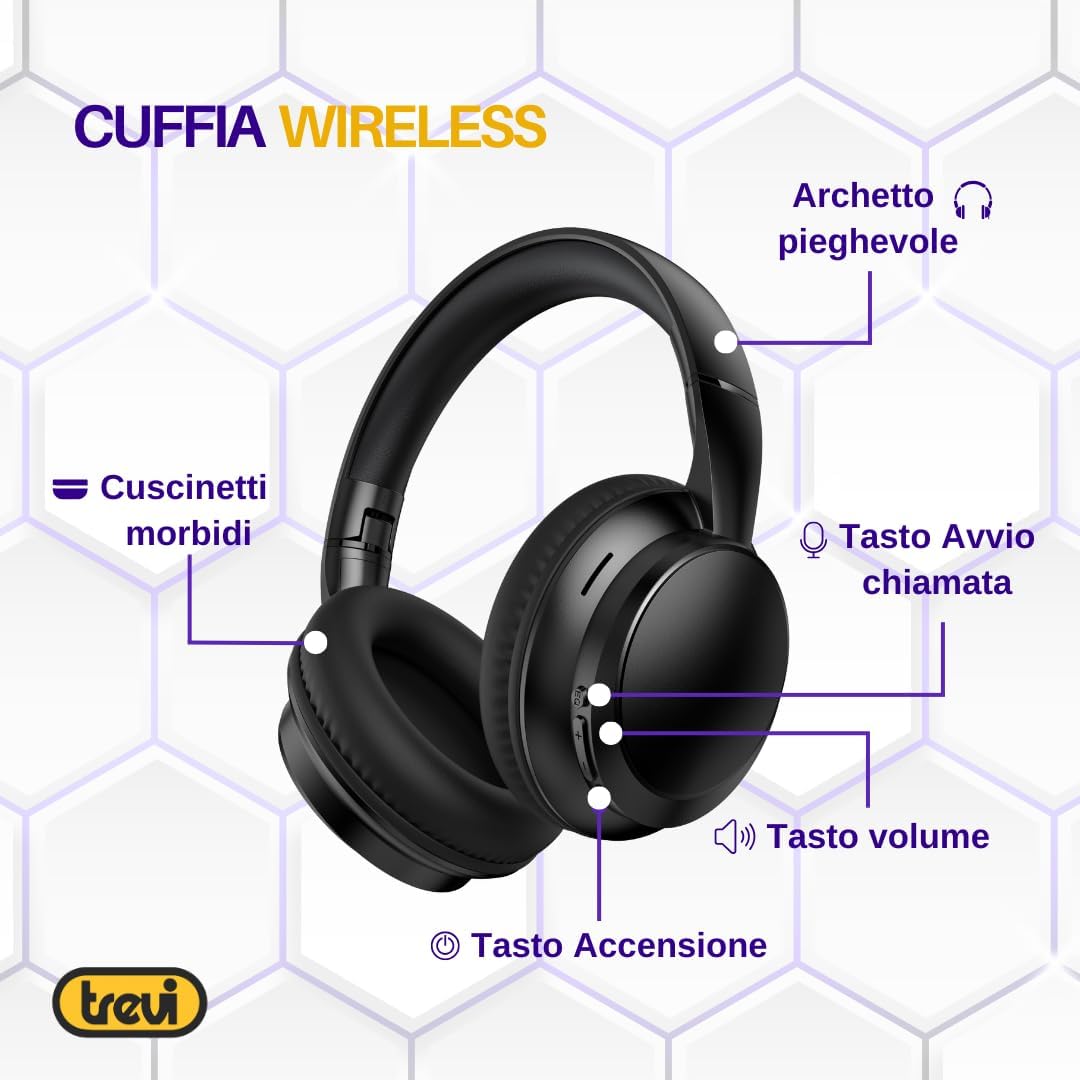
- Soft Ear Cushions: Designed for comfort during extended use.
- Foldable Headband: Allows for compact storage and portability.
- Call Answer Button: Used for managing phone calls.
- Volume Buttons: Adjust audio playback volume.
- Power Button: For turning the headphones on/off and initiating pairing.
- Microphone: Integrated for hands-free communication.
- AUX-IN Port: For wired connection to audio sources.
- USB Type-C Charging Port: For recharging the internal battery.
Setup
1. Charging the Headphones
Before first use, fully charge the headphones. Use the provided USB Type-C charging cable.
- Connect the USB Type-C end of the cable to the charging port on the headphones.
- Connect the USB-A end of the cable to a compatible USB power adapter (not included) or a computer's USB port.
- The LED indicator on the headphones will show the charging status. A full charge typically takes approximately one hour.
Note: The headphones feature a modern USB Type-C connection for rapid and effortless charging.
2. Powering On/Off
- To Power On: Press and hold the Power button until you hear an audible prompt (in English) indicating the headphones are on.
- To Power Off: Press and hold the Power button until you hear an audible prompt (in English) indicating the headphones are off.
3. Bluetooth Pairing (Wireless Connection)
To connect your headphones wirelessly to a device:
- Ensure the headphones are powered off.
- Press and hold the Power button for a few seconds until the LED indicator flashes, indicating pairing mode. You may hear an audible prompt.
- On your device (smartphone, tablet, PC), enable Bluetooth and search for available devices.
- Select "Trevi DJ 12E35 BT" from the list of found devices.
- Once connected, the LED indicator will change, and you will hear a confirmation tone or voice prompt.
Note: The headphones use Bluetooth V5.4 for stable and low-power wireless connectivity.
4. Wired Connection (AUX-IN)
For devices without Bluetooth or when the battery is depleted, you can use the AUX-IN connection:
- Connect one end of the provided 3.5mm audio cable to the AUX-IN port on the headphones.
- Connect the other end of the 3.5mm audio cable to the audio output jack of your device.
- The headphones will automatically switch to wired mode.
Operating Instructions
Music Playback
- Play/Pause: Press the Power button once.
- Volume Up: Press the '+' button.
- Volume Down: Press the '-' button.
- Next Track: Press and hold the '+' button.
- Previous Track: Press and hold the '-' button.
Phone Calls
The integrated microphone and call button allow for hands-free communication.
- Answer Call: Press the Call Answer button once.
- End Call: Press the Call Answer button once during a call.
- Reject Call: Press and hold the Call Answer button for approximately 2 seconds.
- Redial Last Number: Double-press the Call Answer button.
Note: Voice prompts for power on/off and volume adjustments are in English and cannot be deactivated.
Maintenance
- Cleaning: Use a soft, dry cloth to clean the headphones. Do not use abrasive cleaners or solvents.
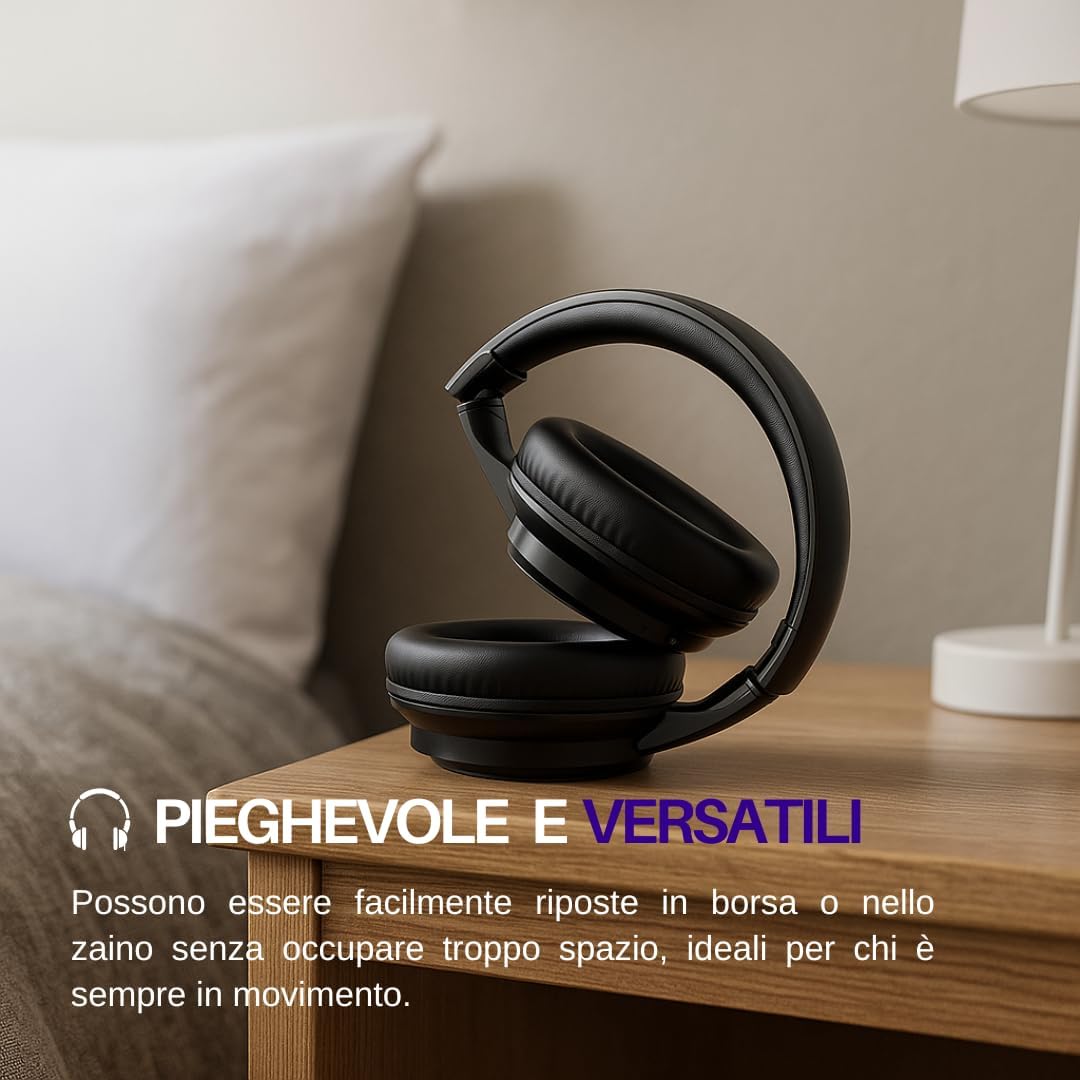
- Storage: When not in use, store the headphones in a cool, dry place. The foldable design allows for compact storage.
- Battery Care: To prolong battery life, avoid fully discharging the battery frequently. Charge the headphones regularly, even if not used for extended periods.
- Water Exposure: These headphones are not waterproof. Avoid exposure to water or excessive moisture.
Troubleshooting
| Problem | Possible Cause | Solution |
|---|---|---|
| Headphones do not power on. | Low battery. | Charge the headphones using the provided USB Type-C cable. |
| Cannot pair via Bluetooth. | Headphones not in pairing mode; Bluetooth disabled on device; device too far. | Ensure headphones are in pairing mode (flashing LED). Enable Bluetooth on your device. Move device closer to headphones (within 10 meters). |
| No sound during playback. | Volume too low; incorrect audio source; headphones not connected. | Increase volume on headphones and connected device. Verify headphones are correctly paired or connected via AUX-IN. |
| Poor audio quality. | Interference; low battery; source audio quality. | Move away from sources of interference. Charge headphones. Try a different audio source. |
| Microphone not working. | Microphone muted on device; headphones not selected as input device. | Check device settings to ensure microphone is not muted and headphones are selected as the input device. |
Specifications
| Model Name | DJ 12E35 BT |
| Model Number | 0D12E3500 |
| Brand | Trevi |
| Connectivity Technology | Wireless (Bluetooth V5.4) |
| Headphone Jack | 3.5 mm |
| Sensitivity | 112 dB |
| Impedance | 32 Ohm |
| Form Factor | Over-ear |
| Material | Synthetic Leather, Plastic |
| Weight | 280 grams |
| Product Dimensions | 18.5 x 8.5 x 56 cm |
| Battery Type | Lithium Ion (Rechargeable) |
| Recommended Uses | Calls, Exercise, Music, Office Meetings, Study |
| Compatible Devices | Mobile Phones, Tablets, PCs, Televisions |
| Color | Black |
| Noise Control | None |

Warranty and Support
For warranty information and customer support, please refer to the documentation included with your purchase or visit the official Trevi website. Keep your proof of purchase for warranty claims.


