
Introduction
This manual provides detailed instructions for the proper setup, operation, and maintenance of your BAOFENG DM32/UV32 Radio Holster. Designed for durability and convenience, this holster ensures secure and accessible carrying of your compatible walkie-talkie.

The BAOFENG DM32/UV32 Radio Holster is suitable for a wide range of professional and recreational activities, providing hands-free convenience.
Product Overview
Key Features
- Compatibility: Accurately matched with BAOFENG UV-32/DM-32 walkie-talkie models for a secure fit.
- Durable Material: Constructed from high-quality plastic, resistant to falling and wear, suitable for harsh outdoor environments.
- Convenient Back Clip: Easily attaches to belts, backpacks, or tactical vests, freeing up hands.
- Easy Access: Designed for quick removal and re-insertion of the radio.

The holster is made from robust plastic, ensuring long-term protection for your walkie-talkie.
Package Contents
Verify that all items are present in your package:
- 1X Holster Case
- 1X Belt Clip
Note: The intercom back clip needs to be used in combination with the Holster Case.
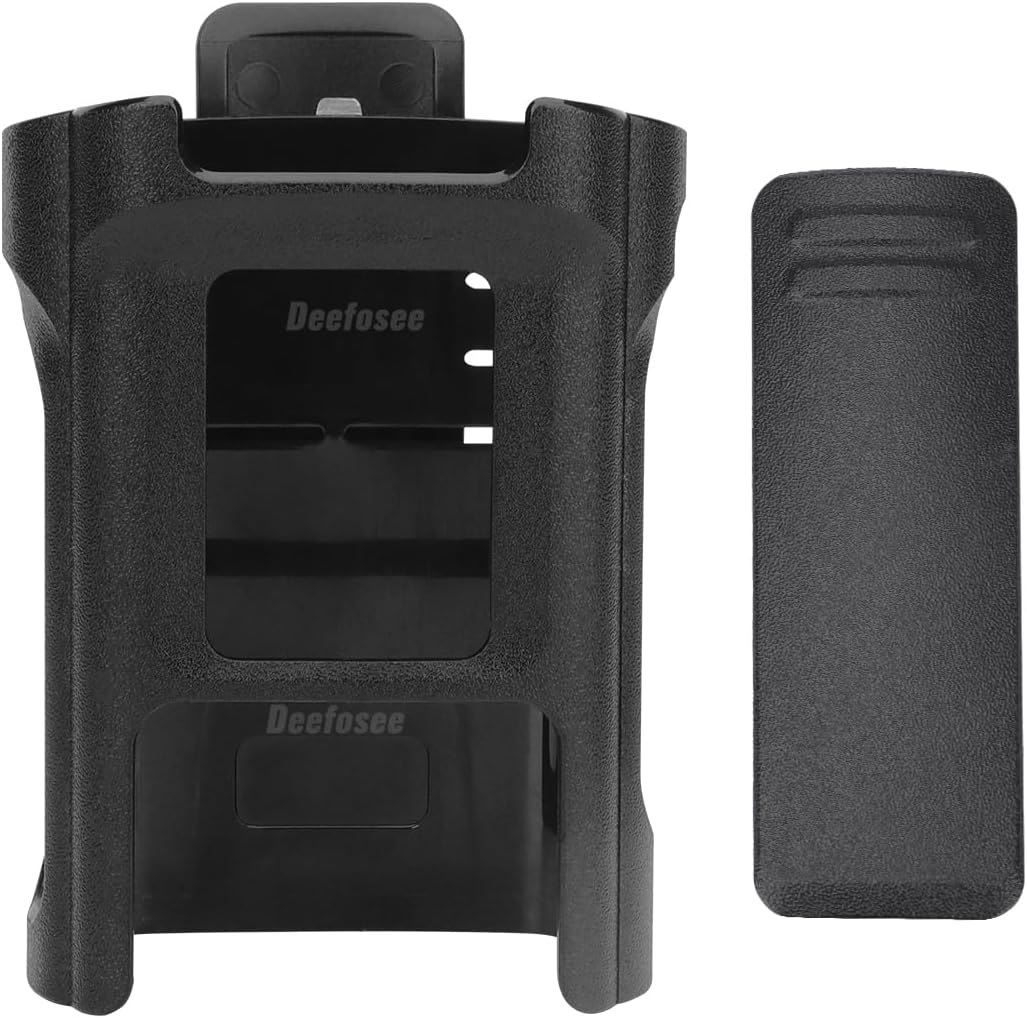
The package includes the holster case and a detachable belt clip.
Setup and Installation
1. Attaching the Belt Clip to the Holster
- Align the belt clip with the designated slot on the back of the holster case.
- Slide the belt clip into place until it securely locks. Ensure it is firmly attached to prevent accidental detachment.
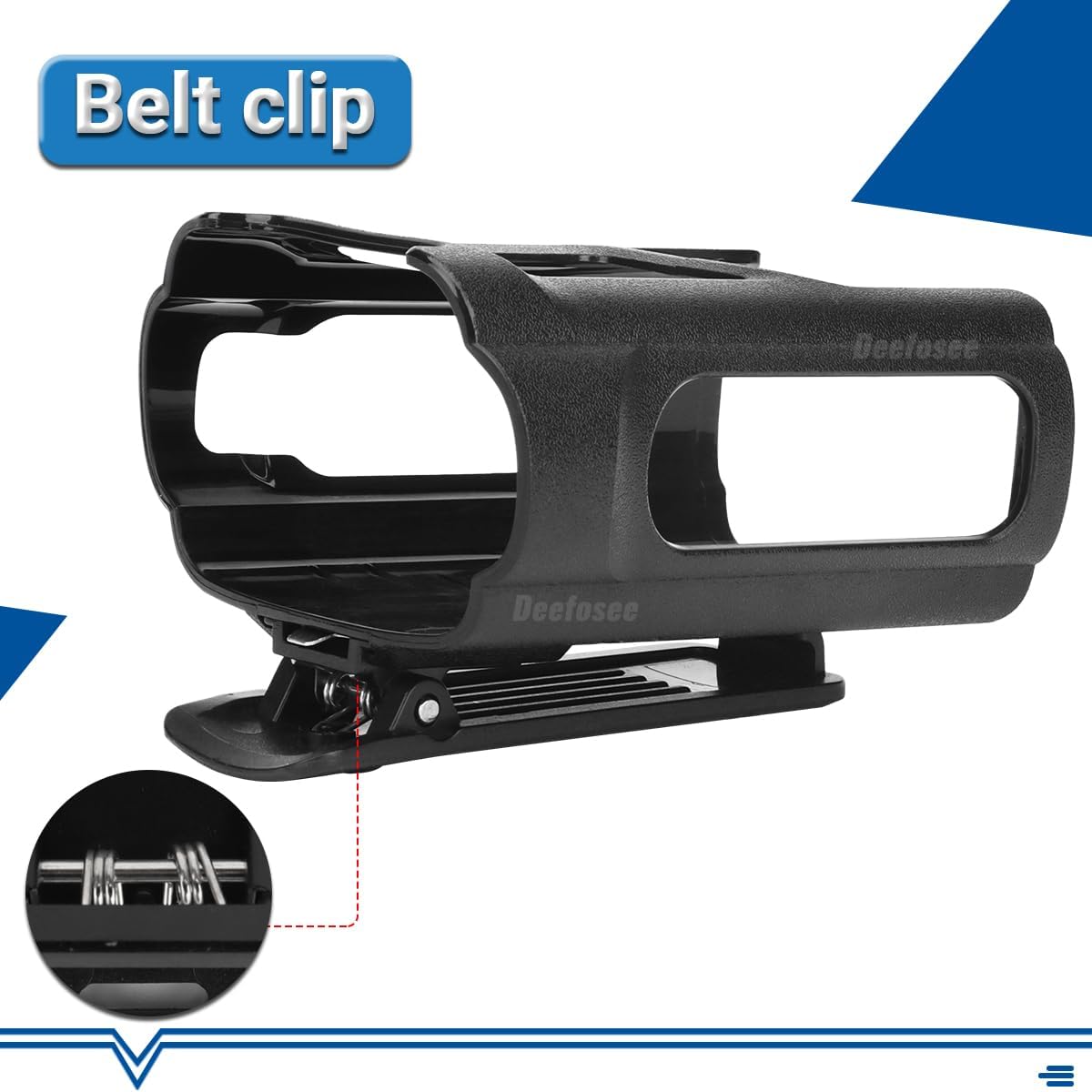
Detail of the belt clip, showing its robust design for secure attachment.
2. Inserting the Radio into the Holster
- Hold the holster with the opening facing upwards.
- Carefully slide your BAOFENG UV-32 or DM-32 walkie-talkie into the holster.
- Ensure the radio is fully seated within the holster, with buttons and display remaining accessible.
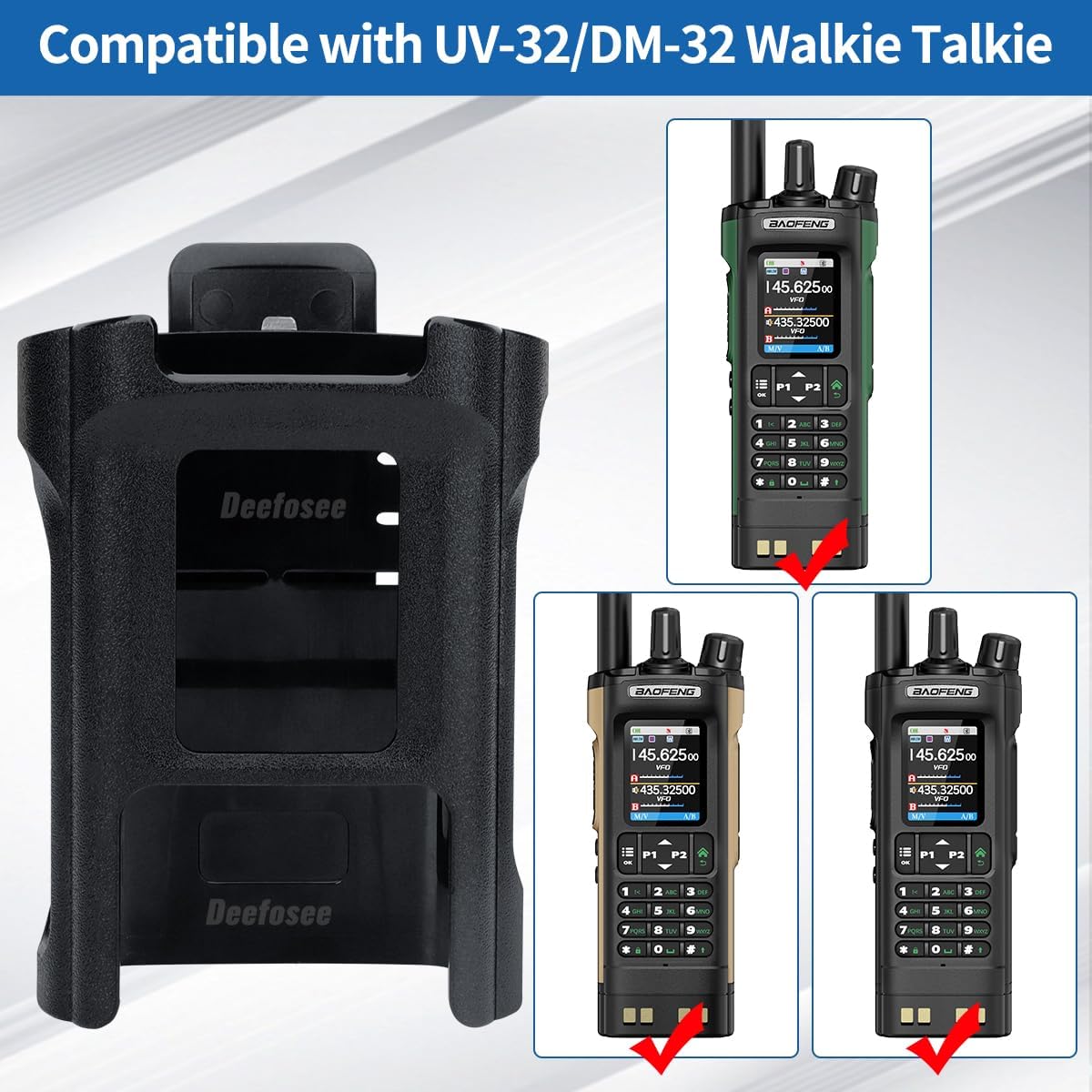
The holster is designed for a precise fit with BAOFENG UV-32 and DM-32 models, ensuring full functionality while secured.
3. Attaching the Holster to Your Belt or Gear
- With the radio securely in the holster, position the belt clip over your belt, backpack strap, or tactical vest.
- Press the clip firmly to ensure it engages with your gear. The locking safety device helps prevent accidental detachment.
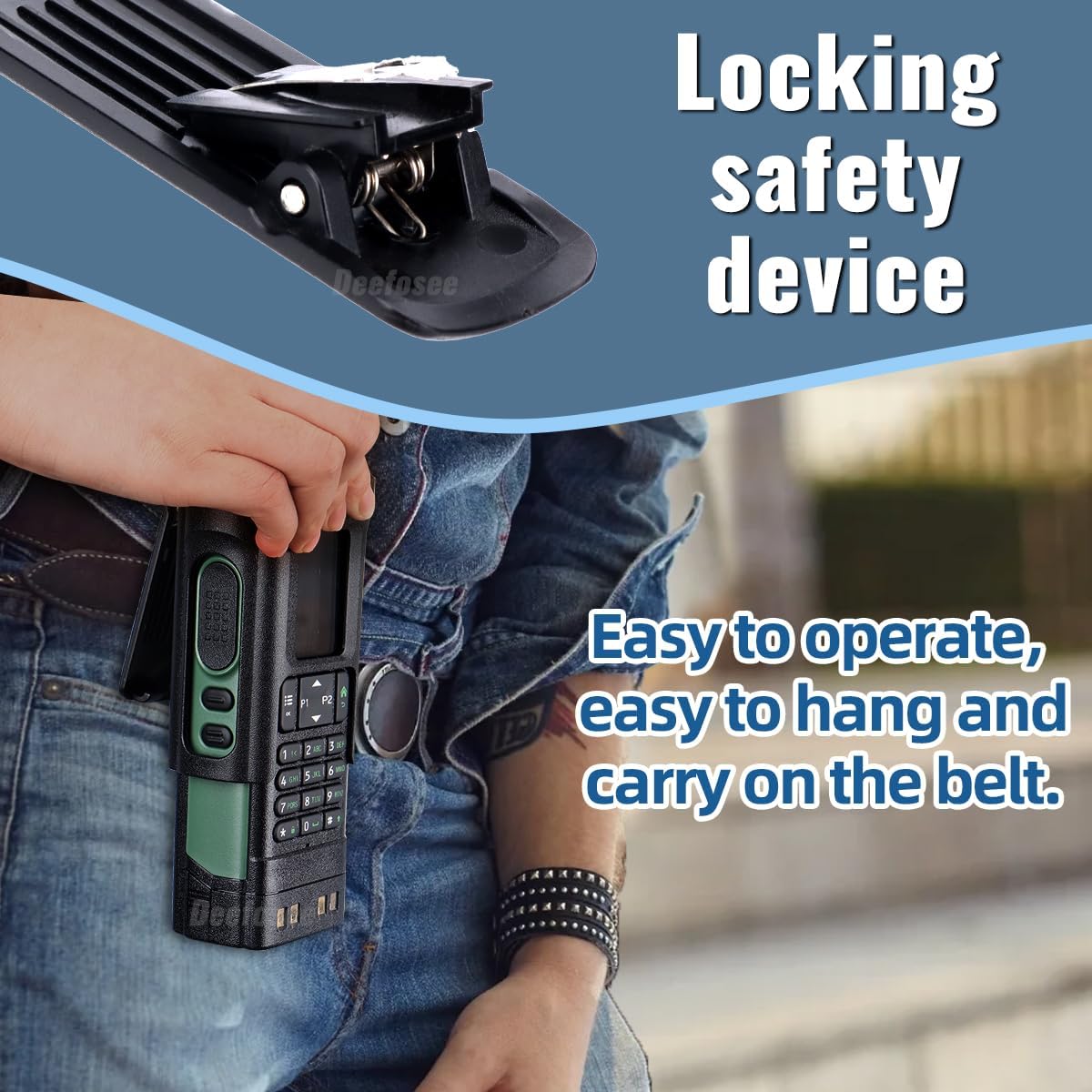
The holster can be easily attached to a belt, allowing for convenient and hands-free carrying.
Operation
Using the Holster
The holster allows for quick and easy access to your radio. To use the radio, simply lift it out of the holster. To return it, slide it back into the case. The design ensures that the radio's buttons and display remain accessible for operation while it is holstered.
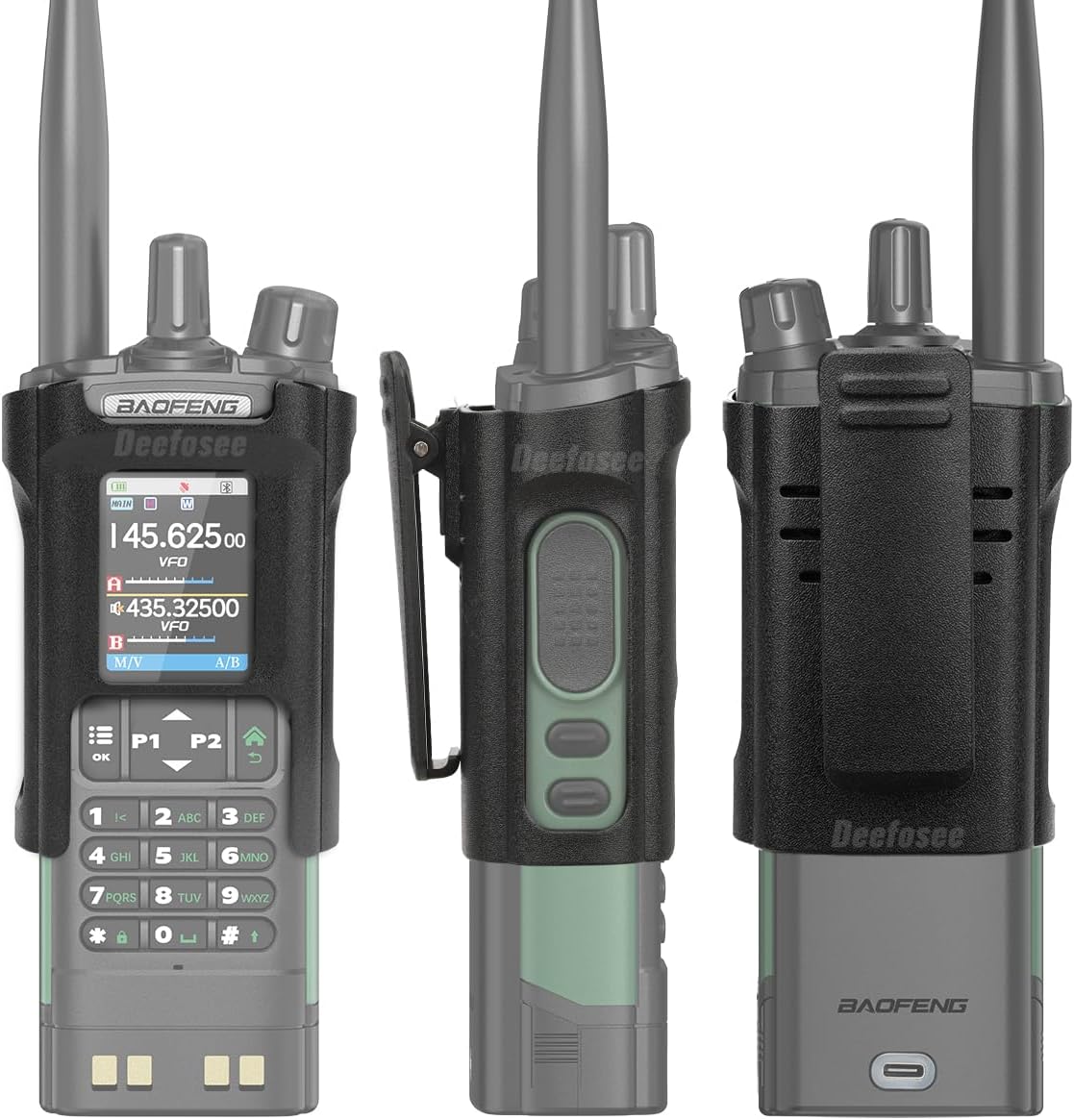
Various views of the radio securely held within the holster, demonstrating its ergonomic design.
Maintenance
Cleaning and Care
- To clean the holster, wipe it with a damp cloth. Avoid using harsh chemicals or abrasive cleaners, as these may damage the plastic material.
- Ensure the holster is dry before re-inserting your radio.
- Regularly inspect the belt clip for any signs of wear or damage to ensure secure attachment.
Troubleshooting
Common Issues
- Radio feels loose in the holster: Ensure your radio model is specifically the BAOFENG UV-32 or DM-32. The holster is designed for these models. If the fit is still loose, ensure the radio is fully inserted.
- Holster detaches from belt: Verify that the belt clip is properly engaged with your belt or gear. Ensure the locking mechanism on the clip is fully secured. Avoid excessive force or snagging that could dislodge the clip.
Specifications
| Feature | Detail |
|---|---|
| Brand Name | BAOFENG |
| Model Compatibility | UV-32, DM-32 |
| Material Type | Plastic |
| Closure Type | Buckle (for belt clip) |
| Handle Type | Belt Clip |
| Number of Compartments | 1 |
| Color | Black |
| Unit Count | 1 Count |

Detailed dimensions of the holster and belt clip for reference.
Warranty and Support
Warranty Information
For specific warranty details regarding your BAOFENG DM32/UV32 Radio Holster, please refer to the documentation provided with your original purchase or contact BAOFENG customer support directly.
Customer Support
If you encounter any issues or have questions not covered in this manual, please contact BAOFENG customer support through their official website or the retailer from whom you purchased the product.