Introduction
Thank you for choosing the Csasan T70 Smart Watch. This device is designed to enhance your daily life with its advanced features, including a vibrant 1.91-inch HD display, comprehensive health monitoring, and seamless connectivity. This manual provides detailed instructions to help you set up, operate, and maintain your new smartwatch, ensuring you get the most out of its capabilities.

Image: Csasan T70 Smart Watch, Rose Gold variant, showcasing its sleek design and large display.
What's Included in the Box
Please check the contents of your package to ensure all items are present:
- Smart watch x 1
- Magnetic charger x 1
- User manual x 1
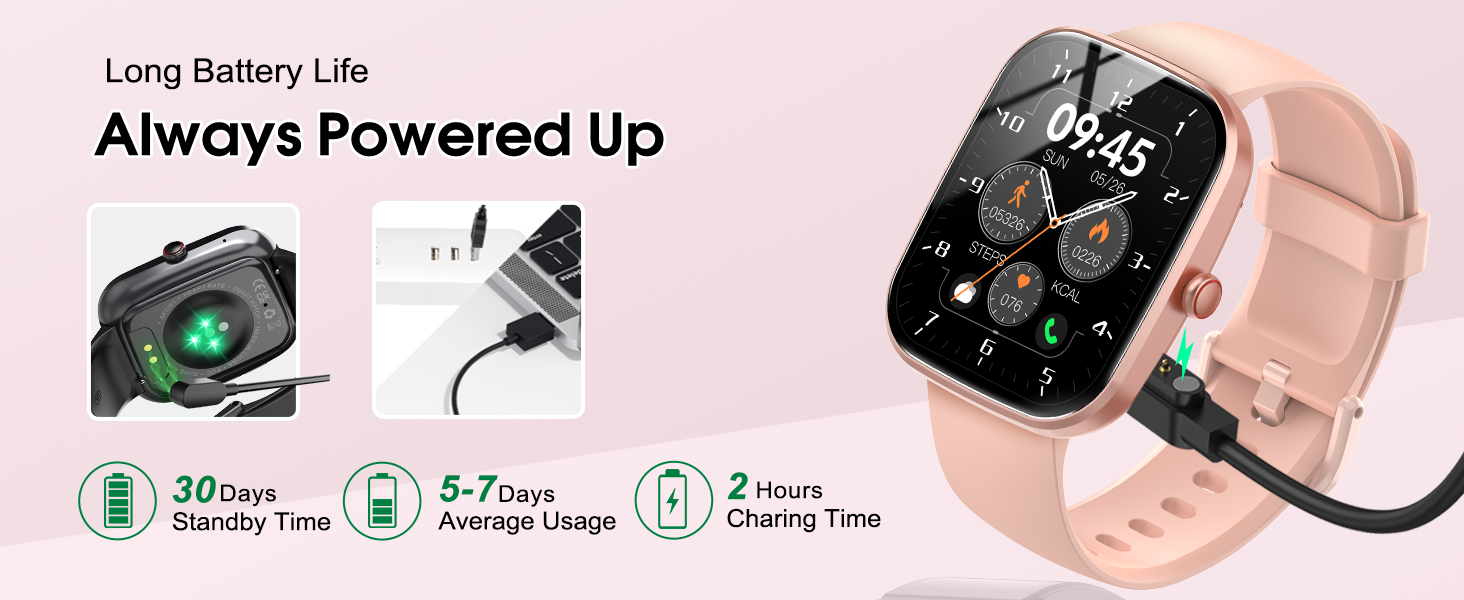
Image: Visual representation of the items included in the Csasan T70 Smart Watch packaging, including the watch, charger, and manual.
Setup Guide
1. Charging Your Smart Watch
Before first use, fully charge your smartwatch. Connect the magnetic charger to the charging points on the back of the watch and plug the USB end into a power adapter (not included) or a computer's USB port. A full charge typically takes about 2 hours.
2. Downloading the GloryFit App
To unlock all features and synchronize data, download the "GloryFit" app from your smartphone's app store (compatible with Android 5.0+ and iOS 9.0+).
3. Pairing Your Smart Watch
Follow these steps to pair your watch with your smartphone:
- Ensure your phone's Bluetooth is turned on.
- Open the "GloryFit" app.
- In the app, find and select your device (e.g., T70 (ID-XXXX)) to bind.
- Confirm the pairing request on both your phone and watch.
- For iOS 13.0 and below, after initial pairing, swipe right on the watch screen, turn on the "Phone" function switch, then go to your phone's Bluetooth settings, find T70 (ID-XXXX) and click connect to enable audio Bluetooth for calls.

Image: Step-by-step visual guide for connecting the smartwatch to a mobile device, including app download and Bluetooth pairing.
Operating Your Smart Watch
1. 1.91-Inch HD Touch Screen
The smartwatch features a large, high-definition full touch display with adjustable brightness. You can easily wake the screen by raising your wrist. Customize your watch face with over 100 options available in the GloryFit app, including personal photos.

Image: The smartwatch display showing various customizable watch faces and the large screen size.
2. Wireless Calls and Message Push
Stay connected by answering and making calls directly from your wrist. The watch features clear speaker sound quality and allows you to sync multiple mobile contacts. It supports full-network message push from popular apps like Instagram, YouTube, Messenger, Gmail, Snapchat, Facebook, Twitter, and WhatsApp, ensuring you receive notifications without needing to check your phone. Note: The smartwatch cannot reply to messages.

Image: The smartwatch displaying an incoming call and options for answering or declining, alongside a smartphone showing call history and contacts.
3. 110+ Sports Modes
The fitness tracker offers over 110 sports modes, including running, cycling, swimming, and various fitness activities. It tracks your steps, calories burned, and distance, helping you monitor your progress and stay motivated.

Image: Various individuals engaged in different sports activities, illustrating the smartwatch's extensive range of sports tracking modes.
4. 24/7 Heart Rate and Sleep Monitoring
Equipped with a high-performance sensor, the watch continuously monitors your heart rate, providing real-time data to help you understand your physical condition. It also automatically tracks your sleep patterns, including awake, light, and deep sleep, to help you adjust your habits for better rest. Note: Health data is for reference only and should not be used for medical diagnosis.

Image: The smartwatch displaying heart rate data on one screen and sleep tracking data on another, with corresponding visuals of a person exercising and sleeping.
5. Music Control
Control your smartphone's music playback directly from your watch. You can play, pause, skip tracks, and adjust volume without needing to take out your phone, ideal for workouts or on-the-go listening.

Image: A person listening to music while exercising, with the smartwatch displaying music control options.
6. Camera Remote Control
Use your smartwatch as a remote shutter for your phone's camera. This feature is convenient for group photos or selfies, allowing you to capture moments without rushing to beat a timer.

Image: Two people using the smartwatch to remotely control a smartphone camera for a photo.
7. Other Multifunctions
The Csasan T70 Smart Watch includes many other useful functions such as:
- Weather forecast
- Sedentary reminder
- Stopwatch
- Alarm clock
- Timer
- Female cycle tracking
- Screen light time adjustment
- Find phone function
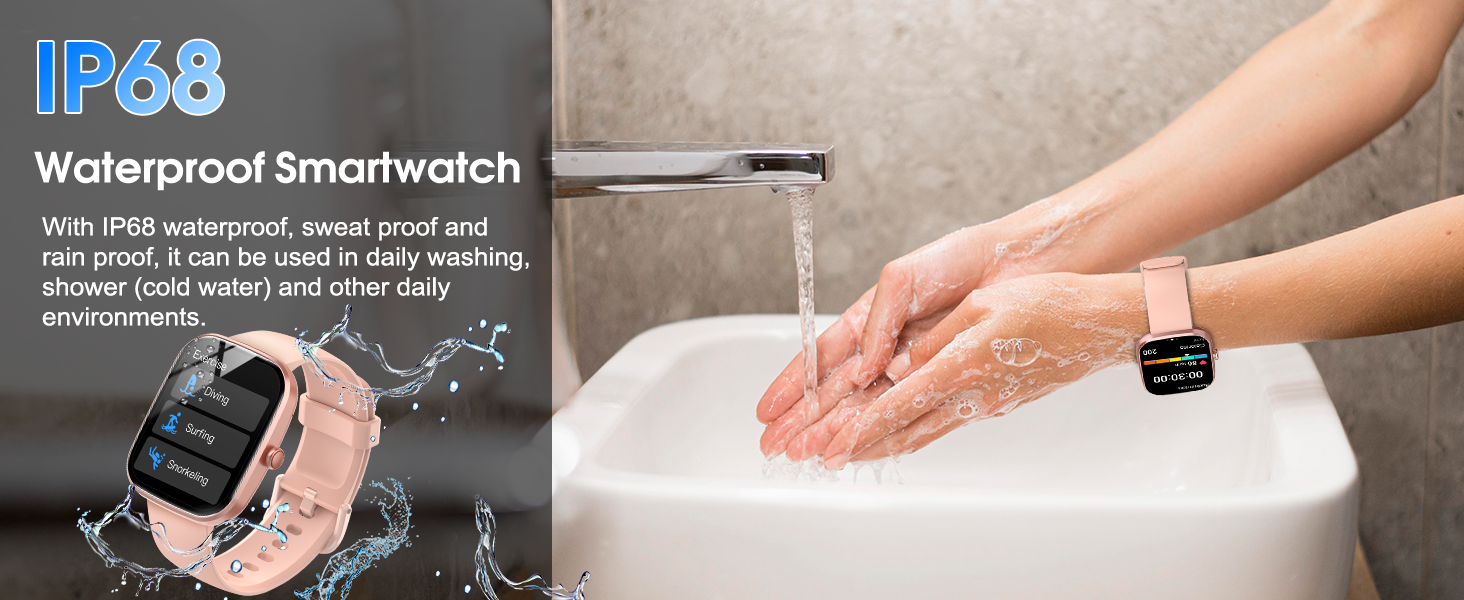
Image: A collage of various smartwatch features including weather, alarm, customizable dials, and multi-functional reminders.
Maintenance
1. IP68 Waterproof Rating
The Csasan T70 Smart Watch is IP68 waterproof, meaning it is resistant to sweat, rain, and can be used during daily activities like washing hands or showering with cold water. It is suitable for most daily needs. Important Note: Do not use the watch in hot water, saunas, or for prolonged soaking in water, as this may affect its waterproof integrity and lifespan.

Image: A person washing hands with the smartwatch on, illustrating its IP68 waterproof capability.
2. Battery Life
The smartwatch offers excellent battery performance:
- Standby Time: Up to 30 days
- Average Usage: 5-7 days
- Charging Time: Approximately 2 hours
To maximize battery life, avoid extreme temperatures and ensure the charging contacts are clean.

Image: The smartwatch displaying battery percentage and an illustration of its magnetic charging method.
Troubleshooting
If you encounter any issues with your Csasan T70 Smart Watch, please refer to the following common solutions:
- Watch not turning on: Ensure the watch is fully charged. Connect it to the charger and wait a few minutes before attempting to power it on.
- Cannot pair with phone:
- Make sure Bluetooth is enabled on your phone.
- Ensure the watch is within Bluetooth range (typically 10 meters).
- Restart both your phone and the watch.
- Check if the GloryFit app is updated to the latest version.
- If previously paired, try unpairing the device from your phone's Bluetooth settings and re-pairing through the GloryFit app.
- Notifications not appearing:
- Ensure the watch is successfully connected to the GloryFit app.
- Check notification permissions for the GloryFit app in your phone's settings.
- Verify that app notifications are enabled within the GloryFit app settings.
- Inaccurate health data:
- Ensure the watch is worn snugly on your wrist, not too loose or too tight.
- Clean the sensor on the back of the watch regularly.
- Note that environmental factors and individual physiology can affect readings. Data is for reference only.
- Screen unresponsive: Try restarting the watch. If the issue persists, ensure the screen is clean and dry.
If these steps do not resolve your issue, please contact customer support for further assistance.
Specifications
| Feature | Description |
|---|---|
| Model Name | T70 |
| Brand | Csasan |
| Screen Size | 1.91 Inches |
| Display Type | HD Full Touch Screen |
| Shape | Rectangular |
| Connectivity Technology | Bluetooth |
| Wireless Communication Standard | Bluetooth |
| Operating System | Android (compatible with Android 5.0+ and iOS 9.0+) |
| Water Resistance | IP68 |
| Battery Life (Average Usage) | 5-7 Days |
| Battery Life (Standby) | Up to 30 Days |
| Charging Time | Approx. 2 Hours |
| Item Weight | 3.2 ounces |
| Package Dimensions | 6.81 x 3.74 x 0.71 inches |
Warranty and Support
Csasan is committed to providing excellent customer service and product quality. Your Csasan T70 Smart Watch comes with the following:
- Lifetime Support: Enjoy lifetime support and satisfied solutions for any product-related inquiries.
- 24 Hours Service: Quick service via email for your convenience.
- 30 Days Return Policy: A 30-day no-reason return policy from the date of purchase.
- 2 Years Free Replacement: A 2-year free replacement warranty for manufacturing defects.
For any questions or support needs, please refer to the contact information provided in your product packaging or visit the official Csasan website.

Image: Icons representing lifetime support, 24-hour service, 30-day return, and 2-year free replacement.


