
Rolosar Q76
Rolosar Wireless Earbuds User Manual
Model: Q76
Introduction
Thank you for choosing the Rolosar Wireless Earbuds. These earbuds are designed to provide a superior audio experience with advanced Bluetooth 5.4 technology, comfortable earhook design, and robust IP7 waterproofing, making them ideal for sports and daily use. This manual will guide you through the setup, operation, and maintenance of your new earbuds.
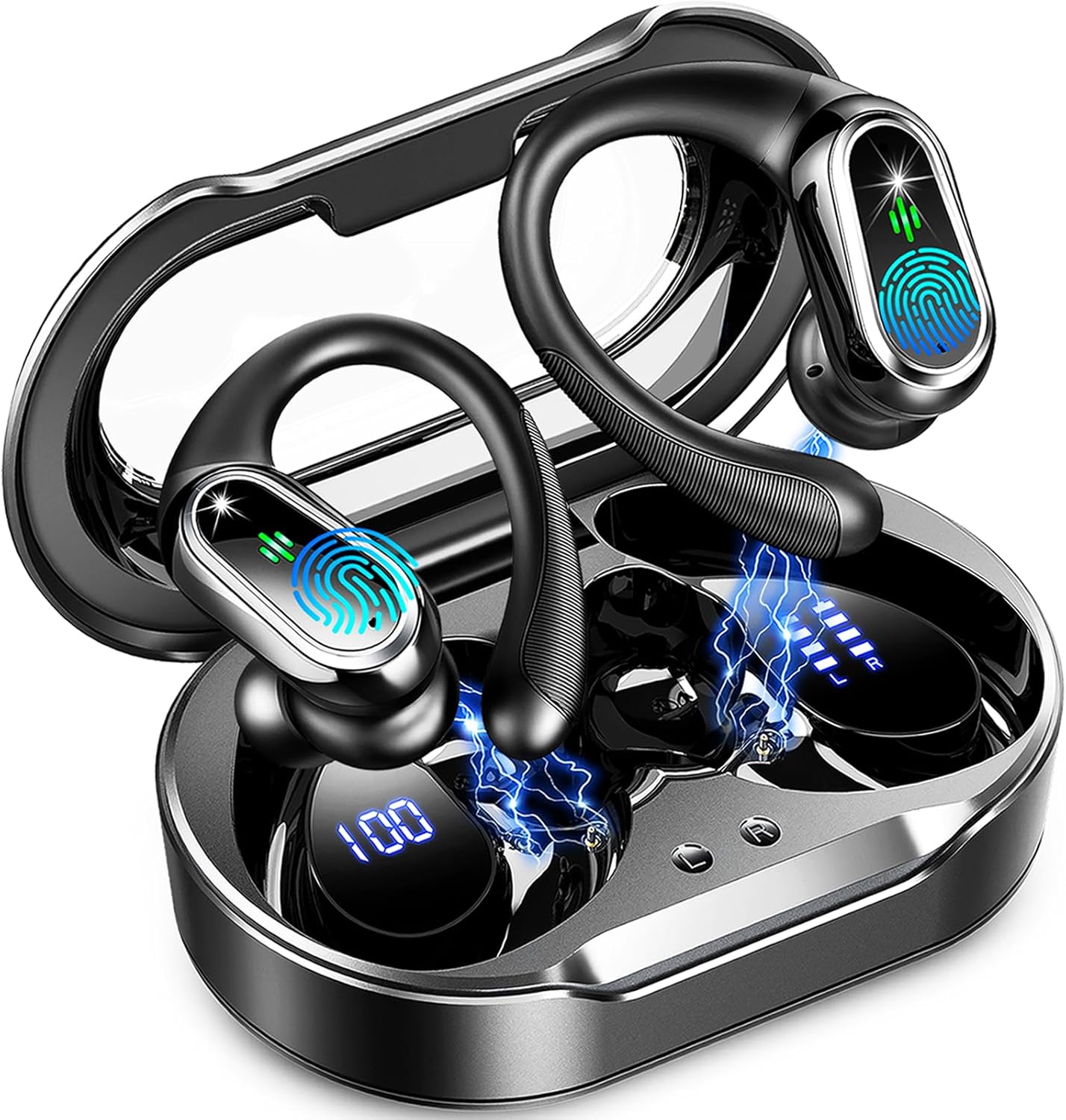
Image: The Rolosar Wireless Earbuds, black in color, resting inside their transparent-lidded charging case. The case and earbuds show digital battery indicators.
Product Features
- Advanced Bluetooth 5.4: Offers faster transfer speeds, stable transmission, lower power consumption, and ultra-low latency.
- Hi-Fi Stereo Sound: Equipped with 14.2mm double-layer diaphragm drivers for strong bass, clear mids, and bright treble.
- ENC Noise Cancelling Microphone: Ensures crystal-clear calls by reducing ambient noise.
- Ergonomic Earhook Design: Flexible and soft ear hooks provide a secure and comfortable fit, ideal for sports and active use.
- IP7 Waterproof Rating: Resistant to sweat, rain, and minor water splashes, suitable for various environments.
- Extended Battery Life: Up to 10 hours of playtime per charge, with the charging case extending total usage to 50 hours.
- Dual LED Display: Transparent charging case shows real-time battery levels for both the case and individual earbuds.
- Smart Touch Control: Intuitive touch sensors for easy management of music, calls, and voice assistant.
Setup and Pairing
Follow these steps to pair your Rolosar Wireless Earbuds with your device:
- Step 1: Power On
Open the lid of the charging case. The earbuds will automatically power on and enter pairing mode. - Step 2: Enable Bluetooth
On your smartphone, tablet, or other Bluetooth-enabled device, navigate to the Bluetooth settings and ensure Bluetooth is turned on. - Step 3: Select Device
In the list of available Bluetooth devices, locate and select "Q76" to initiate the pairing process. - Step 4: Connection Confirmation
Once connected, you will hear an audible confirmation from the earbuds, and the device will show "Q76" as connected.
The earbuds will automatically reconnect to the last paired device when removed from the charging case, provided Bluetooth is enabled on the device.

Image: A visual guide illustrating the one-step auto pairing process for the Q76 earbuds, showing the earbuds and a smartphone with Bluetooth settings.
Operating Instructions
Wearing the Earbuds
For optimal comfort and sound quality, choose the correct ear tip size and adjust the earhook:
- Choose Ear Tips: Select the ear tips (S/M/L) that provide the best seal and comfort for your ears.
- Place Earhook: Gently place the earhook over your ear.
- Adjust Angle: Rotate and adjust the earbud to a comfortable angle, ensuring the ear tip is securely in your ear canal.
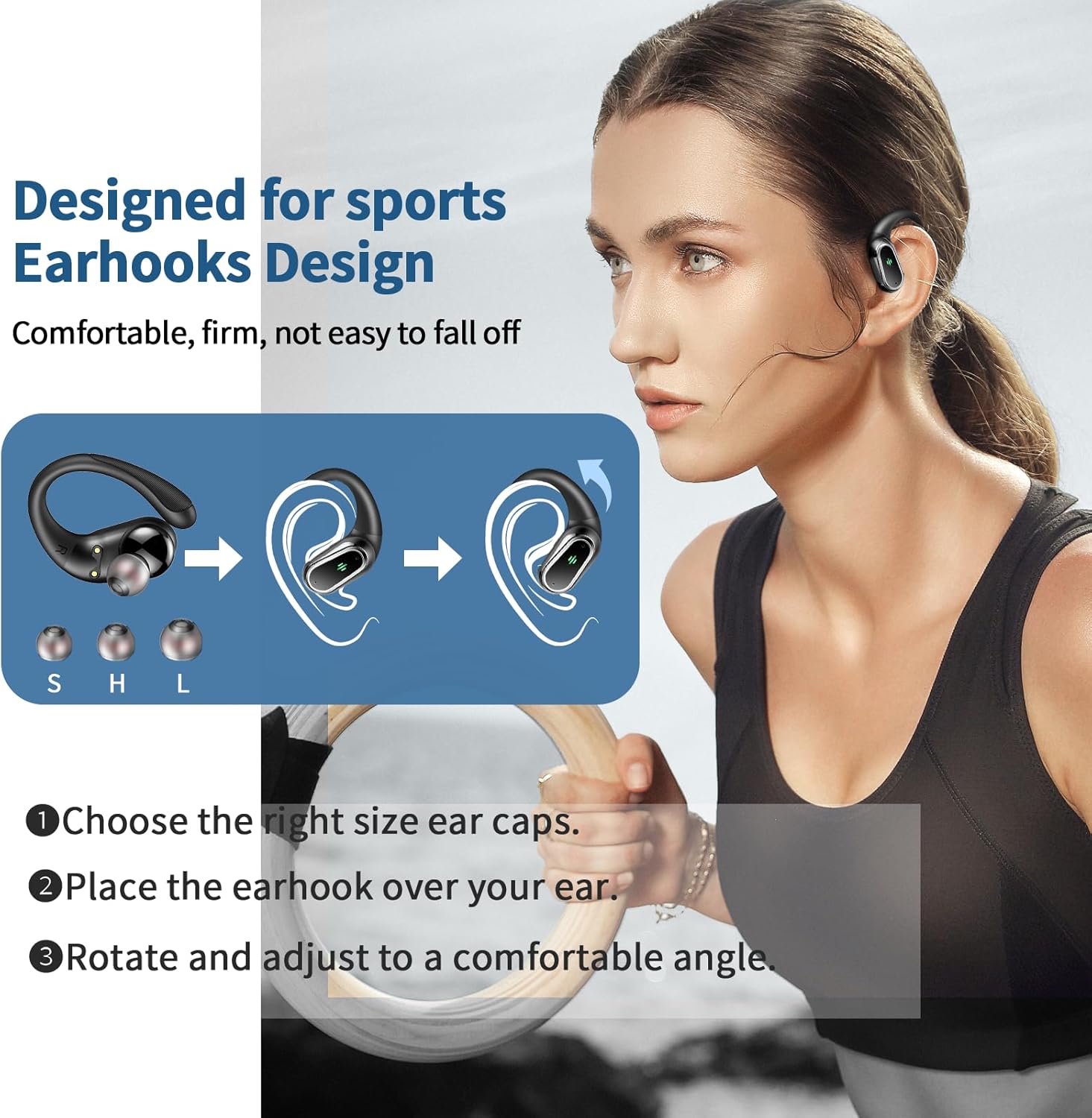
Image: A step-by-step visual guide demonstrating how to properly fit the earhook earbuds, showing ear tip selection and earbud placement on the ear.
Smart Touch Controls
The earbuds feature high-sensitivity touch controls located on the upper part of the earphone surface. Refer to the table below for common functions:
| Action | Function |
|---|---|
| Single Tap (L/R) | Play/Pause Music, Answer/End Call |
| Double Tap (L) | Previous Song |
| Double Tap (R) | Next Song |
| Triple Tap (L) | Volume Down |
| Triple Tap (R) | Volume Up |
| Long Press (2s) (L/R) | Reject Call, Activate Voice Assistant |
| Quick Tap 5 times (L & R simultaneously) | Unpair Headphones |

Image: A detailed graphic showing the touch-sensitive area on the earbud and the corresponding actions for music playback, call management, and voice assistant activation.
Charging and Battery Life
The Rolosar Wireless Earbuds offer extended battery life for prolonged listening.
- Earbud Playtime: Approximately 10 hours of continuous playback on a single charge.
- Total Playtime with Case: The charging case provides multiple additional charges, extending the total usage time to up to 50 hours.
- Charging the Earbuds: Place the earbuds back into the charging case. They will automatically begin charging.
- Charging the Case: Connect the charging case to a power source using the provided Type-C USB cable. The LED display on the case will indicate the charging status and battery level.
The transparent cover of the charging case allows for intuitive real-time monitoring of the battery levels for both the case and each earbud.
Maintenance and Care
To ensure the longevity and optimal performance of your earbuds, follow these care guidelines:
- Cleaning: Regularly clean the earbuds and charging case with a soft, dry, lint-free cloth. Do not use abrasive cleaners or solvents.
- Ear Tips: Remove and clean the ear tips periodically with water and mild soap, then dry thoroughly before reattaching.
- Water Resistance (IP7): The earbuds are IP7 waterproof, meaning they can resist sweat, rain, and minor water splashes. Do not submerge them in water or expose them to strong jets of water. Ensure the charging port is dry before charging.
- Storage: When not in use, store the earbuds in their charging case to protect them from dust and damage.
- Temperature: Avoid exposing the earbuds to extreme temperatures (hot or cold) or high humidity.
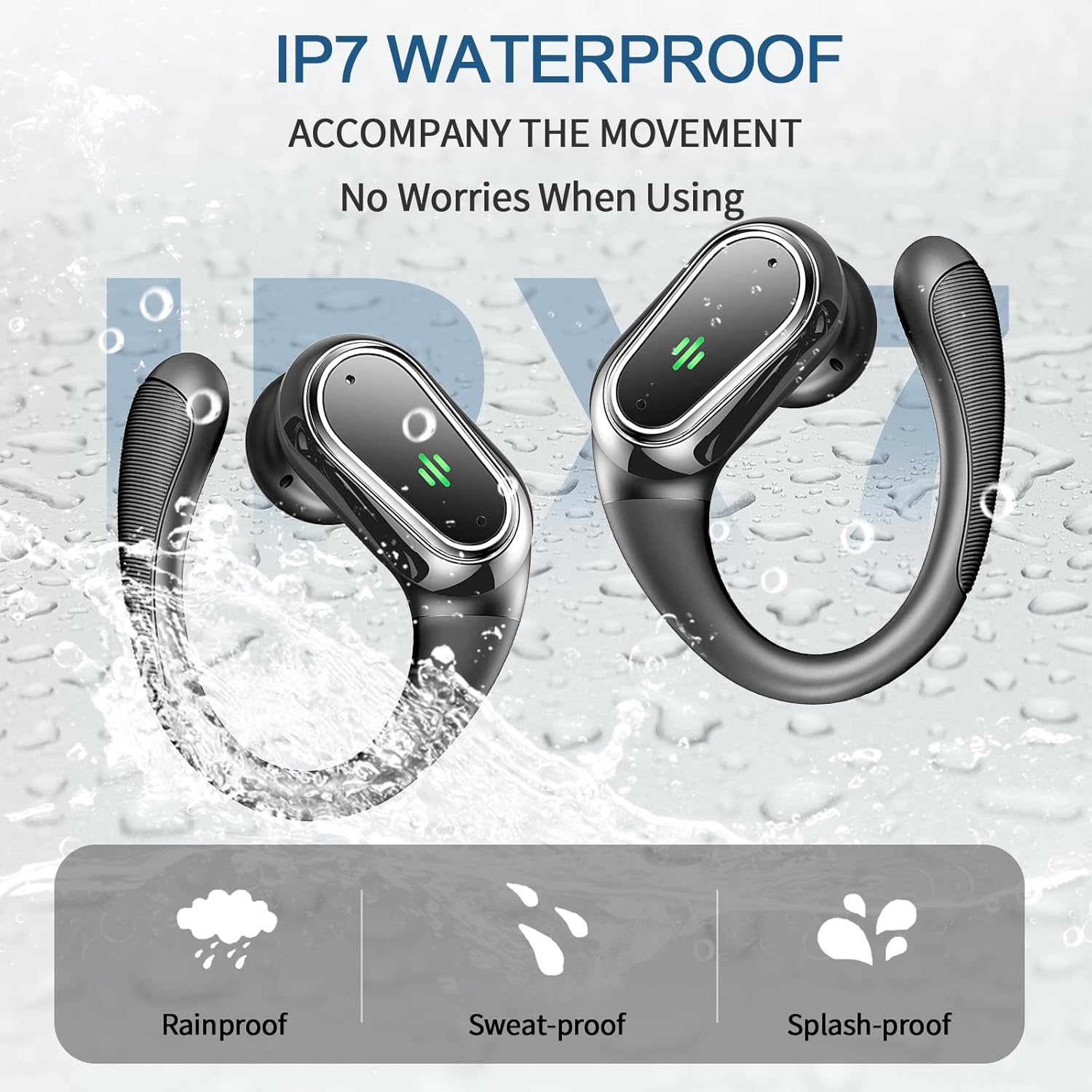
Image: A graphic demonstrating the IP7 waterproof capabilities of the earbuds, highlighting their resistance to rain, sweat, and splashes.
Troubleshooting
If you encounter any issues with your Rolosar Wireless Earbuds, please refer to the following common solutions:
- Earbuds Not Pairing:
- Ensure both earbuds are charged.
- Turn off and on your device's Bluetooth.
- Place earbuds back in the case, close the lid, wait a few seconds, then open again.
- If previously paired, try "forgetting" or "unpairing" the "Q76" from your device's Bluetooth list and then re-pair.
- Perform a factory reset: Quickly tap both left and right earbuds 5 times simultaneously to unpair.
- Only One Earbud Working:
- Ensure both earbuds are charged.
- Place both earbuds back in the charging case, close the lid, and then take them out again.
- Try re-pairing the earbuds with your device.
- Low Volume or Poor Sound Quality:
- Adjust the volume on both your device and the earbuds.
- Ensure the ear tips are clean and properly seated in your ear canal for a good seal.
- Check if there is any debris blocking the earbud speakers.
- Charging Issues:
- Ensure the charging cable is securely connected to both the case and the power source.
- Try a different charging cable or power adapter.
- Clean the charging contacts on both the earbuds and inside the case.
If the issue persists, please contact customer support for further assistance.
Specifications
| Feature | Detail |
|---|---|
| Model Name | Q76 |
| Connectivity Technology | Wireless (Bluetooth 5.4) |
| Noise Control | Adaptive Noise Cancellation (ENC Mic) |
| Waterproof Rating | IP7 |
| Single Earbud Playtime | Approx. 10 hours |
| Total Playtime (with case) | Approx. 50 hours |
| Driver Size | 14.2mm |
| Product Dimensions | 1.57 x 0.79 x 1.97 inches |
| Item Weight | 5 ounces |
| Manufacturer | Rolosar |
Warranty and Support
Rolosar products are manufactured to the highest quality standards. For information regarding warranty coverage, technical support, or service inquiries, please refer to the contact information provided with your product packaging or visit the official Rolosar website.
For online support, you may visit the Rolosar Store on Amazon.
Ask a question about this manual
Ask about setup, troubleshooting, compatibility, parts, safety, or missing instructions. Manuals+ will review the question and use this page’s manual context to help answer it.