1. Introduction
Thank you for choosing the Gizoon Queen Bed Frame. This upholstered wingback platform bed is designed for comfort and convenience, featuring a built-in charging station and adjustable LED lights. This manual provides essential information for safe assembly, operation, and maintenance to ensure optimal performance and longevity of your bed frame.
2. Safety Information
Please read and understand all instructions before assembly and use. Failure to follow these instructions may result in injury or product damage.
- LED Light Strip: The LED light strip may cause eye strain or distraction if used for extended periods in a dark room. Use with caution and adjust brightness as needed.
- Assembly: Always follow the assembly instructions carefully to prevent instability or collapse. Ensure all screws and fasteners are securely tightened.
- Sharp Edges: Be careful around sharp edges during assembly and handling to avoid injury.
- Weight Capacity: Do not exceed the recommended weight capacity of the bed frame (850 lbs).
- Children: Keep small parts and packaging materials away from children to prevent choking hazards.
3. Package Contents
Verify that all components are present before beginning assembly. If any parts are missing or damaged, please contact customer support.

Image: All parts included in the packaging for assembly.
- Headboard with integrated LED lights and charging station
- Side rails (upholstered)
- Footboard (upholstered)
- Wooden slats with Velcro attachment
- Central support beam and legs
- Assembly hardware (screws, bolts, Allen wrench)
- Instruction manual
4. Assembly Instructions
Assembly typically requires 1-2 people and takes approximately 1-2 hours. An electric screwdriver (not included) can expedite the process. Ensure adequate workspace and take inventory of all components before starting. Wear gloves to prevent injury.
Image: A person reviewing the assembly instructions before starting.
Step-by-Step Guide:
- Unpack Components: Carefully remove all parts from the packaging. Lay them out on a clean, soft surface to prevent scratches. Identify each part using the provided parts list.
- Assemble Side Rails: Attach the side rails to the headboard and footboard using the provided bolts and Allen wrench. Ensure all connections are secure.
- Install Center Support: Place the central support beam and its legs in the middle of the bed frame. Secure it according to the instructions to provide adequate mattress support.
- Attach Wooden Slats: Unroll the wooden slats and place them across the bed frame. The slats are typically connected by a strap and may have Velcro to secure them to the frame, preventing movement and noise.
- Final Tightening: Double-check all bolts and screws to ensure they are fully tightened.
5. Operating Instructions
5.1. Adjustable LED Light Strip
The headboard features an integrated LED light strip with multiple functions.
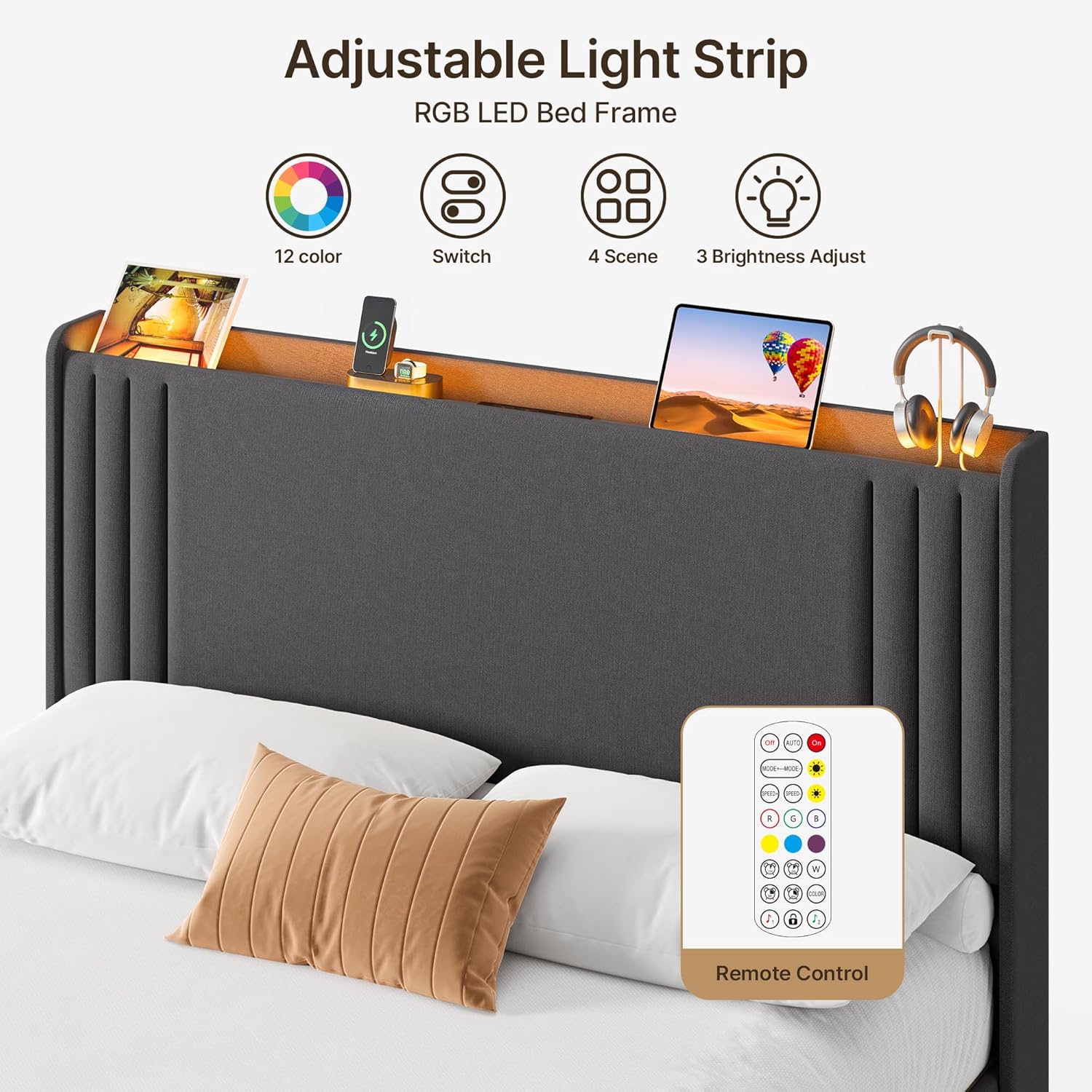
Image: The headboard's adjustable LED light strip with remote control.
- Power On/Off: Use the remote control or the integrated switch to turn the LED lights on or off.
- Color Changing Modes: Select from multiple built-in color-changing modes using the remote control.
- Music Sync Mode: Activate music sync mode to make the lights flash to the beat of your music.
- Brightness Adjustment: Adjust the brightness of the LED lights to your preference using the remote control.
- Automatic Reconnection: The lights are equipped with automatic reconnection technology and will pair instantly after powering on.
5.2. Built-in Charging Station
The headboard includes a convenient charging station for your electronic devices.

Image: The built-in charging station on the headboard.
- Power Sockets: Two standard power sockets (126V/12A) are available for larger electronics.
- USB Ports: Two USB ports (5V/2A, one Type-C and one standard USB) are provided for charging mobile phones, tablets, and other USB-powered devices.
- Usage: Simply plug your devices into the appropriate ports for convenient charging without needing a wall socket.
6. Maintenance
Regular maintenance will help keep your bed frame in excellent condition.
- Cleaning Fabric: For general cleaning, gently vacuum the upholstered surfaces with a soft brush attachment. For spills, blot immediately with a clean, dry cloth. Avoid harsh chemicals.
- Frame Inspection: Periodically check all bolts and screws to ensure they remain tight. Re-tighten if necessary.
- Slats: Ensure wooden slats are properly seated and not damaged. Replace any broken slats to maintain mattress support.
- Charging Station: Keep the charging ports free of dust and debris. Do not expose the charging station to liquids.
7. Troubleshooting
If you encounter any issues, refer to the following troubleshooting tips:
| Problem | Possible Cause | Solution |
|---|---|---|
| Bed frame is noisy/squeaky. | Loose connections; uneven floor. | Tighten all bolts and screws. Ensure bed is on a level surface. Check slat placement. |
| LED lights are not working. | Power connection issue; remote battery low. | Check power cable connection to the wall outlet and the headboard. Replace remote control batteries. |
| Charging station is not working. | Power connection issue; device compatibility. | Ensure the bed frame is properly plugged into a working wall outlet. Test with a different device and cable. |
| Mattress slides on the frame. | No anti-slip features or worn out. | Ensure slats are properly installed. Consider adding an anti-slip mat between the mattress and slats. |
8. Specifications
- Size: Queen
- Product Dimensions: 84"L x 61"W x 46"H
- Color: Dark Grey
- Material: Wood, Steel, Upholstered Fabric
- Special Feature: Headboard with LED Lights and Charging Station
- Included Components: Headboard, Side Rails, Footboard, Wooden Slats, Hardware
- Compatible Mattress Thickness: 8 to 12 inches (no box spring needed)
- Under-bed Storage Space: 7.5 inches
- Item Weight: 80 pounds
- Assembly Required: Yes
- Manufacturer: Gizoon

Image: Product dimensions and weight capacity.
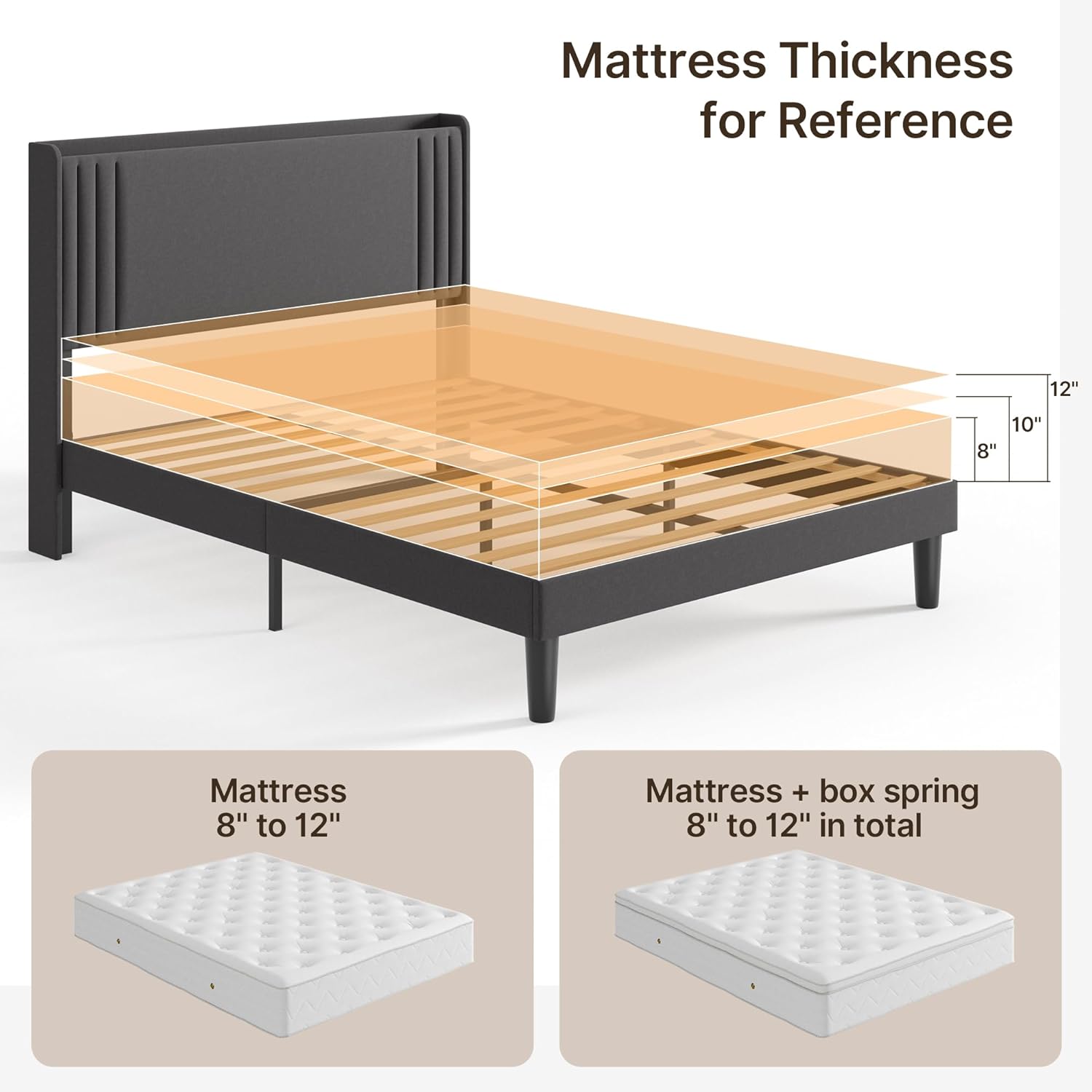
Image: Recommended mattress thickness for optimal fit.
9. Warranty and Support
For warranty information, product support, or to report missing/damaged parts, please refer to the contact information provided with your purchase or visit the official Gizoon website. Keep your purchase receipt for warranty claims.


