
Originbuty NO
Originbuty Bottom Loading Water Cooler Water Dispenser User Manual
Model: NO
1. Introduction
Thank you for choosing the Originbuty Bottom Loading Water Cooler Water Dispenser. This manual provides essential information for the safe and efficient operation, installation, maintenance, and troubleshooting of your new appliance. Please read these instructions thoroughly before use and retain them for future reference.
2. Safety Instructions
- Ensure the dispenser is placed on a level, stable surface away from direct sunlight and heat sources.
- Do not operate the dispenser with a damaged power cord or plug.
- Keep children away from the hot water dispenser to prevent burns.
- Always unplug the dispenser before cleaning or performing any maintenance.
- Do not immerse the dispenser, cord, or plug in water or other liquids.
- This appliance is for indoor use only.
- Ensure proper ventilation around the unit.
3. Product Overview
The Originbuty Bottom Loading Water Cooler Water Dispenser offers convenient access to hot, cold, and room temperature water. Its bottom-loading design simplifies water bottle replacement, and the tempered glass door helps protect the dispensing area.

Figure 3.1: Front view of the water dispenser with key components labeled, including the indicator lights, hot water outlet, cold water outlet, tempered glass door, water box, and product base.

Figure 3.2: Close-up of the tempered glass door, illustrating its function in preventing dust, impurities, and pet hair from contaminating the water source.
4. Setup Guide
4.1 Unpacking
Carefully remove the dispenser from its packaging. Inspect for any damage during transit. Remove all protective films and packaging materials.
4.2 Placement
Place the dispenser upright on a hard, level surface. Ensure there is at least 10 cm (4 inches) of clearance from the back and sides for proper ventilation. Avoid placing it in direct sunlight or near heat-generating appliances.

Figure 4.1: Illustration showing the approximate dimensions of the water dispenser (e.g., 34.25 inches height, 11 inches width) and its compatibility with various water bottle sizes.
4.3 Water Bottle Installation (Bottom Loading)
- Open the lower cabinet door of the dispenser.
- Remove the cap from a standard 3 or 5-gallon water bottle.
- Insert the probe into the water bottle. Ensure the probe is fully inserted and the bottle is securely seated.
- Slide the water bottle into the cabinet.
- Close the cabinet door.
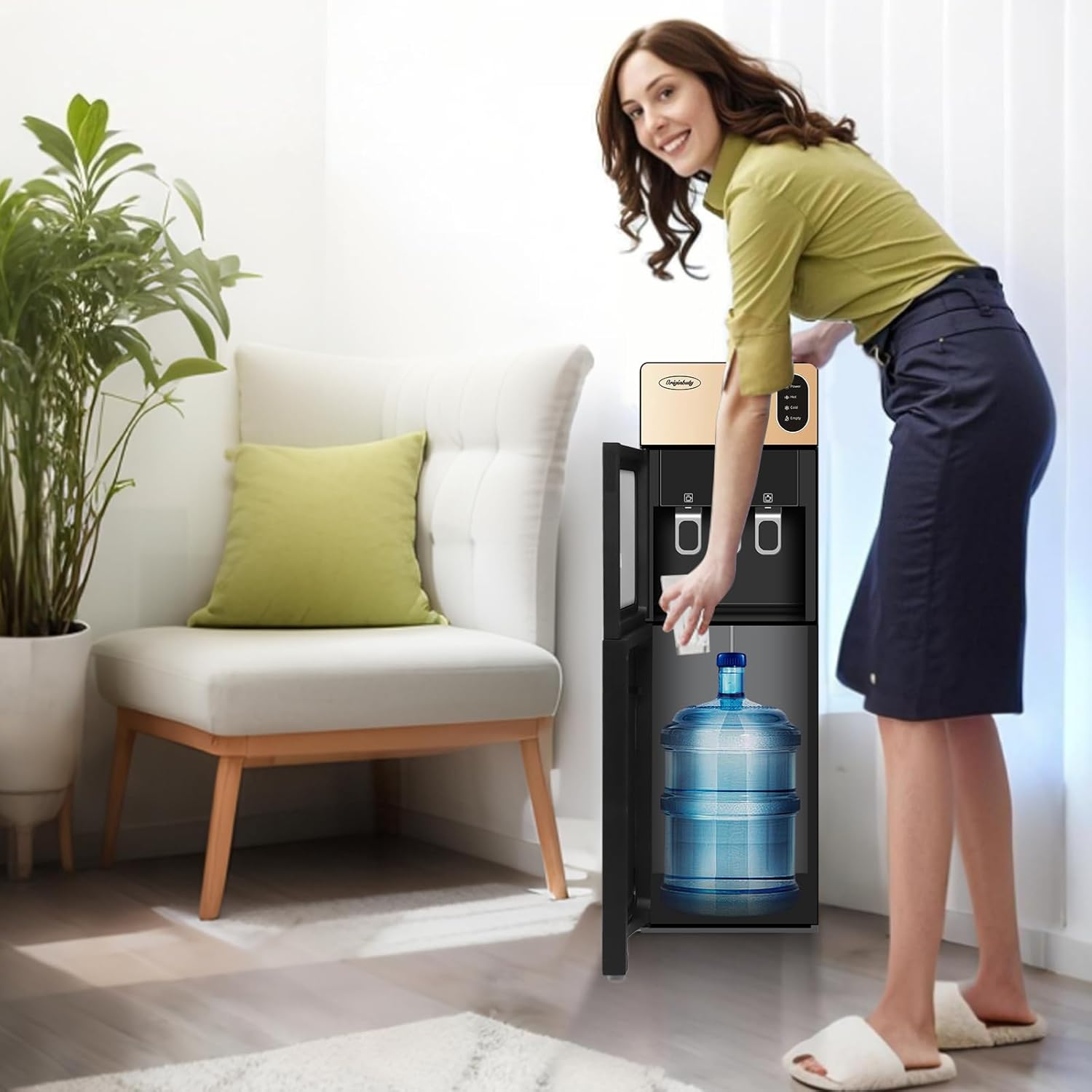
Figure 4.2: A person demonstrating the easy bottom-loading process of placing a water bottle into the dispenser's lower compartment.
4.4 Initial Priming
Before plugging in the unit, ensure water has filled the internal tanks. Dispense water from both the hot and cold spouts until water flows steadily. This removes air from the system and prevents damage to heating elements.
5. Operating Instructions
5.1 Powering On
Plug the power cord into a grounded electrical outlet. The 'Power' indicator light will illuminate.
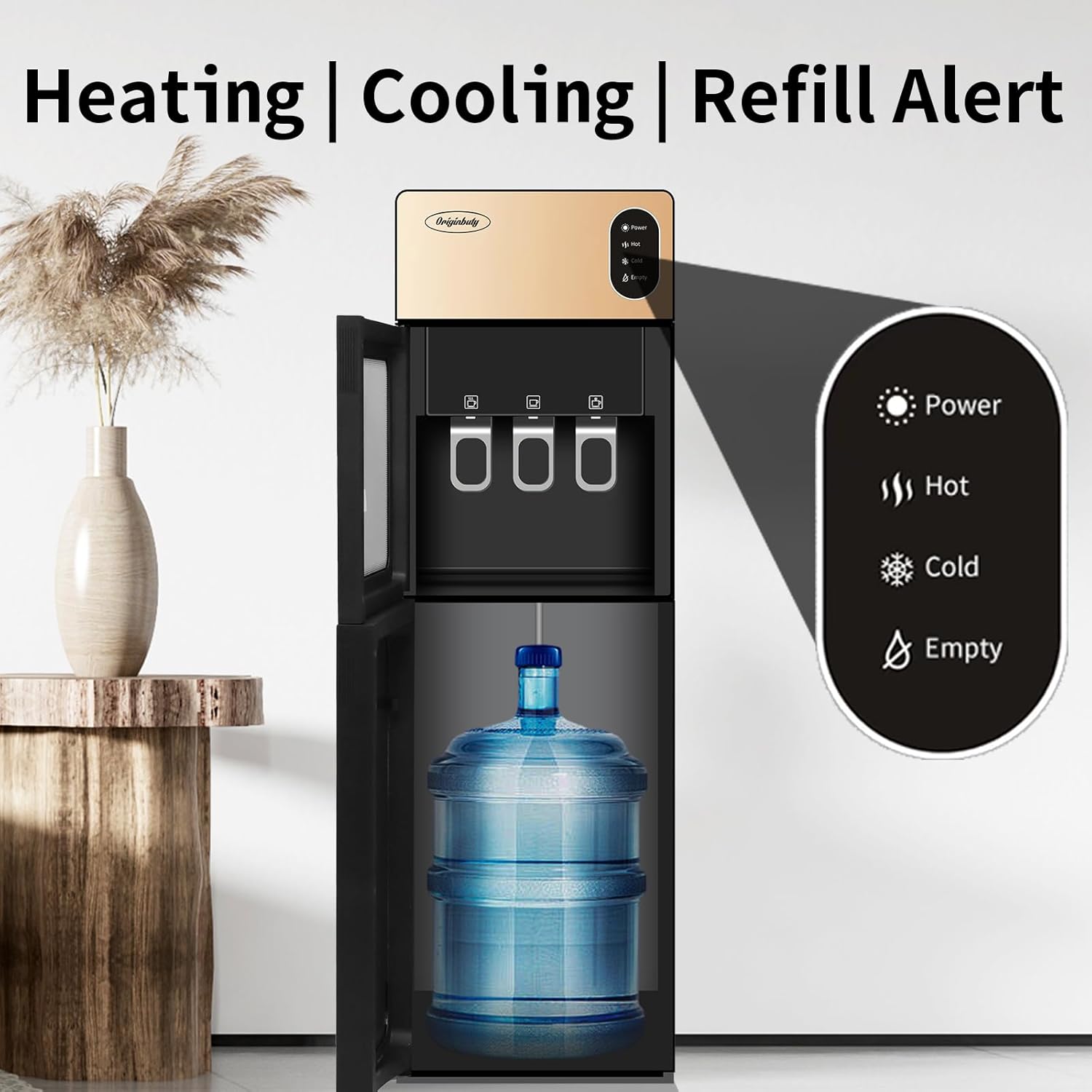
Figure 5.1: Close-up of the dispenser's control panel, showing the indicator lights for Power, Hot, Cold, and Empty water bottle status.
5.2 Dispensing Water
Place your cup or container under the desired spout. Push the dispensing lever to release water. Release the lever to stop the flow.

Figure 5.2: The dispensing area, highlighting the push-to-dispense levers and illustrating the compatibility with various cup and bottle sizes (e.g., 100ml, 150ml, 200ml, 300ml).
5.3 Temperature Control
The dispenser provides three temperature options:
- Hot Water: Heats water to approximately 85-95°C. The 'Hot' indicator light will illuminate when heating and turn off when the target temperature is reached.
- Cold Water: Cools water to approximately 8-15°C. The 'Cold' indicator light will illuminate when cooling and turn off when the target temperature is reached.
- Room Temperature Water: Dispenses water at ambient temperature.

Figure 5.3: Visual representation of the hot and cold water temperature capabilities, indicating a hot range of 85-95°C and a cold range of 8-15°C.
5.4 Empty Bottle Alert
When the water bottle is empty, the 'Empty' indicator light will illuminate, signaling that a new bottle is required.
6. Maintenance and Cleaning
6.1 Regular Cleaning
Wipe the exterior of the dispenser with a soft, damp cloth. Do not use abrasive cleaners or solvents. Clean the drip tray regularly by removing it, emptying any collected water, and washing it with mild soap and water.
6.2 Internal Cleaning (Descaling)
It is recommended to descale the hot water tank every 3-6 months, depending on water hardness. Consult a qualified technician or refer to specific descaling instructions for water dispensers.
6.3 Water Box Cleaning
Periodically clean the water box (the compartment where the water bottle sits) to prevent dust and debris accumulation. Unplug the unit and wipe with a clean, damp cloth.
7. Troubleshooting
| Problem | Possible Cause | Solution |
|---|---|---|
| No water dispensing | Water bottle empty or not properly installed. Air lock in the system. | Replace water bottle. Ensure probe is fully inserted. Prime the system by dispensing from both spouts. |
| No hot water | Hot water switch off. Heating element malfunction. | Ensure hot water switch is on. Allow time for heating. If problem persists, contact customer support. |
| No cold water / Water not cold enough | Cold water switch off. Cooling system malfunction. Insufficient time for cooling. | Ensure cold water switch is on. Allow 1-2 hours for initial cooling. Ensure proper ventilation. If problem persists, contact customer support. |
| Water leaking | Water bottle cracked or improperly seated. Drain plug loose. | Check water bottle for cracks and proper installation. Ensure drain plug is securely tightened. |
| Unit not powering on | Power cord unplugged. Power outlet malfunction. | Check power cord connection. Test outlet with another appliance. |
8. Specifications
| Feature | Detail |
|---|---|
| Brand | Originbuty |
| Model Number | NO |
| Colour | Gold |
| Product Dimensions (L x W x H) | 27 x 28 x 83 cm (10.6 x 11 x 32.7 inches) |
| Item Weight | 7 kg (15.4 lbs) |
| Access Location | Bottom |
| Hot Water Temperature | 85-95°C |
| Cold Water Temperature | 8-15°C |
| Certifications | UL/Energy Star Approved (as per product description) |
9. Warranty and Support
Originbuty is committed to providing quality products and exceptional customer service. This product comes with a standard manufacturer's warranty. For specific warranty details, technical assistance, or any questions regarding your water dispenser, please contact Originbuty customer support.
Please have your model number (NO) and purchase information ready when contacting support.
Related Documents - NO
 |
Primo Deluxe Bottom-Loading Water Dispenser - Features, Operation, and Warranty Comprehensive guide to the Primo Deluxe Bottom-Loading Water Dispenser, covering features, quick start, operating instructions, cleaning, maintenance, and limited warranty information. Model B250. |
 |
Igloo Retro Hot, Cold & Room Temperature Bottom Load Water Dispenser User Manual Comprehensive user manual for the Igloo Retro Hot, Cold & Room Temperature Bottom Load Water Dispenser (Model IRTRWCBL353CRH SERIES). Includes safety instructions, operation guide, assembly, maintenance, troubleshooting, and warranty information. |
 |
Primo Bottom Loading Water Dispenser - Features, Operation, and Warranty Comprehensive guide to the Primo Bottom Loading Water Dispenser, covering its features, operating instructions for cold and hot water dispensing, bottle replacement, cleaning and maintenance, and limited warranty information. Includes a quick start guide and product specifications. |
 |
Primo Deluxe Bottom-Loading Water Dispenser B262 User Manual This manual provides operating instructions, features, and warranty information for the Primo Deluxe Bottom-Loading Water Dispenser, model B262. Learn how to set up, use, clean, and maintain your water dispenser. |
 |
Avalon A3F Water Cooler Use and Care Guide: Perfect Water Every Time Comprehensive use and care guide for the Avalon A3F water cooler. Learn about features, installation, operation, maintenance, cleaning, troubleshooting, and safety for your Avalon water dispenser. |
 |
YL1933S Bottom Loading Water Dispenser with Ice Maker - User Manual Explore the YL1933S bottom loading water dispenser, featuring smart and simple design for dispensing hot and cold water, plus ice making capabilities. This manual provides comprehensive instructions. |
Ask a question about this manual
Ask about setup, troubleshooting, compatibility, parts, safety, or missing instructions. Manuals+ will review the question and use this page’s manual context to help answer it.