
1. Product Overview
The DUMOS 32-inch Small Computer Desk (Model GDZ) is designed for home office, study, or bedroom use. It features a modern, simple style with an X-shaped reinforcement structure for enhanced stability. The desk is constructed from premium MDF board and a sturdy metal frame, offering durability and ease of maintenance.
Key Features:
- X-Shaped Reinforcement Structure: Provides stability and prevents wobbling during use.
- Premium Material: Scratch-resistant and water-resistant MDF tabletop with a sturdy steel frame.
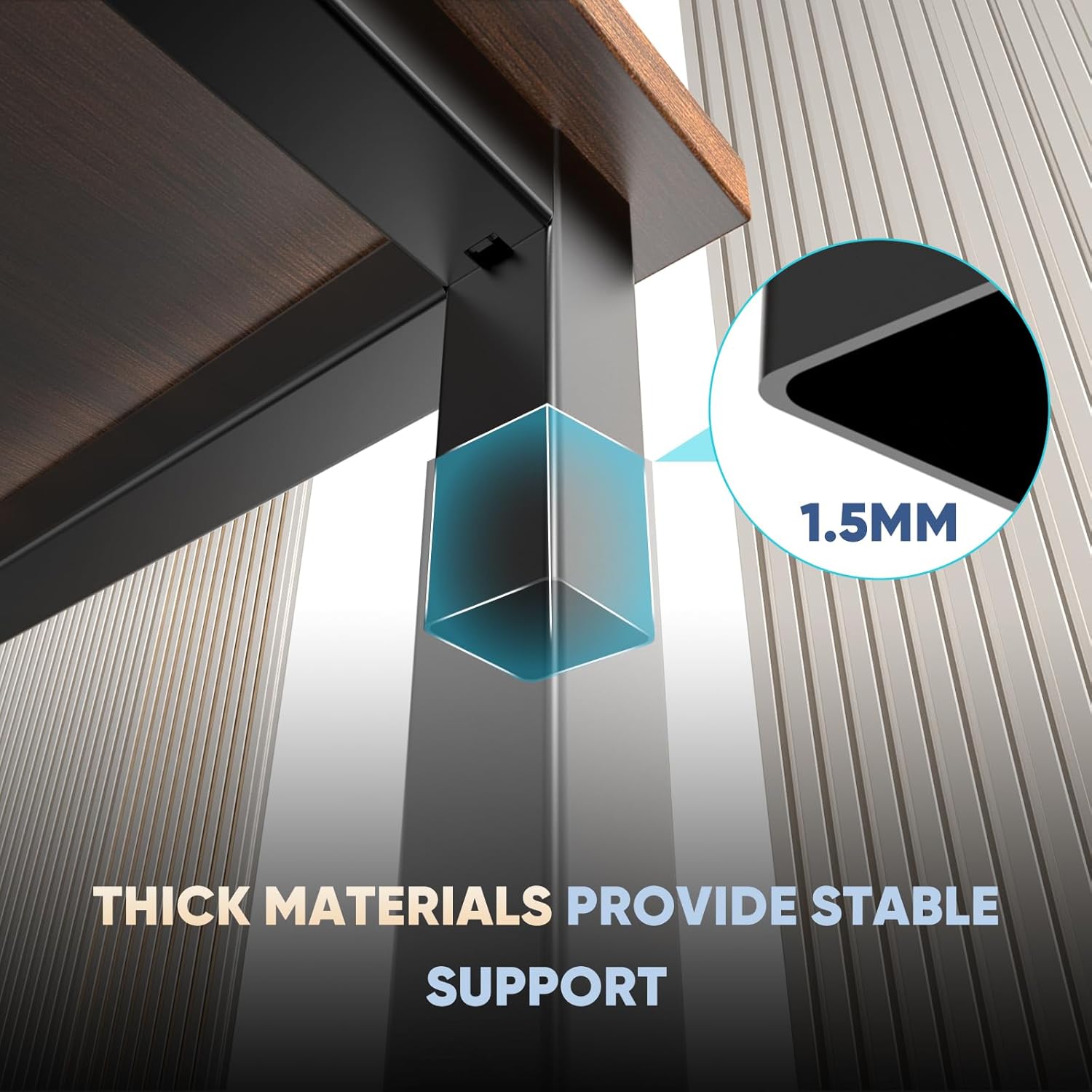
- Thick Square Tube Support: Heavy-duty square tube legs support up to 265 lbs.
- Easy Installation: All necessary tools and parts are included for quick assembly.


2. Safety Information
Please read and follow these safety guidelines to ensure safe use and longevity of your DUMOS computer desk:
- Weight Limit: Do not exceed the maximum weight capacity of 265 lbs (120 kg) on the desktop. Overloading can compromise the desk's stability and structural integrity.
- Anchoring: For added stability and to prevent tipping, especially in households with children or pets, consider anchoring the desk to a wall using appropriate hardware (not included).
- Assembly: Follow all assembly instructions carefully. Incorrect assembly can lead to instability and potential hazards.
- Placement: Place the desk on a flat, level surface to prevent wobbling. Avoid placing it in high-traffic areas where it might be easily bumped.
- Liquid Spills: While the tabletop is water-resistant, promptly wipe up any liquid spills to prevent damage to the surface and underlying materials.
3. Assembly Instructions
Your DUMOS computer desk is designed for easy assembly. All necessary tools and parts are included in the package. Please follow these steps carefully:
- Unpack Components: Carefully unpack all parts and hardware from the box. Verify that all components listed in the manual are present.
- Assemble Frame: Begin by attaching the X-shaped reinforcement bars to the metal frame legs. Ensure screws are tightened to approximately 50% initially to allow for adjustments.
- Attach Desktop: Once the frame is assembled and stable, carefully place the MDF desktop onto the frame. Align the pre-drilled holes on the desktop with the frame.
- Secure Desktop: Insert and tighten all screws to secure the desktop to the frame. Once all screws are in place, fully tighten all screws on the frame and desktop.
- Final Check: Ensure all connections are secure and the desk is stable before placing any items on it.


Assembly Video:
Video 1: Official DUMOS Home Office Desks Installation Video. This video provides a visual guide for assembling your desk, demonstrating each step clearly.
4. Usage
The DUMOS 32-inch Small Computer Desk is versatile and suitable for various applications:
- Home Office: Ideal for laptops, monitors, keyboards, and other office essentials.
- Study Area: Provides a compact and stable surface for reading, writing, or homework.
- Bedroom: Fits well in smaller spaces, serving as a functional workstation without occupying excessive room.
- Gaming: Can accommodate a gaming setup, offering a stable platform for your equipment.
Ensure that the weight of items placed on the desk does not exceed the 265 lbs limit. Distribute weight evenly across the surface to maintain stability.
5. Maintenance
To keep your DUMOS computer desk in optimal condition, follow these simple maintenance guidelines:
- Cleaning: Wipe the desktop and frame with a damp cloth. Avoid using harsh chemicals or abrasive cleaners, which can damage the finish.
- Spills: Immediately clean up any spills to prevent water damage or staining, especially on the wood brown tabletop.
- Tighten Fasteners: Periodically check and tighten all screws and bolts to ensure the desk remains stable and secure.
- Avoid Extreme Conditions: Do not expose the desk to extreme temperatures, direct sunlight for prolonged periods, or high humidity, as this can affect the material integrity.
6. Troubleshooting
If you encounter any issues with your DUMOS computer desk, refer to the following common problems and solutions:
Problem: Desk is wobbly.
- Solution 1: Ensure all screws and bolts are fully tightened. The X-shaped reinforcement structure is designed to prevent wobbling, but loose fasteners can compromise this.
- Solution 2: Verify that the desk is placed on a flat and level surface. Uneven flooring can cause instability.
- Solution 3: Check if the X-shaped bars are correctly installed and secured. Refer to the assembly instructions or video if necessary.

Problem: Surface damage (scratches, water marks).
- Solution: While the tabletop is scratch and water-resistant, it is not impervious to all damage. Use coasters for drinks and desk pads for sharp objects or heavy use areas to minimize wear. For minor scratches, furniture repair kits may be used.
7. Specifications
| Attribute | Detail |
|---|---|
| Brand | DUMOS |
| Model Number | GDZ |
| Product Dimensions (D x W x H) | 19.69" x 31.5" x 29.69" |
| Color | Wood Brown |
| Top Material Type | Wood (MDF) |
| Base Material | Metal |
| Maximum Weight Recommendation | 265 Pounds |
| Assembly Required | Yes (Tools included) |
| Special Feature | Easy Clean, X-Shaped Reinforcement |

8. Warranty & Support
Warranty Information:
The DUMOS 32-inch Small Computer Desk comes with a Limited Warranty. This warranty covers manufacturing defects and ensures the product's durability under normal use. For specific terms and conditions of the warranty, please refer to the documentation included with your purchase or contact DUMOS customer support.
Customer Support:
If you have any questions, require assistance with assembly, or need to report a defect, please contact DUMOS customer support through the retailer where the product was purchased or visit the official DUMOS website for contact information.


