
1. Introduction and Overview
The artfone CF241A is a user-friendly GSM flip phone specifically designed for seniors. It features large buttons, a clear 2.4-inch display, and essential functions for easy communication. Key features include an SOS emergency button, FM radio, and dual SIM card support.
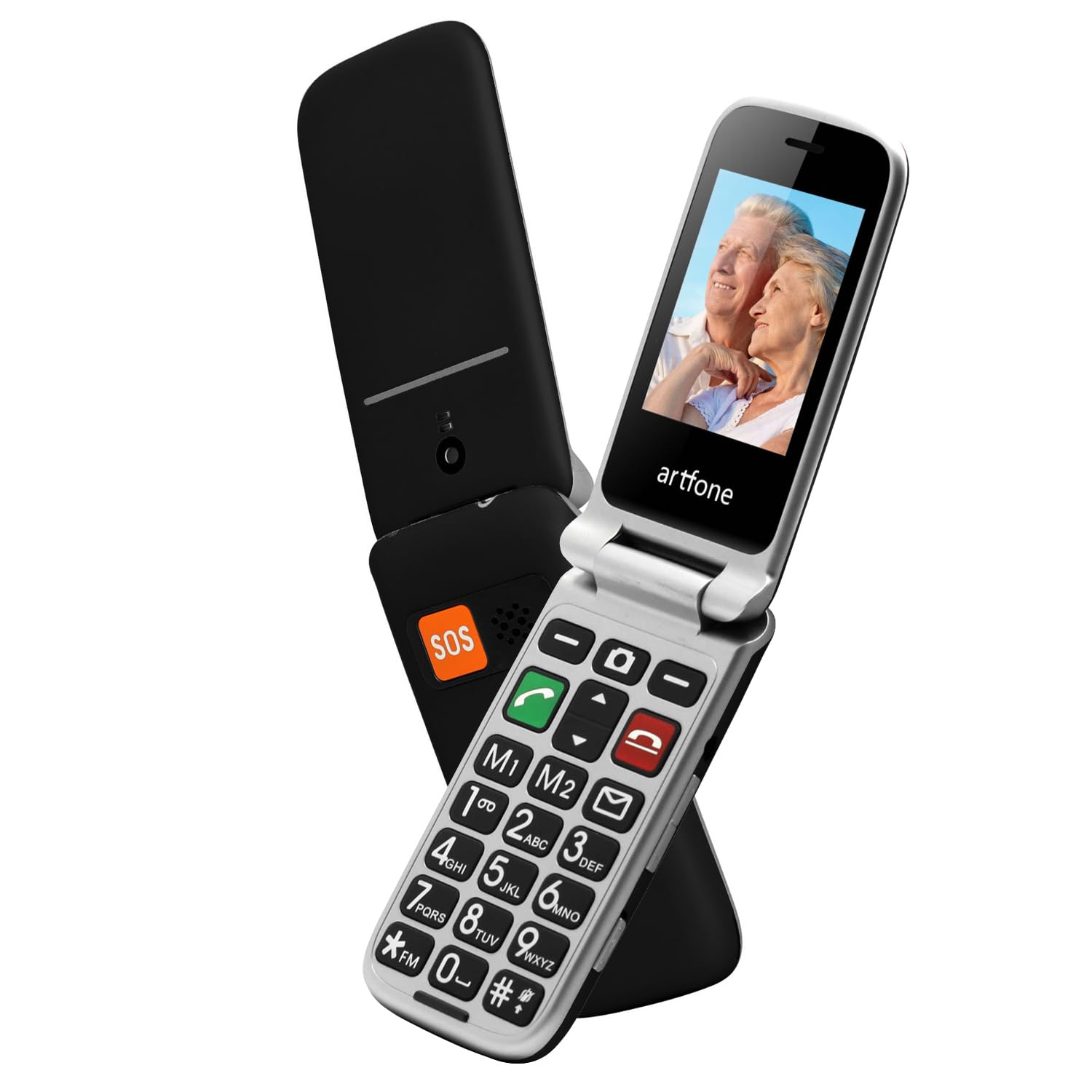
Image 1.1: The artfone CF241A flip phone in black, shown open to display its large, easy-to-read buttons and a vibrant color screen.
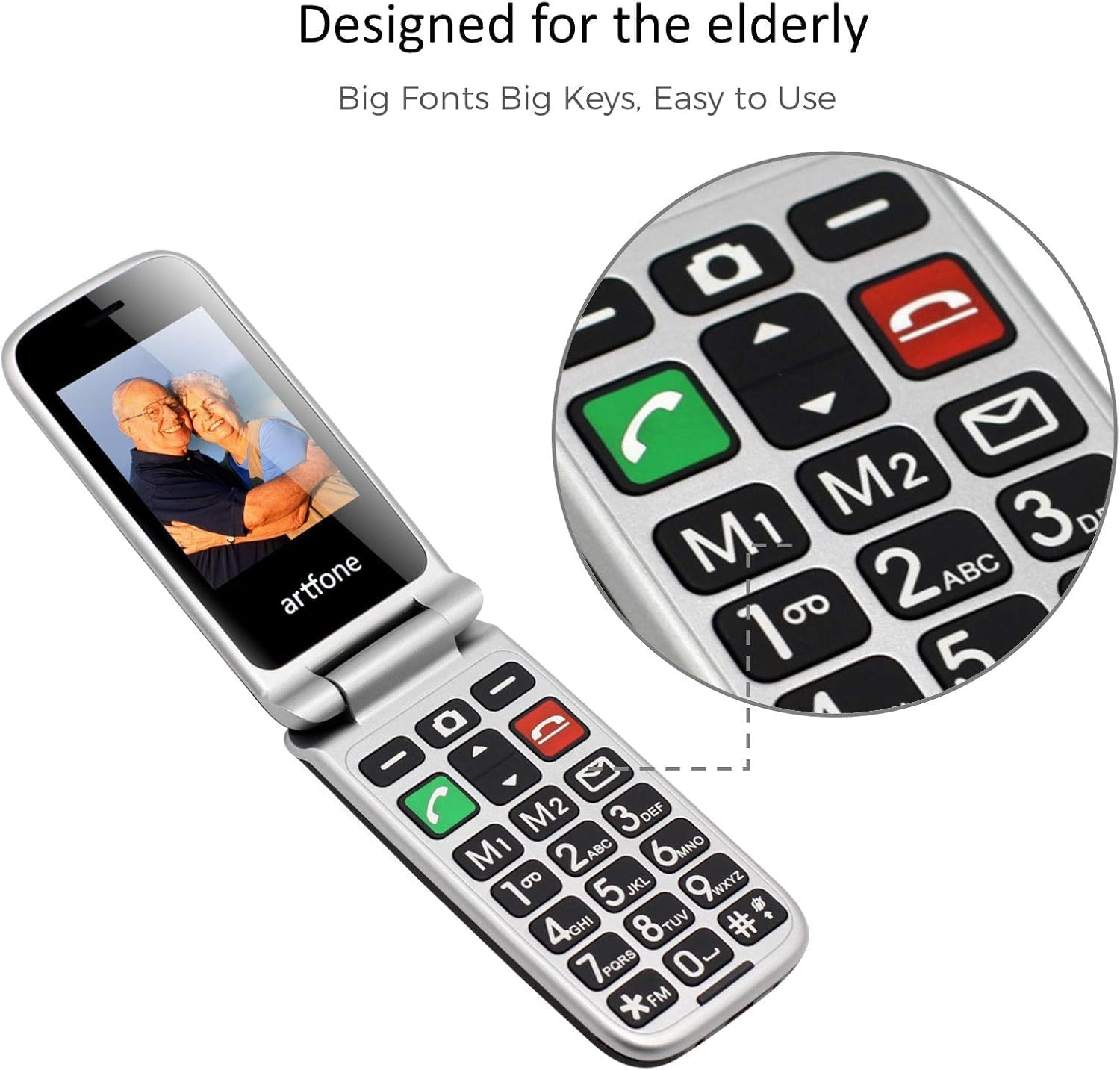
Image 1.2: Close-up of the artfone CF241A's keypad, highlighting the large, distinct buttons and dedicated memory keys (M1, M2) for quick dialing.
2. Setup
2.1 Battery Installation
- Carefully remove the back cover of the phone.
- Insert the provided Lithium-ion battery into the battery compartment, ensuring the gold contacts align with the phone's terminals.
- Replace the back cover until it clicks securely into place.
2.2 SIM Card and MicroSD Card Installation
- With the back cover and battery removed, locate the SIM card slot(s). This phone supports dual SIM cards.
- Insert your standard-sized SIM card(s) into the designated slot(s) with the gold contacts facing down, following the diagram near the slot.
- If using a MicroSD card for additional storage, insert it into the MicroSD card slot.
- Reinstall the battery and back cover.
2.3 Charging the Phone
- Connect the USB Type-C charging cable to the charging port on the phone.
- Plug the other end of the cable into a compatible USB power adapter or a computer's USB port.
- The battery icon on the screen will indicate charging status. Allow the phone to fully charge before first use.
2.4 Powering On/Off and Language Selection
- To power on, press and hold the red 'End Call' button until the screen lights up.
- Upon first power-on, you may be prompted to select your preferred language. Use the navigation keys to select English and press the 'OK' button.
- To power off, press and hold the red 'End Call' button until the power-off option appears, then confirm.
3. Operating Instructions
3.1 Making and Receiving Calls
- Making a Call: Enter the phone number using the keypad and press the green 'Call' button.
- Answering a Call: When the phone rings, press the green 'Call' button to answer.
- Ending a Call: Press the red 'End Call' button to terminate a call.
- Speed Dial: Press and hold a number key (2-9) to dial a pre-assigned speed dial contact. M1 and M2 keys can also be programmed for direct dialing.
3.2 Sending and Receiving SMS Messages
- Sending SMS: Navigate to the 'Messages' menu, select 'Write Message', enter your text, and then select the recipient from your contacts or enter a number.
- Receiving SMS: New messages will be indicated by an envelope icon on the screen. Access them through the 'Messages' menu.
3.3 SOS Emergency Function
The SOS button is located on the back of the phone. It allows for quick contact with pre-selected emergency numbers.
- Setting up SOS Numbers: Go to 'Settings' > 'SOS Settings' to add up to 5 emergency contacts.
- Activating SOS: In an emergency, press and hold the SOS button for 3 seconds. The phone will automatically call the pre-set emergency numbers in sequence until one is answered. It will also send an emergency SMS to these contacts.
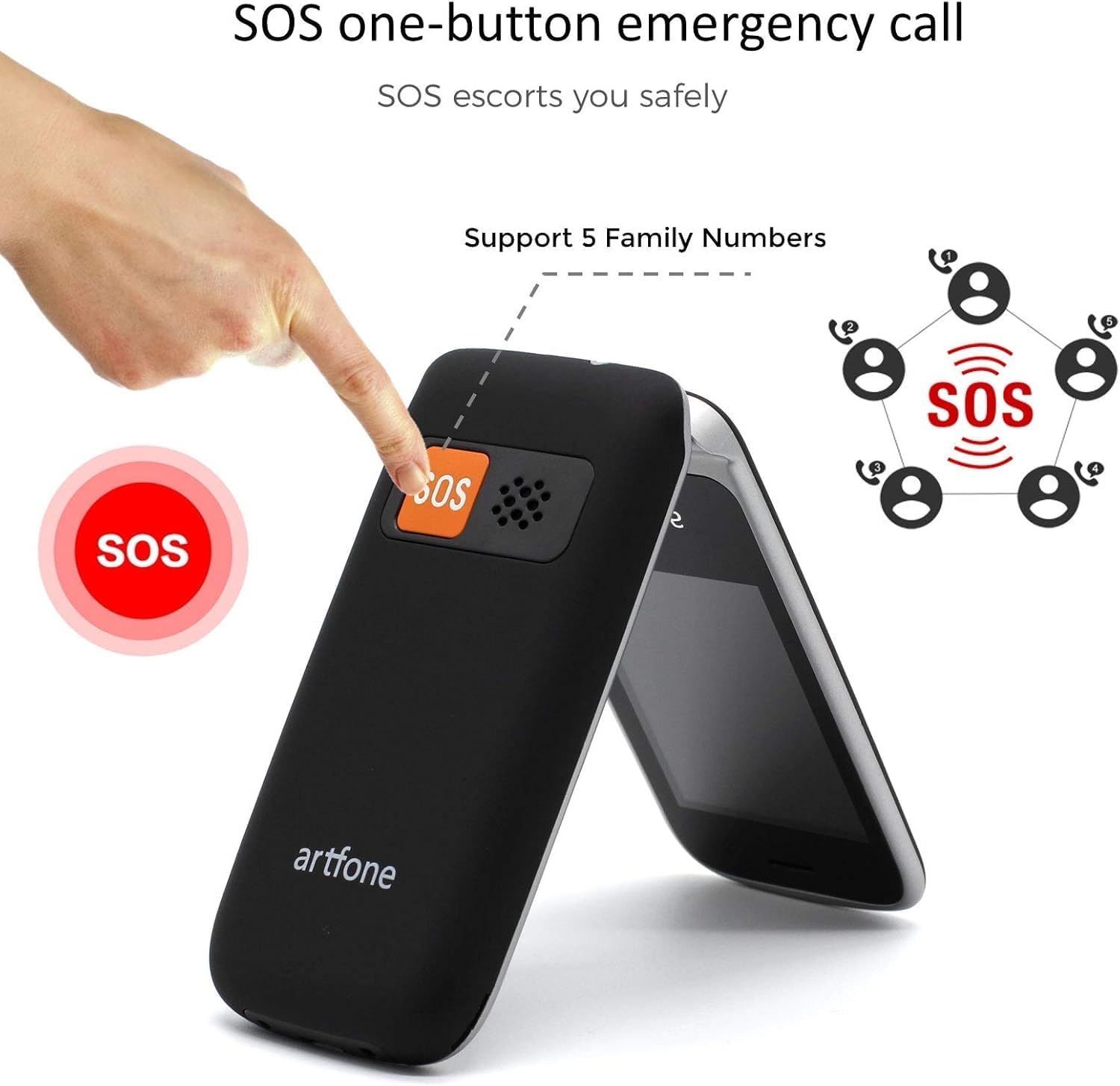
Image 3.1: Demonstrating the SOS emergency call function by pressing the dedicated button on the phone's rear.
3.4 Phonebook / Contacts
Store frequently used numbers in the phonebook. You can add, edit, and delete contacts through the 'Contacts' menu.
3.5 FM Radio
To use the FM radio, connect a wired headset (not included) to the phone's audio jack, as it acts as an antenna. Navigate to the 'FM Radio' application in the menu to scan for stations.
3.6 Flashlight
Activate the flashlight function by pressing and holding the dedicated flashlight button on the side of the phone, or through the 'Tools' menu.

Image 3.2: The artfone CF241A's integrated flashlight in operation, providing illumination.
3.7 Other Functions
The phone includes additional tools such as an alarm clock, calculator, and calendar, accessible via the main menu.

Image 3.3: Overview of the phone's various functions, represented by icons on the screen.
4. Maintenance
- Cleaning: Use a soft, dry cloth to clean the phone's exterior. Avoid liquid cleaners or abrasive materials.
- Battery Care: To prolong battery life, avoid extreme temperatures and do not leave the phone fully discharged for extended periods.
- Storage: Store the phone in a cool, dry place away from direct sunlight and moisture when not in use.
5. Troubleshooting
| Problem | Possible Cause | Solution |
|---|---|---|
| Phone does not power on | Low battery; Battery not installed correctly | Charge the battery; Reinstall the battery correctly |
| Cannot make or receive calls | No SIM card; SIM card not installed correctly; No network signal | Install SIM card; Reinstall SIM card; Move to an area with better signal |
| Charging issue | Faulty charger/cable; Loose connection | Try a different charger/cable; Ensure cable is securely connected |
| SOS button not working | No SOS numbers set; Incorrect settings | Configure SOS numbers in settings; Check SOS settings |
If problems persist, please contact customer support.
6. Specifications
- Brand: artfone
- Model Number: CF241A
- Color: Black
- Operating System: artfone OS
- Screen Size: 2.4 Inches
- Resolution: 240 x 320 pixels
- Connections: 2G GSM
- CPU Speed: 1000 MHz
- RAM: 64 MB
- Internal Storage: 128 MB
- Battery Composition: Lithium-ion
- Battery Capacity: 1300 mAh
- Charging Port: USB Type C
- SIM Card Support: Dual SIM
7. Warranty and Support
Your artfone CF241A phone comes with a standard manufacturer's warranty. Please refer to the warranty card included in your product packaging for specific terms and conditions.
For technical support, troubleshooting assistance, or warranty claims, please contact artfone customer service through their official website or the contact information provided in your product documentation.


