
Strongway 12/24V Smart Battery Charger
Strongway 12/24V Smart Battery Charger User Manual
Model: 12/24V Smart Battery Charger
Introduction
The Strongway 12/24V Smart Battery Charger is designed for efficient and safe charging of various battery types, including lead-acid (AGM, gel, wet) and LiFePO4 batteries. It features an intelligent 7-stage charging process and an intuitive LCD display for real-time monitoring. This manual provides essential information for the safe and effective operation of your charger.
Important Safety Information
Read all instructions before using this product.
- Always wear eye protection and protective clothing when working with batteries.
- Ensure the charging area is well-ventilated.
- Do not expose the charger to rain or excessive moisture.
- Never smoke or allow a spark or flame in the vicinity of the battery or engine.
- Disconnect the AC power from the charger before making or breaking the connections to the battery.
- Do not charge frozen batteries.
- Keep out of reach of children.
Package Contents
- Strongway 12/24V Smart Battery Charger Unit
- Battery Clamps (Red and Black)
- Ring Terminal Connectors
- User Manual

Image: The Strongway 12/24V Smart Battery Charger unit, including the main charger, battery clamps, and ring terminal connectors, laid out on a surface.
Product Overview
Familiarize yourself with the components and controls of your Strongway Smart Battery Charger.

Image: A close-up view of the charger's front panel, showing the LCD display and the mode selection button. Indicators for WET/AGM, STD, GEL, and LFP battery types are visible below the screen.
Controls and Indicators
- LCD Display: Shows real-time voltage, current, charging progress, and any error codes.
- Mode Button: Used to select charging modes (12V/24V) and battery types (WET/AGM, STD, GEL, LiFePO4).
- Battery Type Indicators: Icons on the display indicating the currently selected battery chemistry.
Setup
Follow these steps for safe and proper setup of your battery charger:
- Ensure the charger is disconnected from any AC power outlet.
- Identify the voltage (12V or 24V) and type of battery you intend to charge.
- Connect the red positive (+) clamp to the positive battery terminal.
- Connect the black negative (-) clamp to the negative battery terminal. If charging a battery installed in a vehicle, connect the negative clamp to a chassis ground away from the battery.
- Once battery connections are secure, plug the charger into a standard 120V AC outlet.

Image: The Strongway charger connected to a car battery under the hood, demonstrating proper clamp connection to the battery terminals.
Operating Instructions
Starting a Charge
- After connecting the battery and AC power, the charger will automatically detect the battery voltage.
- Use the Mode button to select the appropriate battery type (WET/AGM, STD, GEL, or LiFePO4) and voltage (12V or 24V). The LCD will display the selected mode.
- The charger will automatically begin the 7-stage charging process. The LCD will show real-time voltage and charging progress.
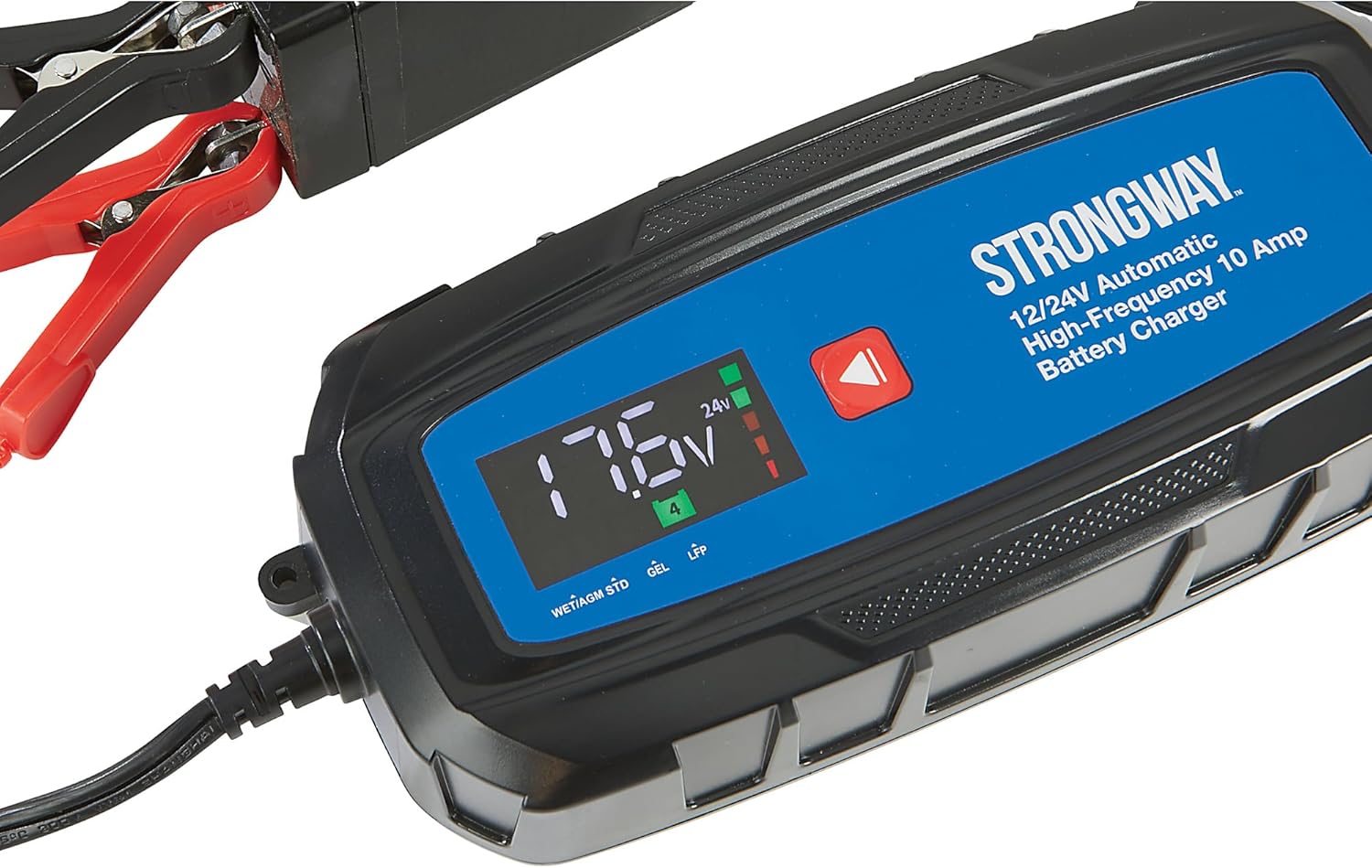
Image: The charger's LCD display showing a voltage reading of 17.6V and indicating operation in 24V mode, with charging progress bars illuminated.
Charging Modes
The charger offers 3 selectable charging settings to match battery type and condition, ensuring efficient and accurate power delivery.
- 12V Mode: For 12-volt battery systems.
- 24V Mode: For 24-volt battery systems.
- Battery Type Selection: Cycle through WET/AGM, STD, GEL, and LiFePO4 to optimize charging for your specific battery chemistry.
Completing a Charge
The charger will automatically stop charging once the battery is fully charged and switch to a maintenance (float) mode to prevent overcharging.
- First, disconnect the charger from the AC power outlet.
- Next, disconnect the black negative (-) clamp from the battery or chassis ground.
- Finally, disconnect the red positive (+) clamp from the battery terminal.

Image: The Strongway charger connected to a smaller 12V battery, demonstrating its versatility for different battery sizes and applications.
Maintenance
Proper maintenance ensures the longevity and optimal performance of your charger.
- Clean the charger casing with a soft, dry cloth. Do not use harsh chemicals or abrasives.
- Inspect cables and clamps for any signs of damage, fraying, or corrosion before each use. Replace if damaged.
- Store the charger in a cool, dry place when not in use, away from direct sunlight and extreme temperatures.
Troubleshooting
Refer to the table below for common issues and their solutions.
| Problem | Possible Cause | Solution |
|---|---|---|
| Charger not turning on | No AC power / Faulty power outlet | Check power outlet with another device. Ensure charger is securely plugged in. |
| Charger not charging | Incorrect battery connection / Battery too deeply discharged / Battery fault | Ensure correct polarity (+ to +, - to -). For deeply discharged batteries, consult a professional. Test battery condition. |
| Error code on display | Internal fault / Battery issue (e.g., short circuit, reverse polarity) | Refer to specific error code in the full product manual (if applicable). Disconnect and reconnect. If issue persists, contact customer support. |
Specifications
| Feature | Detail |
|---|---|
| Model | 12/24V Smart Battery Charger |
| Input Voltage | 120V AC |
| Max Output | 10A (12V), 5A (24V) |
| Compatible Battery Types | Lead-acid (AGM, Gel, Wet), LiFePO4 |
| Charging Process | 7-Stage Automatic |
| Product Dimensions | 6.7 x 2.8 x 2 inches |
| Item Weight | 2.5 pounds |
Warranty and Support
For detailed warranty information and technical support, please refer to the documentation included with your product or visit the official Strongway website. You can also find more information and contact details by visiting the Strongway Store on Amazon:
Ask a question about this manual
Ask about setup, troubleshooting, compatibility, parts, safety, or missing instructions. Manuals+ will review the question and use this page’s manual context to help answer it.