Introduction
This manual provides comprehensive instructions for the setup, operation, and maintenance of your Fotopro DIGI-3400 Ultralight Compact Travel Tripod. Designed for portability and versatility, this aluminum tripod features a quick release plate and a panoramic head, making it an ideal companion for travel, camping, and outdoor photography. Please read these instructions carefully before using the product to ensure optimal performance and longevity.
Product Overview
The Fotopro DIGI-3400 tripod is engineered for ease of use and portability. It weighs approximately 0.5 kg (1.1 lbs) and folds down to 39.6 cm (15.6 inches), making it highly compact for transport. When fully extended, it reaches a maximum height of 120 cm (48 inches) and supports a maximum load of 2 kg (4 lbs).
Key Features:
- Ultralight and Compact Design: Easy to carry for travel and outdoor activities.
- Quick Release Plate: Allows for fast attachment and detachment of your camera.
- Panoramic Head: Enables smooth horizontal and vertical adjustments for diverse shooting angles.
- Aluminum Construction: Provides durability while maintaining a low weight.
Components:
- Tripod Body with Leg Sections and Locks
- Panoramic Head with Handle
- Quick Release Plate
- Carrying Bag

Image: The Fotopro DIGI-3400 tripod shown in both its fully extended and compact folded states, highlighting its portability.

Image: Visual representation of the tripod's key specifications including its weight (1.2 lbs), maximum load capacity (5.0 lbs), and folded height (15.6 inches).
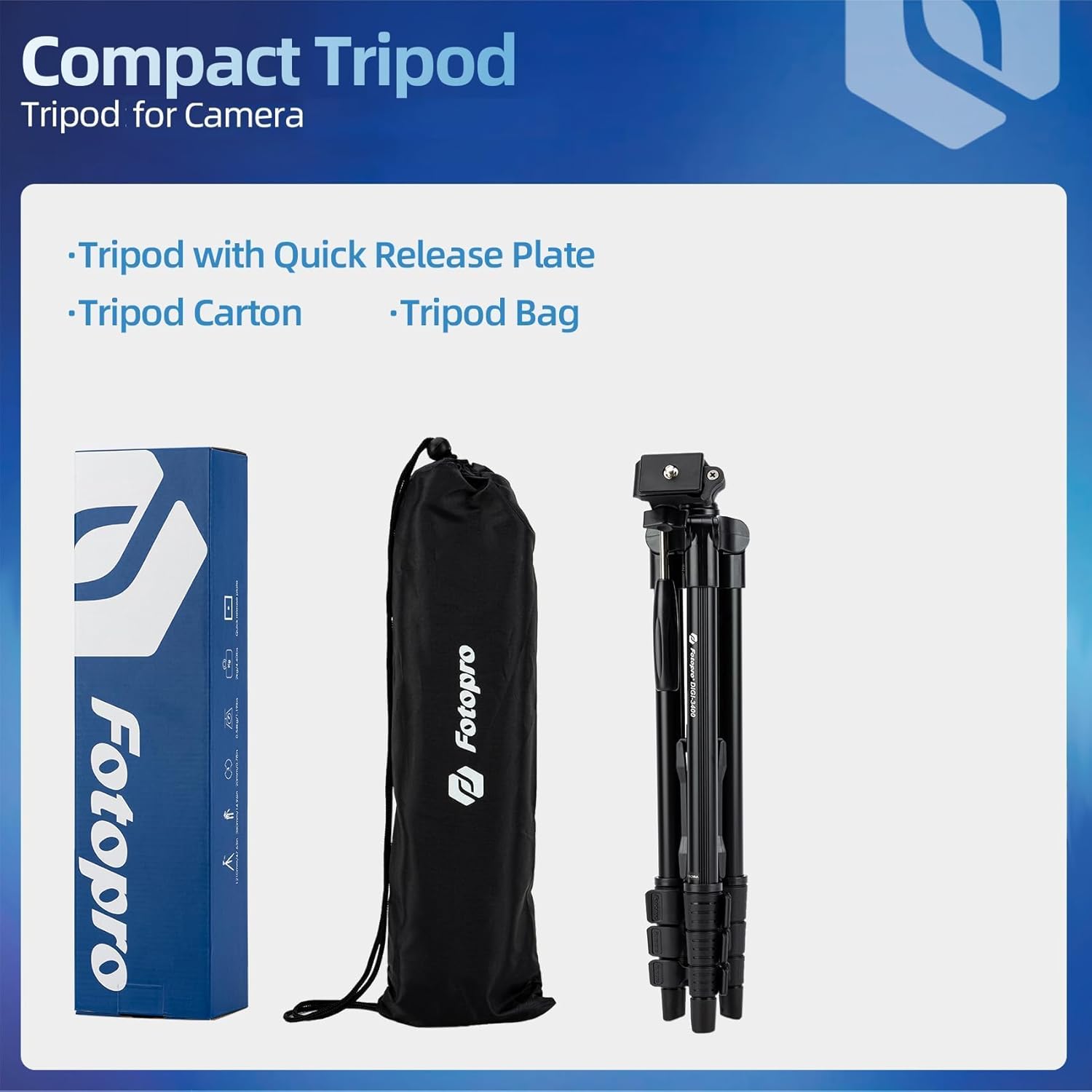
Image: The tripod, its quick release plate, and the included carrying bag, demonstrating the complete package.
Setup Instructions
- Unpack the Tripod: Carefully remove the tripod and all accessories from its packaging.
- Extend the Legs: Unlock the leg section clips on each leg. Extend the legs to the desired length, then securely close the clips to lock them in place. Ensure all leg sections are fully extended and locked for maximum stability.
- Adjust Center Column (if applicable): If your model includes a center column, loosen the locking knob, raise the column to the desired height, and then tighten the knob. Avoid over-extending the center column, especially with heavier cameras, to maintain stability.
- Attach Quick Release Plate to Camera: Locate the quick release plate. Screw the plate's mounting screw into the tripod socket on the bottom of your camera. Ensure it is tightened securely.
- Mount Camera to Tripod Head: With the quick release plate attached to your camera, align the plate with the receiver on the tripod's panoramic head. Insert the plate and engage the locking mechanism on the head to secure your camera. Verify that the camera is firmly attached before releasing your grip.
Operating Instructions
Adjusting the Panoramic Head:
- Pan Movement: Loosen the horizontal locking knob (typically located at the base of the head) to rotate the camera horizontally for panoramic shots. Tighten the knob to lock the position.
- Tilt Movement: Use the handle to adjust the vertical tilt of the camera. Loosen the tilt locking knob (often integrated with the handle) to move the camera up or down. Tighten the knob to secure the desired angle.
Achieving Various Shooting Angles:
The panoramic head allows for multiple shooting orientations:

Image: Examples of horizontal, vertical, overhead, and elevation shooting angles achievable with the tripod, illustrating its versatility.
- Horizontal Shooting: Standard orientation for landscapes and general photography.
- Vertical Shooting: Rotate the camera 90 degrees for portrait-oriented shots.
- Overhead Shooting: Adjust the head to point the camera downwards for top-down views.
- Elevation Shooting: Utilize the full height and tilt range for elevated perspectives.
Always ensure all locking mechanisms are securely tightened before leaving your camera unattended on the tripod.

Image: The Fotopro DIGI-3400 tripod set up outdoors with a camera mounted, ready for use.
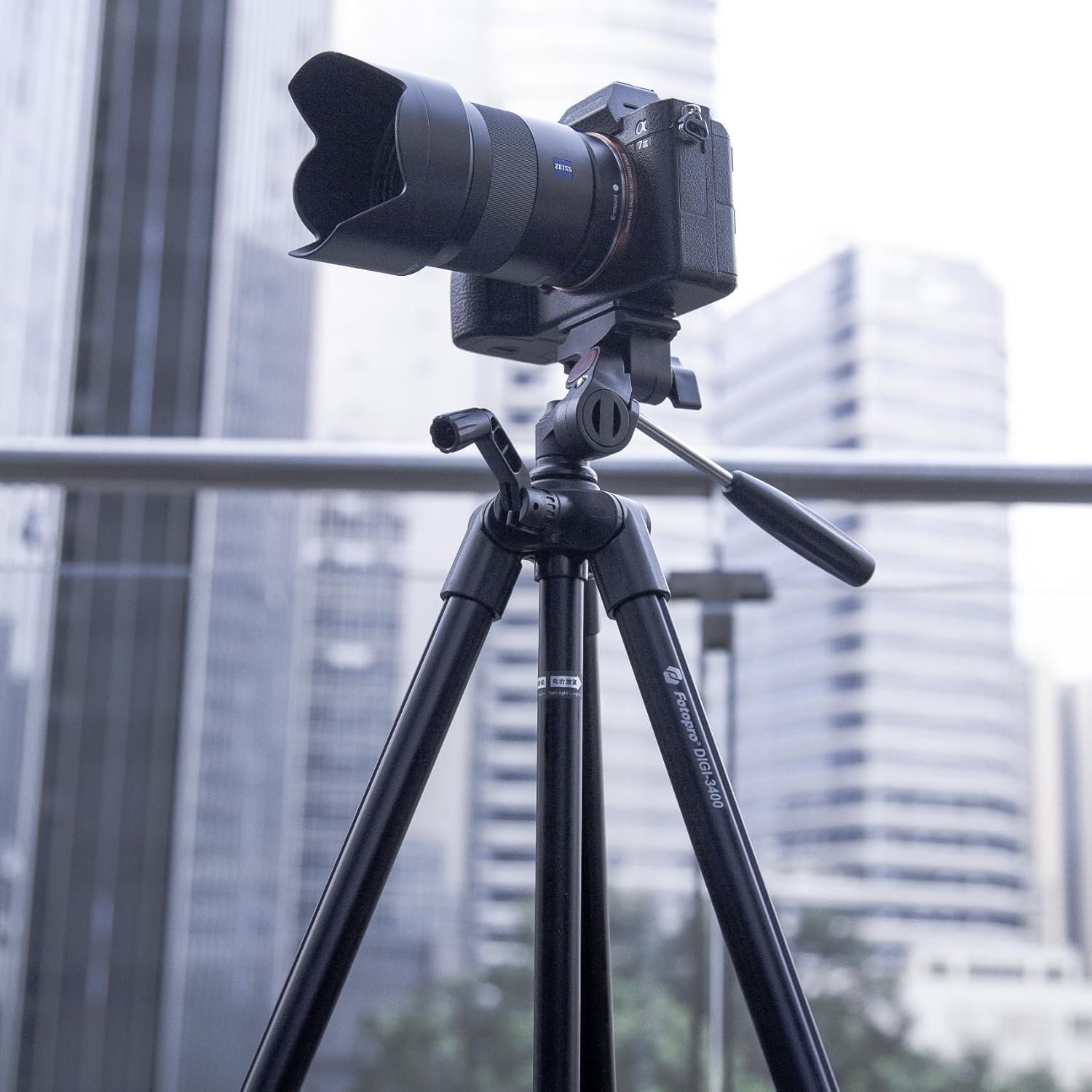
Image: A closer view of the Fotopro DIGI-3400 tripod with a camera attached, showcasing the head and camera mounting.
Maintenance
- Cleaning: Wipe the tripod with a soft, dry cloth after each use. If necessary, use a slightly damp cloth with mild soap, then dry thoroughly.
- Avoid Sand and Dirt: Prevent sand, dirt, or debris from entering the leg joints and locking mechanisms. If exposed to sand, carefully clean the affected areas to ensure smooth operation and prevent damage.
- Storage: Store the tripod in its carrying bag in a cool, dry place away from direct sunlight and extreme temperatures.
- Lubrication: Do not apply lubricants to the leg sections or locking mechanisms unless specifically instructed by the manufacturer, as this can attract dirt and impair function.
Troubleshooting
- Issue: Tripod is unstable or wobbly.
Solution: Ensure all leg sections are fully extended and their clips are securely locked. Verify that the quick release plate is firmly attached to both the camera and the tripod head. Do not exceed the maximum load capacity of 2 kg (4 lbs). Avoid over-extending the center column, especially with heavier equipment. - Issue: Leg sections do not extend or retract smoothly.
Solution: This often occurs if sand or dirt has entered the leg joints. Clean the leg sections thoroughly, paying attention to the locking mechanisms. Avoid using the tripod in sandy or dusty environments without proper protection. - Issue: Camera is not securely attached to the head.
Solution: Re-check that the quick release plate is tightly screwed into your camera's tripod socket. Ensure the quick release plate is correctly seated in the tripod head's receiver and that the head's locking lever or knob is fully engaged.
Specifications
| Feature | Specification |
|---|---|
| Model Name | DIGI-3400 |
| Material | Aluminum |
| Item Weight | 0.65 Kilograms (1.43 pounds) |
| Weight Limit | 2 Kilograms (4 Pounds) |
| Maximum Height | 120 Centimeters (48 inches) |
| Folded Height | 39.6 Centimeters (15.6 inches) |
| Tripod Head Type | Pan Heads |
| Compatible Devices | Camera |
| Special Feature | Portable, Lightweight |
Warranty and Support
For warranty information and customer support, please refer to the documentation included with your purchase or visit the official Fotopro website. You can also visit the Fotopro Store on Amazon for additional product details and contact options.
Please retain your proof of purchase for any warranty claims.


